Best Tech Company Case Study Tools in 2026: 8 Platforms Compared
Compare 8 tools tech companies use to create and showcase case studies, from interactive pages to slide decks, with templates, metrics, and analytics.

- Editor's choice
 Storydoc
Interactive case study pages
Starts atSee websiteVisit storydoc.comFull review - Great alternative
 Canva
Quick case study designs
Starts atFreeVisit canva.comFull review - Also consider
 Visme
Visual case study reports
Starts atFreeVisit visme.coFull review
TL;DR:
- Storydoc and Canva are the easiest ways to turn a customer story into a polished, shareable page or deck.
- Visme, Gamma, and Beautiful.ai suit teams that want visual case studies without a designer.
- HubSpot and Notion work well when case studies must live inside a CRM or team workspace.
- PandaDoc and Pitch help when a case study must also support proposals and sales follow up.
- The best tool depends on whether the case study is for a website, a sales deck, or a public showcase page.
Quick comparison
| Tool | Best for | Starts at | Free plan? | |
|---|---|---|---|---|
| Storydoc | Interactive case study pages | See website | Free trial | Visit |
| Canva | Quick case study designs | Free | Yes | Visit |
| Visme | Visual case study reports | Free | Yes | Visit |
 Gamma | AI assisted case study decks | Free | Yes | Visit |
 Beautiful.ai | Clean slide case studies | See website | Free trial | Visit |
 HubSpot | Case studies tied to CRM | Free | Yes | Visit |
 Notion | Team case study library | Free | Yes | Visit |
 PandaDoc | Case studies in proposals | See website | Free trial | Visit |
The best tech company case study tools
Tech companies use case studies to show a real problem, a clear solution, and measurable results. The tools below help teams create, format, and share those stories, whether the final piece is a web page, a slide deck, or a document inside a proposal.
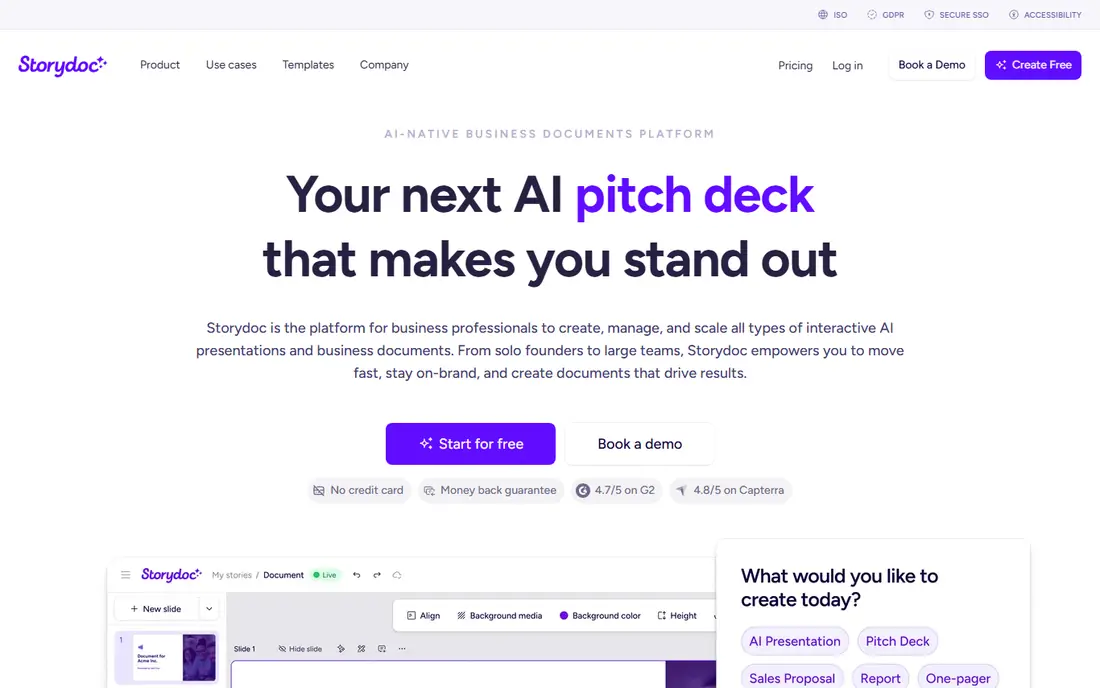
Storydoc is our pick for tech teams that want a case study to feel like a modern web page rather than a static PDF. You can build a story with sections for challenge, solution, and results, add charts and quotes, and share a link that tracks how readers move through the page. That analytics view helps sales teams see which stories hold attention.
Lower plans limit active documents, so teams that publish many case studies at once may need a higher plan. A free trial lets you test a real story before committing. For public showcase pages and sales follow up links, Storydoc offers a clear advantage over a slide deck alone.
- Interactive page format for case studies
- Templates for customer stories
- Analytics on views and engagement
- Active document limits on lower plans
- Best value requires regular use

Canva suits teams that need a polished case study quickly. Templates for one page summaries, multi page reports, and social versions let a marketer start from a proven layout, swap in customer quotes and metrics, and export for web, email, or print. Brand kits keep colors and fonts consistent across stories.
It is less interactive than a dedicated case study platform, and reader analytics are basic on free plans. Use Canva when speed and design consistency matter most, and pair it with a web page or PDF host for distribution. For small tech teams, Canva often covers the whole job.
- Huge template library for case studies
- Easy drag and drop design
- Brand kits and team sharing
- Less interactive than Storydoc
- Analytics are limited on free plans

Visme helps when a case study depends on data. Its charts, infographics, and interactive elements make results easy to grasp, from growth percentages to time saved. Templates for reports and presentations let teams present the same story in a document and a deck without rebuilding it.
Advanced features take time to learn, and the best templates sit behind paid plans. For tech companies with strong metrics and a design minded marketer, Visme produces case studies that look more like a research report than a simple testimonial page.
- Strong charts and infographics for results
- Templates for reports and presentations
- Interactive elements
- Learning curve for advanced features
- Some templates require a paid plan
Gamma is useful when you have interview notes and need a deck fast. Paste your outline, choose a theme, and Gamma builds slides with headings, text, and visuals that you can edit. That speed helps sales teams turn a new customer win into a usable deck within a day.
AI drafts need careful editing. Numbers, quotes, and customer names must be checked against source notes, and layouts may need tweaks for brand consistency. Use Gamma for a first draft and a shareable deck, then refine the story in your own voice before publishing.
- Fast deck creation from text
- Clean modern layouts
- Easy sharing and embedding
- AI drafts need editing for accuracy
- Customization is less detailed than Canva or Visme
Beautiful.ai suits executive case study decks where clarity matters more than decoration. Its smart layouts keep slides aligned as you add text, charts, and images, so a team can build a consistent deck without design skills. Viewer analytics on paid plans show which slides get attention.
It is less flexible than Canva for custom page layouts, and full features require a paid plan. For board, investor, or sales leadership presentations, Beautiful.ai produces a clean, credible deck with less effort than a blank slide tool.
- Smart slide layouts that stay aligned
- Good for executive summaries
- Viewer analytics on paid plans
- Less flexible for custom page designs
- Paid plans needed for full features
HubSpot works well when case studies must support sales, not just marketing. You can publish a case study as a web page, link it to contacts and deals, and track which stories influence pipeline. Free CRM and content tools let small tech teams start without a separate publishing system.
Paid marketing features add cost, and setup takes time if you migrate content or build templates. For tech companies already using HubSpot, publishing case studies inside the same system is a clear win. For others, HubSpot is worth it only if CRM tracking matters to the team.
- Case studies can link to contacts and deals
- Free CRM and content tools
- Landing page and email options
- Full marketing features require paid plans
- Setup takes time for larger teams
Notion is best for a team library of case studies. You can build a database with fields for industry, problem, solution, and results, then filter by use case for sales calls. Team members can draft, comment, and update stories in one workspace, and public sharing lets you publish selected pages.
Design is simpler than dedicated tools, so a Notion page will not look as polished as a Storydoc page without extra work. Use Notion to organize and draft case studies, then publish the best stories in a more visual tool when they go public.
- Flexible pages and databases for case study libraries
- Easy team collaboration
- Public sharing options
- Design options are simpler than Canva or Storydoc
- Public pages need care with branding
PandaDoc suits sales teams that use case studies inside proposals rather than on a public website. You can embed a customer story, results, and quotes in a proposal, track when a prospect opens it, and collect a signature in the same document. That workflow shortens the path from proof to deal.
It is not a public showcase tool, so marketing teams will still need a website or Storydoc page for public stories. Use PandaDoc when the goal is to win a specific deal, and use a public tool when the goal is to attract new visitors.
- Case study content inside proposals and quotes
- E-signature and tracking
- Templates for sales documents
- Not a public showcase platform
- Pricing is geared to sales teams
How we picked these
We compared official product pages, pricing pages, template libraries, and feature guides for tools that tech companies use to create and share case studies in October 2026. We kept tools that support customer story templates, results visuals, sharing, and team collaboration, and that are used by tech marketing and sales teams in practice.
We weighed ease of use, design quality, analytics, CRM fit, and cost. A tool did not need to do everything to make the list. It needed a clear role, from interactive showcase pages to proposal embeds, so teams can pick one or two tools rather than buying a full suite.
How to build an impressive tech case study
Start with a real customer problem in the customer words where possible, then show the solution in plain steps and the results with numbers you can verify. Avoid vague claims, and get written permission before publishing a customer name, logo, or metric.
Structure that works
Use a simple structure: background, challenge, solution, implementation, and results. Add a quote from the customer, a chart for the key metric, and a short summary at the top for readers who skim. That structure works for a web page, a deck, and a one page PDF.
Metrics and proof
Choose one or two primary metrics that matter to the next buyer, such as time saved, cost reduced, or revenue grown, and explain how they were measured. Avoid cherry picked numbers without context, and note the time period for results. Honest context builds more trust than a large number alone.
Design and distribution
Keep design consistent with your brand, use large readable text, and make the case study easy to share as a link. Publish the best stories on your website, share a version with sales, and update older stories when results change. A small library of strong stories beats a large library of thin ones.
FAQ
What makes a tech case study impressive?
A clear problem, a specific solution, verified results, and a real customer voice. Impressive case studies show the work, not just the outcome, and they let the next buyer see themselves in the story. Design helps, but proof matters more than decoration.
Should a case study be a page, a deck, or a PDF?
It depends on use. A web page works for public discovery and search, a deck works for sales meetings, and a PDF works for email follow up. Many teams create one story in Storydoc or Canva, then export a deck and PDF version from the same content.
How long should a tech case study be?
A public web case study often runs 600 to 1,200 words plus visuals, while a sales one pager should fit on one page. Longer stories suit complex implementations, but a clear summary at the top helps busy readers. Cut any section that does not help the next buyer decide.
Do I need customer permission to publish a case study?
Yes. Get written permission for the customer name, logo, quotes, and metrics before publishing. Confirm which numbers can be shared publicly and whether the customer wants to review the draft. Permission protects trust and avoids legal problems.
Which tool is best for a small tech team?
Canva or Gamma are best for small teams that need speed and low cost. Canva offers more design control, while Gamma builds decks faster from notes. Add Storydoc when you need interactive public pages, and Notion when you need a shared library.