5 Best Software to Create Work Instructions for 2026, Vetted and Compared
Need the best software to create work instructions? We compare 5 tools on cost, free access and who each suits. Prices and drawbacks included. Quick to scan.
- Editor's choiceL2L
Connected manufacturing operations system
Starts atSee websiteVisit l2l.comFull review - Great alternative
 SwipeGuide
Visual step-by-step digital instructions
Starts atSee websiteVisit swipeguide.comFull review - Also consider
 Tulip
Composable frontline operations and instructions
Starts at$100 per interface a monthVisit tulip.coFull review
Direct answer
Our first pick is L2L, best for connected manufacturing operations product. Listed starting prices: Tulip from $100 per interface a month and SafetyCulture from $24 per seat per month. SwipeGuide is better for visual step-by-step digital instructions, and Tulip is better for Composable frontline operations and instructions. All 5 tools are compared below on price, free plan and limits.
TL;DR:
- The list opens with L2L, aimed at connected manufacturing operations product.
- Just one of the 5 tools, SafetyCulture, has a free plan.
- For workplace operations, checks, and standards, SafetyCulture is worth a look.
- What to know about VKS first: feature breadth can add complexity.
- SafetyCulture has the lowest monthly starting price in this list: $24 per seat per month.
Last checked November 2026. Prices and plan details were read from the vendors' own pages in November 2026; vendors change plans often, so confirm the current price on the vendor site before you buy.
Quick comparison
| Tool | Best for | Starts at | Free plan? | |
|---|---|---|---|---|
| L2L | Connected manufacturing operations system | See website | Not stated | Visit |
| SwipeGuide | Visual step-by-step digital instructions | See website | Not stated | Visit |
| Tulip | Composable frontline operations and instructions | $100 per interface a month | No | Visit |
 VKS | Instructions with quality and IIoT data | See website | Not stated | Visit |
 SafetyCulture | Workplace operations, checks, and standards | $24 per seat per month | Yes | Visit |
The 5 tools in detail
If you are comparing software to create work instructions, this page covers 5 tools in one place: what each is best for, what it costs to start, whether it has a free plan, and the main limit to know about.
L2L
Best for: Connected manufacturing operations system
L2L is aimed squarely at connected manufacturing operations system. Teams standardizing operations across a factory are the intended audience.
Confirm how instruction authoring suits your specific workflows on the vendor site. L2L shows no starting price here, so confirm the cost on the vendor site. Free plan details: Not stated.
Trade-offs to know: Instructions are one part of a bigger system.
- Positioned as a connected operations system
- Aims at factory-wide productivity
- Wide operations focus beyond authoring
Think of SwipeGuide for visual step-by-step digital instructions. SwipeGuide is widely associated with visual, step-by-step digital work instructions that frontline teams can follow and update.
The main drawbacks: Verify current product scope on the vendor site.
It suits organizations that want clear guidance with images and short steps, and that value fast authoring over heavy configuration. SwipeGuide shows no starting price here, so confirm the cost on the vendor site. Free plan details: Not stated.
- Known for visual
- Suited to frontline training content
- May need other tools for deeper analytics
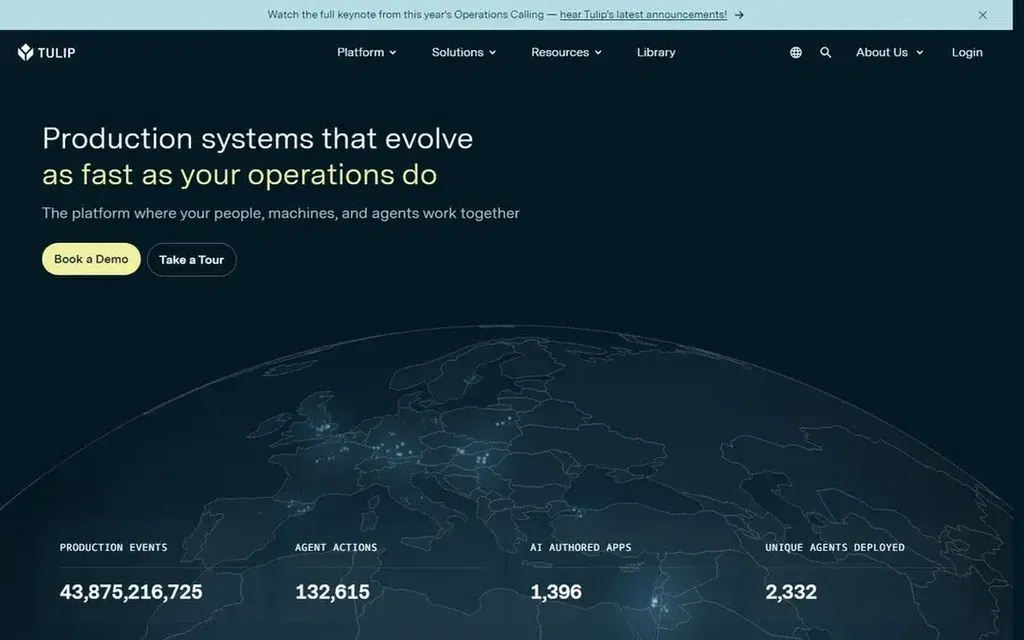
Think of Tulip for Composable frontline operations and instructions. Tulip is a composable, AI-native product manufacturers use to build and link options for production tracking, quality, traceability, and more. As for the details, since Tulip is a wide product, teams that only have to publish straightforward step-by-step guides may find it more than necessary.
It also favors organizations ready to design and maintain their own options. For work instructions, it suits teams that want instructions tied into a wider operations picture instead of kept in a standalone document tool. From a buyer's view, if your priority is a narrow, ready-made instruction and training tool, a more focused choice may suit you better. Price to start with Tulip: $100 per interface per month. There is no free plan with Tulip.
Where it is weaker: Composable design can need more setup thought.
- AI-native approach to building options
- Links instructions with production and quality data
- Wide scope may exceed straightforward instruction needs
In short, VKS is for instructions with quality and IIoT data. If your goal is just to publish and revise instructions, a narrower tool may be simpler to adopt, whereas VKS pays off when you use its data connections. Beyond that, teams building toward a connected shop floor can grow into its features.
The combined scope of instructions, quality, data, and IIoT can be more than a small team needs for entry-level authoring. In daily use, setup and configuration deserve careful planning. Check the vendor site for VKS pricing; none is listed in this comparison. Trial and free access: Not stated.
The main drawbacks: Feature breadth can add complexity.
Reasons to shortlist it: Quality tracking included.
- Digital work instructions in one system
- Edge and IIoT connectivity
- May be more than entry-level authoring needs
For workplace operations, checks, and standards, SafetyCulture is a natural candidate. If your need is deep shop floor instruction management tied to production data, a manufacturing-focused system may fit better.
Where it is weaker: May need configuration for formal work instruction formats.
It suits organizations that want instructions and checks embedded in everyday operations across several locations. The starting price for SafetyCulture: $24 per seat per month. A free plan is available with SafetyCulture.
- Consistent work
- Visibility across several locations
- Instructions are one part of an operations system
How we compared the tools
Selection started from tools commonly considered for software to create work instructions, then narrowed to 5 that have clear pricing information or a clear quote process. Prices and plan limits come from vendor pages and can change, so confirm them on the vendor site before you buy. The order reflects how well each tool fits the most common buying scenario for software to create work instructions, then price clarity, then free plan access. It is a starting point, not a verdict.
Before you commit
- Get a written quote from L2L, SwipeGuide and VKS; the list shows no starting price for them.
- Look at the free plan from SafetyCulture closely: its caps decide whether it is usable for real work.
- Read the limits listed for L2L first: wide operations focus beyond authoring.
- Check whether the features you need in VKS sit on the entry plan or only on higher tiers.
- Ask Tulip which support channels and response times come with the plan you would buy.
FAQ
Which software to create work instructions have a free plan?
SafetyCulture is the only tool in this list with a free plan. Free plans usually cap users, projects or features, so check the limits on the vendor page. Each of the 5 options in this software to create work instructions guide has its own card above with the price, free plan and limits.
Can I try these tools before paying?
Often, yes. SafetyCulture has a free plan. Use your own data and a real task during the test, and check what the free tier or trial limits before you rely on it. All 5 picks in this software to create work instructions comparison list a starting price, free plan details and the main limits on their cards above.
What should I look for in work instruction software?
Focus on how easily authors can produce and revise step-by-step content, how instructions reach frontline workers, and whether the tool links to your quality or production data. Also check version control and multi-site support.
Do these tools publish their prices?
Not all of them. L2L, SwipeGuide and VKS publish no starting price, so expect a quote request for those. The rest, Tulip included, show a starting price, though seats and billing terms still change the final cost.
What is the cheapest option for software to create work instructions in this list?
On published monthly entry prices, SafetyCulture is the lowest here at $24 per seat per month. Entry price is only part of the cost, because seats, add-ons and billing terms can change the total. For the full picture, the cards above cover all 5 entries of this software to create work instructions list, including price, free plan and limits.
Sources
- https://www.l2l.com
- https://www.swipeguide.com
- https://tulip.co
- https://www.vksapp.com
- https://safetyculture.com