Best Software for Tracking Construction Change Orders (2026): 5 Picks Checked on Vendor Pages
5 best software for tracking construction change orders, compared on pricing, free plans and best-fit use. Fit, price and catches for every tool. Facts only.
- Editor's choice
 Viewpoint Vista
Contractors tying changes to job costing
Starts atPricing on requestVisit viewpoint.comFull review - Great alternative
 Contractor Foreman
Small contractors wanting an all-in-one tool
Starts atPricing on requestVisit contractorforeman.comFull review - Also consider
 CMiC
Unifying accounting, projects, and people
Starts atPricing on requestVisit cmicglobal.comFull review
Direct answer
For contractors tying changes to job costing, Viewpoint Vista is where this list starts. For a different need, Contractor Foreman covers small contractors wanting an all-in-one tool and CMiC covers unifying accounting, projects, and people. Details and limits for the rest of the 5 tools are below. None of these vendors publish plan prices, so pricing is on request for every option.
TL;DR:
- This list starts with Viewpoint Vista, which is built for contractors tying changes to job costing.
- Viewpoint Vista, Autodesk Construction Cloud and the 3 others all sell by quote; expect sales conversations before you see a price.
- Autodesk Construction Cloud is the one to check for teams already using Autodesk design tools.
- None of the 5 tools, from Viewpoint Vista to Autodesk Construction Cloud, has a free plan, so budget for a subscription or use a trial.
Last checked November 2026. Pricing on request: vendors did not publish plan prices when this guide was last checked (November 2026), so ask each vendor for a written quote.
Quick comparison
| Tool | Best for | Starts at | Free plan? | |
|---|---|---|---|---|
| Viewpoint Vista | Contractors tying changes to job costing | Pricing on request | Not stated | Visit |
| Contractor Foreman | Small contractors wanting an all-in-one tool | Pricing on request | Not stated | Visit |
| CMiC | Unifying accounting, projects, and people | Pricing on request | Not stated | Visit |
 Procore | Connecting field changes to project financials | Pricing on request | Not stated | Visit |
 Autodesk Construction Cloud | Teams already using Autodesk design tools | Pricing on request | Not stated | Visit |
Software for Tracking Construction Change Orders, one by one
LinkVetted put together this guide to software for tracking construction change orders for readers who want a clear shortlist without reading every vendor page. It compares 5 tools on starting price, free plans, who each one suits and where each one falls short.
Where Viewpoint Vista fits: contractors tying changes to job costing. Viewpoint Vista is construction ERP and project management software from Trimble, made for contractors to simplify job costing, workflows, and reporting.
From a buyer's view, since change orders straight affect cost and profitability, Vista fits contractors who want changes captured within the same system that tracks budgets and financial reporting. As for the details, if your priority is straightforward field-to-office communication instead of integrated accounting, a system like Procore may suit you better. Check the vendor site for Viewpoint Vista pricing; none is listed in this comparison. On free options: Not stated.
Where it is weaker: ERP implementation takes effort.
- Runs projects, people, profits
- Simplifies workflows and reporting
- Financial-first instead of field-first
Contractor Foreman
Best for: Small contractors wanting an all-in-one tool
Contractor Foreman is designed for small contractors wanting an all-in-one tool. Contractor Foreman is all-in-one construction management software handling estimates, scheduling, time cards, and invoicing. More specifically, for smaller contractors, that means change orders can be tracked alongside the estimate and invoice they affect without stitching several tools together.
More specifically, if you handle large programs with formal change control boards and complicated cost reporting, choose a heavier system instead. Worth adding: Contractor Foreman does not offer the depth of enterprise project controls or full construction accounting found in products like CMiC or Viewpoint Vista. Pricing for Contractor Foreman is not stated here, so ask the vendor for current figures. As for free access: Not stated.
Trade-offs to know: Not a full construction ERP.
- Invoicing together
- Estimates, scheduling
- Less depth for enterprise programs
For unifying accounting, projects, and people, CMiC is a natural candidate. CMiC is construction management software positioned around managing accounting, projects, and people through one simplified system.
Trade-offs to know: May be heavy for small firms.
Also, CMiC is oriented toward established construction firms, so configuration and rollout can be substantial for very small teams. This comparison lists no price for CMiC; ask the vendor. Free options: Not stated.
- Solid accounting and project integration
- Aimed at construction firms
- Enterprise-oriented configuration

Pick Procore if this describes you: connecting field changes to project financials. The breadth that makes Procore handy also means setup effort and a ramp-up time, and smaller contractors may find it heavier than needed.
Beyond that, for change order tracking, that connection matters since field-initiated changes can flow into project and cost records instead of sitting in separate spreadsheets. Procore shows no starting price here, so confirm the cost on the vendor site. Free plan details: Not stated.
Limits to weigh: May exceed needs of small crews.
- Links site and office workflows
- Live project visibility
- Large system to configure
Autodesk Construction Cloud
Best for: Teams already using Autodesk design tools
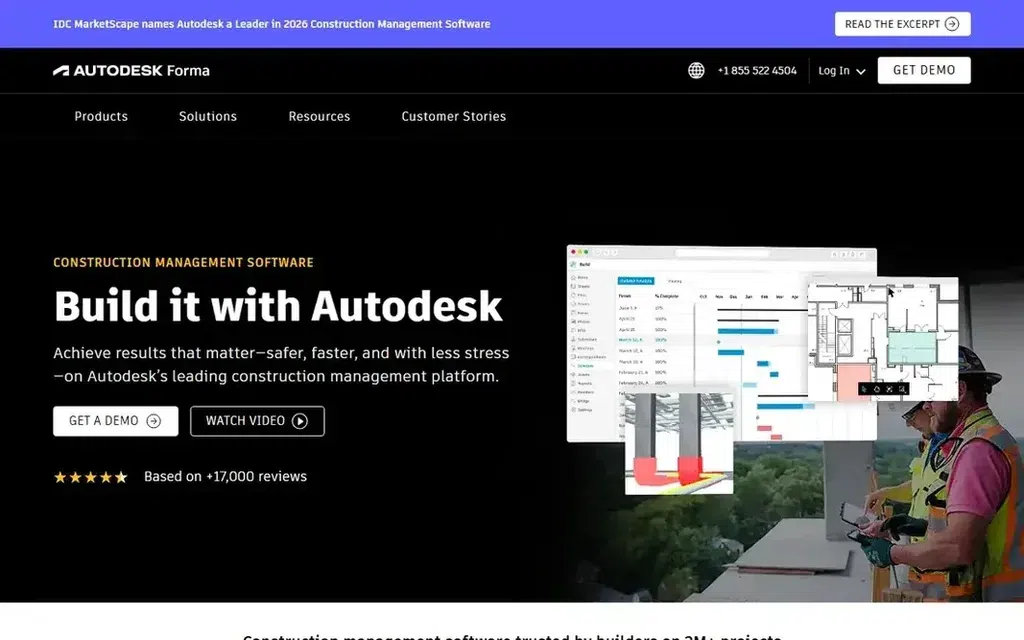
Autodesk Construction Cloud was built for teams already using Autodesk design tools. Change order tracking benefits from having design, document, and project data in one connected place, which cuts the gap between what was designed and what was changed.
For everyday use, if change orders must tie directly into accounting and job costing, a construction ERP for example Viewpoint Vista or CMiC may be the more solid choice. Pricing for Autodesk Construction Cloud is not stated here, so ask the vendor for current figures. On free options: Not stated.
Points against: Best value inside the Autodesk ecosystem.
- Ties into Autodesk design workflows
- Secure collaboration across project teams
- Feature depth varies by module
How we chose
Selection started from tools commonly considered for software for tracking construction change orders, then narrowed to 5 that have clear pricing information or a clear quote process. Where a price is missing, the vendor does not list one publicly or ties it to a quote. Always confirm before budgeting. The order reflects how well each tool fits the most common buying scenario for software for tracking construction change orders, then price clarity, then free plan access. It is a starting point, not a verdict.
Pre-purchase checklist
- Confirm the entry price with every vendor: no tool from Viewpoint Vista to Autodesk Construction Cloud shows a fixed starting price.
- Read the limits listed for Viewpoint Vista first: ERP implementation takes effort.
- Look at the help docs and support options for CMiC before you commit.
- Ask Autodesk Construction Cloud whether prices are locked for the first term and what happens at renewal.
- Check the integration list for Viewpoint Vista against the tools you run today, and note which ones need a higher plan.
FAQ
Do these tools publish their prices?
No. None of the tools, from Viewpoint Vista to Autodesk Construction Cloud, shows a fixed starting price here, so budget time for quotes.
Is Viewpoint Vista the right pick for everyone comparing software for tracking construction change orders?
No single tool suits every team. Viewpoint Vista comes first because it fits contractors tying changes to job costing, while Contractor Foreman suits small contractors wanting an all-in-one tool and CMiC suits unifying accounting, projects, and people. Match the tool to your own size, budget and workflow before deciding.
Can I try these tools before paying?
Not by default. None of the tools, from Viewpoint Vista to Autodesk Construction Cloud, lists a free plan or a free trial here, so ask each vendor for a demo before committing.
Does any tool for software for tracking construction change orders here have a free plan?
No tool in this list, Viewpoint Vista and Autodesk Construction Cloud included, has a permanent free plan. Trials and quotes are the usual route, so plan a short evaluation period.
Sources
- https://www.viewpoint.com
- https://www.contractorforeman.com
- https://www.cmicglobal.com
- https://www.procore.com
- https://construction.autodesk.com