Choosing Software for Manufacturing Design in 2026: 5 Options Compared
Best software for manufacturing design in 2026: 5 tools with starting prices, free plans and limits. Every entry states what it lacks. Updated November 2026.
- Editor's choice
 Onshape
Cloud-native CAD with built-in PDM
Starts at$1,500 per user a yearVisit onshape.comFull review - Great alternativeSolid Edge
Siemens mechanical design environment
Starts atSee websiteVisit solidedge.siemens.comFull review - Also consider
 Autodesk Fusion
Integrated CAD, CAM, CAE and PCB
Starts atSee websiteVisit autodesk.comFull review
Direct answer
If you need cloud-native CAD with built-in PDM, Onshape is the first tool to look at here. Listed starting prices: Onshape from $1,500 per user a year and KeyShot from $7.92 a month. Look at Solid Edge for Siemens mechanical design environment, and at Autodesk Fusion for integrated CAD, CAM, CAE and PCB. The remaining 2 options are covered below with prices and limits.
TL;DR:
- Onshape sits first on this list: cloud-native CAD with built-in PDM.
- KeyShot is the lowest-priced starter here at $7.92 per month.
- KeyShot fits live product rendering and visualization.
- Before buying Onshape, weigh this: needs steady internet access.
Last checked November 2026. Prices and plan details were read from the vendors' own pages in November 2026; vendors change plans often, so confirm the current price on the vendor site before you buy.
Quick comparison
| Tool | Best for | Starts at | Free plan? | |
|---|---|---|---|---|
| Onshape | Cloud-native CAD with built-in PDM | $1,500 per user a year | Yes | Visit |
| Solid Edge | Siemens mechanical design environment | See website | Not stated | Visit |
| Autodesk Fusion | Integrated CAD, CAM, CAE and PCB | See website | Not stated | Visit |
 AutoCAD | Drafting and DWG-based collaboration | See website | Not stated | Visit |
 KeyShot | Live product rendering and visualization | $7.92 a month | Free trial | Visit |
Every option for software for manufacturing design explained
LinkVetted put together this guide to software for manufacturing design for readers who want a clear shortlist without reading every vendor page. It compares 5 tools on starting price, free plans, who each one suits and where each one falls short.
Onshape is a good fit for cloud-native CAD with built-in PDM. It fits distributed teams that want to design from any device without maintaining local servers or installs.
Worth adding: pick Onshape when collaboration across locations and low IT overhead matter most. On cost, Onshape starts like this: $1,500 per user per year. You can start on Onshape without paying.
Drawbacks to consider: Cloud model may not fit strict data policies.
- No local IT infrastructure required
- Built-in product data management
- Needs steady internet access
Solid Edge
Best for: Siemens mechanical design environment
Solid Edge makes the most sense for Siemens mechanical design environment. Solid Edge is Siemens Digital Industries Software's mechanical design offering. If you are not using other Siemens tools, the ecosystem advantage is smaller.
Watch-outs: Best value includes wider Siemens ecosystem.
As for the details, teams planning broader digital manufacturing integration frequently consider it alongside other Siemens products. Worth adding: consider Solid Edge when alignment with Siemens software is part of your plan. For everyday use, the vendor page routes visitors by region, so confirm local details straight with Siemens before deciding. Solid Edge does not show a starting price in this comparison, so check the vendor site for current pricing. Free access: Not stated.
- Suits into a broader industrial software family
- Mechanical design focus
- Regional site routing can complicate first visits
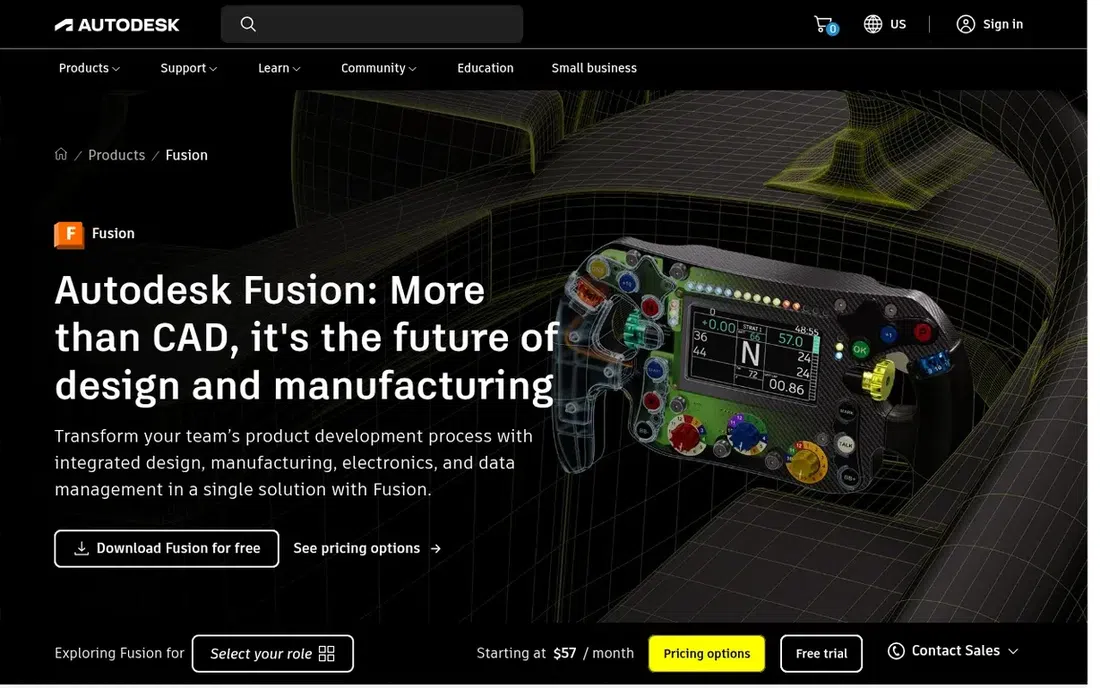
Autodesk Fusion is a good fit for integrated CAD, CAM, CAE and PCB. Since it spans plenty of disciplines, the interface can feel dense for users who only need entry-level part modeling.
As for the details, teams with strict on-premises data requirements may prefer a desktop-first system. Pricing for Autodesk Fusion is not stated here, so ask the vendor for current figures. As for free access: Not stated.
The main drawbacks: Cloud dependency may not suit every shop.
- Merges design
- Comes with electronics and PCB workflows
- Wide scope can feel heavy for straightforward parts
Choose AutoCAD for drafting and DWG-based collaboration. AutoCAD is Autodesk's drafting and design software with shared DWG collaboration across desktop and web.
On top of that, use AutoCAD where drawing standards and DWG exchange drive the workflow. From a buyer's view, AutoCAD is general-purpose drafting software instead of a dedicated 3D manufacturing design system. Pricing for AutoCAD is not stated here, so ask the vendor for current figures. Free plan details: Not stated.
What to check first: General-purpose instead of manufacturing-specific.
- Wide drafting and documentation use
- Widely used DWG collaboration
- Less focused on 3D manufacturing modeling
KeyShot targets live product rendering and visualization. Teams expecting a single system for design and rendering should pair it with a CAD package.
Honest limits: Complements instead of replaces design CAD.
Also, KeyShot offers live 3D rendering and visualization software for product design. Starting cost for KeyShot: $7.92 per month. Trial and free access: Free trial.
- Live 3D rendering focus
- Targeted at product design businesses
- Not a full CAD modeling system
How we compared the tools
The comparison looks at four things: starting price, free access, how well the feature set matches software for manufacturing design, and the main limit of each tool. Seat minimums, billing terms and add-ons can move the real cost, so the starting prices here are a guide and not a quote. Tools are placed by general fit for software for manufacturing design, with price clarity and free access as tie-breakers. A different team can reasonably rank them differently.
What to check before you buy
- Ask Solid Edge, Autodesk Fusion and AutoCAD for a written quote, since no starting price is shown.
- Test the free plan from Onshape against your real workload before relying on it.
- Run a trial of KeyShot with real work before paying for a year; your own workflow is the best test.
- Read the limits listed for Onshape first: needs dependable internet access.
- Price KeyShot for your actual team size; headline prices rarely include add-ons or overage.
- A short pilot of AutoCAD with your real workflow tells you more than a feature table.
FAQ
Is cloud-native CAD a good match for manufacturing teams?
Onshape presents that cloud-native CAD with built-in PDM can work well for distributed teams with minimal IT overhead. Teams needing offline work should weigh those limits.
What is the cheapest option for software for manufacturing design in this list?
On published monthly entry prices, KeyShot is the lowest here at $7.92 per month. Entry price is only part of the cost, because seats, add-ons and billing terms can change the total. For the full picture, the cards above cover all 5 entries of this software for manufacturing design list, including price, free plan and limits.
Is Onshape the right pick for everyone comparing software for manufacturing design?
No single tool suits every team. Onshape comes first because it fits cloud-native CAD with built-in PDM, while Solid Edge suits Siemens mechanical design environment and Autodesk Fusion suits integrated CAD, CAM, CAE and PCB. Match the tool to your own size, budget and workflow before deciding.
Can I try these tools before paying?
Often, yes. Onshape has a free plan and KeyShot offers a free trial. Use your own data and a real task during the test, and check what the free tier or trial limits before you rely on it. Prices, free plan details and limits for all 5 tools in this software for manufacturing design roundup sit on the individual cards above.
Do these tools publish their prices?
Not all of them. Solid Edge, Autodesk Fusion and AutoCAD publish no starting price, so expect a quote request for those. The rest, Onshape included, show a starting price, though seats and billing terms still change the final cost.
Sources
- https://www.onshape.com
- https://solidedge.siemens.com
- https://www.autodesk.com/products/fusion-360
- https://www.autodesk.com/products/autocad
- https://www.keyshot.com