Choosing Software for Bulk FOIA Video Redactions in 2026: 5 Options Compared
Need the best software for bulk FOIA video redactions? We compare 5 tools on cost, free access and who each suits. Each entry gets a plain verdict. Start here.
- Editor's choiceVidizmo
Enterprise multimodal AI on any cloud
Starts atSee websiteVisit vidizmo.comFull review - Great alternative
 DaVinci Resolve Studio
Editing, color, and effects in one app
Starts atSee websiteVisit blackmagicdesign.comFull review - Also consider
 Adobe Premiere Pro
Manual masking within a full editor
Starts atSee websiteVisit adobe.comFull review
Direct answer
Vidizmo is the first pick on this list for enterprise multimodal AI on any cloud. Listed starting prices: CaseGuard Studio from $279 per user a month. DaVinci Resolve Studio is better for editing, color, and effects in one app, and Adobe Premiere Pro is better for manual masking within a full editor. The other 2 tools in the list cover narrower or pricier cases.
TL;DR:
- This list starts with Vidizmo, which is built for enterprise multimodal AI on any cloud.
- A permanent free plan is missing from all 5 tools, Vidizmo and CaseGuard Studio included; plan for a trial or a premium start.
- CaseGuard Studio is the one to check for mixed media redaction with transcription.
- The lowest published monthly entry price here is $279 per user per month, from CaseGuard Studio.
Last checked November 2026. Prices and plan details were read from the vendors' own pages in November 2026; vendors change plans often, so confirm the current price on the vendor site before you buy.
Quick comparison
| Tool | Best for | Starts at | Free plan? | |
|---|---|---|---|---|
| Vidizmo | Enterprise multimodal AI on any cloud | See website | Free trial | Visit |
| DaVinci Resolve Studio | Editing, color, and effects in one app | See website | Not stated | Visit |
| Adobe Premiere Pro | Manual masking within a full editor | See website | Not stated | Visit |
| Veritone Redact | AI-assisted, audit-ready bulk redaction | See website | Not stated | Visit |
| CaseGuard Studio | Mixed media redaction with transcription | $279 per user a month | Not stated | Visit |
Tool-by-tool breakdown
If you are comparing software for bulk FOIA video redactions, this page covers 5 tools in one place: what each is best for, what it costs to start, whether it has a free plan, and the main limit to know about.
Vidizmo
Best for: Enterprise multimodal AI on any cloud
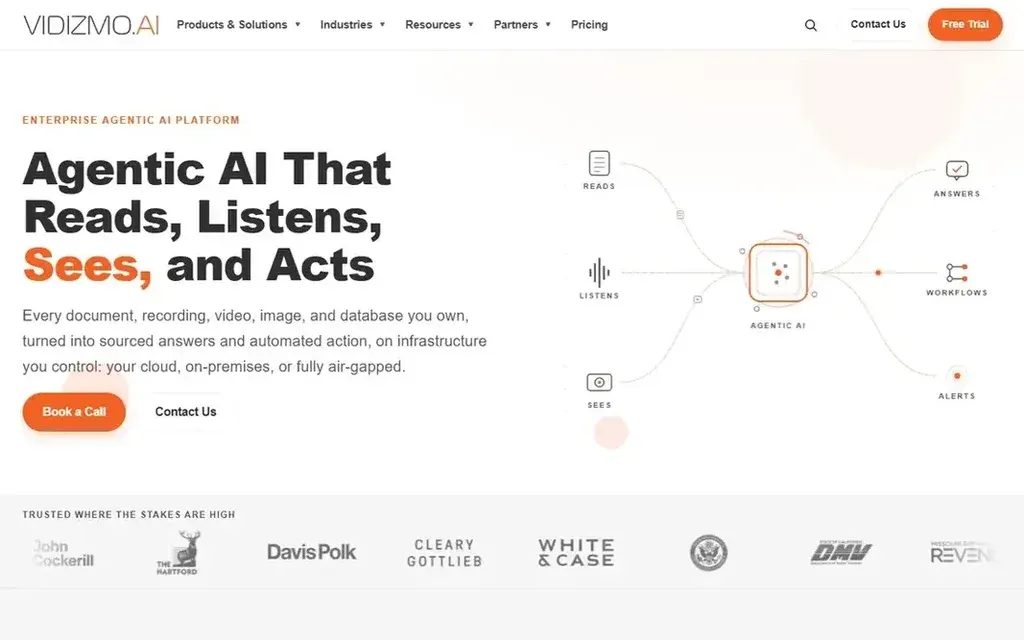
Pick Vidizmo if this describes you: enterprise multimodal AI on any cloud. Deployment choices add planning effort. Worth adding: pick it when enterprise hosting adaptability and multimodal processing are priorities; pick a dedicated redaction application when you want a narrower, faster-to-adopt tool.
Where it is weaker: Product scope goes beyond redaction.
In daily use, Vidizmo describes itself as a multimodal enterprise agentic AI platform that reads documents, hears audio, sees video, and acts. It can be deployed on AWS, Azure, any cloud, or on-premises. Check the vendor site for Vidizmo pricing; none is listed in this comparison. On free options: Free trial.
- Deploy on AWS, Azure
- Manages video, audio, documents
- Deployment planning required
DaVinci Resolve Studio is a good fit for editing, color, and effects in one app. It suits production teams that want a complete post-production environment and are comfortable building their own redaction process.
Where it is weaker: Redaction depends on manual masking.
Highlights: audio in one application. In daily use, pick it when editing quality and cross-platform adaptability matter most, and pair it with a dedicated redaction tool when disclosure volume grows. DaVinci Resolve Studio shows no starting price here, so confirm the cost on the vendor site. As for free access: Not stated.
- Editing, color, VFX
- Available for Mac, Windows, Linux
- No disclosure-specific audit workflow
In short, Adobe Premiere Pro is for manual masking within a full editor. Adobe Premiere Pro is professional video editing and post-production software for editing, trimming, adding effects, mixing audio, and more. From a buyer's view, in a FOIA context it is used for manual redaction, where editors apply masks or blur effects over faces, screens, and identifiers.
The main drawbacks: Bulk work is mostly manual.
Premiere Pro does not supply a dedicated bulk FOIA redaction workflow with automatic PII detection or audit trails, so high-volume releases become labor-intensive and tracking changes falls to your own process. On top of that, choose it when redaction is a small part of broader editing work. Choose a specialized system when volume and compliance documentation are the priority. Adobe Premiere Pro shows no starting price here, so confirm the cost on the vendor site. Trial and free access: Not stated.
- Professional editing and post-production toolset
- Effects and masking for manual redaction
- No dedicated FOIA redaction workflow
Veritone Redact
Best for: AI-assisted, audit-ready bulk redaction
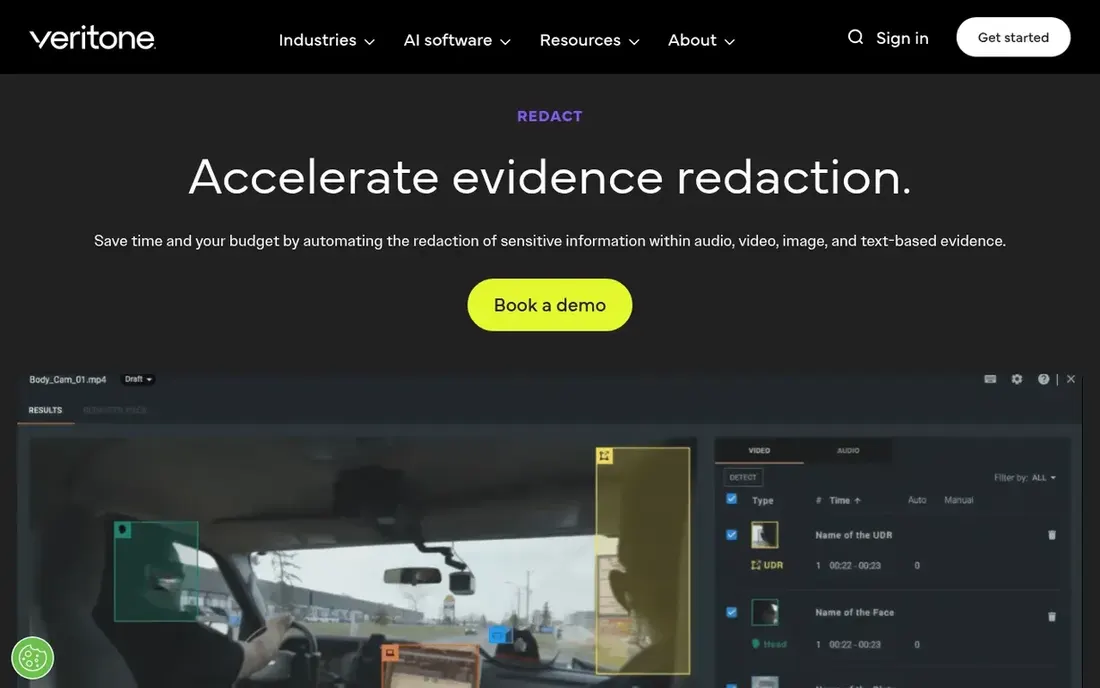
Veritone Redact is built with AI-assisted, audit-ready bulk redaction in mind. Since it is a specialized redaction tool, it is not intended for creative editing or color work. Teams wanting one application for both editing and redaction may prefer a broader system.
What Veritone Redact does well: image redaction.
Points against: Enterprise-oriented setup.
Worth adding: automatic detection still needs human verification before release. More specifically, Veritone Redact is a dedicated redaction application built to accelerate audio, video, and image redaction. Veritone Redact does not show a starting price in this comparison, so check the vendor site for current pricing. Free options: Not stated.
- Automates detection of PII and sensitive content
- Emphasizes audit-ready workflows
- Concentrated on redaction instead of full editing
CaseGuard Studio
Best for: Mixed media redaction with transcription

CaseGuard Studio is designed for mixed media redaction with transcription. CaseGuard Studio is presented as AI redaction software that automatically redacts PII and PHI from documents, video, audio, and images. It also transcribes and translates files in numerous languages through CaseGuard AI.
Trade-offs to know: Wide feature set takes time to learn.
This makes it a solid fit for records teams handling FOIA requests that mix body camera video, call audio, and scanned documents in the same release package, since one environment handles multiple media types. Beyond that, if your work is purely video editing with manual masking, a professional editor may be more straightforward. If you need multi-format redaction in one place, this is a natural candidate. The breadth of features means a ramp-up time, and it is designed for redaction and records workflows instead of creative post-production. CaseGuard Studio cost at the entry level: $279 per user per month. Free access: Not stated.
- AI transcription and translation support
- Automates PII and PHI detection
- Not a creative editing suite
Selection criteria
What to confirm before you sign up
- Get a written quote from Vidizmo, DaVinci Resolve Studio, Adobe Premiere Pro and Veritone Redact; the list shows no starting price for them.
- Take the trial from Vidizmo and push a live task through it before you pay.
- Before choosing Vidizmo, weigh its main limit: product scope goes beyond redaction.
- Check whether the features you need in Vidizmo sit on the entry plan or only on higher tiers.
- Find out what support Adobe Premiere Pro includes on your plan, and whether onboarding help costs extra.
FAQ
Should I choose an AI redaction system or a general video editor?
Choose an AI redaction system when volume, consistency, and defensible audit trails matter. Choose a general editor when redaction is occasional and your team already works in that editing environment.
How are the tools for software for bulk FOIA video redactions ordered?
The order follows typical fit for software for bulk FOIA video redactions, with Vidizmo first and CaseGuard Studio last, then price clarity and free access. It is editorial judgement, not a score, so another team could rank the tools differently.
Can professional editors like Premiere Pro manage FOIA redaction?
Yes, but usually through manual masking and blur effects on a timeline. That approach works for small volumes, whereas large releases typically benefit from a dedicated redaction system with automation and documentation.
Can I try these tools before paying?
Often, yes. Vidizmo offers a free trial. Use your own data and a real task during the test, and check what the free tier or trial limits before you rely on it.
Is Vidizmo the right pick for everyone comparing software for bulk FOIA video redactions?
No single tool suits every team. Vidizmo comes first because it fits enterprise multimodal AI on any cloud, while DaVinci Resolve Studio suits editing, color, and effects in one app and Adobe Premiere Pro suits manual masking within a full editor. Match the tool to your own size, budget and workflow before deciding.
Do these tools publish their prices?
Not all of them. Vidizmo, DaVinci Resolve Studio, Adobe Premiere Pro and Veritone Redact publish no starting price, so expect a quote request for those. The rest, CaseGuard Studio included, show a starting price, though seats and billing terms still change the final cost.
Sources
- https://www.vidizmo.com
- https://www.blackmagicdesign.com/products/davinciresolve
- https://www.adobe.com/products/premiere.html
- https://www.veritone.com/applications/redact
- https://caseguard.com