Best Service for Object Removal in Photos (2026): 5 Picks Checked on Vendor Pages
5 best service for object removal in photos, with entry costs, free tiers and the buyer each one serves. Includes honest limits for each tool. Pick by budget.

- Editor's choiceSkylum Luminar Neo
AI-driven photo editing on desktop
Starts atSee websiteVisit skylum.comFull review - Great alternative
 Picsart
AI-assisted creative edits
Starts at$10.5 a monthVisit picsart.comFull review - Also consider
 Photopea
Desktop-style editing in a browser
Starts atSee websiteVisit photopea.comFull review
Direct answer
This list puts Skylum Luminar Neo first for AI-driven photo editing on desktop. Listed starting prices: Picsart from $10.5 a month. Picsart fits AI-assisted creative edits; Photopea fits desktop-style editing in a browser. The other 2 tools in the list cover narrower or pricier cases.
TL;DR:
- Skylum Luminar Neo takes the first slot, best suited to AI-driven photo editing on desktop.
- Photopea comes with a trade-off: interface assumes some editor knowledge.
- Picsart has the lowest monthly starting price in this list: $10.5 per month.
- Adobe Photoshop fits precise, layered object removal.
Last checked November 2026. Prices and plan details were read from the vendors' own pages in November 2026; vendors change plans often, so confirm the current price on the vendor site before you buy.
Quick comparison
| Tool | Best for | Starts at | Free plan? | |
|---|---|---|---|---|
| Skylum Luminar Neo | AI-driven photo editing on desktop | See website | No | Visit |
| Picsart | AI-assisted creative edits | $10.5 a month | Not stated | Visit |
| Photopea | Desktop-style editing in a browser | See website | Not stated | Visit |
 Fotor | Everyday online photo cleanup | See website | Yes | Visit |
 Adobe Photoshop | Precise, layered object removal | See website | Not stated | Visit |
Service for Object Removal in Photos compared in detail
Short on time? The summary and table above give the quick view of 5 service for object removal in photos, and the profiles that follow give the detail behind each entry.
Skylum Luminar Neo
Best for: AI-driven photo editing on desktop
Skylum Luminar Neo is a good fit for AI-driven photo editing on desktop. For layout work alongside photo edits, a broader product may fit better.
Trade-offs to know: Less suited to design layouts.
It fits photographers who want assisted editing, including cleanup work, in a desktop application built around creative photo enhancement instead of general design. Skylum Luminar Neo does not show a starting price in this comparison, so check the vendor site for current pricing. Skylum Luminar Neo has no permanent free option.
- Available for PC and Mac
- Centred on creative photo results
- Desktop installation required
Picsart is aimed squarely at AI-assisted creative edits. Picsart is an all-in-one creative product with AI design tools, templates and built-in asset libraries.
Its strengths lean toward creative output instead of meticulous photo restoration. In daily use, choose Picsart when speed and creative choices matter more than fine detail. Picsart starts at: $10.5 per month. As for free access: Not stated.
What to check first: Can feel busy for straightforward tasks.
- Templates and asset libraries
- Wide set of AI design tools
- Creative focus over photo precision
Photopea makes the most sense for desktop-style editing in a browser. Photopea is an online photo editor that lets you edit pictures, apply effects and filters, add text and resize images straight in a browser. It appeals to users who know layered editing and want those tools without installing software, making it a practical choice for object removal on a laptop.
Where it falls short: Interface assumes some editor knowledge.
Pick a more straightforward online editor if you want guided, one-click style fixes. As for the details, the interface assumes familiarity with professional editing concepts, so newcomers may need time to adjust. No starting price is listed for Photopea here; confirm pricing on the vendor site. On free options: Not stated.
- Familiar layered editing model
- Text and resizing
- Browser performance varies by device

Fotor is a good fit for everyday online photo cleanup. Fotor is an online photo editor for enhancing and editing images, with cropping, text, effects and retouching tools in one place. The range of entry-level tools handles most everyday cleanup needs.
What Fotor does well: Straightforward interface.
Also, serious retouchers may hit limits when removals need careful masking or layered work. Move to a desktop-class tool when precision becomes the priority. Fotor does not show a starting price in this comparison, so check the vendor site for current pricing. Free access exists with Fotor. Drawbacks to consider: Browser workflow may feel entry-level.
- Text and effects
- Online editor with retouch tools
- Restricted for advanced compositing
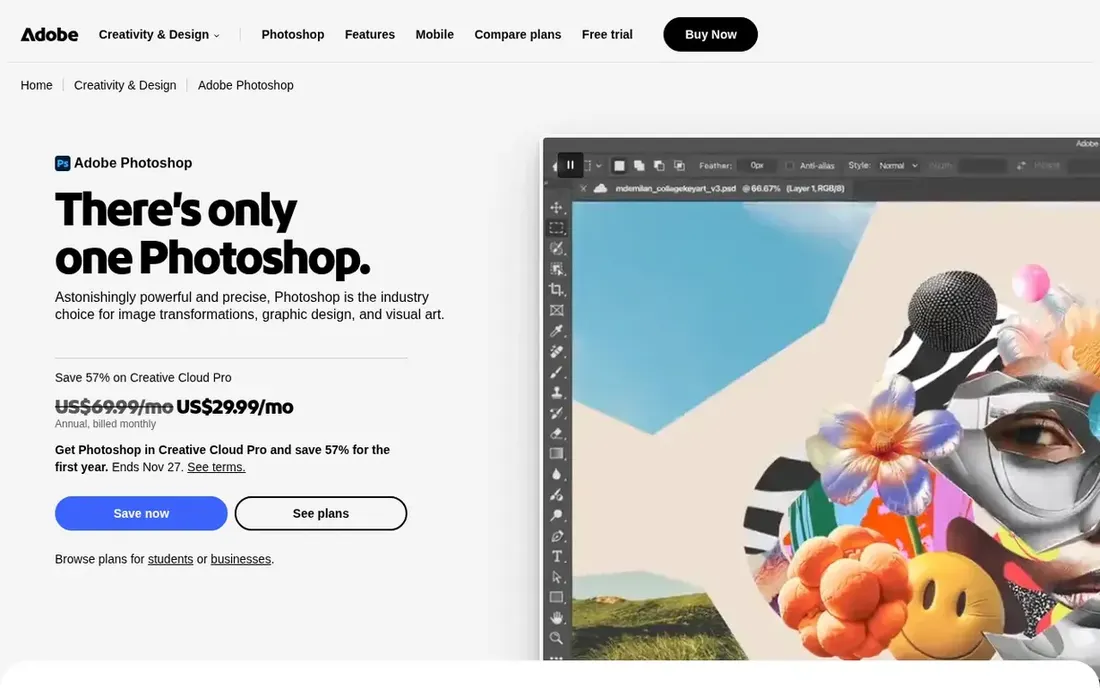
In short, Adobe Photoshop is for precise, layered object removal. Adobe Photoshop is a full image editor made for in-depth retouching, combining images and building custom scenes. Its selection and healing tools make it a natural fit for removing objects from photos where accuracy matters.
The main drawbacks: Heavier than quick-fix editors.
It runs online or through the mobile app. In practice, choose something lighter when speed matters more than precision. This comparison lists no price for Adobe Photoshop; ask the vendor. Free plan details: Not stated.
- Capable for complicated compositing
- Works online and on mobile
- Ramp-up time for beginners
What went into this list
Each tool was reviewed on what its vendor publishes: price, plan limits, core features and stated drawbacks. We did not run hands-on tests. Seat minimums, billing terms and add-ons can move the real cost, so the starting prices here are a guide and not a quote. The order reflects how well each tool fits the most common buying scenario for service for object removal in photos, then price clarity, then free plan access. It is a starting point, not a verdict.
Before you commit
- Get a written quote from Skylum Luminar Neo, Photopea, Fotor and Adobe Photoshop; the list shows no starting price for them.
- Test the free plan from Fotor against your real workload before relying on it.
- Read the limits listed for Skylum Luminar Neo first: desktop installation required.
- Check the support hours and onboarding help Skylum Luminar Neo offers; smaller vendors vary a lot here.
- Find out whether the entry plan of Picsart covers your must-haves or only a trimmed-down version.
FAQ
Do these tools publish their prices?
Not all of them. Skylum Luminar Neo, Photopea, Fotor and Adobe Photoshop publish no starting price, so expect a quote request for those. The rest, Picsart included, show a starting price, though seats and billing terms still change the final cost.
Can I try these tools before paying?
Often, yes. Fotor has a free plan. Use your own data and a real task during the test, and check what the free tier or trial limits before you rely on it. Prices, free plan details and limits for all 5 tools in this service for object removal in photos roundup sit on the individual cards above.
Is Skylum Luminar Neo the right pick for everyone comparing service for object removal in photos?
No single tool suits every team. Skylum Luminar Neo comes first because it fits AI-driven photo editing on desktop, while Picsart suits AI-assisted creative edits and Photopea suits desktop-style editing in a browser. Match the tool to your own size, budget and workflow before deciding.
Which tool suits Mac and iPad users best?
Skylum Luminar Neo comes first here and is built for AI-driven photo editing on desktop. Buyers with other needs may prefer Picsart (for AI-assisted creative edits) or Photopea (for desktop-style editing in a browser). Compare costs and limits first.
Which service for object removal in photos have a free plan?
Fotor is the only tool in this list with a free plan. Free plans usually cap users, projects or features, so check the limits on the vendor page. Each of the 5 options in this service for object removal in photos guide has its own card above with the price, free plan and limits.
Sources
- https://skylum.com/luminar
- https://picsart.com
- https://www.photopea.com
- https://www.fotor.com
- https://www.adobe.com/products/photoshop.html