Choosing Resource Scheduling Software for Field Service Teams in 2026: 5 Options Compared
Best resource scheduling software for field service teams in 2026: 5 contenders with entry costs and free tiers. Short verdicts, no fluff. Pick with confidence.
- Editor's choiceServiceMax
Asset-centric field service management
Starts atSee websiteVisit servicemax.comFull review - Great alternative
 Jobber
Small to mid-size service companies
Starts atSee websiteVisit getjobber.comFull review - Also consider
 Kickserv
Small home service firms
Starts at$60 a monthVisit kickserv.comFull review
Direct answer
If you need asset-centric field service management, ServiceMax is the first tool to look at here. Listed starting prices: Kickserv from $60 a month and Housecall Pro from $59 a month. If your case is different, Jobber suits small to mid-size service firms and Kickserv suits small home service firms. The full list of 5 tools follows, with prices and free plan facts.
TL;DR:
- ServiceMax sits first on this list: asset-centric field service management.
- A permanent free plan is missing from all 5 tools, ServiceMax and ServiceTitan included; plan for a trial or a premium start.
- Before buying ServiceMax, weigh this: may be complicated for straightforward scheduling.
- ServiceTitan suits all-in-one contractor management.
- The cheapest monthly starting price in the list is $59 per month, offered by Housecall Pro.
Last checked November 2026. Prices and plan details were read from the vendors' own pages in November 2026; vendors change plans often, so confirm the current price on the vendor site before you buy.
Quick comparison
| Tool | Best for | Starts at | Free plan? | |
|---|---|---|---|---|
| ServiceMax | Asset-centric field service management | See website | Not stated | Visit |
| Jobber | Small to mid-size service companies | See website | Not stated | Visit |
| Kickserv | Small home service firms | $60 a month | Free trial | Visit |
 Housecall Pro | Home service firms seeking simplicity | $59 a month | Free trial | Visit |
 ServiceTitan | All-in-one contractor management | See website | Free trial | Visit |
The best resource scheduling software for field service teams
This LinkVetted guide covers 5 resource scheduling software for field service teams. Each profile lists a starting price, free plan details, strengths and drawbacks, so you can drop poor fits quickly.
ServiceMax
Best for: Asset-centric field service management
ServiceMax is designed for asset-centric field service management. It is especially suited for organizations that manage complicated assets and have to ensure high equipment reliability.
As for the details, teams looking for a lighter option might prefer Jobber or Kickserv. ServiceMax does not show a starting price in this comparison, so check the vendor site for current pricing. On free options: Not stated.
Where it is weaker: May be complicated for straightforward scheduling.
- Focus on equipment uptime
- Cloud-based system
- Needs integration planning
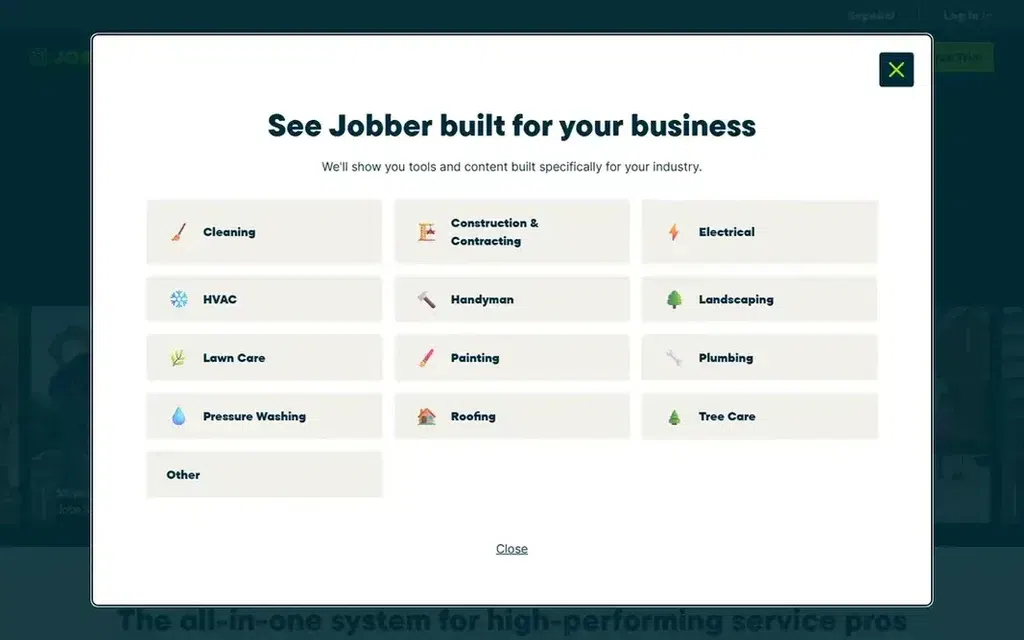
In short, Jobber is for small to mid-size service companies. Whereas Jobber excels at core scheduling and invoicing, it may lack the deep customization and advanced resource management features required by bigger or more complicated operations.
Honest limits: Restricted advanced features.
Jobber provides home and commercial service software that helps organize your business by integrating quoting, scheduling, invoicing, and payments in one place. No starting price is listed for Jobber here; confirm pricing on the vendor site. Free plan details: Not stated.
- Integrated quoting and invoicing
- Easy-to-use mobile app
- May not scale for large enterprises
In short, Kickserv is for small home service firms. Kickserv lacks the advanced scheduling and resource optimization features found in bigger systems, so expanding firms may outgrow it.
It is aimed at small teams that require a straightforward, no-frills option to keep their daily operations organized. Kickserv starts at: $60 per month. Free access: Free trial.
Drawbacks to consider: Entry-level reporting capabilities.
- Integrated payments
- Straightforward job management
- Restricted advanced features

Pick Housecall Pro if this describes you: home service firms seeking simplicity. The system may not offer the depth needed for complicated field service operations, like asset-centric maintenance or advanced resource optimization.
Drawbacks to consider: Restricted customization choices.
Housecall Pro is a software option for home service companies, built to simplify scheduling, dispatching, and payment processing. Starting cost for Housecall Pro: $59 per month. On free options: Free trial.
- Approachable interface
- Solid customer support
- May lack advanced reporting

Pick ServiceTitan if this describes you: all-in-one contractor management. The system's depth can be overwhelming for smaller teams or those new to field service software.
Watch-outs: May be complicated for small teams.
Worth adding: if you need a more straightforward, more focused tool for entry-level scheduling and invoicing, consider Jobber or Kickserv instead. ServiceTitan does not show a starting price in this comparison, so check the vendor site for current pricing. Trial and free access: Free trial.
- Full feature set
- Aimed at home and commercial trades
- Needs training to completely utilize
How we chose
Selection started from tools commonly considered for resource scheduling software for field service teams, then narrowed to 5 that have clear pricing information or a clear quote process. Figures are shown as the vendors publish them. Billing terms, seat minimums and add-ons can change the real cost. The order reflects how well each tool fits the most common buying scenario for resource scheduling software for field service teams, then price clarity, then free plan access. It is a starting point, not a verdict.
What to check before you buy
- Ask ServiceMax, Jobber and ServiceTitan for a written quote, since no starting price is shown.
- Run a trial of Kickserv, Housecall Pro and ServiceTitan with real work before paying for a year; your own workflow is the best test.
- Read the limits listed for ServiceMax first: may be complicated for straightforward scheduling.
- Ask Jobber which support channels and response times come with the plan you would buy.
- Check whether Kickserv bills monthly or annually, and what cancelling early costs.
FAQ
Do these tools publish their prices?
Not all of them. ServiceMax, Jobber and ServiceTitan publish no starting price, so expect a quote request for those. The rest, Kickserv included, show a starting price, though seats and billing terms still change the final cost.
How are the tools for resource scheduling software for field service teams ordered?
ServiceMax sits first and ServiceTitan last because the order follows typical fit for resource scheduling software for field service teams, then price clarity and free access. It is a judgement call, so read each profile for fit and limits.
What is the cheapest option for resource scheduling software for field service teams in this list?
On published monthly entry prices, Housecall Pro is the lowest here at $59 per month. Entry price is only part of the cost, because seats, add-ons and billing terms can change the total. All 5 picks in this resource scheduling software for field service teams comparison list a starting price, free plan details and the main limits on their cards above.
What is resource scheduling software for field service teams?
Resource scheduling software helps field service teams assign jobs to technicians, optimize routes, and run workloads. It generally contains features like calendar views, dispatching, and mobile access for live updates.
Is ServiceMax the right pick for everyone comparing resource scheduling software for field service teams?
No single tool suits every team. ServiceMax comes first because it fits asset-centric field service management, while Jobber suits small to mid-sized service businesses and Kickserv suits small home service businesses. Match the tool to your own size, budget and workflow before deciding.
Can these tools deal with both scheduling and invoicing?
Numerous field service products, for example Jobber and Housecall Pro, integrate scheduling with invoicing and payments. This simplifies the workflow from job assignment to payment collection, reducing administrative overhead.
Sources
- https://www.servicemax.com
- https://getjobber.com
- https://www.kickserv.com
- https://www.housecallpro.com
- https://www.servicetitan.com