Choosing Remodeling Software in 2026: 5 Options Compared
Searching for the best remodeling software? Here are 5 options with prices and free plans. Where a tool struggles is spelled out. Reviewed this month.

- Editor's choice
 Houzz Pro
Design-led remodelers and builders
Starts atPricing on requestVisit houzz.comFull review - Great alternative
 Contractor Foreman
Contractors wanting wide all-in-one management
Starts atPricing on requestVisit contractorforeman.comFull review - Also consider
 Procore
Bigger remodeling project oversight
Starts atPricing on requestVisit procore.comFull review
Direct answer
Houzz Pro leads the list, best for design-led remodelers and builders. Contractor Foreman is the stronger choice for contractors wanting wide all-in-one management, while Procore suits bigger remodeling project oversight. The other 2 tools in the list cover narrower or pricier cases. None of these vendors publish plan prices, so pricing is on request for every option.
TL;DR:
- This list starts with Houzz Pro, which is built for design-led remodelers and builders.
- CoConstruct is the one to check for remodelers managing client selections.
- Every tool from Houzz Pro to CoConstruct works by quote, with no list price shown.
- None of the 5 tools, from Houzz Pro to CoConstruct, has a free plan, so budget for a subscription or use a trial.
- Check the limits for Houzz Pro before you commit: wide feature set can take time to learn.
Last checked November 2026. Pricing on request: vendors did not publish plan prices when this guide was last checked (November 2026), so ask each vendor for a written quote.
Quick comparison
| Tool | Best for | Starts at | Free plan? | |
|---|---|---|---|---|
| Houzz Pro | Design-led remodelers and builders | Pricing on request | Not stated | Visit |
| Contractor Foreman | Contractors wanting wide all-in-one management | Pricing on request | Not stated | Visit |
| Procore | Bigger remodeling project oversight | Pricing on request | Not stated | Visit |
 Chief Architect | Residential design and remodeling drawings | Pricing on request | Not stated | Visit |
 CoConstruct | Remodelers managing client selections | Pricing on request | Not stated | Visit |
Remodeling Software, one by one
LinkVetted compared 5 tools for remodeling software. The goal is a practical shortlist: published prices, free plan facts, best-fit use cases and honest limits for every entry.

For design-led remodelers and builders, Houzz Pro is a natural candidate. It positions itself around speeding up business tasks with AI trained on the industry.
Main advantages: AI features trained on the industry.
Check the vendor site for Houzz Pro pricing; none is listed in this comparison. As for free access: Not stated.
What to check first: Best value for businesses active in design.
- All-in-one product for builders
- Remodelers and designers
- Wide feature set can take time to learn
Contractor Foreman
Best for: Contractors wanting wide all-in-one management
Contractor Foreman serves contractors wanting wide all-in-one management. That combination suits remodeling contractors who want a single system for office and field tasks without stitching multiple tools together.
Confirm module details and limits on the vendor site. Contractor Foreman does not show a starting price in this comparison, so check the vendor site for current pricing. As for free access: Not stated.
The main drawbacks: Interface may feel dense for beginners.
Main advantages: All-in-one construction management approach.
- Made for contractor workflows
- Time cards and invoicing
- Small teams may not use every module
For bigger remodeling project oversight, Procore is a natural candidate. For remodelers handling bigger or multi-site jobs, that shared view helps coordinate field and office staff.
It fits organizations that require structured project oversight across teams. This comparison lists no price for Procore; ask the vendor. As for free access: Not stated.
Watch-outs: Can be heavy for small remodelers.
- Concentrated on delivering projects on time
- Live visibility into project progress
- Pitched at bigger project teams
For residential design and remodeling drawings, Chief Architect is a natural candidate. Chief Architect is professional home design software for residential home design, interior design and remodeling.
Also, businesses that sell design-build remodeling work will find it relevant for the drawing side of the business. On top of that, if you only need job tracking, look elsewhere. Pricing for Chief Architect is not stated here, so ask the vendor for current figures. Free access: Not stated.
Limits to weigh: Needs design skill to use well.
- Concentrated on residential home design
- Professional design software for plans
- Not a full job management system
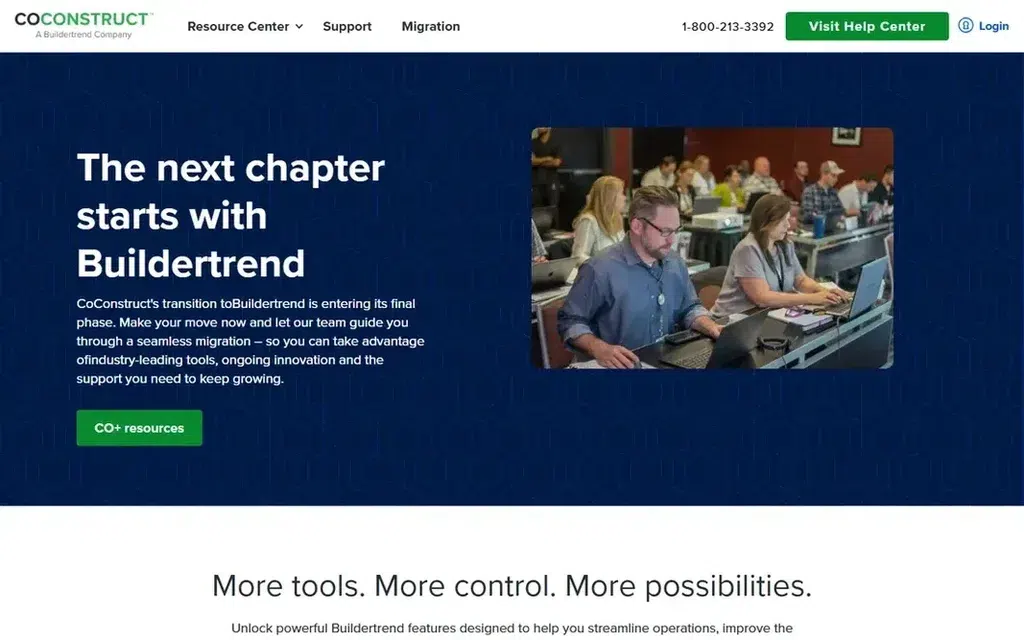
Think of CoConstruct for remodelers managing client selections. CoConstruct is construction management software geared toward custom builders and remodelers. It centers on coordinating the job with client-facing selections and communication, which suits remodelers who must track choices and change orders alongside schedules.
More specifically, if your work is largely straightforward service calls, a lighter field service tool may suit you better. As for the details, the system is oriented toward established building and remodeling companies, so very small crews may find it heavier than needed. For everyday use, confirm current feature scope on the vendor site before committing. Teams that want one place for project details and homeowner updates will find the workflow relevant. Check the vendor site for CoConstruct pricing; none is listed in this comparison. On free options: Not stated.
Best features of CoConstruct: Part of a unified construction brand.
What to check first: May be more than small crews need.
- Links project management with client communication
- Made for custom building and remodeling workflows
- Setup needs time to configure
Our selection method
Things to verify first
- Confirm the entry price with every vendor: no tool from Houzz Pro to CoConstruct shows a fixed starting price.
- Read the limits listed for Houzz Pro first: wide feature set can take time to learn.
- Find out whether the entry plan of CoConstruct covers your must-haves or only a trimmed-down version.
- Ask the daily users to test Chief Architect on a live task before you roll it out to everyone.
- Ask Procore about contract length, onboarding fees and user minimums before you sign.
FAQ
Can I try these options before paying?
Not by default. None of the tools, from Houzz Pro to CoConstruct, lists a free plan or a free trial here, so ask each vendor for a demo before committing.
How are the tools for remodeling software ordered?
Houzz Pro sits first and CoConstruct last because the order follows typical fit for remodeling software, then price clarity and free access. It is a judgement call, so read each profile for fit and limits.
Is Houzz Pro the right pick for everyone comparing remodeling software?
No single tool suits every team. Houzz Pro comes first because it fits design-led remodelers and builders, while Contractor Foreman suits contractors wanting broad all-in-one management and Procore suits larger remodeling project oversight. Match the tool to your own size, budget and workflow before deciding.
Do these tools publish their prices?
No. None of the tools, from Houzz Pro to CoConstruct, shows a fixed starting price here, so budget time for quotes.
What is the best remodeling software overall?
Start with Houzz Pro if you need design-led remodelers and builders. Contractor Foreman is the better match for contractors wanting wide all-in-one management, and Procore for bigger remodeling project oversight. The best choice depends on budget, team size and workflow.
How should I evaluate remodeling software before buying?
Confirm collaboration features for office and field staff and any integrations you depend on. Review current capabilities and limits on each vendor site before deciding.
Sources
- https://www.houzz.com/pro
- https://www.contractorforeman.com
- https://www.procore.com
- https://www.chiefarchitect.com
- https://www.coconstruct.com