Best Productivity Tracker for Freelancers in 2026: Prices, Free Plans and 5 Picks
Best productivity tracker for freelancers in 2026: 5 contenders with entry costs and free tiers. Each profile ends with a plain caveat. Pick by budget.
- Editor's choice
 Timely
Automatic timesheet drafting
Starts at$9 per user a monthVisit timely.comFull review - Great alternative
 Time Doctor
Visibility into distributed team work
Starts at$6.67 per user per monthVisit timedoctor.comFull review - Also consider
 Hubstaff
Productivity insights for small teams
Starts at$10 per seat a monthVisit hubstaff.comFull review
Direct answer
Timely is the first pick on this list for automatic timesheet drafting. Listed starting prices: Timely from $9 per user a month, Time Doctor from $6.67 per user per month and Hubstaff from $10 per seat a month. If your case is different, Time Doctor suits visibility into distributed team work and Hubstaff suits productivity insights for small teams. Details, prices and limits for the rest of the 5 tools are below.
TL;DR:
- Timely is the opening pick, best for automatic timesheet drafting.
- Time Doctor has the lowest monthly starting price in this list: $6.67 per user per month.
- A fair warning about Hubstaff: team monitoring features may be excessive for solo freelancers.
- Just one of the 5 tools, Clockify, has a free plan.
Last checked November 2026. Prices and plan details were read from the vendors' own pages in November 2026; vendors change plans often, so confirm the current price on the vendor site before you buy.
Quick comparison
| Tool | Best for | Starts at | Free plan? | |
|---|---|---|---|---|
| Timely | Automatic timesheet drafting | $9 per user a month | Free trial | Visit |
| Time Doctor | Visibility into distributed team work | $6.67 per user per month | Free trial | Visit |
| Hubstaff | Productivity insights for small teams | $10 per seat a month | Free trial | Visit |
 RescueTime | Automatic background time tracking | $7 a month | Free trial | Visit |
 Clockify | Straightforward time tracking across projects | See website | Yes | Visit |
Productivity Tracker for Freelancers profiles
Short on time? The summary and table above give the quick view of 5 productivity tracker for freelancers, and the profiles that follow give the detail behind each entry.
Timely is a good fit for automatic timesheet drafting. Timely is built around AI timesheets that draft themselves.
It is geared toward reducing the administrative side of tracking billable and non-billable work. On top of that, Timely is not primarily an invoicing tool, so freelancers who require billing may pair it with another system. Starting cost for Timely: $9 per user per month. As for free access: Free trial.
Downsides: Automatic allocation may need review.
- Records hours automatically
- Drafts timesheets for approval
- Less emphasis on invoicing
Time Doctor serves visibility into distributed team work. It helps leaders see what distributed teams are working on, validate the process behind every hour, and get AI answers grounded in real data.
Drawbacks to consider: Team-focused features may overwhelm solo freelancers.
Time Doctor is built around team visibility and monitoring, which may be more than a solo freelancer needs for personal time tracking. Time Doctor pricing: $6.67 per user per month. On free options: Free trial.
- Validates process behind hours
- AI answers grounded in data
- Monitoring emphasis may not suit all work styles
Choose Hubstaff for productivity insights for small teams. It tracks employee time, watches productivity, and turns approved hours into payments and insights, helping teams run work, costs, and performance.
Beyond that, if you only track your own billable hours, a lighter tool like Clockify may be a better fit. In daily use, for freelancers who collaborate with contractors or run a small team, these features can centralize time tracking and payment preparation. Price to start with Hubstaff: $10 per seat per month. Free plan details: Free trial.
Watch-outs: Team monitoring features may be excessive for solo freelancers.
- Supplies insights on work and costs
- Tracks time and productivity
- More setup than an entry-level timer
RescueTime was built for automatic background time tracking. RescueTime offers automatic time tracking that runs in the background, helping you see how you spend your work hours. It contains goal setting and project tracking features, and the vendor describes it as right for freelancers, small companies, and employees.
Also, automatic tracking can capture activity you did not intend to log, so some freelancers may have to review and adjust categories. Choose it when you want passive insight into your time instead of manual project billing. The starting price for RescueTime: $7 per month. Trial and free access: Free trial.
Trade-offs to know: Less centred on client invoicing.
- Automatic time tracking
- Works for freelancers and small teams
- Automatic tracking may capture more than intended
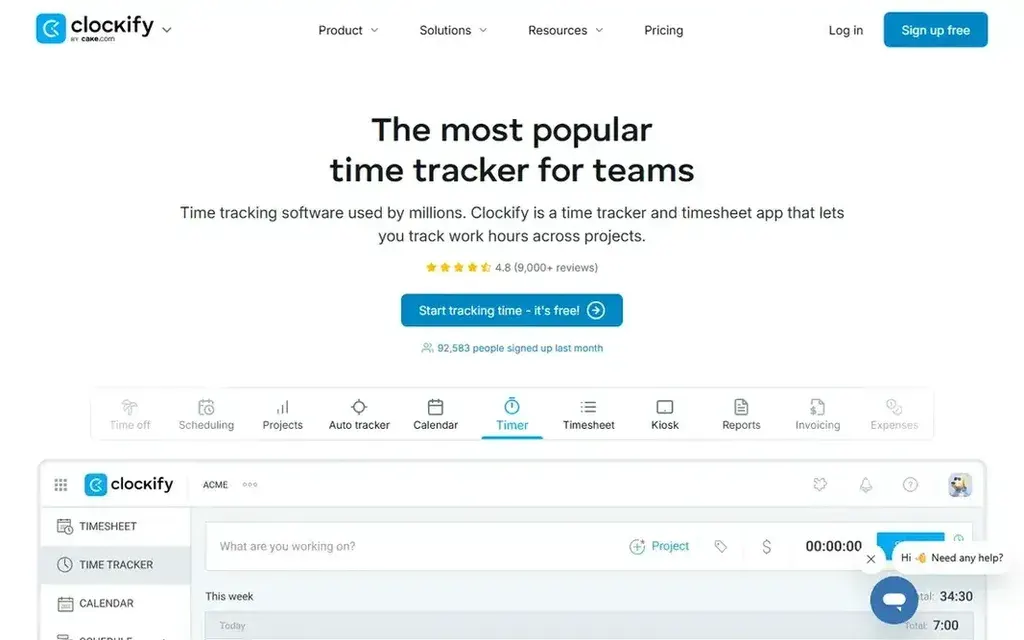
For straightforward time tracking across projects, Clockify is a natural candidate. It lets you record work hours across projects, which fits freelancers juggling several clients.
Drawbacks to consider: Fewer built-in billing features than invoicing-focused tools.
Reporting choices exist but may not include complicated client billing needs. Pricing for Clockify is not stated here, so ask the vendor for current figures. Clockify includes a free tier.
- Straightforward setup
- Bundles a timesheet app
- Advanced reporting may feel restricted for some
What went into this list
LinkVetted used vendor pricing pages and product documentation as the base, then compared plans, free access and documented limits for 5 tools. Treat prices as a snapshot: vendors change plans often, so check the vendor site for the figure that applies today. The order reflects how well each tool fits the most common buying scenario for productivity tracker for freelancers, then price clarity, then free plan access. It is a starting point, not a verdict.
Before you commit
- Confirm the entry price on the vendor page. For Clockify that means a quote rather than a fixed price.
- Look at the free plan from Clockify closely: its caps decide whether it is usable for real work.
- Take the trial from Timely, Time Doctor, Hubstaff and RescueTime and push a live task through it before you pay.
- Before choosing Timely, weigh its main limit: automatic allocation may need review.
- Find out what support Timely includes on your plan, and whether onboarding help costs extra.
- Confirm you can export your data from Hubstaff, so leaving later does not mean losing records.
FAQ
What is the cheapest option for productivity tracker for freelancers in this list?
On published monthly entry prices, Time Doctor is the lowest here at $6.67 per user per month. Entry price is only part of the cost, because seats, add-ons and billing terms can change the total.
Do I need automatic time tracking as a freelancer?
RescueTime and Timely both emphasize automatic capture, with Timely drafting timesheets for approval. Manual trackers like Clockify remain a decent choice if you prefer explicit control over what gets logged.
How are the tools for productivity tracker for freelancers ordered?
The order follows typical fit for productivity tracker for freelancers, with Timely first and Clockify last, then price clarity and free access. It is editorial judgement, not a score, so another team could rank the tools differently.
Can I try these tools before paying?
Often, yes. Clockify has a free plan and Timely, Time Doctor, Hubstaff and RescueTime offer a free trial. Use your own data and a real task during the test, and check what the free tier or trial limits before you rely on it.
Do these tools publish their prices?
Not all of them. Clockify publishes no starting price, so expect a quote request for it. The rest, Timely included, show a starting price, though seats and billing terms still change the final cost.
Sources
- https://www.timely.com
- https://www.timedoctor.com
- https://hubstaff.com
- https://www.rescuetime.com
- https://clockify.me