Best Productivity App for Writers in 2026: Prices, Free Plans and 6 Picks
6 best productivity app for writers, compared on pricing, free plans and best-fit use. Strengths and weak spots are spelled out. Narrow your shortlist.
- Editor's choice
 Grammarly
Proofreading and editing assistance
Starts at$12 USDVisit grammarly.comFull review - Great alternative
 Ulysses
Focused drafting with tidy document management
Starts at$39.99 per yearVisit ulysses.appFull review - Also consider
 Scrivener
Long-form book and novel projects
Starts atSee websiteVisit literatureandlatte.comFull review
Direct answer
Start with Grammarly if you need proofreading and editing assistance. Listed starting prices: Grammarly from $12 USD, Ulysses from $39.99 per year and Notion from $10 per member a month. Ulysses fits focused drafting with tidy document management; Scrivener fits long-form book and novel projects. The other 3 tools in the list cover narrower or pricier cases.
TL;DR:
- Grammarly sits first on this list: proofreading and editing assistance.
- Evernote suits capturing ideas and notes.
- Starting prices begin at $10 per member per month with Notion.
- Only 3 of the 6 tools have a free plan (Grammarly, Notion, Evernote), so check the caps.
- Before buying Ulysses, weigh this: fewer book-structure tools than Scrivener.
Last checked November 2026. Prices and plan details were read from the vendors' own pages in November 2026; vendors change plans often, so confirm the current price on the vendor site before you buy.
Quick comparison
| Tool | Best for | Starts at | Free plan? | |
|---|---|---|---|---|
| Grammarly | Proofreading and editing assistance | $12 USD | Yes | Visit |
| Ulysses | Focused drafting with tidy document management | $39.99 per year | Free trial | Visit |
| Scrivener | Long-form book and novel projects | See website | Not stated | Visit |
 Google Docs | Live collaborative drafting | See website | Not stated | Visit |
 Notion | Planning, research and workspace organization | $10 per member a month | Yes | Visit |
 Evernote | Capturing ideas and notes | See website | Yes | Visit |
Our 6 productivity app for writers
LinkVetted compared 6 productivity app for writers. The goal is a practical shortlist: published prices, free plan facts, best-fit use cases and honest limits for every entry.
Where Grammarly fits: proofreading and editing assistance. For writers, it functions as an editing layer over whatever drafting tool they already use, catching grammar and clarity issues before a piece goes out.
Beyond that, writers should still review suggestions themselves, since stylistic advice can flatten a deliberate voice, and pair it with Scrivener, Ulysses or a document editor for the actual drafting. Also, Grammarly does not organize projects, store research or handle manuscripts, so it complements instead of replaces a writing app. Entry price for Grammarly: $12 USD. Grammarly has a free plan.
Limits to weigh: Suggestions still need human judgment.
- AI writing guidance
- Works across apps and websites
- Not a drafting or project tool
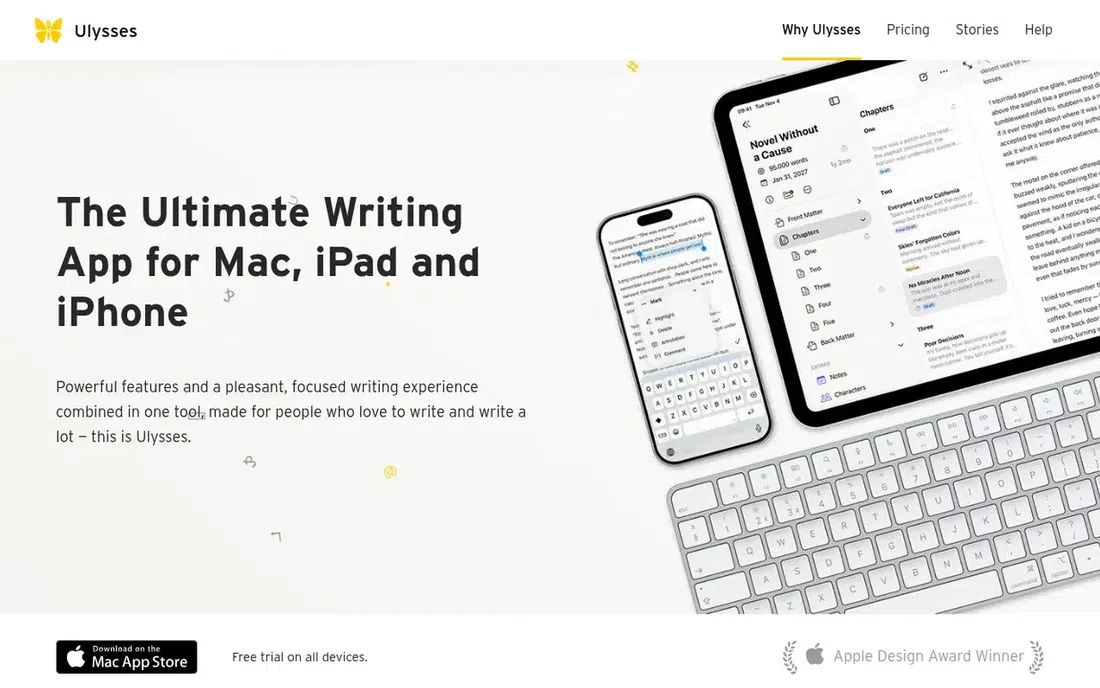
Choose Ulysses for focused drafting with tidy document management. Ulysses describes itself as a pleasant, focused writing experience paired with effective document management, quick syncing and adaptable export.
It is a capable middle ground between a minimal text editor and a full project-management tool. On top of that, since Ulysses centers on the writing experience, authors who require deep outlining and manuscript scaffolding may find Scrivener more complete. The starting price for Ulysses: $39.99 per year. Free plan details: Free trial.
Honest limits: Most useful for individual writers.
- Effective document management
- Distraction-free writing experience
- Fewer book-structure tools than Scrivener

Scrivener makes the most sense for long-form book and novel projects. Scrivener is writing software geared toward novelists and book authors, with tools meant to organize, edit and bring a story to life.
Watch-outs: Heavier than straightforward editors.
Also, if structure matters as much as the prose itself, Scrivener is the natural starting point among these choices. This comparison lists no price for Scrivener; ask the vendor. Trial and free access: Not stated.
- Structured editing workflow
- Supports notes and research alongside drafts
- Ramp-up time for new users
Google Docs serves live collaborative drafting. It fits writers who share drafts with editors, beta readers or co-authors and want everyone working in the same live document.
Where it is weaker: Restricted long-form project structure.
Like Word, Google Docs is organized around documents instead of manuscripts, so novelists with complicated structures may outgrow it for planning. Check the vendor site for Google Docs pricing; none is listed in this comparison. As for free access: Not stated.
- AI help for drafts and templates
- Online document and PDF editing
- Needs a browser for the full experience
Notion serves planning, research and workspace organization. Notion presents itself as an AI workspace where teams get more done, with custom agents, search across apps and automation for busywork. Beyond that, for writers, its value is typically in planning: tracking submissions, organizing research and managing a writing pipeline beside the draft itself.
What to check first: Setup can take time to shape.
On top of that, Notion is a workspace first. So the actual writing surface may feel less tailored than Scrivener or Ulysses for long manuscripts. Writers who want to sit down and draft without configuring pages and databases should keep a dedicated writing app for the prose and use Notion only for planning. Entry price for Notion: $10 per member per month. Notion has a free plan.
- Adaptable workspace for notes and projects
- Search across connected apps
- Writing editor is not the central focus
Evernote works best for capturing ideas and notes. Evernote is a note taking app that helps users capture and prioritize ideas, projects and to-do lists so nothing falls through the cracks. As for the details, Evernote is built around notes, not long-form manuscripts.
The main drawbacks: Note-centric instead of document-centric.
So it is a poor fit as a primary drafting environment for books. Writers should pair it with a dedicated editor or manuscript tool, and those who want everything in one workspace may prefer Notion instead. Evernote does not show a starting price in this comparison, so check the vendor site for current pricing. Evernote offers a free plan.
- Organizes projects and to-do lists
- Capture and prioritize ideas
- Not a manuscript drafting tool
How we compared the tools
LinkVetted looked at what each vendor publishes: pricing, plan limits, feature coverage for productivity app for writers and stated drawbacks. No hands-on testing is claimed. Figures are shown as the vendors publish them. Billing terms, seat minimums and add-ons can change the real cost. The sequence is a judgement call: typical use case first, then pricing transparency, then free access. Use the profiles to check fit.
Questions to settle before buying
- Ask Scrivener, Google Docs and Evernote for a written quote, since no starting price is shown.
- Look at free plan limits closely: Grammarly, Notion and Evernote have one, and the caps decide whether it is usable for real work.
- Run a trial of Ulysses with real work before paying for a year; your own workflow is the best test.
- Read the limits listed for Grammarly first: not a drafting or project tool.
- Look at which plan of Grammarly unlocks the features you need; entry tiers are often cut down.
- Check how data leaves Evernote: formats, limits and whether exports are available on every plan.
FAQ
Which productivity app for writers have a free plan?
Grammarly, Notion and Evernote offer a free plan in this list. Free plans usually cap users, projects or features, so check the limits on the vendor page. One other tool offers a trial instead.
Do these tools publish their prices?
Not all of them. Scrivener, Google Docs and Evernote publish no starting price, so expect a quote request for those. The rest, Grammarly included, show a starting price, though seats and billing terms still change the final cost.
Can I try these tools before paying?
Often, yes. Grammarly, Notion and Evernote have a free plan and Ulysses offers a free trial. Use your own data and a real task during the test, and check what the free tier or trial limits before you rely on it.
Is Grammarly the right pick for everyone comparing productivity app for writers?
No single tool suits every team. Grammarly comes first because it fits proofreading and editing assistance, while Ulysses suits focused drafting with tidy document management and Scrivener suits long-form book and novel projects. Match the tool to your own size, budget and workflow before deciding.
Sources
- https://www.grammarly.com
- https://ulysses.app
- https://www.literatureandlatte.com/scrivener
- https://workspace.google.com/products/docs
- https://www.notion.com
- https://evernote.com