Best Process Automation Software for Law Firms in 2026: 5 Tools Compared
Compare 5 best process automation software for law firms, with prices, free plans and who each fits. Hidden costs and gaps are flagged. Details below.
- Editor's choiceLitify
Legal operations at scale
Starts atSee websiteVisit litify.comFull review - Great alternative
 MyCase
Running cases, billing, and payments together
Starts at$50 per user per monthVisit mycase.comFull review - Also consider
 Smokeball
Small businesses wanting automatic time capture
Starts atSee websiteVisit smokeball.comFull review
Direct answer
Litify comes first here, mainly for legal operations at scale. Listed starting prices: MyCase from $50 per user per month and PracticePanther from $49 per user a month. Alternatives: MyCase for running cases, billing, and payments together, and Smokeball for small businesses wanting automatic time capture. All 5 tools are compared below on price, free plan and limits.
TL;DR:
- Number one here is Litify, a fit for legal operations at scale.
- For the cheapest start, look at PracticePanther: $49 per user per month.
- PracticePanther is the one to check for everyday process and billing automation.
- None of the 5 tools, from Litify to PracticePanther, has a free plan, so budget for a subscription or use a trial.
- Before buying MyCase, weigh this: less deep custom workflow design.
Last checked November 2026. Prices and plan details were read from the vendors' own pages in November 2026; vendors change plans often, so confirm the current price on the vendor site before you buy.
Quick comparison
| Tool | Best for | Starts at | Free plan? | |
|---|---|---|---|---|
| Litify | Legal operations at scale | See website | Not stated | Visit |
| MyCase | Running cases, billing, and payments together | $50 per user per month | Free trial | Visit |
| Smokeball | Small businesses wanting automatic time capture | See website | Not stated | Visit |
 Filevine | AI-driven matter and case workflows | See website | Free trial | Visit |
 PracticePanther | Everyday process and billing automation | $49 per user a month | Free trial | Visit |
The 5 tools in detail
Choosing process automation software for law firms usually comes down to price, fit and limits. This LinkVetted guide sets 5 tools side by side on those three points, with the facts kept short and checkable.
Litify
Best for: Legal operations at scale
Litify is a good fit for legal operations at scale. Litify describes itself as an all-in-one legal software product where native AI workflows handle complicated legal work so a firm or legal department can scale.
What to check first: More product than small businesses need.
This comparison lists no price for Litify; ask the vendor. As for free access: Not stated.
- Native AI workflows
- All-in-one legal system
- Implementation demands planning
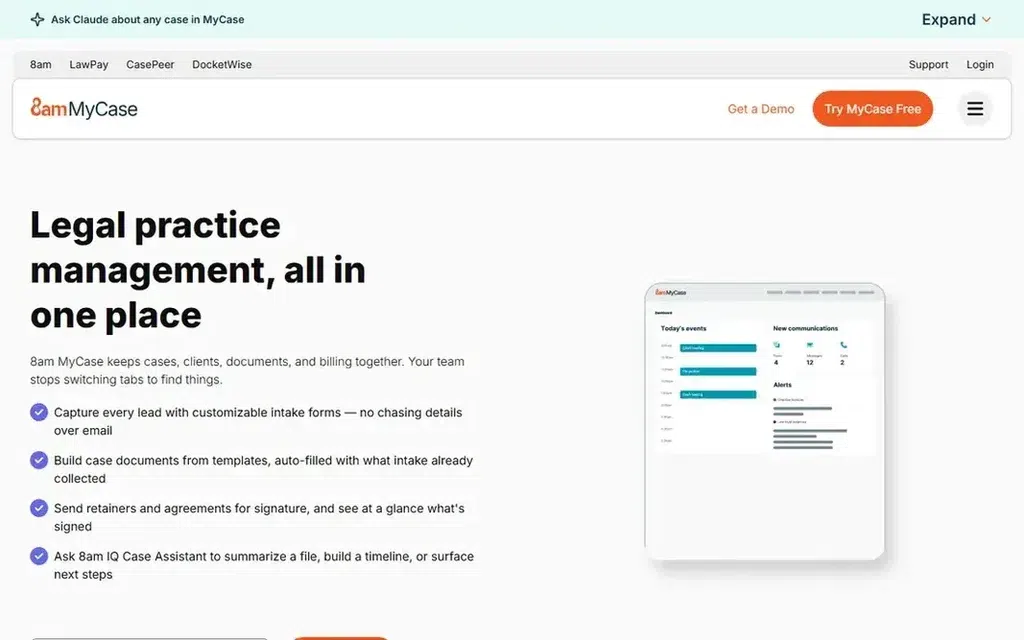
MyCase works best for running cases, billing, and payments together. MyCase is legal practice management software positioned around running a profitable firm instead of only managing cases.
The product is oriented toward core practice management, so businesses needing highly customized multi-step process automation may hit limits. It is a sensible choice when integrated billing and payments matter most; look at more customizable systems if process design is the priority. MyCase cost at the entry level: $50 per user per month. Free options: Free trial.
Honest limits: Less deep custom workflow design.
- Cases and clients in one place
- Straightforward firm management
- Automation tied to core practice features

Pick Smokeball if this describes you: small businesses wanting automatic time capture. It suits small and mid-size businesses that lose billable hours to manual entry and want routine drafting handled by templates.
Limits to weigh: Centred on smaller businesses.
Worth adding: businesses that want automation to run quietly in the background of everyday casework tend to see the clearest fit here. This comparison lists no price for Smokeball; ask the vendor. Free options: Not stated.
- Automatic time tracking
- Document automation built in
- Less suited to large legal departments

In short, Filevine is for AI-driven matter and case workflows. Filevine presents itself as a legal AI product for law businesses and legal teams, with LOIS as its AI layer. In daily use, pick something lighter if your central goal is entry-level billing and client management, and choose Filevine when case complexity and volume justify deeper setup.
In practice, since the system leans on configuration and AI-assisted workflows, smaller businesses with straightforward processes may find it more than they need. Worth adding: the emphasis is on native AI workflows that manage complicated legal work so a firm can scale without adding administrative overhead. Filevine does not show a starting price in this comparison, so check the vendor site for current pricing. On free options: Free trial.
Where it is weaker: Ramp-up time for configuration.
- Scales with legal teams
- AI workflows for legal work
- Best value for active case volume
PracticePanther targets everyday process and billing automation. PracticePanther is law practice management software targeted at automating firm processes, billing, and time tracking. It spans the routine operational layer that most businesses need automatic first: matter organization, time capture, invoicing, and client communication.
More specifically, businesses with unusual workflows or heavy document-driven automation needs may find customization moderate compared to more customizable systems. Small and mid-size practices that want a wide set of standard automations without a long implementation project are the usual fit. What you pay to start with PracticePanther: $49 per user per month. As for free access: Free trial.
Where it falls short: Depth varies by feature area.
- Billing and time tracking
- Process automation features
- Customization is moderate
How these tools were picked
LinkVetted looked at what each vendor publishes: pricing, plan limits, feature coverage for process automation software for law firms and stated drawbacks. No hands-on testing is claimed. Where a price is missing, the vendor does not list one publicly or ties it to a quote. Always confirm before budgeting. The ranking is editorial: typical fit first, then clear pricing, then free access. If your needs are unusual, read the profiles rather than relying on position.
A buyer's checklist
- Ask Litify, Smokeball and Filevine for a written quote, since no starting price is shown.
- Use real work to test the free trial from MyCase, Filevine and PracticePanther, rather than a demo project.
- Read the limits listed for Litify first: more product than small businesses need.
- List the apps you already depend on and check that Litify supports each one on the plan you would buy.
- Total up the real monthly cost of MyCase, including add-ons, extra users and usage-based fees.
FAQ
How long does implementation typically take?
Timelines vary with how much customization and data migration your firm needs, and highly customizable systems usually take longer to set up. From a buyer's view, plan for staff training and a period of parallel running. Confirm expected timelines and support choices straight with each vendor.
What is the cheapest option for process automation software for law firms in this list?
On published monthly entry prices, PracticePanther is the lowest here at $49 per user per month. Entry price is only part of the cost, because seats, add-ons and billing terms can change the total. All 5 picks in this process automation software for law firms comparison list a starting price, free plan details and the main limits on their cards above.
How are the tools for process automation software for law firms ordered?
Litify sits first and PracticePanther last because the order follows typical fit for process automation software for law firms, then price clarity and free access. It is a judgement call, so read each profile for fit and limits.
How do AI workflows fit into law firm automation?
They work best when your matter data is already organized and your team has clear processes. Review outputs carefully and keep human review in the loop.
What should a small law firm automate first?
Start with time capture, document drafting from templates, and client intake, since these consume hours that could be billable. Add document and email automation once the basics are consistent.
Is Litify the right pick for everyone comparing process automation software for law firms?
No single tool suits every team. Litify comes first because it fits legal operations at scale, while MyCase suits running cases, billing, and payments together and Smokeball suits small firms wanting automatic time capture. Match the tool to your own size, budget and workflow before deciding.
Sources
- https://www.litify.com
- https://www.mycase.com
- https://www.smokeball.com
- https://www.filevine.com
- https://www.practicepanther.com