5 Podcast Software for Guest Interviews Worth Shortlisting in 2026
Best podcast software for guest interviews in 2026: 5 contenders with entry costs and free tiers. Each listing flags where it falls short. Read before you buy.
- Editor's choice
 Restream
Multistreaming live interviews
Starts at$239 per monthVisit restream.ioFull review - Great alternative
 StreamYard
Live streaming and recording interviews
Starts atSee websiteVisit streamyard.comFull review - Also consider
 Riverside
High-quality remote recording with AI editing
Starts at$24 per monthVisit riverside.fmFull review
Direct answer
Restream leads the list, best for Multistreaming live interviews. Listed starting prices: Restream from $239 per month, Riverside from $24 per month and SquadCast from $16 per person a month. Look at StreamYard for live streaming and recording interviews, and at Riverside for high-quality remote recording with AI editing. Details, prices and limits for the rest of the 5 tools are below.
TL;DR:
- Restream is the opening pick, best for Multistreaming live interviews.
- For familiar video meetings for interviews, Zoom is worth a look.
- Free plans exist at 2 of 5 tools (Riverside, SquadCast).
- The cheapest monthly starting price in the list is $16 per person per month, offered by SquadCast.
Last checked November 2026. Prices and plan details were read from the vendors' own pages in November 2026; vendors change plans often, so confirm the current price on the vendor site before you buy.
Quick comparison
| Tool | Best for | Starts at | Free plan? | |
|---|---|---|---|---|
| Restream | Multistreaming live interviews | $239 per month | Not stated | Visit |
| StreamYard | Live streaming and recording interviews | See website | Free trial | Visit |
| Riverside | High-quality remote recording with AI editing | $24 per month | Yes | Visit |
| SquadCast | Remote recording with cloud auto-save | $16 per person a month | Yes | Visit |
 Zoom | Familiar video meetings for interviews | See website | Not stated | Visit |
The 5 tools in detail
If you are comparing podcast software for guest interviews, this page covers 5 tools in one place: what each is best for, what it costs to start, whether it has a free plan, and the main limit to know about.
Where Restream fits: Multistreaming live interviews. It is made for broadcasters who want to reach audiences across multiple systems simultaneously. In daily use, if your primary goal is producing edited, on-demand podcast episodes, a dedicated recorder may serve you better.
For podcasters, Restream can be used to live stream guest interviews to several destinations at once. As for the details, choose Restream when live multistreaming is central to your strategy. What you pay to start with Restream: $239 per month. Trial and free access: Not stated.
Limits to weigh: Not a dedicated podcast editor.
- Browser-based creation
- Multistream to several channels
- Depends on external tools for audio polish
Where StreamYard fits: live streaming and recording interviews. You can record content or stream live to products like Facebook and YouTube. It is designed for creators who want to engage audiences in live, including guest interviews.
Limits to weigh: Restricted post-production editing.
For everyday use, the tool fits podcasters who treat their present as a live event or who want to simulcast interviews. More specifically, if you prefer pre-recorded, heavily edited interviews, a dedicated podcast recorder might be better. This comparison lists no price for StreamYard; ask the vendor. On free options: Free trial.
- Professional live streaming in browser
- Record content or stream to several products
- Concentrated on live instead of studio recording
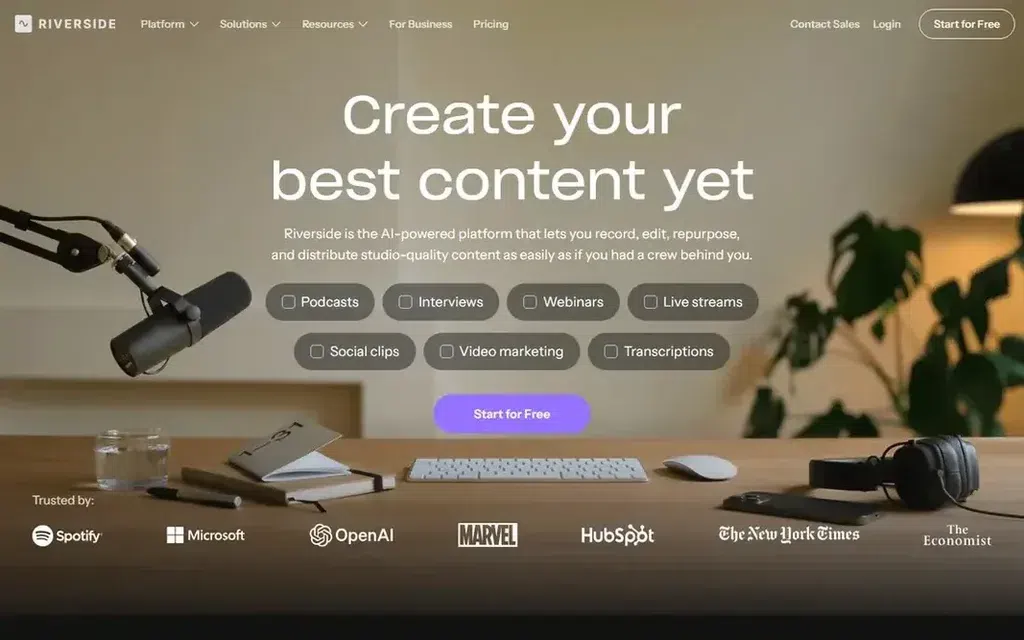
Riverside was built for high-quality remote recording with AI editing. Riverside is an online studio for high-quality podcast and video recording and editing. It uses AI to simplify production whereas keeping the focus on natural conversation.
Beyond that, the product is aimed at creators who want local-quality recordings from remote guests without complicated setups. Users with very entry-level needs might find the feature set overwhelming. If you only need straightforward audio recording, a lighter tool could be a better fit. Starting cost for Riverside: $24 per month. Riverside offers a free plan.
Limits to weigh: Advanced features could have a ramp-up time.
- Aimed at human conversations
- AI-powered editing tools built in
- May need a stable internet connection
SquadCast
Best for: Remote recording with cloud auto-save
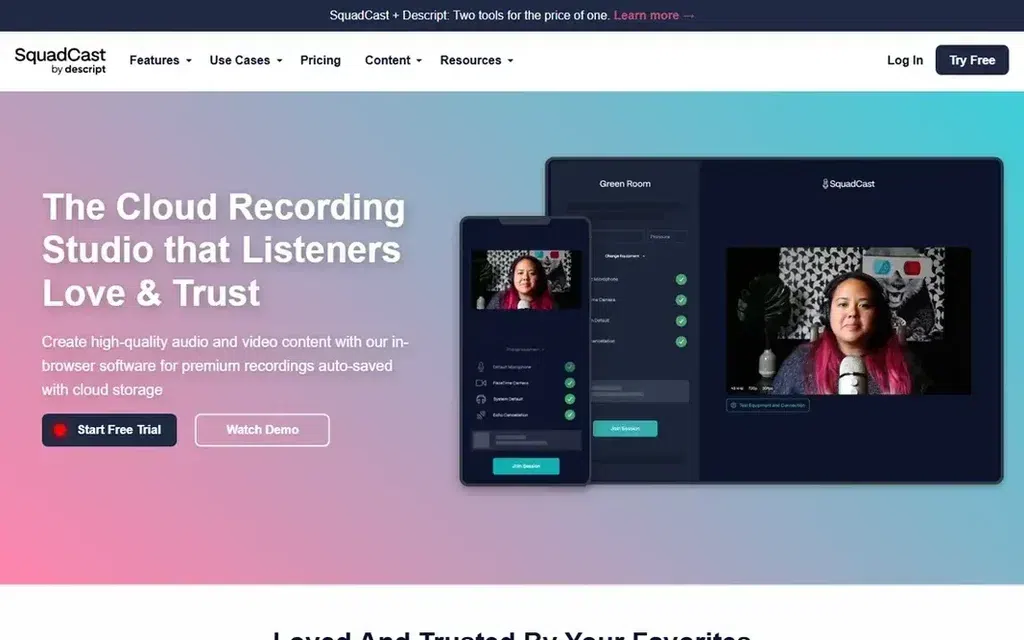
SquadCast serves remote recording with cloud auto-save. Recordings are auto-saved with cloud storage, which layers on a layer of safety for interviews. For everyday use, SquadCast concentrates on recording instead of deep editing, so you may need separate software for post-production.
Its browser-based nature means performance relies on your internet connection. In daily use, if you need built-in advanced editing or live streaming, other tools might be more suitable. For everyday use, choose SquadCast for straightforward, secure remote recording. Starting cost for SquadCast: $16 per person per month. A free plan is available with SquadCast.
Limits to weigh: no desktop app mentioned.
- In-browser recording studio
- Supports audio and video content
- Browser-based only
Zoom serves familiar video meetings for interviews. Zoom is a collaboration product known for video meetings, chat, VoIP phone, webinars, and more. Many podcasters use Zoom to conduct guest interviews since guests are commonly already familiar with it.
It supplies a straightforward way to link with remote guests and record conversations. It lacks integrated podcast editing or publishing tools. If you need studio-quality recordings with minimal fuss, a dedicated podcast recorder is preferable. This comparison lists no price for Zoom; ask the vendor. Free options: Not stated.
Where it falls short: Audio quality relies on settings and equipment.
- Widely used and familiar interface
- Comes with chat and collaboration tools
- Not designed specifically for podcasting
How we compared the tools
LinkVetted looked at what each vendor publishes: pricing, plan limits, feature coverage for podcast software for guest interviews and stated drawbacks. No hands-on testing is claimed. Where a price is missing, the vendor does not list one publicly or ties it to a quote. Always confirm before budgeting. Tools are placed by general fit for podcast software for guest interviews, with price clarity and free access as tie-breakers. A different team can reasonably rank them differently.
A buyer's checklist
- Get a written quote from StreamYard and Zoom; the list shows no starting price for them.
- Check what the free option really includes: Riverside and SquadCast offer a free plan, and usage caps differ.
- Use real work to test the free trial from StreamYard, rather than a demo project.
- Before choosing Restream, weigh its main limit: not a dedicated podcast editor.
- Price SquadCast for your actual team size; headline prices rarely include add-ons or overage.
- A short pilot of Restream with your real workflow tells you more than a feature table.
FAQ
Which tool is a good match for live streaming guest interviews?
Restream comes first here and is built for Multistreaming live interviews. Buyers with other needs may prefer StreamYard (for live streaming and recording interviews) or Riverside (for high-quality remote recording with AI editing). Compare costs and limits first.
How are the tools for podcast software for guest interviews ordered?
The order follows typical fit for podcast software for guest interviews, with Restream first and Zoom last, then price clarity and free access. It is editorial judgement, not a score, so another team could rank the tools differently.
Which options for podcast software for guest interviews have a free plan?
On this list, Riverside and SquadCast include a free plan. Caps on seats, usage or features are common, so test the free plan against your real workload. One other tool offers a trial instead.
Do these tools publish their prices?
Not all of them. StreamYard and Zoom publish no starting price, so expect a quote request for those. The rest, Restream included, show a starting price, though seats and billing terms still change the final cost.
What is the cheapest option for podcast software for guest interviews in this list?
On published monthly entry prices, SquadCast is the lowest here at $16 per person per month. Entry price is only part of the cost, because seats, add-ons and billing terms can change the total. All 5 picks in this Podcast software for guest interviews comparison list a starting price, free plan details and the main limits on their cards above.
Sources
- https://restream.io
- https://streamyard.com
- https://riverside.fm
- https://squadcast.fm
- https://zoom.us