Best Photography Software for Startups for 2026: Our 5 Vetted Picks
Best photography software for startups in 2026: 5 contenders with entry costs and free tiers. Where a tool struggles is spelled out. Skim the table first.
- Editor's choiceACDSee Photo Studio
Digital asset management
Starts atSee websiteVisit acdsee.comFull review - Great alternativeSkylum Luminar Neo
AI-assisted fast edits
Starts atSee websiteVisit skylum.comFull review - Also consider
 Adobe Photoshop
Versatile editing and design
Starts atSee websiteVisit adobe.comFull review
Direct answer
ACDSee Photo Studio leads the list, best for digital asset management. Listed starting prices: ON1 Photo RAW from $49.99. Look at Skylum Luminar Neo for AI-assisted fast edits, and at Adobe Photoshop for versatile editing and design. The full list of 5 tools follows, with prices and free plan facts.
TL;DR:
- ACDSee Photo Studio sits first on this list: digital asset management.
- Expect to ask for a quote from ACDSee Photo Studio, Skylum Luminar Neo, Adobe Photoshop and Affinity Photo; the other tools show a starting price.
- Affinity Photo is the one to check for budget-conscious professional editing.
- ACDSee Photo Studio, Affinity Photo and the 3 others all need a premium plan or a trial, since no free plan is listed.
Last checked November 2026. Prices and plan details were read from the vendors' own pages in November 2026; vendors change plans often, so confirm the current price on the vendor site before you buy.
Quick comparison
| Tool | Best for | Starts at | Free plan? | |
|---|---|---|---|---|
| ACDSee Photo Studio | Digital asset management | See website | Not stated | Visit |
| Skylum Luminar Neo | AI-assisted fast edits | See website | No | Visit |
| Adobe Photoshop | Versatile editing and design | See website | Not stated | Visit |
 ON1 Photo RAW | All-in-one raw workflow | $49.99 | Free trial | Visit |
 Affinity Photo | Budget-conscious professional editing | See website | Not stated | Visit |
Tool-by-tool breakdown
Choosing photography software for startups usually comes down to price, fit and limits. This LinkVetted guide sets 5 tools side by side on those three points, with the facts kept short and checkable.
ACDSee Photo Studio
Best for: Digital asset management
Where ACDSee Photo Studio fits: digital asset management. The Mac version of ACDSee Photo Studio Ultimate has fewer features and may not suit all workflows.
The interface may also feel less modern than competitors. No starting price is listed for ACDSee Photo Studio here; confirm pricing on the vendor site. Free plan details: Not stated.
Honest limits: Windows-centric (Mac version restricted).
- Capable organization tools
- RAW support
- Interface can feel dated
Skylum Luminar Neo
Best for: AI-assisted fast edits
Pick Skylum Luminar Neo if this describes you: AI-assisted fast edits. Skylum Luminar Neo is a photo editor that uses AI to ease complicated edits, like sky replacement and portrait enhancement. It is well-suited for startups with restricted editing expertise that require to produce refined visuals rapidly.
The software supplies a mix of creative presets and tools. Luminar Neo offers less granular control than traditional editors, which may frustrate users needing precise adjustments. It also lacks advanced cataloging features. Skylum Luminar Neo shows no starting price here, so confirm the cost on the vendor site. No free plan comes with Skylum Luminar Neo.
The main drawbacks: Restricted batch processing.
- Approachable interface
- Creative filters and effects
- Less manual control
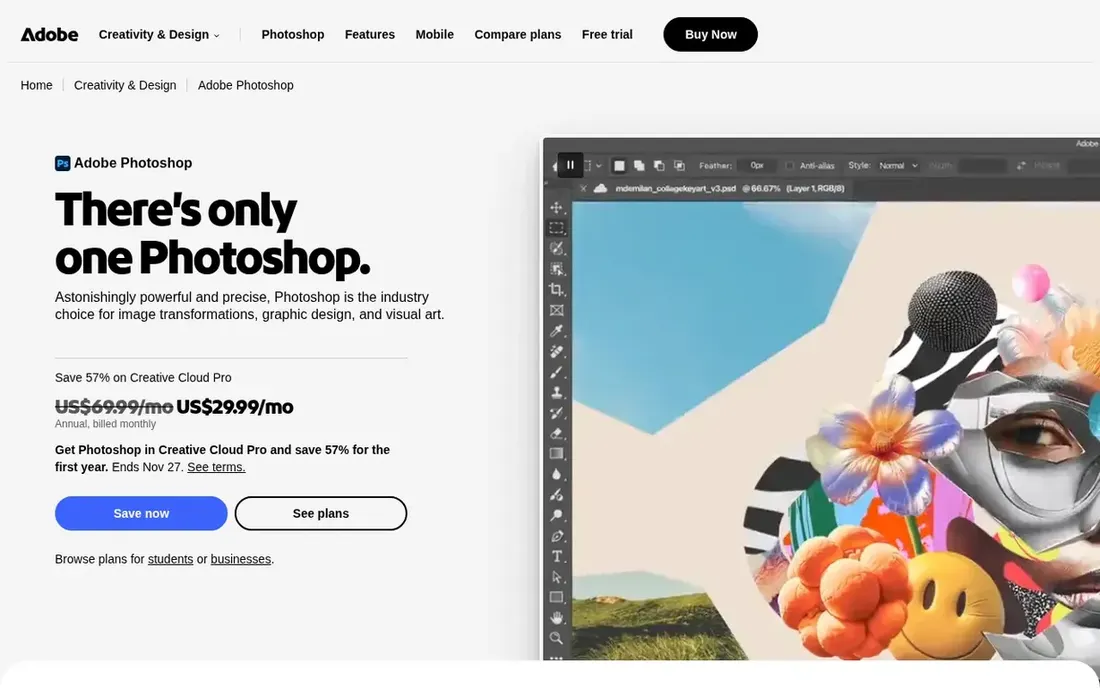
Adobe Photoshop is aimed squarely at versatile editing and design. Adobe Photoshop is an industry-standard photo editing and design application used for everything from retouching product photos to creating social media graphics. It provides layers, masks, filters, and advanced compositing, making it right for startups that require a single tool for both photo editing and marketing design.
Trade-offs to know: Needs subscription.
Beyond that, Photoshop's depth can overwhelm users who only need fast corrections, and its subscription model brings continuing cost. The mobile app extends basic editing to phones. Choose Photoshop when you need maximum creative control and design integration. Adobe Photoshop does not show a starting price in this comparison, so check the vendor site for current pricing. Free access: Not stated.
- Supports complicated compositing
- Connects with design workflows
- Can be complicated for beginners
ON1 Photo RAW is built with all-in-one raw workflow in mind. It gives you pro-level tools without a subscription, making it an economical choice for startups.
As for the details, choose ON1 if you want a subscription-free alternative with solid editing and organization. The starting price for ON1 Photo RAW: $49.99. On free options: Free trial.
The main drawbacks: Ramp-up time for beginners.
- No subscription required
- Full editing tools
- Can be slow on large catalogs
In short, Affinity Photo is for budget-conscious professional editing. Affinity Photo is a feature-rich photo editor that provides professional features like layers, masks, and RAW development without a subscription.
Affinity Photo lacks the deep asset management and cloud sync of Lightroom, and its ecosystem of plugins and integrations is smaller. Pricing for Affinity Photo is not stated here, so ask the vendor for current figures. On free options: Not stated.
Drawbacks to consider: Restricted external integrations.
- Professional-grade tools
- One-time purchase
- No built-in cataloging
How the list was put together
Pre-purchase checklist
- Confirm the entry price on the vendor page. For ACDSee Photo Studio, Skylum Luminar Neo, Adobe Photoshop and Affinity Photo that means a quote rather than a fixed price.
- Use real work to test the free trial from ON1 Photo RAW, rather than a demo project.
- Before choosing ACDSee Photo Studio, weigh its main limit: Windows-centric (Mac version restricted).
- Verify that exporting from ACDSee Photo Studio is possible on your plan and covers all your records.
- Pick one real project and run it in Affinity Photo first; a small pilot shows fit faster than a checklist.
FAQ
Which tool is best for organizing a large photo library?
For most readers this guide would start with ACDSee Photo Studio, built for digital asset management. Skylum Luminar Neo is the alternative for AI-assisted fast edits, and Adobe Photoshop for versatile editing and design. The right answer depends on budget and workflow.
Do these tools publish their prices?
Not all of them. ACDSee Photo Studio, Skylum Luminar Neo, Adobe Photoshop and Affinity Photo publish no starting price, so expect a quote request for those. The rest, ON1 Photo RAW included, show a starting price, though seats and billing terms still change the final cost.
Does any tool for photography software for startups here have a free plan?
A permanent free plan is not offered by ACDSee Photo Studio, Affinity Photo or the other tools here. ON1 Photo RAW offer a trial. Plan a short evaluation period instead.
Is ACDSee Photo Studio the right pick for everyone comparing photography software for startups?
No single tool suits every team. ACDSee Photo Studio comes first because it fits digital asset management, while Skylum Luminar Neo suits AI-assisted quick edits and Adobe Photoshop suits versatile editing and design. Match the tool to your own size, budget and workflow before deciding.
Can I try these tools before paying?
Often, yes. ON1 Photo RAW offers a free trial. Use your own data and a real task during the test, and check what the free tier or trial limits before you rely on it. All 5 picks in this Photography software for startups comparison list a starting price, free plan details and the main limits on their cards above.
Can I use Adobe Photoshop for product photography editing?
Yes, Adobe Photoshop is widely used for product photo retouching, compositing, and creating marketing graphics. That said, for high-volume batch editing, Lightroom may be more efficient.
Sources
- https://www.acdsee.com/en/products/photo-studio-ultimate
- https://skylum.com/luminar
- https://www.adobe.com/products/photoshop.html
- https://www.on1.com/products/photo-raw
- https://affinity.serif.com/en-us/photo