The 6 Best Photo Editing Software for Architectural Visualization in 2026, Ranked
6 products for the best photo editing software for architectural visualization, ranked by fit, with starting costs and free tiers. Checked this month.
- Editor's choice
 Adobe Lightroom
Organizing and developing photo sets
Starts atSee websiteVisit adobe.comFull review - Great alternative
 Capture One
Precise RAW work and tethering
Starts atSee websiteVisit captureone.comFull review - Also considerSkylum Luminar Neo
Straightforward AI-assisted photo enhancement
Starts atSee websiteVisit skylum.comFull review
Direct answer
Our first pick is Adobe Lightroom, best for organizing and developing photo sets. Listed starting prices: ON1 Photo RAW from $49.99. Capture One is better for precise RAW work and tethering, and Skylum Luminar Neo is better for straightforward AI-assisted photo enhancement. All 6 tools are compared below on price, free plan and limits.
TL;DR:
- Number one here is Adobe Lightroom, a fit for organizing and developing photo sets.
- Expect to ask for a quote from Adobe Lightroom, Capture One, Skylum Luminar Neo and others; the other tools show a starting price.
- Adobe Photoshop fits layered compositing and render cleanup.
- What to know about Capture One first: ramp-up time for new users.
Last checked November 2026. Prices and plan details were read from the vendors' own pages in November 2026; vendors change plans often, so confirm the current price on the vendor site before you buy.
Quick comparison
| Tool | Best for | Starts at | Free plan? | |
|---|---|---|---|---|
| Adobe Lightroom | Organizing and developing photo sets | See website | Not stated | Visit |
| Capture One | Precise RAW work and tethering | See website | Not stated | Visit |
| Skylum Luminar Neo | Straightforward AI-assisted photo enhancement | See website | No | Visit |
 ON1 Photo RAW | All-in-one RAW editing and organizing | $49.99 | Free trial | Visit |
 Corel PaintShop Pro | Accessible editing on Windows | See website | Not stated | Visit |
 Adobe Photoshop | Layered compositing and render cleanup | See website | Not stated | Visit |
Every option for photo editing software for architectural visualization explained
LinkVetted compared 6 tools for photo editing software for architectural visualization. The goal is a practical shortlist: published prices, free plan facts, best-fit use cases and honest limits for every entry.

Adobe Lightroom is aimed squarely at organizing and developing photo sets. Lightroom is pitched at photographers and enthusiasts who require to edit and organize images across desktop, web and mobile. In practice, for architectural visualization, it does well as the stage where site photography, material references and finished images are culled, corrected and kept in order before heavier compositing happens elsewhere.
Its editing model is not aimed at stacking numerous layers or building complicated composites, so in-depth render retouching typically moves to a layer-based editor. Choose Lightroom when organization and quick global adjustments matter more than intricate local work. This comparison lists no price for Adobe Lightroom; ask the vendor. Free options: Not stated.
Limits to weigh: Restricted layered compositing.
Upsides: Works across desktop.
- Web and mobile
- Solid for large photo libraries
- Less suited to complicated retouching
In short, Capture One is for precise RAW work and tethering. In architectural visualization it fits studio setups where a camera is tethered during model photography or material capture, and where color and tone need careful, repeatable adjustment.
Trade-offs to know: Ramp-up time for new users.
In daily use, the tool set is deep but specialized, and layered compositing is not its primary strength, so complicated scene building still belongs in a dedicated editor. Capture One shows no starting price here, so confirm the cost on the vendor site. Trial and free access: Not stated.
- Feature-rich tethering capabilities
- Smooth RAW handling
- Narrower scope than a full compositor
Skylum Luminar Neo
Best for: Straightforward AI-assisted photo enhancement
Skylum Luminar Neo was built for straightforward AI-assisted photo enhancement. If your work involves technical retouching, pair it with a layer-based editor or choose a more manual tool.
Honest limits: Fewer manual compositing tools.
Its strength in automation comes with fewer manual compositing and precision tools, which matters when renders need exact corrections. Skylum Luminar Neo shows no starting price here, so confirm the cost on the vendor site. No free plan comes with Skylum Luminar Neo.
- Fast enhancement workflow
- AI tools for guided editing
- Restricted fit for technical corrections
ON1 Photo RAW is aimed squarely at all-in-one RAW editing and organizing. ON1 Photo RAW is presented as an AI-powered raw photo editor that lets you edit, organize and process photos with pro-level quality, and it is sold without a subscription.
Where it is weaker: Less depth for complicated compositing.
For everyday use, choose it when a straightforward all-in-one RAW workflow is the priority. The starting price for ON1 Photo RAW: $49.99. Free plan details: Free trial.
- AI-powered RAW editing
- No subscription required
- Feature set centered on photography
Corel PaintShop Pro was built for accessible editing on Windows. PaintShop Pro is Corel's photo editing family, with product information, updates, tutorials and trial access published on its site. Confirm product support and file compatibility if your team works across mixed systems.
Where it shines: Familiar editing toolset.
Points against: System availability varies.
On top of that, for architectural visualization it can serve users who require standard editing, correction and compositing tools in a familiar package, especially individuals or small teams handling presentation images instead of high-volume production. It is less typical in professional visualization pipelines, so exchanging layered files with collaborators may need additional steps. This comparison lists no price for Corel PaintShop Pro; ask the vendor. Trial and free access: Not stated.
- Updates and trial access provided
- Product information and tutorials on site
- Less typical in studio pipelines
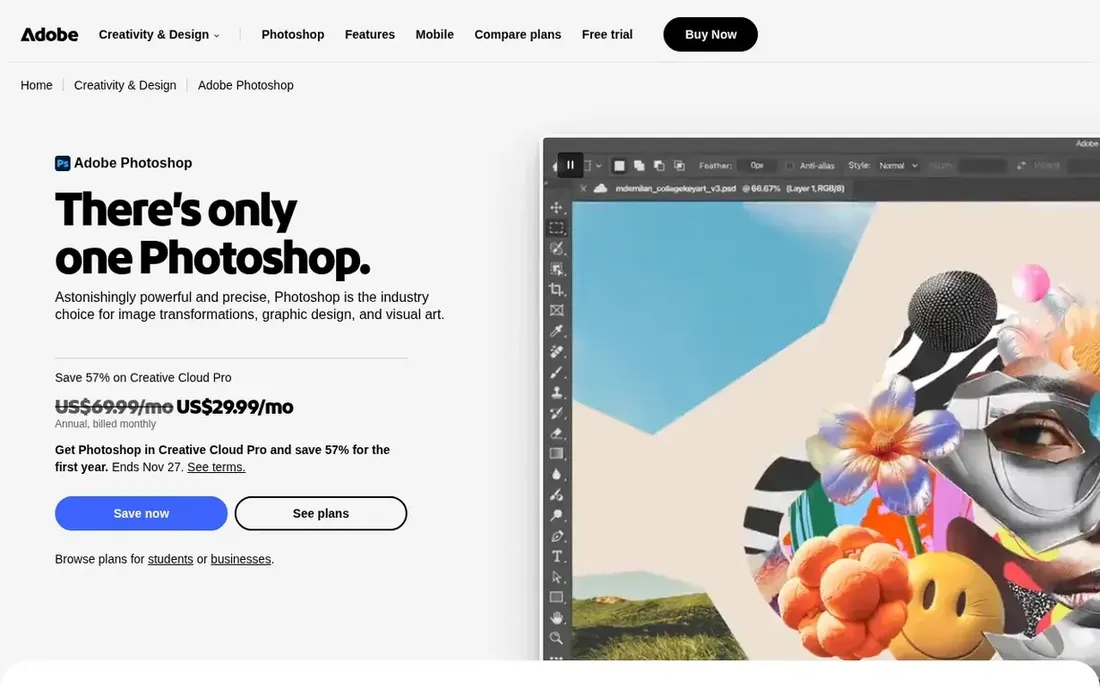
Adobe Photoshop serves layered compositing and render cleanup. Photoshop is a general-purpose image editor built around layers, selections and masking, which makes it a natural home for architectural visualization tasks like cleaning up renders, swapping skies and combining photographs with 3D output. Its documentation flags fast ways to build custom scenes, make complicated edits and combine images online or on mobile.
Trade-offs to know: Dense interface for newcomers.
On top of that, the breadth of features can slow beginners, and the interface rewards practice before it feels fast. If your work is largely high-volume RAW processing and catalog organization instead of layered compositing, a dedicated RAW editor may suit you better. No starting price is listed for Adobe Photoshop here; confirm pricing on the vendor site. Free options: Not stated.
- Deep layer and masking tools
- Desktop and online access
- Subscription-based access
Our selection method
Selection started from tools commonly considered for photo editing software for architectural visualization, then narrowed to 6 that have clear pricing information or a clear quote process. Plan names, prices and limits change often. Treat the figures here as a starting point and verify them with the vendor. The sequence is a judgement call: typical use case first, then pricing transparency, then free access. Use the profiles to check fit.
A buyer's checklist
- Get a written quote from Adobe Lightroom, Capture One, Skylum Luminar Neo and others; the list shows no starting price for them.
- Take the trial from ON1 Photo RAW and push a live task through it before you pay.
- Read the limits listed for Adobe Lightroom first: restricted layered compositing.
- Before rolling out Capture One, verify the integrations your workflow depends on.
- Look at the renewal terms for ON1 Photo RAW: auto-renewal, notice periods and price changes can matter more than the first-year price.
FAQ
Can I try these tools before paying?
Often, yes. ON1 Photo RAW offers a free trial. Use your own data and a real task during the test, and check what the free tier or trial limits before you rely on it. For the full picture, the cards above cover all 6 entries of this photo editing software for architectural Visualization list, including price, free plan and limits.
Is Adobe Lightroom the right pick for everyone comparing photo editing software for architectural visualization?
No single tool suits every team. Adobe Lightroom comes first because it fits organizing and developing photo sets, while Capture One suits precise RAW work and tethering and Skylum Luminar Neo suits simple AI-assisted photo enhancement. Match the tool to your own size, budget and workflow before deciding.
Does any tool for photo editing software for architectural visualization here have a free plan?
No tool in this list, Adobe Lightroom and Adobe Photoshop included, has a permanent free plan. ON1 Photo RAW offer a trial. Trials and quotes are the usual route, so plan a short evaluation period. Prices, free plan details and limits for all 6 tools in this photo editing software for architectural Visualization roundup sit on the individual cards above.
Do these tools publish their prices?
Not all of them. Adobe Lightroom, Capture One, Skylum Luminar Neo and others publish no starting price, so expect a quote request for those. The rest, ON1 Photo RAW included, show a starting price, though seats and billing terms still change the final cost.
Do I need a RAW editor if I largely work with 3D output?
If your source images are final renders, a layer-based editor spans most needs. RAW tools matter more when you photograph sites, models or materials and want precise development and organization.
How should I choose between AI-assisted and manual tools?
AI-assisted editors accelerate routine enhancements and suit presentation work, whereas manual editors provide precise control for technical corrections. Numerous visualization workflows use both, starting with automation and finishing by hand.
Sources
- https://www.adobe.com/products/photoshop-lightroom.html
- https://www.captureone.com
- https://skylum.com/luminar
- https://www.on1.com/products/photo-raw
- https://www.paintshoppro.com
- https://www.adobe.com/products/photoshop.html