Best Photo Editing Software Brands for 2026: Our 5 Vetted Picks
Comparing the best photo editing software brands? 5 contenders, each with entry cost, free tier and best-fit buyer. Each pick lists its main limit. Facts only.
- Editor's choice
 Affinity Photo
Precise editing without subscription pressure
Starts atSee websiteVisit affinity.serif.comFull review - Great alternativeSkylum Luminar Neo
Straightforward AI-assisted creative edits
Starts atSee websiteVisit skylum.comFull review - Also consider
 Adobe Photoshop
Wide layered editing and compositing
Starts atSee websiteVisit adobe.comFull review
Direct answer
Our first pick is Affinity Photo, best for precise editing without subscription pressure. Listed starting prices: ON1 Photo RAW from $49.99. Alternatives: Skylum Luminar Neo for straightforward AI-assisted creative edits, and Adobe Photoshop for wide layered editing and compositing. Prices, free plans and limits for all 5 tools follow.
TL;DR:
- Number one here is Affinity Photo, a fit for precise editing without subscription pressure.
- Expect to ask for a quote from Affinity Photo, Skylum Luminar Neo, Adobe Photoshop and Capture One; the other tools show a starting price.
- For precise RAW work and tethering, Capture One is worth a look.
- Neither Affinity Photo nor Capture One, nor any of the other 3 tools, has a permanent free plan; trials and quotes are the norm.
Last checked November 2026. Prices and plan details were read from the vendors' own pages in November 2026; vendors change plans often, so confirm the current price on the vendor site before you buy.
Quick comparison
| Tool | Best for | Starts at | Free plan? | |
|---|---|---|---|---|
| Affinity Photo | Precise editing without subscription pressure | See website | Not stated | Visit |
| Skylum Luminar Neo | Straightforward AI-assisted creative edits | See website | No | Visit |
| Adobe Photoshop | Wide layered editing and compositing | See website | Not stated | Visit |
 ON1 Photo RAW | All-in-one RAW editing without subscription | $49.99 | Free trial | Visit |
 Capture One | Precise RAW work and tethering | See website | Not stated | Visit |
Tool-by-tool breakdown
Choosing photo editing software brands usually comes down to price, fit and limits. This LinkVetted guide sets 5 tools side by side on those three points, with the facts kept short and checkable.
For precise editing without subscription pressure, Affinity Photo is a natural candidate. Affinity Photo is a professional photo editor aimed at precision, speed and creative freedom. The vendor frames it as power without a premium price tag.
Downsides: Interface takes time to learn.
It spans layered editing, retouching and compositing in a single application, making it a fit for photographers and designers who want a capable alternative to subscription editors and are comfortable learning a dense toolset. More specifically, if you rely on tight integration with a broader creative suite or broad external plugins, check compatibility first. Choose Affinity Photo when you want serious editing depth and prefer to own your software. No starting price is listed for Affinity Photo here; confirm pricing on the vendor site. Free plan details: Not stated.
- Capable value positioning
- Precision and speed emphasized by vendor
- Smaller ecosystem of extras
Skylum Luminar Neo
Best for: Straightforward AI-assisted creative edits
Pick Skylum Luminar Neo if this describes you: straightforward AI-assisted creative edits. Skylum Luminar Neo is presented as a simple photo editor for PC and Mac whose AI features help you realize the image you have in mind.
If you need layered compositing or careful RAW tethering, look at Photoshop or Capture One instead. In practice, creative looks, sky and portrait enhancements are the kind of edits the tool is built around, making it a friendly entry point for people new to editing. This comparison lists no price for Skylum Luminar Neo; ask the vendor. Skylum Luminar Neo has no free tier.
What to check first: Not a full library manager.
- Straightforward interface for beginners
- AI tools targeted at quick results
- Less manual control than pro editors
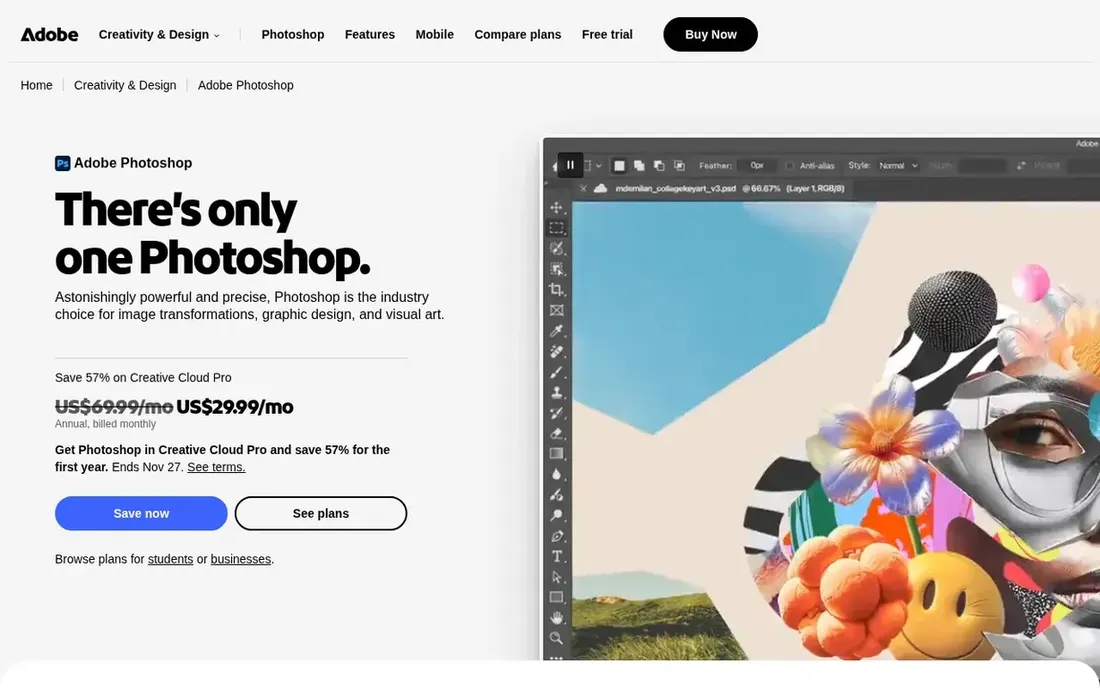
Adobe Photoshop makes the most sense for wide layered editing and compositing. The vendor flags fast ways to build custom scenes, make complicated edits and combine images online or in the mobile app.
Also, pick Photoshop when compositing and precise local retouching are the core of your work. From a buyer's view, the depth includes a ramp-up time, and the interface can feel crowded for casual edits. Pricing for Adobe Photoshop is not stated here, so ask the vendor for current figures. Free plan details: Not stated.
The main drawbacks: Subscription-based access.
- Very deep toolset for retouching and compositing
- Works online and through a mobile app
- Dense interface for beginners
ON1 Photo RAW was built for all-in-one RAW editing without subscription. Choose ON1 Photo RAW when you want an all-in-one raw workflow and prefer buying outright over subscribing.
Worth adding: performance expectations vary by hardware, so test files on your own machine. ON1 Photo RAW is described by its vendor as an AI-powered raw photo editor that lets you edit, organize and process photos with pro-level quality. ON1 Photo RAW cost at the entry level: $49.99. Free access: Free trial.
Drawbacks to consider: Smaller community than major brands.
- Editing and organizing in one app
- One-time purchase model
- Can feel complicated at first
Capture One is aimed squarely at precise RAW work and tethering. The depth can slow down casual editors, and the workflow assumes a more deliberate, session-based approach. Beyond that, if you chiefly need fast adjustments and straightforward organization, a lighter editor may feel more comfortable.
Watch-outs: Steeper ramp-up time.
In practice, Capture One is targeted at photographers who demand precision and control, with advanced editing tools, smooth RAW handling and feature-rich tethering. That combination makes it a natural fit for studio, portrait and commercial photographers who shoot connected to a computer and need consistent color and detail. In daily use, pick Capture One when tethered capture and careful RAW rendering are central to how you work. No starting price is listed for Capture One here; confirm pricing on the vendor site. Free plan details: Not stated.
- Feature-rich tethering for studio shoots
- Solid RAW handling and color control
- Heavier workflow for casual editing
How we chose
What to confirm before you sign up
- Confirm the entry price on the vendor page. For Affinity Photo, Skylum Luminar Neo, Adobe Photoshop and Capture One that means a quote rather than a fixed price.
- Use real work to test the free trial from ON1 Photo RAW, rather than a demo project.
- Before choosing Affinity Photo, weigh its main limit: smaller ecosystem of extras.
- Ask the daily users to test Skylum Luminar Neo on a live task before you roll it out to everyone.
- Check how data leaves Capture One: formats, limits and whether exports are available on every plan.
FAQ
Is Affinity Photo the right pick for everyone comparing photo editing software brands?
No single tool suits every team. Affinity Photo comes first because it fits precise editing without subscription pressure, while Skylum Luminar Neo suits simple AI-assisted creative edits and Adobe Photoshop suits broad layered editing and compositing. Match the tool to your own size, budget and workflow before deciding.
Are there decent alternatives to subscription editors?
Affinity Photo and ON1 Photo RAW are both positioned around owning your software, and ON1 states that no subscription is required. Compare their RAW support and organizing features against your workflow before deciding.
Do these tools publish their prices?
Not all of them. Affinity Photo, Skylum Luminar Neo, Adobe Photoshop and Capture One publish no starting price, so expect a quote request for those. The rest, ON1 Photo RAW included, show a starting price, though seats and billing terms still change the final cost.
Does any tool for photo editing software brands here have a free plan?
No tool in this list, Affinity Photo and Capture One included, has a permanent free plan. ON1 Photo RAW offer a trial. Trials and quotes are the usual route, so plan a short evaluation period.
How are the tools for photo editing software brands ordered?
The order follows typical fit for photo editing software brands, with Affinity Photo first and Capture One last, then price clarity and free access. It is editorial judgement, not a score, so another team could rank the tools differently.
Which editor is a good match for studio tethered shooting?
Start with Affinity Photo if you need precise editing without subscription pressure. Skylum Luminar Neo is the better match for straightforward AI-assisted creative edits, and Adobe Photoshop for wide layered editing and compositing. The best choice depends on budget, team size and workflow.
Sources
- https://affinity.serif.com/en-us/photo
- https://skylum.com/luminar
- https://www.adobe.com/products/photoshop.html
- https://www.on1.com/products/photo-raw
- https://www.captureone.com