Choosing Online Video Conferencing App in 2026: 5 Options Compared
Comparing the best online video conferencing app? 5 contenders, each with entry cost, free tier and best-fit buyer. Real limits included. Checked this month.
- Editor's choice
 Microsoft Teams
Teams inside the Microsoft ecosystem
Starts atPricing on requestVisit microsoft.comFull review - Great alternativeCisco Webex Meetings
AI-assisted collaboration and devices
Starts atPricing on requestVisit webex.comFull review - Also consider
 Zoom Workplace
All-in-one meetings and collaboration
Starts atPricing on requestVisit zoom.comFull review
Direct answer
If you need Teams inside the Microsoft ecosystem, Microsoft Teams is the first tool to look at here. Look at Cisco Webex Meetings for AI-assisted collaboration and devices, and at Zoom Workplace for all-in-one meetings and collaboration. Free plan facts and limits for all 5 tools follow. None of these vendors publish plan prices, so pricing is on request for every option.
TL;DR:
- This list starts with Microsoft Teams, which is built for Teams inside the Microsoft ecosystem.
- Every tool from Microsoft Teams to Zoho Meeting works by quote, with no list price shown.
- Just one of the 5 tools, Cisco Webex Meetings, has a free plan.
- Check the limits for Cisco Webex Meetings before you commit: wide portfolio can be hard to navigate.
Last checked November 2026. Pricing on request: vendors did not publish plan prices when this guide was last checked (November 2026), so ask each vendor for a written quote.
Quick comparison
| Tool | Best for | Starts at | Free plan? | |
|---|---|---|---|---|
| Microsoft Teams | Teams inside the Microsoft ecosystem | Pricing on request | Not stated | Visit |
| Cisco Webex Meetings | AI-assisted collaboration and devices | Pricing on request | Yes | Visit |
| Zoom Workplace | All-in-one meetings and collaboration | Pricing on request | Not stated | Visit |
 GoTo Meeting | Straightforward business web conferencing | Pricing on request | Not stated | Visit |
 Zoho Meeting | Hosting virtual meetings and webinars | Pricing on request | Not stated | Visit |
Our 5 picks for online video conferencing app
Short on time? The summary and table above give the quick view of 5 tools for online video conferencing app, and the profiles that follow give the detail behind each entry.
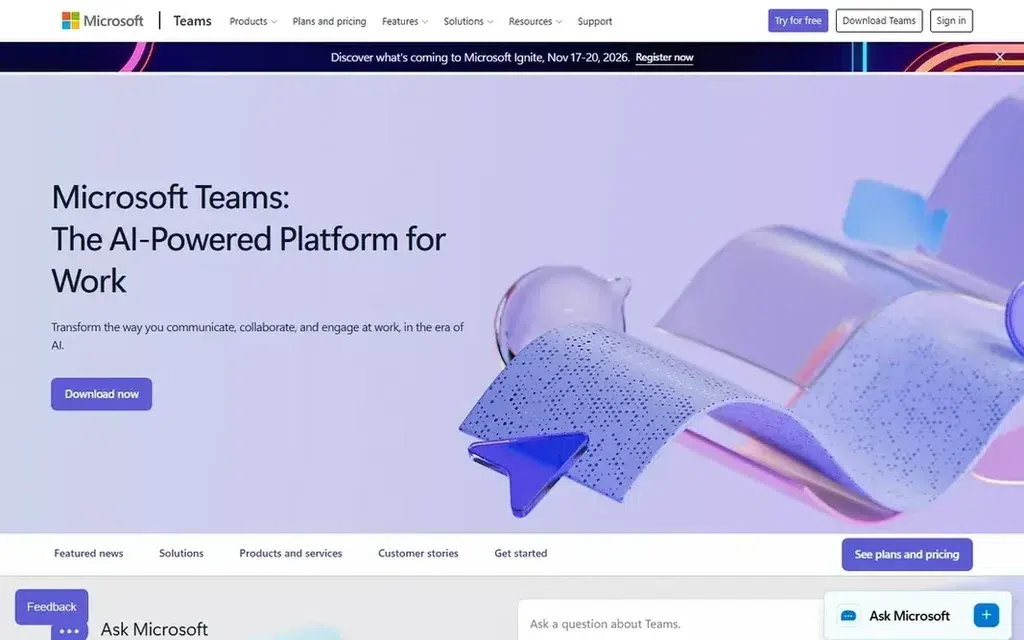
Choose Microsoft Teams for Teams inside the Microsoft ecosystem. Its homepage emphasizes connecting naturally and staying organized, which fits organizations that want collaboration and conferencing to live alongside their existing Microsoft workflows.
Drawbacks to consider: Interface can feel dense for occasional users.
Microsoft Teams does not show a starting price in this comparison, so check the vendor site for current pricing. Free plan details: Not stated.
- Built for organized
- Meetings and calling in one place
- Best value assumes Microsoft tooling
Cisco Webex Meetings
Best for: AI-assisted collaboration and devices

In short, Cisco Webex Meetings is for AI-assisted collaboration and devices. The breadth of the Webex portfolio means the meeting product is one piece of a bigger picture.
Teams wanting a narrow, straightforward app may find it more than necessary. More specifically, organizations investing in meeting room devices and platform-level collaboration are the better match. Pricing for Cisco Webex Meetings is not stated here, so ask the vendor for current figures. Cisco Webex Meetings includes a free tier.
The main drawbacks: Full value emerges across the wider product.
- AI-powered collaboration features
- System options for bigger organizations
- Wide portfolio can be hard to navigate

Pick Zoom Workplace if this describes you: all-in-one meetings and collaboration. Since the system spans numerous products, smaller teams may find the full scope more than they need for straightforward calls.
Reasons to shortlist it: Meetings, chat.
On top of that, groups that only want entry-level video meetings might prefer a lighter tool, whereas bigger organizations with webinars, phone and events requirements are the natural fit. This comparison lists no price for Zoom Workplace; ask the vendor. Trial and free access: Not stated.
Trade-offs to know: Some capabilities sit outside core meeting use.
- Whiteboard and events tools included
- Wide feature coverage for numerous team types
- Feature breadth can feel complicated to new users
Where GoTo Meeting fits: straightforward business web conferencing. GoTo Meeting is a web conferencing product that its homepage describes as ensuring a quality virtual meeting experience with the product features firms need.
Points against: Fewer adjacent tools beyond meetings.
Since GoTo Meeting concentrates on meetings, teams that want chat, phone and webinars bundled together may need extra tools. This comparison lists no price for GoTo Meeting; ask the vendor. Trial and free access: Not stated.
- Focused meeting system instead of a suite
- Positioned for business conferencing needs
- Narrower scope than all-in-one systems
Where Zoho Meeting fits: hosting virtual meetings and webinars. Zoho Meeting is online meeting software for hosting virtual meetings and web and video conferences, described on its homepage as supporting smooth remote collaboration.
It suits teams already using Zoho products that want conferencing to sit alongside the rest of their business applications. Zoho Meeting does not show a starting price in this comparison, so check the vendor site for current pricing. Free plan details: Not stated.
What to check first: Feature depth varies by use case.
- Online meeting and webinar hosting
- Targeted at remote collaboration
- Smaller standalone footprint than major suites
Our selection method
We compared the tools on published pricing, free plan or trial availability, feature coverage for online video conferencing app, and the limits each vendor documents. Plan names, prices and limits change often. Treat the figures here as a starting point and verify them with the vendor. The ranking is editorial: typical fit first, then clear pricing, then free access. If your needs are unusual, read the profiles rather than relying on position.
Pre-purchase checklist
- Ask each vendor, from Microsoft Teams to Zoho Meeting, for a written quote; none of them publishes a starting price.
- Test the free plan from Cisco Webex Meetings against your real workload before relying on it.
- Before choosing Microsoft Teams, weigh its main limit: best value assumes Microsoft tooling.
- Ask GoTo Meeting whether prices are locked for the first term and what happens at renewal.
- Let daily users try Microsoft Teams on real work; their feedback beats any feature checklist.
FAQ
Can I try these tools before paying?
Often, yes. Cisco Webex Meetings has a free plan. Use your own data and a real task during the test, and check what the free tier or trial limits before you rely on it. All 5 picks in this online video Conferencing app comparison list a starting price, free plan details and the main limits on their cards above.
Which options for online video conferencing app have a free plan?
Cisco Webex Meetings is the only tool in this list with a free plan. Free plans usually cap users, projects or features, so check the limits on the vendor page. For the full picture, the cards above cover all 5 entries of this online video Conferencing app list, including price, free plan and limits.
Is Microsoft Teams the right pick for everyone comparing online video conferencing app?
No single tool suits every team. Microsoft Teams comes first because it fits Teams inside the Microsoft ecosystem, while Cisco Webex Meetings suits AI-assisted collaboration and devices and Zoom Workplace suits all-in-one meetings and collaboration. Match the tool to your own size, budget and workflow before deciding.
Do these tools publish their prices?
No. None of the tools, from Microsoft Teams to Zoho Meeting, shows a fixed starting price here, so budget time for quotes.
Sources
- https://www.microsoft.com/en-us/microsoft-teams/group-chat-software
- https://www.webex.com
- https://www.zoom.com
- https://www.goto.com/meeting
- https://www.zoho.com/meeting