Best Audio Conferencing Software in 2026: 8 Tools Compared
Compare the best audio conferencing software for 2026, from free dial-in calls to business phone systems with clear audio, recording and meeting controls.
- Editor's choice
 Zoom
teams that need reliable audio plus video when required
Starts atSee websiteVisit zoom.usFull review - Great alternative
 Microsoft Teams
businesses already using Microsoft 365
Starts atSee websiteVisit microsoft.comFull review - Also consider
 Cisco Webex
larger businesses that need dependable large calls
Starts atSee websiteVisit webex.comFull review
TL;DR:
- Our pick for most readers is Zoom, because it covers the core audio conferencing tools job well without forcing a complex setup.
- If price is the main concern, check the free or trial options first, since several tools on this list offer a free plan or a free trial.
- The best choice depends on your size and workflow, so test the top two on a real task before you commit to a yearly plan.
- Watch for quote-based pricing and add-ons, since the headline price often excludes features you will actually need.
- Our pick for most teams is Zoom for its familiarity and dial-in coverage, with FreeConferenceCall.com as the best free option.
Quick comparison
| Tool | Best for | Starts at | Free plan? | |
|---|---|---|---|---|
| Zoom | teams that need reliable audio plus video when required | See website | Free trial | Visit |
| Microsoft Teams | businesses already using Microsoft 365 | See website | Free trial | Visit |
| Cisco Webex | larger businesses that need dependable large calls | See website | Free trial | Visit |
 GoTo Meeting | small businesses that want simple conference calls | See website | Free trial | Visit |
 RingCentral | businesses that want audio conferencing inside a phone system | See website | Free trial | Visit |
 Dialpad | teams that want AI notes with their calls | See website | Free trial | Visit |
 FreeConferenceCall.com | anyone who needs a free conference line | See website | Yes | Visit |
 Google Meet | Google Workspace teams that need simple audio and video calls | See website | Free trial | Visit |
The best Audio Conferencing Software
We compared official feature pages, pricing pages and public reviews for audio conferencing tools, and we focused on tools that exist and work today. The list below mixes well-known leaders with strong smaller options, so you can find a fit whether you are a solo user or a larger team.
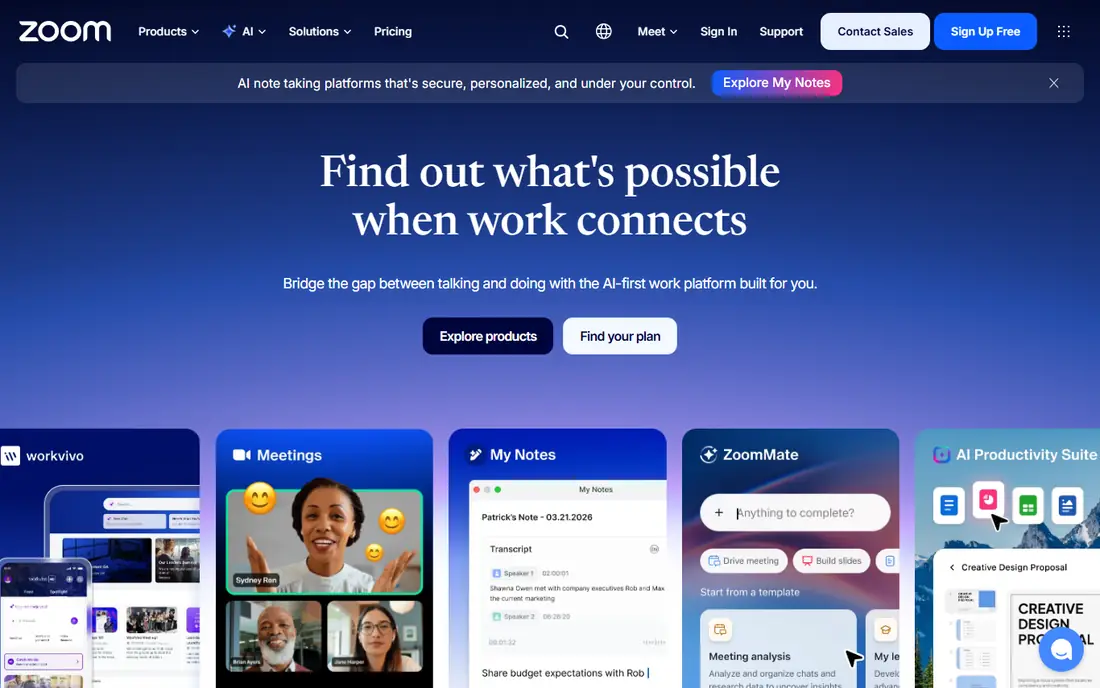
Zoom is the safe default for audio conferencing because almost everyone already knows how to join a call on it. Dial-in numbers, clear audio and simple host controls make it work for a quick phone call as well as a large meeting. It covers dial-in audio, call recording, host controls and international numbers, which keeps the main workflow in one place rather than spread across several tools.
Audio-only teams may find they are paying for video features they rarely use, but the familiarity often matters more than the extra cost. Check dial-in coverage for the countries your callers are in, since toll-free options vary by plan.
- Strong audio quality on most connections
- Dial-in numbers in many countries
- Recording and host controls
- Free tier limits group calls
- Audio-only users still pay for a video platform
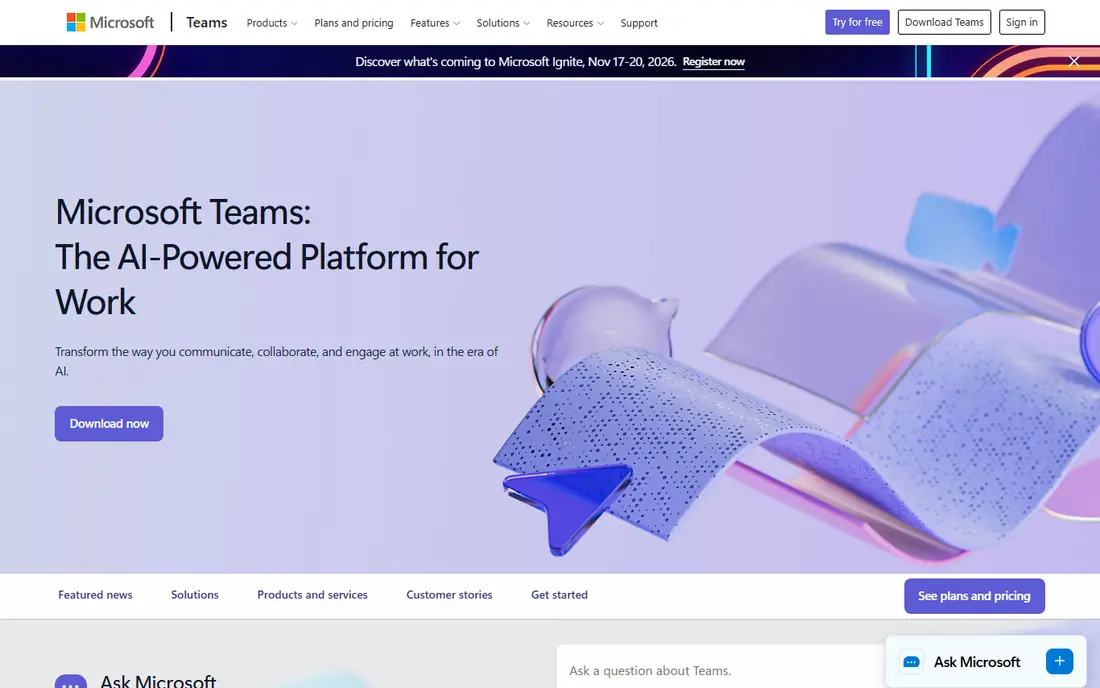
Microsoft Teams makes sense when a business already lives in Microsoft 365, because audio calls sit beside chat, files and calendars. Staff do not need a separate app, and IT can manage access in one place. It covers audio conferencing, dial-in numbers, meeting recording and calendar integration, which keeps the main workflow in one place rather than spread across several tools.
The downside is complexity. A small team that only wants a conference line may find Teams heavier than a simple dial-in service. Confirm whether audio conferencing is included in your Microsoft 365 plan or needs an add-on before you budget.
- Audio conferencing fits inside Microsoft 365
- Dial-in options on business plans
- Meeting recording and transcripts
- Audio conferencing add-ons can add cost
- Setup is heavier for a team that only needs phone calls
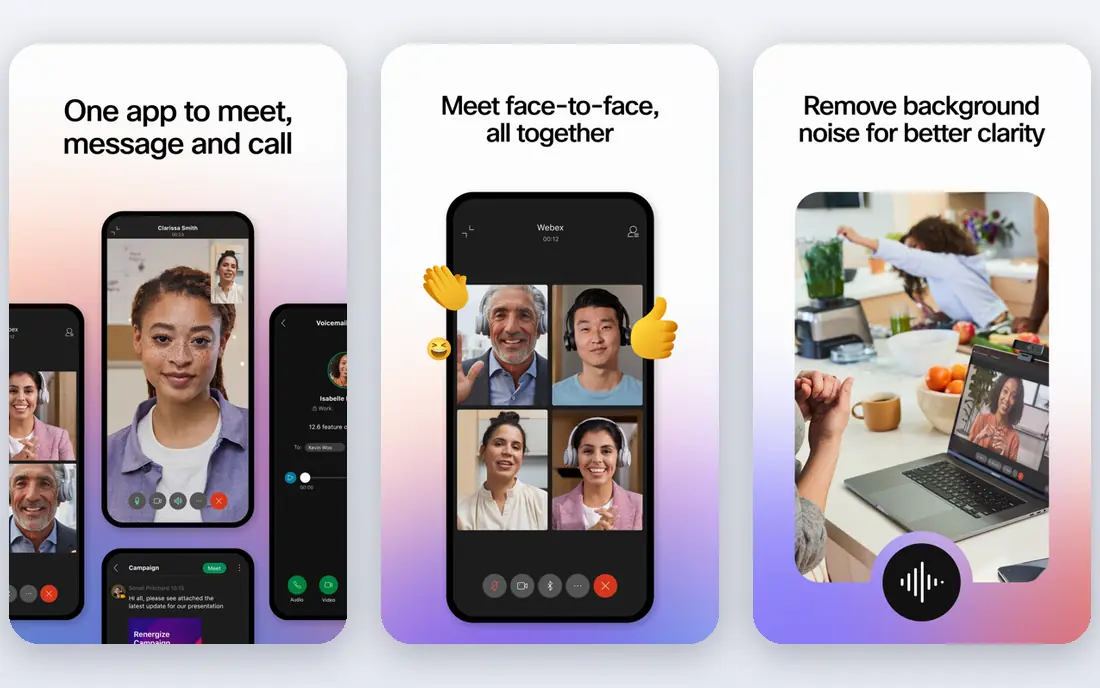
Cisco Webex has long been used for business calls where reliability matters, and its audio conferencing reflects that history. Large meetings, global dial-in and host controls are its strengths, and it handles regulated workplaces well. It covers audio conferencing, global dial-in, meeting controls and recording, which keeps the main workflow in one place rather than spread across several tools.
Smaller teams may prefer a simpler tool, because Webex plans and settings are built with IT teams in mind. Use the free plan to test audio quality on your own network before committing a whole team.
- Dependable audio for large meetings
- Global dial-in coverage
- Strong host and security controls
- Interface and plan structure feel enterprise focused
- Smaller teams may find it more than they need
GoTo Meeting keeps the conference call simple, which is exactly what many small businesses want. Hosts can start a call, share a screen when needed and record it, without asking guests to learn a new system. It covers audio conferencing, dial-in numbers, recording and screen sharing, which keeps the main workflow in one place rather than spread across several tools.
It lacks some of the wider collaboration tools found in larger platforms, but for pure audio calls that is rarely a problem. Compare its per-organizer pricing with a flat team plan if several staff host calls.
- Simple setup and joining
- Dial-in and VoIP audio
- Recording and screen sharing when needed
- Fewer extras than Zoom or Teams
- Pricing is quote based on some plans
RingCentral
Best for: businesses that want audio conferencing inside a phone system
RingCentral suits a business that wants conference calls as part of its phone system, not as a separate app. Staff can run a conference from the same number and app they use for daily calls, and calls can move between phone and computer. It covers audio conferencing, business phone, call handling and voicemail, which keeps the main workflow in one place rather than spread across several tools.
If you only need occasional conference calls, a full phone system will cost more than a standalone tool, so weigh daily phone use as well. Ask whether conference dial-in numbers are included or billed separately on the plan you choose.
- Audio conferencing built into a business phone system
- Call handling and voicemail included
- Mobile and desktop apps
- Full phone system pricing can exceed a simple conference tool
- Setup takes more planning
Dialpad adds AI summaries and transcripts to business calls, which helps teams that need a record without taking notes by hand. Audio conferencing sits inside the same phone platform, so a conference call can be summarized like any other call. It covers audio conferencing, AI summaries, transcripts and business phone, which keeps the main workflow in one place rather than spread across several tools.
The AI extras are the draw, but they are not on every plan, so check the tier that includes them before you decide. Test transcript accuracy on calls with several speakers, since that is where AI notes are most useful and most likely to slip.
- AI call summaries and transcripts
- Audio conferencing inside a business phone platform
- Good mobile apps
- AI features vary by plan
- Pricing is per user, so large teams should check totals
FreeConferenceCall.com
Best for: anyone who needs a free conference line
FreeConferenceCall.com does what its name promises, with free conference lines that guests can join by phone or computer. It is a practical choice for community groups, small clubs and occasional business calls. It covers free audio conferencing, dial-in numbers, recording and screen sharing, which keeps the main workflow in one place rather than spread across several tools.
Paid tools offer better support and more consistent quality, but for a free line this service is hard to beat on price. Keep a paid backup for important calls, since free services can vary in quality at peak times.
- Free conference calls with dial-in numbers
- Recording and screen sharing included
- No account needed for guests
- Audio quality can vary by location
- Support and extras are limited compared with paid tools
Google Meet
Best for: Google Workspace teams that need simple audio and video calls
Google Meet is a simple choice for teams already using Google Workspace, because calls start from Calendar or Gmail with no extra app. Guests can join from a browser, and Workspace plans add dial-in numbers for phone-only callers. It covers audio and video meetings, dial-in on paid plans, captions and recording, which keeps the main workflow in one place rather than spread across several tools.
The free tier is fine for occasional calls, but phone-only callers will need a paid Workspace plan for dial-in. If your callers are mostly on phones, compare dial-in costs with a dedicated audio service before choosing.
- Easy joining from a browser
- Dial-in on Workspace plans
- Captions and recording on paid plans
- Dial-in is limited on the free tier
- Audio-only users still use a video meeting tool
How we picked these
We started from the main keyword for this article and the related terms readers also search for, then we checked each vendor site for current features, pricing and free options. We kept only products that exist and work today and that truly fit audio conferencing tools, and we left out tools that were discontinued, that did not fit the topic, or whose pricing we could not verify without inventing a number.
We also weighed who each tool is really for, not just its feature list. A tool that is excellent for a large team can be a poor fit for a small one, and the write-ups above try to make that distinction clear, including an honest weakness for each product.
How to choose audio conferencing software
Start with how callers join. If most callers use a phone, dial-in coverage and toll-free numbers matter more than video features. If most join from a computer, audio quality, background noise handling and easy guest joining matter more. Then check recording, host controls and whether the tool fits a phone system you already pay for, because paying twice for calling is a common waste.
Questions to ask before you pay
Ask about total cost at your actual size, including per-user fees and add-ons. Ask about contract length, data export and support hours, since those details matter when you need help or want to leave. Ask for a trial on your own data, because a demo with sample data can hide problems that show up on real work.
A practical shortlist method
Pick two finalists, run the same real task in both during a trial, and score them on ease of use, accuracy and total cost. Involve the people who will use the tool daily, since their adoption decides whether the purchase pays off. Keep notes from the trial, so the final decision rests on evidence rather than a sales demo.
FAQ
What is the best audio conferencing software for a small team?
Zoom or GoTo Meeting suit most small teams for their simple joining and reliable audio, while FreeConferenceCall.com works when the budget is zero.
What are the best audio conferencing tools for phone-only callers?
Look for broad dial-in coverage and toll-free numbers, which Zoom, Webex and RingCentral handle well on business plans.
Do I need a paid plan for audio conferencing?
Not always. Free tiers cover short or small calls, but paid plans add longer calls, more dial-in numbers, recording and admin controls.
Is audio conferencing different from a business phone system?
Yes. Audio conferencing is built for group calls, while a phone system handles daily inbound and outbound calls, though tools like RingCentral and Dialpad combine both.
How can I improve audio quality on conference calls?
Use a wired headset, join from a stable connection, mute when not speaking, and ask the host to use a tool with noise handling.