Best Online Form Builder for Pharmacies in 2026: Prices, Free Plans and 6 Picks
Shortlisting the best online form builder for pharmacies? 6 products compared on cost, free access and ideal buyer. Pros and cons for every tool. Details below.
- Editor's choiceWPForms
Pharmacies already using WordPress
Starts at$49.50 a yearVisit wpforms.comFull review - Great alternative
 Formstack
Secure forms with documents and e-signatures
Starts at$83 per monthVisit formstack.comFull review - Also considerFormsite
Orders, registrations and reservations
Starts at$21 a monthVisit formsite.comFull review
Direct answer
WPForms is the first pick on this list for pharmacies already using WordPress. Listed starting prices: WPForms from $49.50 a year, Formstack from $83 per month and Formsite from $21 a month. Look at Formstack for secure forms with documents and e-signatures, and at Formsite for orders, registrations and reservations. All 6 tools are compared below on price, free plan and limits.
TL;DR:
- This list starts with WPForms, which is built for pharmacies already using WordPress.
- Formstack comes with a trade-off: more complicated than straightforward form tools.
- Cognito Forms is the one to check for workflow automation with approvals.
- A free plan is available from 2 of the 6 tools: Jotform, Cognito Forms.
- Starting prices begin at $21 per month with Formsite.
Last checked November 2026. Prices and plan details were read from the vendors' own pages in November 2026; vendors change plans often, so confirm the current price on the vendor site before you buy.
Quick comparison
| Tool | Best for | Starts at | Free plan? | |
|---|---|---|---|---|
| WPForms | Pharmacies already using WordPress | $49.50 a year | Not stated | Visit |
| Formstack | Secure forms with documents and e-signatures | $83 per month | Free trial | Visit |
| Formsite | Orders, registrations and reservations | $21 a month | Free trial | Visit |
| Gravity Forms | Custom WordPress forms with reliability focus | $59 per year | No | Visit |
 Jotform | Wide template library and quick setup | $34 a month | Yes | Visit |
 Cognito Forms | Workflow automation with approvals | $24 a month | Yes | Visit |
The full online form builder for pharmacies list
LinkVetted put together this guide to online form builder for pharmacies for readers who want a clear shortlist without reading every vendor page. It compares 6 tools on starting price, free plans, who each one suits and where each one falls short.
WPForms
Best for: Pharmacies already using WordPress
WPForms was built for pharmacies already using WordPress. WPForms is a WordPress form plugin, so it suits pharmacies whose website already runs on WordPress and who want forms managed from the same dashboard. It gives you a drag-and-drop builder and AI-assisted form creation, which helps staff put together contact, intake or feedback forms without leaving the site.
On top of that, since it is tied to WordPress, WPForms is not a choice for pharmacies on other website products. It also centres on form building instead of document generation or e-signatures, so paperwork-heavy workflows may need a separate tool. Starting cost for WPForms: $49.50 per year. On free options: Not stated.
Limits to weigh: Needs a WordPress site.
- AI-assisted form creation
- Fits contact and intake forms on a site
- Some extras rely on higher levels
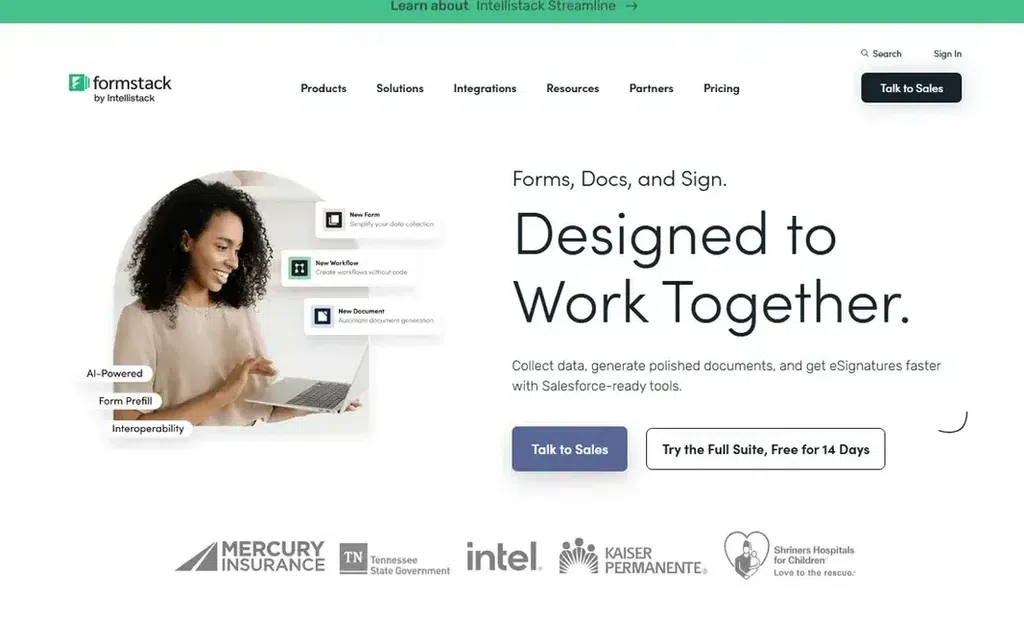
Where Formstack fits: secure forms with documents and e-signatures. It suits bigger operations or multi-location pharmacies where documents and signatures are routine instead of occasional.
Points against: More complicated than straightforward form tools.
The broader feature set means more configuration than an entry-level form builder, which can be heavy for a single small pharmacy. On cost, Formstack starts like this: $83 per month. Free options: Free trial.
- Combines forms
- Positioned around secure data handling
- Setup may need planning across teams
Formsite
Best for: Orders, registrations and reservations
Formsite is built with orders, registrations and reservations in mind. Formsite is an online form builder geared toward collecting orders, registrations, reservations and customer feedback.
In practice, for pharmacies, that could handle supply orders, appointment or consultation requests, and patient feedback forms. Pharmacies wanting deeper automation should compare it against workflow-focused products. Formsite cost at the entry level: $21 per month. On free options: Free trial.
Where it falls short: Advanced workflow needs may exceed its scope.
- Straightforward online form creation
- Fits reservations and feedback collection
- Design choices may feel entry-level
Gravity Forms
Best for: Custom WordPress forms with reliability focus
Gravity Forms is designed for custom WordPress forms with reliability focus. Pharmacies running WordPress can use it to produce tailored intake, request and feedback forms and run submissions inside their site. It tends to appeal to teams that want control over form structure and are comfortable working within the WordPress ecosystem.
Pharmacies without WordPress, or those wanting document and signature workflows built in, should look at hosted systems instead. As for the details, Gravity Forms is a WordPress form plugin positioned around custom, secure and dependable form building. What you pay to start with Gravity Forms: $59 per year. Gravity Forms does not include a free plan.
Downsides: WordPress-only, like other plugins.
- Adaptable for varied form types
- Emphasis on secure and steady forms
- Advanced setups may need developer help

Jotform works best for wide template library and quick setup. For a pharmacy, that means intake forms, refill requests and feedback surveys can be assembled rapidly without technical help.
Where it falls short: Advanced features may need a premium level.
If your priority is deep document generation or e-signature workflows, a more paperwork-oriented product may suit you better. On cost, Jotform starts like this: $34 per month. You can start on Jotform without paying.
- Works for surveys along with forms
- Drag-and-drop builder with no coding needed
- Complicated logic can take time to configure
Cognito Forms is built with workflow automation with approvals in mind. Small pharmacies with straightforward collection needs may find a lighter tool quicker to deploy.
Limits to weigh: Less known for pharmacy-specific templates.
For everyday use, Cognito Forms merges an online form builder with workflow automation, including documents, file uploads, signatures and approvals. Its strength in automation means more setup than an entry-level builder, and pharmacy-specific templates are not its central selling point. Price to start with Cognito Forms: $24 per month. Cognito Forms offers a free plan.
- Supports file uploads and signatures
- Deals with approvals within forms
- Complicated workflows take setup time
Selection criteria
LinkVetted looked at what each vendor publishes: pricing, plan limits, feature coverage for online form builder for pharmacies and stated drawbacks. No hands-on testing is claimed. Treat prices as a snapshot: vendors change plans often, so check the vendor site for the figure that applies today. The ranking is editorial: typical fit first, then clear pricing, then free access. If your needs are unusual, read the profiles rather than relying on position.
A buyer's checklist
- Confirm the entry price on the vendor page: Formsite starts at $21 per month, but seat counts and billing terms change the total.
- Read the fine print on the free plans from Jotform and Cognito Forms; seat, project and feature caps differ.
- Use real work to test the free trial from Formstack and Formsite, rather than a demo project.
- Before choosing WPForms, weigh its main limit: needs a WordPress site.
- Look at the help docs and support options for Jotform before you commit.
- Ask whether WPForms integrates with your current software, and whether that comes standard or as an add-on.
FAQ
Is WPForms the right pick for everyone comparing online form builder for pharmacies?
No single tool suits every team. WPForms comes first because it fits pharmacies already using WordPress, while Formstack suits secure forms with documents and e-signatures and Formsite suits orders, registrations and reservations. Match the tool to your own size, budget and workflow before deciding.
What is the cheapest option for online form builder for pharmacies in this list?
On published monthly entry prices, Formsite is the lowest here at $21 per month. Entry price is only part of the cost, because seats, add-ons and billing terms can change the total. For the full picture, the cards above cover all 6 entries of this online form builder for Pharmacies list, including price, free plan and limits.
Should a pharmacy choose a WordPress plugin or a hosted form builder?
Choose a WordPress plugin for example WPForms or Gravity Forms only if your pharmacy website already runs on WordPress and you want forms managed there.
How are the online form builder for pharmacies ordered?
WPForms sits first and Cognito Forms last because the order follows typical fit for online form builder for pharmacies, then price clarity and free access. It is a judgement call, so read each profile for fit and limits.
Which online form builder for pharmacies have a free plan?
Jotform and Cognito Forms offer a free plan in this list. Free plans usually cap users, projects or features, so check the limits on the vendor page. Several others offer a trial instead.
Sources
- https://wpforms.com
- https://www.formstack.com
- https://www.formsite.com
- https://www.gravityforms.com
- https://www.jotform.com
- https://www.cognitoforms.com