Best Online Form Builder for Healthcare Practices (2026): 6 Picks Checked on Vendor Pages
Weighing the best online form builder for healthcare practices? We lined up 6 products by cost, free access and fit. Includes honest limits for each tool.
- Editor's choice
 Formstack
Forms with documents and eSignatures
Starts at$83 a monthVisit formstack.comFull review - Great alternative
 Cognito Forms
Forms with approvals and file uploads
Starts at$24 per monthVisit cognitoforms.comFull review - Also consider
 Typeform
Patient-friendly conversational forms
Starts atSee websiteVisit typeform.comFull review
Direct answer
Our first pick is Formstack, best for Forms with documents and eSignatures. Listed starting prices: Formstack from $83 a month, Cognito Forms from $24 per month and IntakeQ from $49.90 a month. Alternatives: Cognito Forms for Forms with approvals and file uploads, and Typeform for patient-friendly conversational forms. Details, prices and limits for the rest of the 6 tools are below.
TL;DR:
- Formstack takes the first slot, best suited to Forms with documents and eSignatures.
- What to know about Formstack first: broader system may feel heavy for simple forms.
- WPForms fits WordPress sites needing straightforward forms.
- A free plan is available from 2 of the 6 tools: Cognito Forms, Jotform.
- Cognito Forms has the lowest monthly starting price in this list: $24 per month.
Last checked November 2026. Prices and plan details were read from the vendors' own pages in November 2026; vendors change plans often, so confirm the current price on the vendor site before you buy.
Quick comparison
| Tool | Best for | Starts at | Free plan? | |
|---|---|---|---|---|
| Formstack | Forms with documents and eSignatures | $83 a month | Free trial | Visit |
| Cognito Forms | Forms with approvals and file uploads | $24 per month | Yes | Visit |
| Typeform | Patient-friendly conversational forms | See website | Not stated | Visit |
 IntakeQ | Dedicated patient intake workflows | $49.90 a month | Free trial | Visit |
 Jotform | General intake and survey forms | $34 a month | Yes | Visit |
| WPForms | WordPress sites needing straightforward forms | $49.50 a year | Not stated | Visit |
6 online form builder for healthcare practices in detail
Choosing online form builder for healthcare practices usually comes down to price, fit and limits. This LinkVetted guide sets 6 tools side by side on those three points, with the facts kept short and checkable.
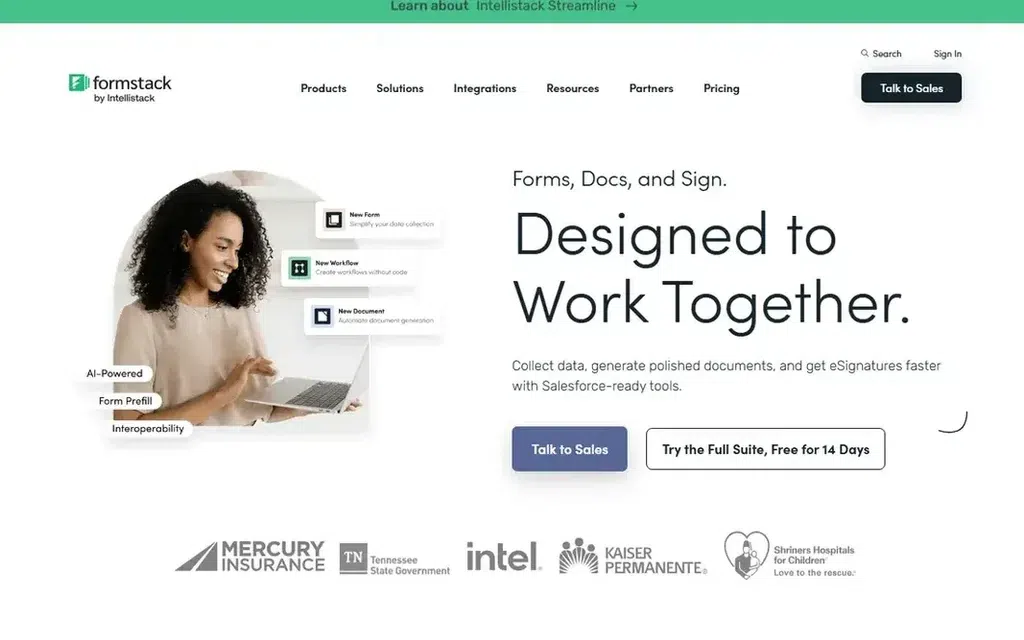
Where Formstack fits: Forms with documents and eSignatures. Planning document templates and workflows takes time upfront. Teams that want to move paper processes into one workflow, from form submission to signed document, are the clearest fit for this system.
In practice, the system spans more ground than an entry-level form builder, so small practices with straightforward needs may find it more than required. For everyday use, if your priority is a light intake form instead of document generation, a more straightforward or more clinical tool may be the better match. Price to start with Formstack: $83 per month. On free options: Free trial.
Honest limits: Broader product may feel heavy for straightforward forms.
- Workflow automation for paperwork
- Merges forms with document generation
- Setup can take more planning
Cognito Forms targets Forms with approvals and file uploads. Healthcare practices can use it for registration forms that require supporting documents, internal approval steps or signed consent. Teams that want forms and back-office workflow in one place will find it a practical choice.
Drawbacks to consider: Less clinical focus than intake-specific tools.
Beyond that, if you only need straightforward forms, a lighter tool may be simpler, whereas document-heavy practices may prefer Formstack. Approval and workflow logic takes time to design, so smaller practices may not use its full range. It is not designed for clinical intake, so healthcare-specific needs may need configuration. Cognito Forms starts at: $24 per month. Free access exists with Cognito Forms.
- Supports file uploads and signatures
- Document generation built in
- Workflow setup requires planning
Typeform was built for patient-friendly conversational forms. For healthcare practices, it fits patient satisfaction surveys, feedback collection and short registration forms where a friendly experience matters.
Trade-offs to know: Not designed specifically for healthcare intake.
Reasons to shortlist it: Clean experience on mobile devices. No starting price is listed for Typeform here; confirm pricing on the vendor site. As for free access: Not stated.
- Conversational
- One-question-at-a-time layout
- Conversational style may slow long clinical forms

IntakeQ targets dedicated patient intake workflows. IntakeQ is positioned around patient intake, which makes it a natural candidate for clinics, therapy practices and other care settings that require structured intake forms. Worth adding: choose IntakeQ when intake is the primary job and you want a tool built around that purpose.
Drawbacks to consider: Narrower than general form builders.
Practices that want a tool centered on the intake process instead of general form building will find the focus handy. It is a sensible starting point when patient forms are the core requirement. Its intake focus means it is less appropriate for practices that also want a single tool for surveys, event signups or general administrative forms. Price to start with IntakeQ: $49.90 per month. Free options: Free trial.
- Concentrates on intake instead of general forms
- Suits clinic and therapy settings
- Less suited to non-clinical form needs

Jotform targets general intake and survey forms. Jotform is a general-purpose online form builder for creating forms and surveys rapidly. Jotform is best when adaptability and fast form creation matter more than a dedicated healthcare workflow.
As for the details, for healthcare practices, it does well for new patient intake, appointment requests, feedback surveys and general contact forms. As for the details, since Jotform is wide instead of clinical, practices with strict intake and consent workflows may have to configure fields and routing themselves. The starting price for Jotform: $34 per month. Jotform offers a free plan.
Where it is weaker: Advanced healthcare features need additional setup.
- Wide template-driven form builder
- Takes care of forms and surveys in one tool
- Less centred on clinical intake workflows
WPForms
Best for: WordPress sites needing straightforward forms
Choose WPForms for WordPress sites needing straightforward forms. Practices that want forms managed alongside their existing site content are the clearest fit. Since it is a plugin, it relies on a WordPress site and is not a standalone clinical intake product.
In practice, WPForms is a WordPress form builder plugin, so it suits practices that already run their website on WordPress. It supports drag-and-drop form creation with AI assistance, making it straightforward for appointment requests, contact forms and straightforward patient inquiries. What you pay to start with WPForms: $49.50 per year. Free plan details: Not stated.
Trade-offs to know: Not a standalone healthcare intake system.
- Drag-and-drop builder with AI assistance
- Works inside WordPress
- Needs a WordPress site
How we chose
What to confirm before you sign up
- Get a written quote from Typeform; the list shows no starting price for them.
- Check what the free option really includes: Cognito Forms and Jotform offer a free plan, and usage caps differ.
- Use real work to test the free trial from Formstack and IntakeQ, rather than a demo project.
- Read the limits listed for Formstack first: broader product may feel heavy for straightforward forms.
- Run a one or two week pilot of WPForms with the people who will use it every day.
- List the apps you already depend on and check that Formstack supports each one on the plan you would buy.
FAQ
Do these tools publish their prices?
Not all of them. Typeform publishes no starting price, so expect a quote request for it. The rest, Formstack included, show a starting price, though seats and billing terms still change the final cost. Prices, free plan details and limits for all 6 tools in this online form builder for healthcare practices roundup sit on the individual cards above.
Is Formstack the right pick for everyone comparing online form builder for healthcare practices?
No single tool suits every team. Formstack comes first because it fits Forms with documents and eSignatures, while Cognito Forms suits Forms with approvals and file uploads and Typeform suits patient-friendly conversational forms. Match the tool to your own size, budget and workflow before deciding.
Which options for online form builder for healthcare practices have a free plan?
On this list, Cognito Forms and Jotform include a free plan. Caps on seats, usage or features are common, so test the free plan against your real workload. Several others offer a trial instead.
What is the cheapest option for online form builder for healthcare practices in this list?
On published monthly entry prices, Cognito Forms is the lowest here at $24 per month. Entry price is only part of the cost, because seats, add-ons and billing terms can change the total. Each of the 6 options in this online form builder for healthcare practices guide has its own card above with the price, free plan and limits.
Which form builder is a good match for patient intake forms?
Formstack is the pick this page puts first, mainly for Forms with documents and eSignatures. If your situation differs, Cognito Forms suits Forms with approvals and file uploads, and Typeform suits patient-friendly conversational forms. Compare price and limits before you decide.
Sources
- https://www.formstack.com
- https://www.cognitoforms.com
- https://www.typeform.com
- https://intakeq.com
- https://www.jotform.com
- https://wpforms.com