Choosing Live Chat Software for Small Teams in 2026: 6 Options Compared
Best live chat software for small teams in 2026: 6 tools with starting prices, free plans and limits. Plain-spoken summaries throughout. Reviewed this month.
- Editor's choice
 Help Scout
Customer-first brands wanting easy-to-learn support
Starts at$25 per user a monthVisit helpscout.comFull review - Great alternative
 Olark
Marketers who require an AI agent plus human handoff
Starts at$29 per agent a monthVisit olark.comFull review - Also considerZendesk Chat
Teams wanting an AI-assisted support product
Starts at$19 agent/month premium yearlyVisit zendesk.comFull review
Direct answer
If you need customer-first brands wanting easy-to-learn support, Help Scout is the first tool to look at here. Listed starting prices: Help Scout from $25 per user a month, Olark from $29 per agent a month and Zendesk Chat from $19 agent/month premium yearly. Look at Olark for Marketers who require an AI agent plus human handoff, and at Zendesk Chat for teams wanting an AI-assisted support system. The other 3 tools in the list cover narrower or pricier cases.
TL;DR:
- Help Scout sits first on this list: customer-first brands wanting easy-to-learn support.
- A fair warning about Zendesk Chat: can feel wide for very small teams.
- Free plans exist at 2 of 6 tools (Help Scout, Tidio).
- The cheapest monthly starting price in the list is $19 agent/month premium yearly, offered by Zendesk Chat.
Last checked November 2026. Prices and plan details were read from the vendors' own pages in November 2026; vendors change plans often, so confirm the current price on the vendor site before you buy.
Quick comparison
| Tool | Best for | Starts at | Free plan? | |
|---|---|---|---|---|
| Help Scout | Customer-first brands wanting easy-to-learn support | $25 per user a month | Yes | Visit |
| Olark | Marketers who require an AI agent plus human handoff | $29 per agent a month | Free trial | Visit |
| Zendesk Chat | Teams wanting an AI-assisted support product | $19 agent/month premium yearly | Free trial | Visit |
 LiveChat | Chat-led sales and lead qualification | $19 per user a month | Free trial | Visit |
 Crisp | All-in-one multichannel messaging | $45 a month per workspace | Free trial | Visit |
 Tidio | Turning chats into measurable revenue | $24.17 a month | Yes | Visit |
The full live chat software for small teams list
Short on time? The summary and table above give the quick view of 6 live chat software for small teams, and the profiles that follow give the detail behind each entry.
Help Scout is built with customer-first brands wanting intuitive support in mind. Help Scout is an AI-driven support product for customer-first brands, delivering the features needed for exceptional support in an easy-to-learn package. Pick Help Scout when support quality and agent experience lead your priorities over chat-driven demand capture.
Since it is a support product rather than a chat-marketing tool, teams chasing lead qualification and sales attribution may find other choices better aligned. It also rewards teams willing to adopt its way of organizing support. Starting cost for Help Scout: $25 per user per month. You can start on Help Scout without paying.
Drawbacks to consider: Less chat-marketing oriented.
Best features of Help Scout: AI-driven support product.
- Easy-to-learn
- Feature-rich support features
- Chat is part of a wider support model
Olark works best for Marketers who require an AI agent plus human handoff. Choose Olark when quick setup and human handoff matter more than a deep product. It answers questions, qualifies visitors, and knows exactly when to bring in a human, and it is trained on your own site in under a minute.
That makes it a practical fit for the marketer juggling multiple jobs at once in a small team. The marketing funnel framing means support-centric teams may want to check how well it handles pure service workflows. It is also a more focused product than wide suites, so teams planning multichannel messaging should compare carefully. Olark cost at the entry level: $29 per agent per month. On free options: Free trial.
Watch-outs: Framed around marketing funnels.
- AI agent trained on your own site rapidly
- Knows when to bring in a human
- Smaller footprint than full suites
Zendesk Chat
Best for: Teams wanting an AI-assisted support product
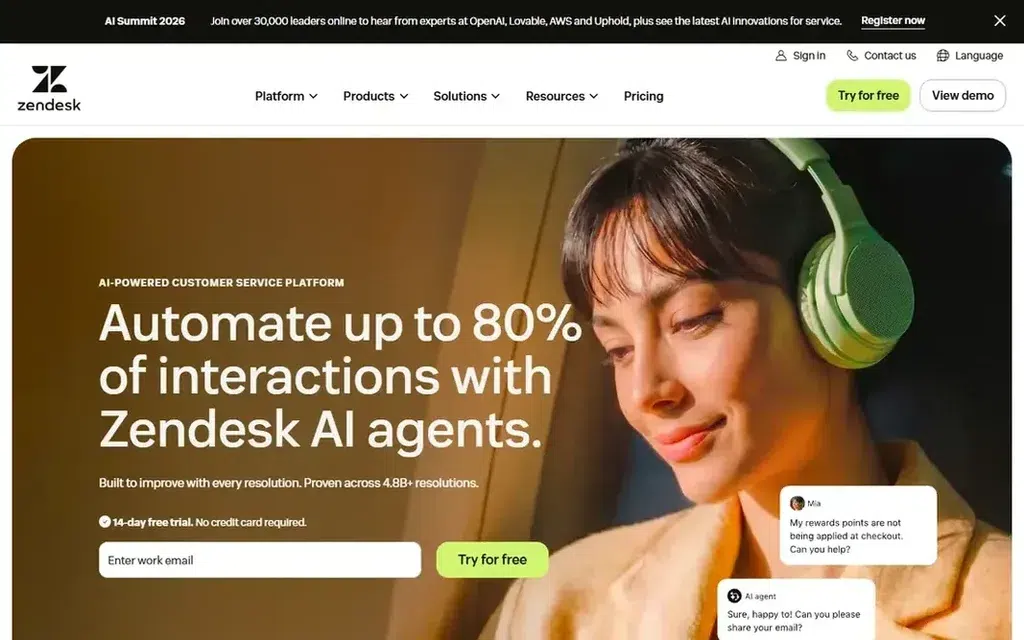
Think of Zendesk Chat for teams wanting an AI-assisted support system. The emphasis is on moving beyond straightforward deflection toward AI agents that resolve issues end-to-end whereas improving service quality and speed at scale.
It suits small teams that expect to grow and want a system they will not have to replace as support volume raises. Starting cost for Zendesk Chat: $19 agent/month premium yearly. Trial and free access: Free trial.
Downsides: Setup may take more planning.
- AI agents resolve issues end-to-end
- Focus on service quality and speed
- Can feel wide for very small teams
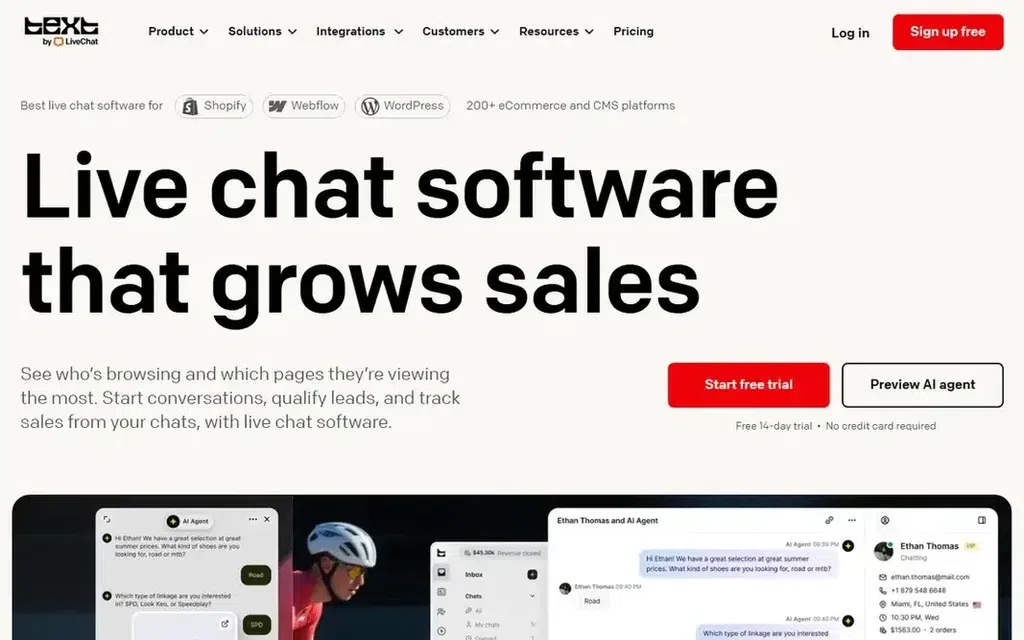
For Chat-led sales and lead qualification, LiveChat is a natural candidate. LiveChat is live chat software for your website with an AI Agent that answers around the clock. It is built around qualifying leads and tracking sales from chats, which makes it a natural fit for small teams where chat doubles as a sales channel.
Consider a multichannel system like Crisp if you need messaging across multiple channels instead of website chat alone. On top of that, the product keeps its attention on the chat widget itself instead of spreading across numerous support channels. Also, the lead and sales orientation means teams that primarily deal with post-purchase support may find parts of it less central to their work. LiveChat starts at: $19 per user per month. Free access: Free trial.
Honest limits: Needs active agent coverage to shine.
- AI Agent answers around the clock
- Qualify leads and track sales from chats
- Sales focus may not suit pure support teams
For all-in-one multichannel messaging, Crisp is a natural candidate. Crisp presents itself as an all-in-one AI-powered multichannel messaging system that helps companies link immediately with customers or leads waiting for support. The system is positioned around a rapidly evolving set of tools instead of a single chat widget.
Watch-outs: Breadth can take time to configure.
That breadth means setup and configuration take more attention than a straightforward chat widget, and a very small team may not use every channel at first. It is worth mapping which channels you actually need before committing. What you pay to start with Crisp: $45 per month per workspace. Free plan details: Free trial.
- Links with leads and customers rapidly
- AI-powered support product
- May be more than a tiny team needs
Tidio is designed for turning chats into measurable revenue. Tidio frames AI customer service around turning chats into revenue.
In daily use, the revenue emphasis means support-only teams may care less about attribution features and more about queue handling and handoff. More specifically, consider Help Scout if a shared inbox and customer-first support experience matter more than chat-to-revenue reporting. Tidio pricing: $24.17 per month. Free access exists with Tidio.
Watch-outs: Needs clean tracking to display value.
- Clear revenue framing for small teams
- Lyro resolves questions immediately
- Revenue focus may not suit every support team
How these tools were picked
For each of the 6 tools we noted price, free plan or trial, fit for live chat software for small teams and the main limit, using vendor pages and documentation. Figures are shown as the vendors publish them. Billing terms, seat minimums and add-ons can change the real cost. Tools are placed by general fit for live chat software for small teams, with price clarity and free access as tie-breakers. A different team can reasonably rank them differently.
A buyer's checklist
- Prices are a starting point; Zendesk Chat shows $19 agent/month premium yearly to start, so verify what your seat count would cost.
- Check what the free option really includes: Help Scout and Tidio offer a free plan, and usage caps differ.
- Use real work to test the free trial from Olark, Zendesk Chat, LiveChat and Crisp, rather than a demo project.
- Before choosing Help Scout, weigh its main limit: Chat is part of a wider support model.
- Check whether Crisp bills monthly or annually, and what cancelling early costs.
- Look at the help docs and support options for LiveChat before you commit.
FAQ
Do these tools publish their prices?
Yes. Every tool from Help Scout to Tidio shows a starting price, though seats, add-ons and billing terms still change the final cost.
How are the tools for live chat software for small teams ordered?
The order follows typical fit for live chat software for small teams, with Help Scout first and Tidio last, then price clarity and free access. It is editorial judgement, not a score, so another team could rank the tools differently.
What is the cheapest option for live chat software for small teams in this list?
On published monthly entry prices, Zendesk Chat is the lowest here at $19 agent/month premium yearly. Entry price is only part of the cost, because seats, add-ons and billing terms can change the total. Each of the 6 options in this live chat software for small teams guide has its own card above with the price, free plan and limits.
Can I try these tools before paying?
Often, yes. Help Scout and Tidio have a free plan and Olark, Zendesk Chat, LiveChat and Crisp offer a free trial. Use your own data and a real task during the test, and check what the free tier or trial limits before you rely on it.
Is a multichannel platform better than a single chat widget?
A multichannel product for example Crisp keeps conversations from multiple channels in one place, which helps when customers reach you in different ways. Match the choice to where your customers actually talk to you.
Sources
- https://www.helpscout.com
- https://www.olark.com
- https://www.zendesk.com
- https://www.livechat.com
- https://crisp.chat
- https://www.tidio.com