Choosing Landscape Design Software for Remote Teams in 2026: 5 Options Compared
5 products for the best landscape design software for remote teams, ranked by fit, with starting costs and free tiers. Real limits included. Facts only.
- Editor's choice
 DynaSCAPE
Landscape design and business management
Starts at$48 per monthVisit dynascape.comFull review - Great alternative
 Lumion
Live rendering and visualization
Starts at$96 named user a monthVisit lumion.comFull review - Also consider
 Vectorworks Landmark
All-in-one landscape design and documentation
Starts atSee websiteVisit vectorworks.netFull review
Direct answer
Start with DynaSCAPE if you need Landscape design and business management. Listed starting prices: DynaSCAPE from $48 per month and Lumion from $96 named user a month. Lumion is better for live rendering and visualization, and Vectorworks Landmark is better for all-in-one landscape design and documentation. The full list of 5 tools follows, with prices and free plan facts.
TL;DR:
- Number one here is DynaSCAPE, a fit for Landscape design and business management.
- DynaSCAPE, AutoCAD and the 3 others all need a premium plan or a trial, since no free plan is listed.
- AutoCAD is the one to check for DWG collaboration across desktop and web.
- DynaSCAPE is the lowest-priced starter here at $48 per month.
- Vectorworks Landmark comes with a trade-off: may need training to use effectively.
Last checked November 2026. Prices and plan details were read from the vendors' own pages in November 2026; vendors change plans often, so confirm the current price on the vendor site before you buy.
Quick comparison
| Tool | Best for | Starts at | Free plan? | |
|---|---|---|---|---|
| DynaSCAPE | Landscape design and business management | $48 per month | Free trial | Visit |
| Lumion | Live rendering and visualization | $96 named user a month | Free trial | Visit |
| Vectorworks Landmark | All-in-one landscape design and documentation | See website | Not stated | Visit |
 Enscape | One-click rendering for several CAD tools | See website | Not stated | Visit |
 AutoCAD | DWG collaboration across desktop and web | See website | Not stated | Visit |
Our 5 landscape design software for remote teams
Short on time? The summary and table above give the quick view of 5 landscape design software for remote teams, and the profiles that follow give the detail behind each entry.
DynaSCAPE is a good fit for Landscape design and business management. DynaSCAPE provides landscape software for design and business management, pitched at helping professional landscape companies scale.
Limits to weigh: Restricted integration with other CAD tools.
It merges design tools with business management features. DynaSCAPE cost at the entry level: $48 per month. As for free access: Free trial.
- Tailored to the landscape industry
- Helps scale business operations
- May be less known for advanced 3D rendering
For live rendering and visualization, Lumion is a natural candidate. It helps transform design workflows by visualizing every step from concept to final render with speed and quality.
Limits to weigh: Primarily a visualization tool, not full design.
In practice, Lumion centres on rendering and visualization instead of design or documentation. Lumion pricing: $96 named user per month. Free plan details: Free trial.
- High-quality output for presentations
- Simple to use for fast renders
- Needs feature-rich hardware for best performance
Pick Vectorworks Landmark if this describes you: all-in-one landscape design and documentation. Vectorworks Landmark is a 3D landscape design software aimed at professionals.
Remote teams that require a thorough tool for landscape projects may find it suits well, particularly when coordination across design phases is important. Vectorworks Landmark shows no starting price here, so confirm the cost on the vendor site. Free access: Not stated.
Trade-offs to know: Can be resource-intensive on older hardware.
- Supports 3D modeling and workflows
- Designed for landscape professionals
- May need training to use effectively
Enscape is aimed squarely at one-click rendering for several CAD tools. Enscape depends on a host design application and does not function as a standalone design tool.
Enscape shows no starting price here, so confirm the cost on the vendor site. Free options: Not stated.
Where it is weaker: Restricted design capabilities on its own.
- Virtual reality support
- Live visualization
- Needs a compatible host design tool
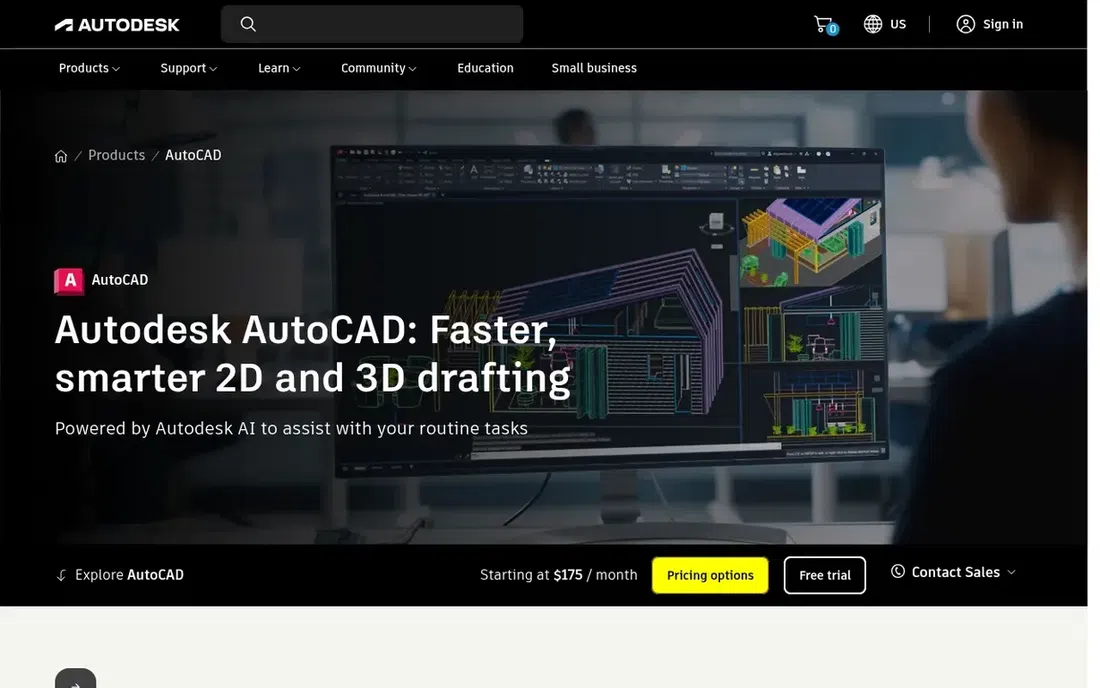
AutoCAD is designed for DWG collaboration across desktop and web. Teams focused solely on landscape design might prefer a specialized option like Vectorworks Landmark or DynaSCAPE. For everyday use, as a general-purpose CAD tool, AutoCAD lacks landscape-specific features like plant libraries or irrigation tools.
Limits to weigh: General-purpose, not landscape-specific.
AutoCAD is a widely used design and drafting software that supports shared DWG collaboration across desktop and web. It contains AI automation and performance improvements. Remote teams that require to exchange DWG files and work collaboratively on drawings may find AutoCAD a practical choice for landscape design workflows. No starting price is listed for AutoCAD here; confirm pricing on the vendor site. Free plan details: Not stated.
- AI automation for quicker design
- Shared DWG collaboration across desktop and web
- Needs subscription for full features
Selection criteria
Before you commit
- Ask Vectorworks Landmark, Enscape and AutoCAD for a written quote, since no starting price is shown.
- Use real work to test the free trial from DynaSCAPE and Lumion, rather than a demo project.
- Read the limits listed for DynaSCAPE first: may be less known for advanced 3D rendering.
- Add up seats, add-ons and usage charges for Vectorworks Landmark before comparing it with cheaper entries.
- Read the plan comparison for AutoCAD carefully; key features often start on a higher tier.
FAQ
Can I try these tools before paying?
Often, yes. DynaSCAPE and Lumion offer a free trial. Use your own data and a real task during the test, and check what the free tier or trial limits before you rely on it.
How are the tools for landscape design software for remote teams ordered?
DynaSCAPE sits first and AutoCAD last because the order follows typical fit for landscape design software for remote teams, then price clarity and free access. It is a judgement call, so read each profile for fit and limits.
Is DynaSCAPE the right pick for everyone comparing landscape design software for remote teams?
No single tool suits every team. DynaSCAPE comes first because it fits Landscape design and business management, while Lumion suits real-time rendering and visualization and Vectorworks Landmark suits all-in-one landscape design and documentation. Match the tool to your own size, budget and workflow before deciding.
Does any tool for landscape design software for remote teams here have a free plan?
A permanent free plan is not offered by DynaSCAPE, AutoCAD or the other tools here. DynaSCAPE, Lumion offer a trial. Plan a short evaluation period instead.
Sources
- https://www.dynascape.com
- https://lumion.com
- https://www.vectorworks.net/en-US/landmark
- https://enscape3d.com
- https://www.autodesk.com/products/autocad/overview