The 5 Best Landscape Design Software for Enterprise in 2026, Ranked
Best landscape design software for enterprise: 5 contenders ranked by fit, with entry costs and free tiers. Short, factual notes on every option. Choose faster.
- Editor's choiceAutodesk AutoCAD
DWG drafting and shared collaboration
Starts atSee websiteVisit autodesk.comFull review - Great alternative
 DynaSCAPE
Design plus business management
Starts at$48 per monthVisit dynascape.comFull review - Also consider
 Vectorworks Landmark
All-in-one landscape design and documentation
Starts atSee websiteVisit vectorworks.netFull review
Direct answer
This list puts Autodesk AutoCAD first for DWG drafting and shared collaboration. Listed starting prices: DynaSCAPE from $48 per month, Structure Studios from $84 per user a month and Lumion from $96 named user per month. DynaSCAPE fits design plus business management; Vectorworks Landmark fits all-in-one landscape design and documentation. Prices, free plans and limits for all 5 tools follow.
TL;DR:
- Autodesk AutoCAD is the opening pick, best for DWG drafting and shared collaboration.
- Neither Autodesk AutoCAD nor Lumion, nor any of the other 3 tools, has a permanent free plan; trials and quotes are the norm.
- DynaSCAPE has the lowest monthly starting price in this list: $48 per month.
- Before buying Vectorworks Landmark, weigh this: wide feature set needs onboarding time.
Last checked November 2026. Prices and plan details were read from the vendors' own pages in November 2026; vendors change plans often, so confirm the current price on the vendor site before you buy.
Quick comparison
| Tool | Best for | Starts at | Free plan? | |
|---|---|---|---|---|
| Autodesk AutoCAD | DWG drafting and shared collaboration | See website | Not stated | Visit |
| DynaSCAPE | Design plus business management | $48 per month | Free trial | Visit |
| Vectorworks Landmark | All-in-one landscape design and documentation | See website | Not stated | Visit |
| Structure Studios | 3D outdoor living and pool design | $84 per user a month | Free trial | Visit |
 Lumion | Live rendering and visualization | $96 named user per month | Free trial | Visit |
Landscape Design Software for Enterprise, one by one
If you are comparing landscape design software for enterprise, this page covers 5 tools in one place: what each is best for, what it costs to start, whether it has a free plan, and the main limit to know about.
Autodesk AutoCAD
Best for: DWG drafting and shared collaboration
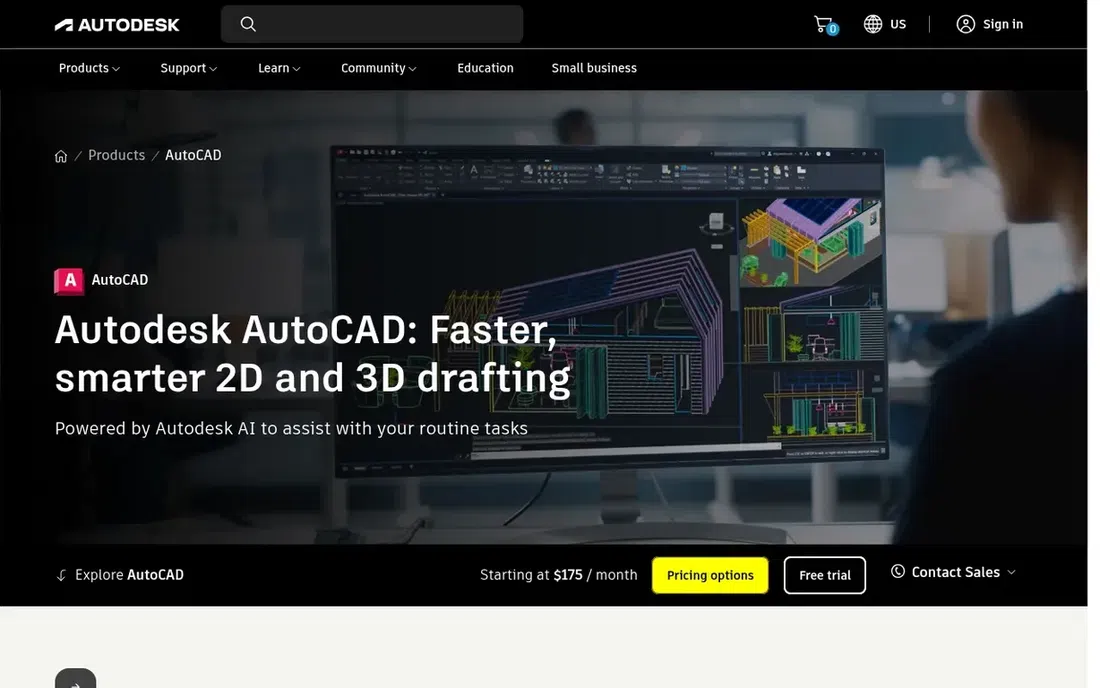
Autodesk AutoCAD is a good fit for DWG drafting and shared collaboration. Autodesk AutoCAD is a general-purpose design and drafting platform with a long history in architecture, engineering and construction. Its homepage flags AI automation, performance improvements and shared DWG collaboration across desktop and web.
Beyond that, for enterprise landscape teams, it suits organizations that already standardize on DWG files and need wide interoperability with consultants and contractors. In practice, teams whose core need is landscape presentation and documentation may find a purpose-built product quicker to adopt, whereas AutoCAD remains the safer choice when file compatibility is the priority. Autodesk AutoCAD shows no starting price here, so confirm the cost on the vendor site. On free options: Not stated.
Points against: General CAD, not landscape-specific.
- Industry-standard DWG workflows
- Desktop and web collaboration
- Landscape detailing needs extras or custom setup
DynaSCAPE works best for design plus business management. DynaSCAPE provides landscape software including both design and business management, pitched at helping professional landscape companies scale.
Where it falls short: Business features may overlap with existing systems.
Its homepage frames the product around the needs of the landscape industry instead of general architecture. In daily use, organizations with established enterprise business systems should check how DynaSCAPE suits alongside them before standardizing. Starting cost for DynaSCAPE: $48 per month. Trial and free access: Free trial.
- Supports scaling operations
- Made for the professional landscape industry
- Less emphasis on photoreal 3D presentation
Vectorworks Landmark was built for all-in-one landscape design and documentation. It suits landscape architecture practices handling in-depth planting, irrigation and construction documentation alongside client-facing visuals.
Businesses that primarily need drafting compatibility instead of landscape-specific tooling may prefer a general CAD system, and studios focused purely on rendering may pair it with a dedicated visualization tool. This comparison lists no price for Vectorworks Landmark; ask the vendor. Trial and free access: Not stated.
Where it falls short: May be more than small teams need.
- Merges design, presentation
- Irrigation and documentation
- Wide feature set needs onboarding time
Structure Studios
Best for: 3D outdoor living and pool design
Where Structure Studios fits: 3D outdoor living and pool design. Structure Studios supplies 3D pool and landscape design software for creating pools, landscapes and outdoor living spaces.
The starting price for Structure Studios: $84 per user per month. Trial and free access: Free trial.
What to check first: Large-scale site planning may need other tools.
- Capable 3D outdoor living visuals
- Geared toward build-ready design
- Pool and outdoor living focus

For live rendering and visualization, Lumion is a natural candidate. Lumion is 3D rendering software targeted at architects and designers, described on its homepage as industry-leading live rendering. It helps teams visualize every step from concept to final render with speed, quality and ease.
In practice, for enterprise landscape groups, it fits as a presentation layer that turns models into compelling imagery for clients, planning boards and internal reviews. In daily use, teams seeking a single product for drafting, irrigation and construction documents should look to landscape-specific software and treat Lumion as a complementary renderer. Lumion is a visualization tool instead of a design or documentation system, so it relies on models produced elsewhere. The starting price for Lumion: $96 named user per month. Trial and free access: Free trial.
Trade-offs to know: Fits best alongside a design authoring tool.
- Simple to communicate designs visually
- Supports concept-to-final visualization
- Visualization focus, not full documentation
How the list was put together
The comparison looks at four things: starting price, free access, how well the feature set matches landscape design software for enterprise, and the main limit of each tool. Treat prices as a snapshot: vendors change plans often, so check the vendor site for the figure that applies today. The ranking is editorial: typical fit first, then clear pricing, then free access. If your needs are unusual, read the profiles rather than relying on position.
What to confirm before you sign up
- Confirm the entry price on the vendor page. For Autodesk AutoCAD and Vectorworks Landmark that means a quote rather than a fixed price.
- Use real work to test the free trial from DynaSCAPE, Structure Studios and Lumion, rather than a demo project.
- Read the limits listed for Autodesk AutoCAD first: general CAD, not landscape-specific.
- Confirm the exact Vectorworks Landmark plan that includes your must-have features.
- See whether Structure Studios offers onboarding or training, and whether it is included in the price.
FAQ
Can I try these tools before paying?
Often, yes. DynaSCAPE, Structure Studios and Lumion offer a free trial. Use your own data and a real task during the test, and check what the free tier or trial limits before you rely on it.
What is the cheapest option for landscape design software for enterprise in this list?
On published monthly entry prices, DynaSCAPE is the lowest here at $48 per month. Entry price is only part of the cost, because seats, add-ons and billing terms can change the total. Prices, free plan details and limits for all 5 tools in this landscape design software for enterprise roundup sit on the individual cards above.
Should visualization software replace a design platform?
They turn models into presentations but do not replace drafting, irrigation planning or construction documentation. Beyond that, most enterprise teams combine both types of software.
How are the tools for landscape design software for enterprise ordered?
Autodesk AutoCAD sits first and Lumion last because the order follows typical fit for landscape design software for enterprise, then price clarity and free access. It is a judgement call, so read each profile for fit and limits.
Is Autodesk AutoCAD the right pick for everyone comparing landscape design software for enterprise?
No single tool suits every team. Autodesk AutoCAD comes first because it fits DWG drafting and shared collaboration, while DynaSCAPE suits design plus business management and Vectorworks Landmark suits all-in-one landscape design and documentation. Match the tool to your own size, budget and workflow before deciding.
How do landscape-specific tools differ from general CAD?
General CAD systems focus on drafting and wide file compatibility, whereas landscape-specific tools add planting, irrigation and site documentation features. The right choice relies on whether interoperability or specialized workflow depth is the higher priority.
Sources
- https://www.autodesk.com/products/autocad/overview
- https://www.dynascape.com
- https://www.vectorworks.net/en-US/landmark
- https://www.structurestudios.com
- https://lumion.com