Best Landscape Design Software for Beginners (2026): 6 Picks Checked on Vendor Pages
Weighing the best landscape design software for beginners? We lined up 6 products by cost, free access and fit. Every pick gets a straight assessment.
- Editor's choiceHome Designer Landscape & Deck
DIY home and landscape projects
Starts atSee websiteVisit homedesignersoftware.comFull review - Great alternative
 Planner 5D
Simple 2D and 3D home design
Starts at$19.99 a monthVisit planner5d.comFull review - Also consider
 AutoCAD
Precise 2D drafting and DWG collaboration
Starts atSee websiteVisit autodesk.comFull review
Direct answer
Start with Home Designer Landscape & Deck if you need DIY home and landscape projects. Listed starting prices: Planner 5D from $19.99 a month, Lumion from $96 named user per month and Structure Studios VIP3D from $84 per user per month. Alternatives: Planner 5D for simple 2D and 3D home design, and AutoCAD for precise 2D drafting and DWG collaboration. All 6 tools are compared below on price, free plan and limits.
TL;DR:
- This list starts with Home Designer Landscape & Deck, which is built for DIY home and landscape projects.
- For the cheapest start, look at Planner 5D: $19.99 per month.
- Vectorworks Landmark fits professional 3D landscape projects.
- Before buying Planner 5D, weigh this: general home design focus.
Last checked November 2026. Prices and plan details were read from the vendors' own pages in November 2026; vendors change plans often, so confirm the current price on the vendor site before you buy.
Quick comparison
| Tool | Best for | Starts at | Free plan? | |
|---|---|---|---|---|
| Home Designer Landscape & Deck | DIY home and landscape projects | See website | Not stated | Visit |
| Planner 5D | Simple 2D and 3D home design | $19.99 a month | Yes | Visit |
| AutoCAD | Precise 2D drafting and DWG collaboration | See website | Not stated | Visit |
 Lumion | Live 3D rendering | $96 named user per month | Free trial | Visit |
| Structure Studios VIP3D | 3D pool and outdoor living design | $84 per user per month | Free trial | Visit |
 Vectorworks Landmark | Professional 3D landscape projects | See website | Not stated | Visit |
Landscape Design Software for Beginners, one by one
If you are comparing landscape design software for beginners, this page covers 6 tools in one place: what each is best for, what it costs to start, whether it has a free plan, and the main limit to know about.
Home Designer Landscape & Deck
Best for: DIY home and landscape projects
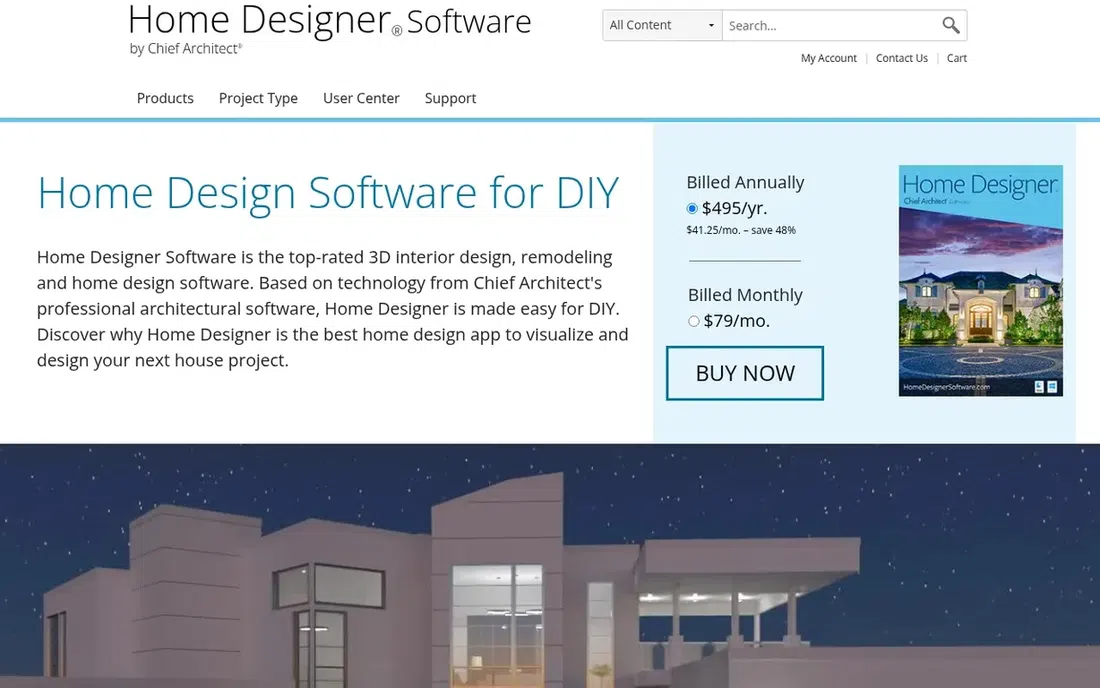
Choose Home Designer Landscape & Deck for DIY home and landscape projects. Beginners tackling landscape and deck projects around the home may appreciate its accessible approach.
Drawbacks to consider: General home design focus.
In daily use, pick Home Designer Landscape & Deck for home-centered DIY design with 3D visualization. Home Designer Landscape & Deck shows no starting price here, so confirm the cost on the vendor site. Free access: Not stated.
- DIY-friendly home design
- From the creators of Chief Architect
- Landscape features may be entry-level
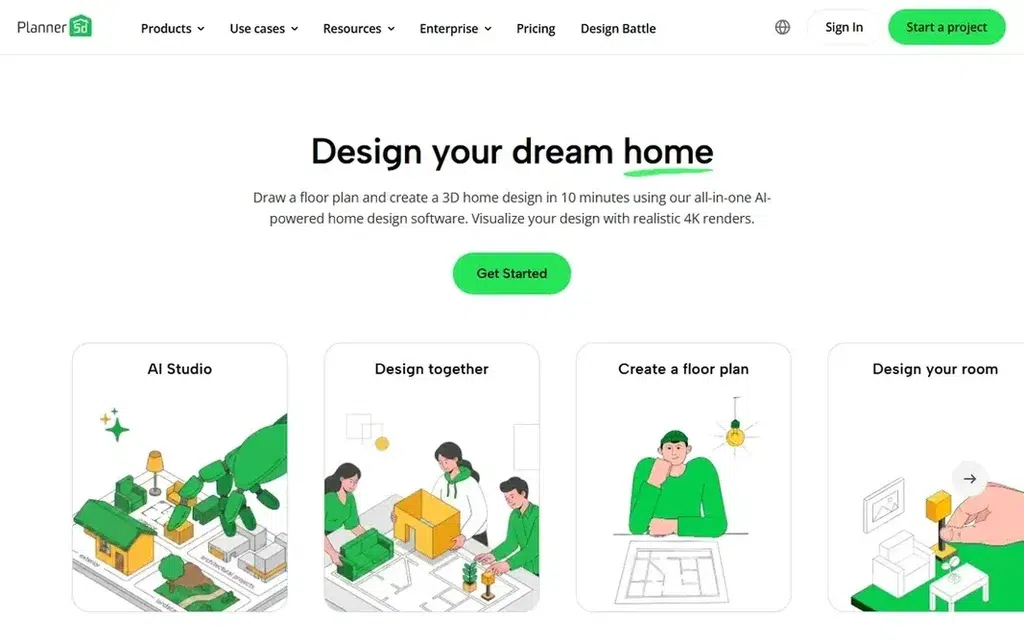
Planner 5D targets simple 2D and 3D home design. Planner 5D is an advanced yet easy-to-use 2D/3D house design tool.
More specifically, if your project centers on plants, irrigation, or terrain, a landscape-specific tool may be better. Beyond that, for beginners interested in landscape design, it provides a gentle introduction to spatial planning and visualization, though it is not landscape-specific. Planner 5D starts at: $19.99 per month. You can start on Planner 5D without paying.
Where it falls short: General home design focus.
- Easy-to-use interface
- 2D and 3D design modes
- May lack specialized landscape tools
AutoCAD is a good fit for precise 2D drafting and DWG collaboration. AutoCAD is a widely used design and drafting software with AI automation, better performance, and shared DWG collaboration across desktop and web. Also, AutoCAD is not tailored to landscape design and can be challenging for beginners.
Drawbacks to consider: General-purpose, not landscape-specific.
Those wanting quicker results might prefer Planner 5D. Choose AutoCAD if you need precise drafting and DWG compatibility and are prepared to learn a complicated tool. Also, beginners pursuing landscape design may use AutoCAD for precise 2D plans, though its general-purpose nature means a significant learning investment. Pricing for AutoCAD is not stated here, so ask the vendor for current figures. Free options: Not stated.
- AI automation and shared DWG collaboration
- Industry-standard drafting
- Steep ramp-up time for beginners
Choose Lumion for live 3D rendering. Lumion is industry-leading 3D rendering software for architects.
For everyday use, beginners concentrated on presenting landscape designs may use Lumion to build compelling visuals. It complements instead of replaces design tools. The starting price for Lumion: $96 named user per month. Free options: Free trial.
What to check first: not a design tool.
- Simplicity for visualization
- Speed and quality
- May need design software alongside
Structure Studios VIP3D
Best for: 3D pool and outdoor living design
Structure Studios VIP3D is designed for 3D pool and outdoor living design. VIP3D emphasizes pools and outdoor living, so it may be less suited to broader landscape design.
Drawbacks to consider: Pool focus may not suit all landscape projects.
Worth adding: if your project is primarily planting or terrain, other tools may fit better. Entry price for Structure Studios VIP3D: $84 per user per month. Free plan details: Free trial.
- Build-ready designs
- Builds 2D plans and photoreal presentations
- Professional orientation
Vectorworks Landmark serves professional 3D landscape projects. Since it is aimed at professionals, Vectorworks Landmark may feel overwhelming for casual beginners. Those seeking a more straightforward start might prefer Planner 5D or Home Designer Landscape & Deck.
From a buyer's view, Vectorworks Landmark is a 3D landscape design software aimed at professionals. Beginners who plan to grow into professional work may find its thorough approach valuable, though the ramp-up time could be steep. This comparison lists no price for Vectorworks Landmark; ask the vendor. Free plan details: Not stated.
Points against: May be complicated for beginners.
- Spans design, presentation, irrigation, documentation
- Designed for professional workflows
- Professional focus may exceed hobby needs
How we compared the tools
We compared the tools on published pricing, free plan or trial availability, feature coverage for landscape design software for beginners, and the limits each vendor documents. Figures are shown as the vendors publish them. Billing terms, seat minimums and add-ons can change the real cost. Position on the page reflects fit for a typical buyer first, with price clarity and free access breaking ties. Treat it as a guide, not a ruling.
What to check before you buy
- Get a written quote from Home Designer Landscape & Deck, AutoCAD and Vectorworks Landmark; the list shows no starting price for them.
- Look at the free plan from Planner 5D closely: its caps decide whether it is usable for real work.
- Take the trial from Lumion and Structure Studios VIP3D and push a live task through it before you pay.
- Before choosing Home Designer Landscape & Deck, weigh its main limit: Landscape features may be entry-level.
- Run a one or two week pilot of AutoCAD with the people who will use it every day.
- Ask Planner 5D which support channels and response times come with the plan you would buy.
FAQ
Do I need rendering software like Lumion for landscape design?
Lumion is optional and best for creating high-quality visuals to present your design. It complements design software instead of replacing it. Beginners can start with design tools and add rendering later if needed.
Is Home Designer Landscape & Deck the right pick for everyone comparing landscape design software for beginners?
No single tool suits every team. Home Designer Landscape & Deck comes first because it fits DIY home and landscape projects, while Planner 5D suits easy 2D and 3D home design and AutoCAD suits precise 2D drafting and DWG collaboration. Match the tool to your own size, budget and workflow before deciding.
How are the tools for landscape design software for beginners ordered?
Home Designer Landscape & Deck sits first and Vectorworks Landmark last because the order follows typical fit for landscape design software for beginners, then price clarity and free access. It is a judgement call, so read each profile for fit and limits.
Is AutoCAD right for beginners in landscape design?
AutoCAD is feature-rich but has a steep ramp-up time and is not landscape-specific. It may be better suited to those with drafting experience or a willingness to invest time in learning. Beginners might start with more straightforward tools first.
Which options for landscape design software for beginners have a free plan?
Planner 5D is the only tool in this list with a free plan. Free plans usually cap users, projects or features, so check the limits on the vendor page. Several others offer a trial instead. Prices, free plan details and limits for all 6 tools in this landscape design software for beginners roundup sit on the individual cards above.
What is the cheapest option for landscape design software for beginners in this list?
On published monthly entry prices, Planner 5D is the lowest here at $19.99 per month. Entry price is only part of the cost, because seats, add-ons and billing terms can change the total. Each of the 6 options in this landscape design software for beginners guide has its own card above with the price, free plan and limits.
Sources
- https://www.homedesignersoftware.com
- https://planner5d.com
- https://www.autodesk.com/products/autocad
- https://lumion.com
- https://structurestudios.com
- https://www.vectorworks.net/en-US/landmark