5 Knowledge Base Software for Remote Support Teams Worth Shortlisting in 2026
Best knowledge base software for remote support teams: 5 contenders ranked by fit, with entry costs and free tiers. Pros and cons for every tool. No filler.

- Editor's choice
 Confluence
Internal collaborative knowledge sharing
Starts atSee websiteVisit atlassian.comFull review - Great alternative
 Freshdesk
Support teams wanting ticketing plus knowledge
Starts atSee websiteVisit freshworks.comFull review - Also consider
 Helpjuice
Straightforward knowledge base for support
Starts atSee websiteVisit helpjuice.comFull review
Direct answer
Start with Confluence if you need internal collaborative knowledge sharing. Listed starting prices: KnowledgeOwl from $100 a month. For a different need, Freshdesk covers support teams wanting ticketing plus knowledge and Helpjuice covers straightforward knowledge base for support. The other 2 tools in the list cover narrower or pricier cases.
TL;DR:
- Top of the list is Confluence, which targets internal collaborative knowledge sharing.
- KnowledgeOwl has the lowest monthly starting price in this list: $100 per month.
- For knowledge tied to customer service, Zendesk Guide is worth a look.
- Check the limits for Confluence before you commit: not built primarily for external support.
Last checked November 2026. Prices and plan details were read from the vendors' own pages in November 2026; vendors change plans often, so confirm the current price on the vendor site before you buy.
Quick comparison
| Tool | Best for | Starts at | Free plan? | |
|---|---|---|---|---|
| Confluence | Internal collaborative knowledge sharing | See website | Not stated | Visit |
| Freshdesk | Support teams wanting ticketing plus knowledge | See website | Not stated | Visit |
| Helpjuice | Straightforward knowledge base for support | See website | Free trial | Visit |
 KnowledgeOwl | Straightforward, dependable knowledge sharing | $100 a month | Free trial | Visit |
 Zendesk Guide | Knowledge tied to customer service | See website | Not stated | Visit |
The best knowledge base software for remote support teams
Short on time? The summary and table above give the quick view of 5 knowledge base software for remote support teams, and the profiles that follow give the detail behind each entry.

Confluence makes the most sense for internal collaborative knowledge sharing. Choose a dedicated knowledge base tool instead when public help content and support-specific search are the primary requirement.
Where it falls short: Not built primarily for external support.
As for the details, Confluence is a team workspace for creating and sharing knowledge, with AI used to draft, summarize and find answers so projects move quicker. Beyond that, Confluence is oriented toward internal collaboration rather than customer-facing support content, and large spaces can become hard to navigate without governance. Check the vendor site for Confluence pricing; none is listed in this comparison. As for free access: Not stated.
- Team workspace for creating content
- Well suited to project and process docs
- Needs structure to stay organized

Freshdesk makes the most sense for support teams wanting ticketing plus knowledge. Freshdesk is an AI-powered customer service option with omnichannel ticketing and automatic workflows, and its knowledge capabilities support agent productivity and customer self-service.
From a buyer's view, the knowledge base is one part of a bigger service suite, so teams wanting only documentation may prefer a focused product. Pricing for Freshdesk is not stated here, so ask the vendor for current figures. Trial and free access: Not stated.
Drawbacks to consider: Knowledge features are part of a broader suite.
- Automatic workflows for agents
- Omnichannel ticketing in one system
- Full value relies on adopting the product
Helpjuice targets straightforward knowledge base for support. Its vendor page emphasizes knowledge base use for customer and staff information, which fits remote support teams that want a clear, purpose-built home for articles and answers without adopting a full service system.
Its scope is narrower than omnichannel service suites, so ticketing and channel management come from other tools. Pricing for Helpjuice is not stated here, so ask the vendor for current figures. On free options: Free trial.
Trade-offs to know: Needs integration with other tools.
- Knowledge base centred on support
- Straightforward positioning for teams
- Narrower scope than full service suites
Choose KnowledgeOwl for straightforward, dependable knowledge sharing. That makes it a fit for remote support teams that want a dependable, uncomplicated knowledge base where publishing answers is quick and readers can find what they need without a steep ramp-up time.
Watch-outs: Fewer adjacent service features.
Beyond that, teams with complicated multi-team governance or deep service integrations may outgrow a more straightforward knowledge base approach. What you pay to start with KnowledgeOwl: $100 per month. Free access: Free trial.
- Fits both customers and staff
- Easy-to-use sharing of information
- Best for teams with modest complexity
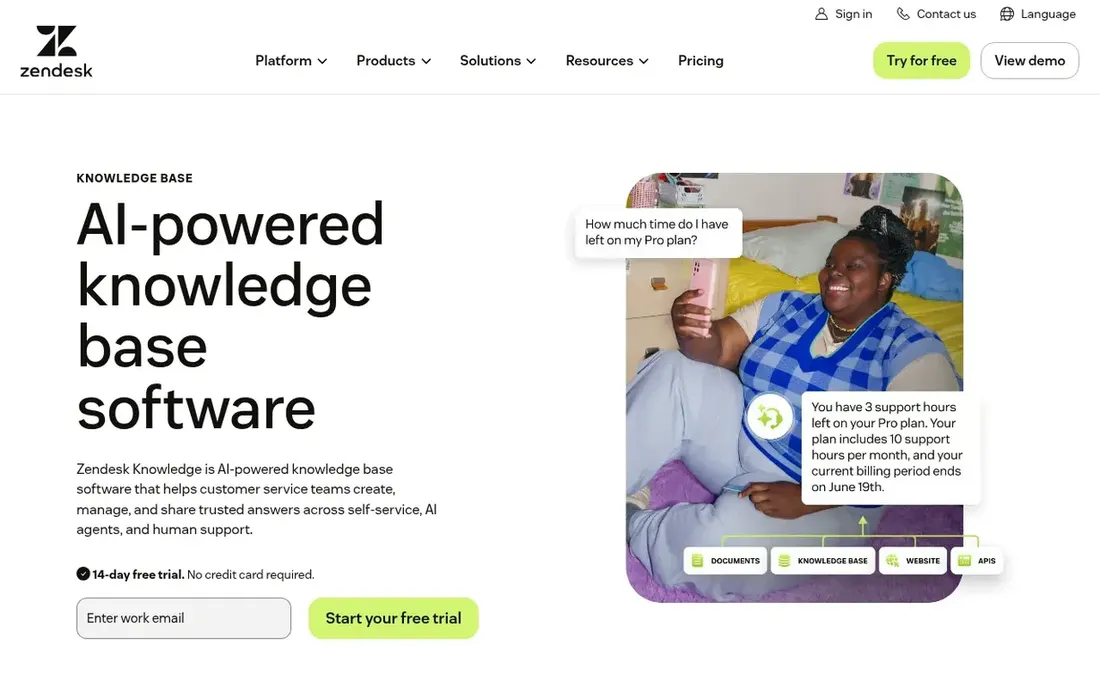
Zendesk Guide targets knowledge tied to customer service. It suits remote support teams already working inside Zendesk or planning to unify ticketing and knowledge in one place.
The main drawbacks: Setup may need service configuration.
Pricing for Zendesk Guide is not stated here, so ask the vendor for current figures. Free access: Not stated.
- Supports AI-powered answers
- Suits help center workflows
- Best value within the Zendesk ecosystem
Our selection method
For each of the 5 tools we noted price, free plan or trial, fit for knowledge base software for remote support teams and the main limit, using vendor pages and documentation. Treat prices as a snapshot: vendors change plans often, so check the vendor site for the figure that applies today. The sequence is a judgement call: typical use case first, then pricing transparency, then free access. Use the profiles to check fit.
Questions to settle before buying
- Get a written quote from Confluence, Freshdesk, Helpjuice and Zendesk Guide; the list shows no starting price for them.
- Run a trial of Helpjuice and KnowledgeOwl with real work before paying for a year; your own workflow is the best test.
- Before choosing Confluence, weigh its main limit: not built primarily for external support.
- Test how quickly KnowledgeOwl answers a pre-sales question; it hints at how support will feel later.
- Map your must-have features to a specific Freshdesk plan before you compare prices.
FAQ
What is the cheapest option for knowledge base software for remote support teams in this list?
On published monthly entry prices, KnowledgeOwl is the lowest here at $100 per month. Entry price is only part of the cost, because seats, add-ons and billing terms can change the total. For the full picture, the cards above cover all 5 entries of this knowledge base software for remote support teams list, including price, free plan and limits.
Can I try these tools before paying?
Often, yes. Helpjuice and KnowledgeOwl offer a free trial. Use your own data and a real task during the test, and check what the free tier or trial limits before you rely on it. Prices, free plan details and limits for all 5 tools in this knowledge base software for remote support teams roundup sit on the individual cards above.
Can Confluence work as a support knowledge base?
It does well for internal runbooks and processes but is less oriented toward customer-facing support content, so plenty of teams pair it with a dedicated help center tool.
Is Confluence the right pick for everyone comparing knowledge base software for remote support teams?
No single tool suits every team. Confluence comes first because it fits internal collaborative knowledge sharing, while Freshdesk suits support teams wanting ticketing plus knowledge and Helpjuice suits straightforward knowledge base for support. Match the tool to your own size, budget and workflow before deciding.
Which knowledge base tool is a good match for remote support teams overall?
For most readers this guide would start with Confluence, built for internal collaborative knowledge sharing. Freshdesk is the alternative for support teams wanting ticketing plus knowledge, and Helpjuice for straightforward knowledge base for support. The right answer depends on budget and workflow.
How are the tools for knowledge base software for remote support teams ordered?
Confluence sits first and Zendesk Guide last because the order follows typical fit for knowledge base software for remote support teams, then price clarity and free access. It is a judgement call, so read each profile for fit and limits.
Sources
- https://www.atlassian.com/software/confluence
- https://www.freshworks.com/freshdesk
- https://helpjuice.com
- https://www.knowledgeowl.com
- https://www.zendesk.com/service/help-center