Best Zendesk Knowledge Base Alternatives in 2026: 8 Tools Compared
Looking for zendesk knowledge base alternatives? We compare 8 help center tools on search, authoring, pricing and migration from Zendesk Guide in 2026.

- Editor's choice
 Helpjuice
Customer-facing help centers that need strong search
Starts at$249 per monthVisit helpjuice.comFull review - Great alternative
 Document360
Teams that need versioned, audited documentation
Starts atSee websiteVisit document360.comFull review - Also consider
 Help Scout Docs
Small support teams that want docs beside an inbox
Starts at$25 per user per monthVisit helpscout.comFull review
TL;DR:
- Helpjuice and Document360 are the closest standalone replacements for Zendesk Guide, with strong search, analytics, and migration help.
- Help Scout Docs suits small support teams that want a help center beside an inbox, without paying for a full support suite.
- Confluence and Notion suit internal knowledge first, and work best when the audience is staff rather than public customers.
- GitBook, Guru, and KnowledgeOwl cover developer docs, in-workflow answers, and smaller teams that want clear, flat pricing.
Quick comparison
| Tool | Best for | Starts at | Free plan? | |
|---|---|---|---|---|
| Helpjuice | Customer-facing help centers that need strong search | $249 per month | Free trial | Visit |
| Document360 | Teams that need versioned, audited documentation | See website | Free trial | Visit |
| Help Scout Docs | Small support teams that want docs beside an inbox | $25 per user per month | Free trial | Visit |
 Confluence | Internal teams already using Jira and Atlassian tools | See website | Free trial | Visit |
 Notion | Early teams that already write everything in Notion | $10 per user per month | Yes | Visit |
 GitBook | Developer and product teams that need versioned docs | See website | Yes | Visit |
 Guru | Support teams that need answers inside their workflow | See website | Free trial | Visit |
 KnowledgeOwl | Smaller teams that want a clear, flat help center price | $100 per month | Free trial | Visit |
The best zendesk knowledge base alternatives
Zendesk Guide bundles a help center with ticketing, which is convenient until the help center alone starts to cost more than it should, or the search and authoring tools feel limited. The tools below range from dedicated help centers to internal wikis and developer docs platforms. Our pick for most customer-facing teams is Helpjuice for search and analytics, while Help Scout Docs is the pick for small teams that also need an inbox.

Helpjuice is a purpose-built knowledge base platform with instant search, article analytics, version control, and multilingual support. Teams can see what visitors search for and fail to find, which makes it easier to write the missing article rather than guessing. Migration support and custom theming help teams moving from Zendesk Guide, and the AI tiers add instant answers drawn from your own docs.
The price is the main consideration. Plans start at 249 dollars a month, with higher tiers for AI features and more authors, so very small teams may find a cheaper tool such as KnowledgeOwl or HelpDocs-style pricing more suitable. For a support team whose help center must deflect tickets, the search and analytics depth justifies the cost.
- Strong instant search and analytics
- Multilingual support
- Migration help and custom theming
- Price is per month for a capped author count
- Higher AI tiers cost more
- No free plan
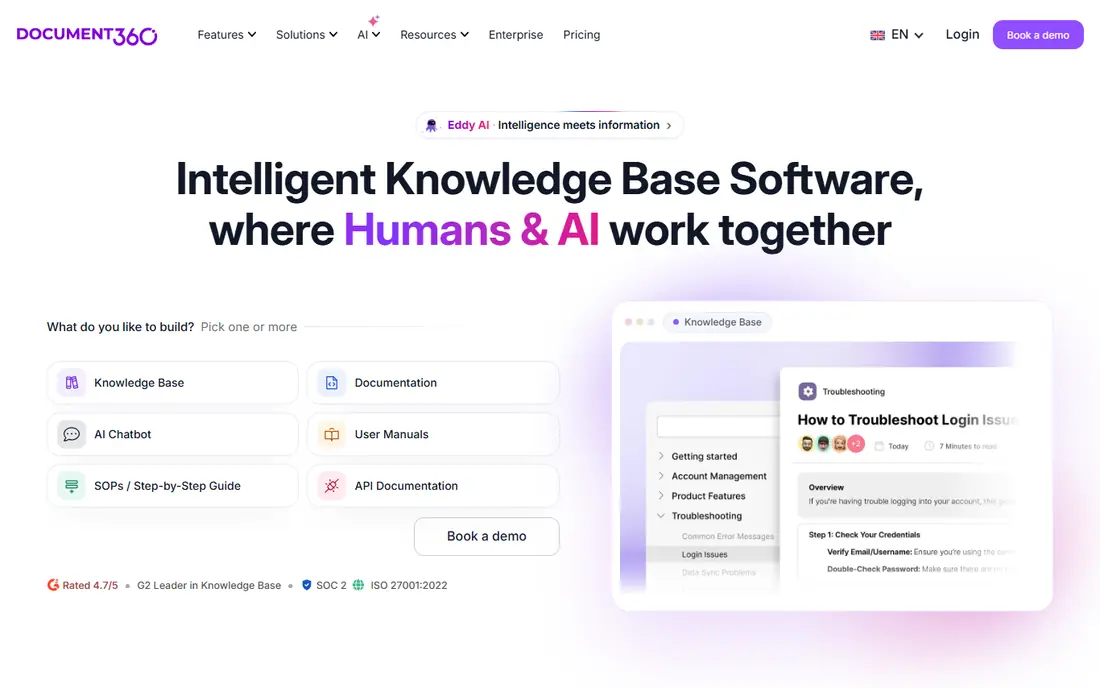
Document360 suits teams that need versioned documentation with audit trails, category management, and API references beside customer articles. It supports public and private knowledge bases, conditional content for different reader groups, and a widget that surfaces answers inside a product or support flow. That breadth makes it a good fit for software companies with both customer help and developer docs.
The drawback is pricing transparency. Document360 uses quote-based pricing by project and features, so you need a sales conversation to get a firm number. Setup is also heavier than a simple help center, which suits larger teams with documentation owners but may slow a small team that just needs articles live this week.
- Version control and audit trails
- API documentation support
- Knowledge base widget and ticket deflector
- Pricing is quote-based, not published
- Setup is heavier than a simple help center
- Small teams may find it large

Help Scout Docs gives small teams a clean help center beside the Help Scout shared inbox and live chat. Authors write in a simple editor, publish to a branded docs site, and surface articles through the Beacon widget inside a product. When a visitor cannot find an answer, the same widget can open a conversation with the team, which keeps help and support in one flow.
The limit is scope. Docs are part of Help Scout rather than a standalone knowledge base, so teams that only want a help center pay for a suite, and per-user pricing grows as the support team grows. Analytics are lighter than dedicated platforms, but for a small team that wants docs and inbox together, the simplicity is a strength.
- Docs site tied to the Help Scout inbox
- Simple authoring
- Beacon widget for in-product help
- Docs are part of a support suite, not a standalone product
- Per-user pricing grows with the team
- Analytics are lighter than Helpjuice
Confluence is Atlassian's team wiki for internal documentation, meeting notes, project pages, and company policies. It integrates with Jira, so a support or product team can link docs to issues and roadmaps, and permissions control who can read or edit each space. Templates and page history help teams keep internal knowledge current without a separate docs tool.
Confluence is weaker as a public help center. The default experience is an internal wiki, and building a polished, searchable public site needs extra setup and sometimes extra apps. Teams that need a customer-facing help center should weigh Helpjuice or Document360, while teams that mainly need internal knowledge will find Confluence a natural fit.
- Strong internal wiki and templates
- Jira integration
- Permissions and page history
- Better for internal docs than public help centers
- Public site setup needs work
- Pricing is per user
Notion is a flexible workspace for docs, databases, wikis, and project tracking, and many early teams already keep their knowledge there. Authors can build a help library quickly, link pages, and share them with staff or the public, and the free plan covers small personal use. Paid plans start at 10 dollars per user per month, which keeps the cost low for a small team.
Notion is not a dedicated help center. Search, article feedback, and ticket deflection analytics are lighter than Helpjuice or Document360, and a polished public help site needs manual design work. Use Notion when internal knowledge is the priority and a public help center can wait, and move to a dedicated tool when ticket deflection becomes a goal.
- Flexible docs, databases, and wikis in one workspace
- Free plan for small use
- Easy authoring
- Not built as a public help center
- Search and analytics are lighter
- Public site polish needs extra work
GitBook is built for product and developer documentation, with Git-based versioning, API reference support, and clean public docs sites. Teams can write in GitBook or sync from a Git repository, which suits engineering teams that already review docs like code. A free tier covers open-source docs and single users, which helps small open-source projects.
The pricing mix needs care, with per-site and per-user charges that vary by plan, so ask for a quote for your team and site count. GitBook is also less suited to general support articles and ticket deflection than Helpjuice, because its strength is structured product docs rather than support analytics. For developer docs, it is one of the best fits here.
- Git-based versioning
- API docs support
- Clean public docs sites
- Free tier for open source
- Pricing mixes per-site and per-user charges
- Less suited to general support articles
- AI features are limited
Guru is a knowledge platform that surfaces verified answers inside the tools agents already use, such as chat, CRM, and browser extensions. Verification workflows assign owners and expiry dates to answers, so outdated guidance gets flagged before it reaches a customer. AI search can pull an answer from Guru content without leaving the agent's workflow, which cuts handle time.
Guru is best seen as a complement to a help center, not a direct replacement for Zendesk Guide on its own. Seat minimums apply on some plans, and pricing is not fully public, so small teams should get a quote early. Teams whose main pain is agents giving inconsistent answers will value Guru more than teams that only need a public site.
- Answers surfaced inside chat, CRM, and browser tools
- Verification workflows keep answers current
- AI search
- Seat minimums apply on some plans
- Runs beside a help center rather than replacing it
- Pricing is not fully public
KnowledgeOwl
Best for: Smaller teams that want a clear, flat help center price
KnowledgeOwl is a straightforward knowledge base platform with flat monthly pricing from 100 dollars a month, semantic search, version control, and reader feedback on articles. The pricing is easy to budget, because it does not move with every new reader, and the authoring experience stays simple for small teams without a dedicated docs owner.
The trade-off is scale and polish. KnowledgeOwl has fewer integrations than larger platforms, AI features are credit-limited, and design options are simpler than Helpjuice custom theming. For a small or mid-size team that wants a dependable help center at a known price, those limits are acceptable and the value is clear.
- Flat monthly pricing
- Semantic search
- Version control and reader feedback
- Smaller vendor with fewer integrations
- AI features are credit-limited
- Design options are simpler than Helpjuice
How we picked these
We compared official pricing pages, feature pages, and documentation for each tool, and we checked search quality, authoring, analytics, migration help, and whether the tool suits public customers, internal staff, or developers. We gave weight to total cost for a realistic author count, not just a headline tier, and to whether a tool can stand alone without buying a full support suite. We did not claim hands-on testing, and where pricing was not published clearly we wrote See website.
How to move from Zendesk Guide without losing search traffic
Start by auditing what Guide actually does for you. Export your article list, check which articles get the most views and which searches return no result, and note any custom theming or integrations that must carry over. That audit decides whether you need a dedicated help center such as Helpjuice, a developer docs tool such as GitBook, or an internal wiki such as Confluence.
Protect URLs and search rankings
Map every old Guide URL to its new address and set up redirects before you switch, because help articles often rank in search and drive self-service traffic. Keep article titles and headings close to the originals during migration, then improve them after the move, so you can tell whether a traffic change came from the move or from an edit.
Trial with real support questions
Run the shortlist with real questions from your ticket queue, not demo content, and check whether search returns the right article in the first three results. Ask authors to write and update an article in each tool, and ask a few customers to find an answer unaided. The tool that wins that test will deflect more tickets than the tool with the longest feature list.
FAQ
Can I replace Zendesk Guide without leaving Zendesk ticketing?
Yes. Standalone tools such as Helpjuice and Document360 can run beside Zendesk ticketing, with links or widgets connecting the help center to ticket submission. You keep the inbox and replace only the knowledge base, which is often cheaper than keeping the full Guide bundle.
What is the best Zendesk knowledge base alternative for a small team?
Help Scout Docs suits small teams that also need an inbox, while KnowledgeOwl suits small teams that only need a help center at a flat price. Notion can work for very early teams, but it lacks the search and deflection analytics of a dedicated tool.
How do I migrate articles from Zendesk Guide?
Most dedicated tools offer migration help or import tools for Guide exports, and Helpjuice in particular offers hands-on migration support. Export articles, images, and categories first, check formatting after import, and set up URL redirects before you turn off the old site.
Is Confluence a good public help center?
Confluence is stronger for internal knowledge than for public help centers. It can publish pages publicly, but search, theming, and ticket deflection need extra setup, so customer-facing teams usually prefer Helpjuice, Document360, or Help Scout Docs.
Do I need AI search in a knowledge base?
AI search helps when visitors phrase questions differently from article titles, because it can surface a relevant article from meaning rather than keywords alone. It is valuable for large libraries, but for a small library with clear titles, strong keyword search and good article titles may be enough.