Best Self-Service Knowledge Base Platforms: 8 Tools Compared
Best self-service knowledge base platforms for 2026. We compare help centers on search, AI answers, analytics, branding, pricing and ease of use for teams.

- Editor's choice
 Zendesk Guide
Help center tied to support tickets
Starts atSee websiteVisit zendesk.comFull review - Great alternative
 Helpjuice
Custom help centers with analytics
Starts at$249 per monthVisit helpjuice.comFull review - Also consider
 Document360
API and developer documentation
Starts at$149 per monthVisit document360.comFull review
TL;DR:
- Zendesk Guide and Helpjuice lead for support teams that want a help center tied to tickets, while Document360 leads for API and developer documentation.
- Intercom Articles and Freshdesk suit teams already using those support platforms, because articles, chat and tickets share one system.
- Notion and Confluence work well for internal knowledge bases, but they need more setup to match a customer facing help center.
- Search quality, article feedback and ticket deflection reporting matter more than design themes, so test search with real customer questions before buying.
Quick comparison
| Tool | Best for | Starts at | Free plan? | |
|---|---|---|---|---|
| Zendesk Guide | Help center tied to support tickets | See website | No | Visit |
| Helpjuice | Custom help centers with analytics | $249 per month | No | Visit |
| Document360 | API and developer documentation | $149 per month | Yes | Visit |
 Intercom Articles | Help center inside Intercom | See website | No | Visit |
 Freshdesk | Knowledge base with ticketing | See website | Yes | Visit |
 Notion | Flexible internal knowledge base | Free | Yes | Visit |
 Confluence | Team documentation at scale | See website | Yes | Visit |
 HelpScout Docs | Simple docs for small support teams | See website | No | Visit |
The best self-service knowledge base platforms
A self-service knowledge base lets customers find answers without contacting support, which lowers ticket volume and helps customers at any hour. We compared platforms on authoring, search, AI answers, analytics, branding and pricing, and we focused on tools that operate today for customer facing and internal help centers.

Zendesk Guide is our first pick for a support team already using Zendesk, or planning to. Articles appear in the help center, in agent workspaces and in AI answer flows, so a customer who cannot find an answer can raise a ticket without repeating the problem. Analytics show which articles deflect tickets and which searches fail, which helps a team prioritise new content.
The catch is bundling. Guide is part of Zendesk Suite pricing, so a team that only wants a help center may pay for ticketing features it does not need. If you already use Zendesk for support, though, Guide is the natural choice, and it scales well for large, multilingual centers.
- Deep link between help center articles and support tickets
- Strong search and AI answer features on higher tiers
- Large app and integration range
- Pricing is bundled with Zendesk Suite, so standalone help center cost is hard to isolate
- Setup and theming take time for large centers
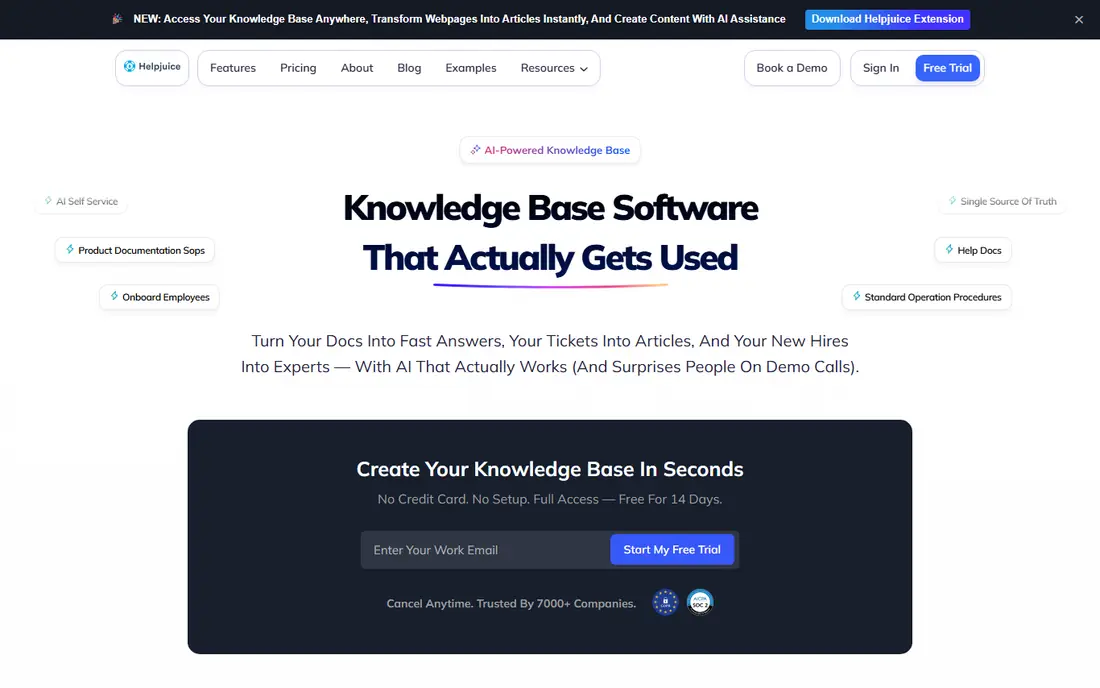
Helpjuice suits a company that wants a polished, branded help center without building it in house. The team offers white glove onboarding and custom design, and the platform includes search analytics, article feedback and deflection reporting that show whether self-service is actually reducing tickets. Unlimited articles on paid plans also suit teams with large content libraries.
The weakness is price. At $249 per month for the Knowledge Base plan, Helpjuice costs more than a simple docs tool, so it fits teams that value design, analytics and support over the lowest price. Use the trial to test search and authoring with real articles before committing.
- Custom designed help centers with dedicated onboarding
- Strong search analytics and ticket deflection reporting
- Unlimited articles on paid plans
- Entry price is higher than budget tools
- 14 day trial is short for a large migration
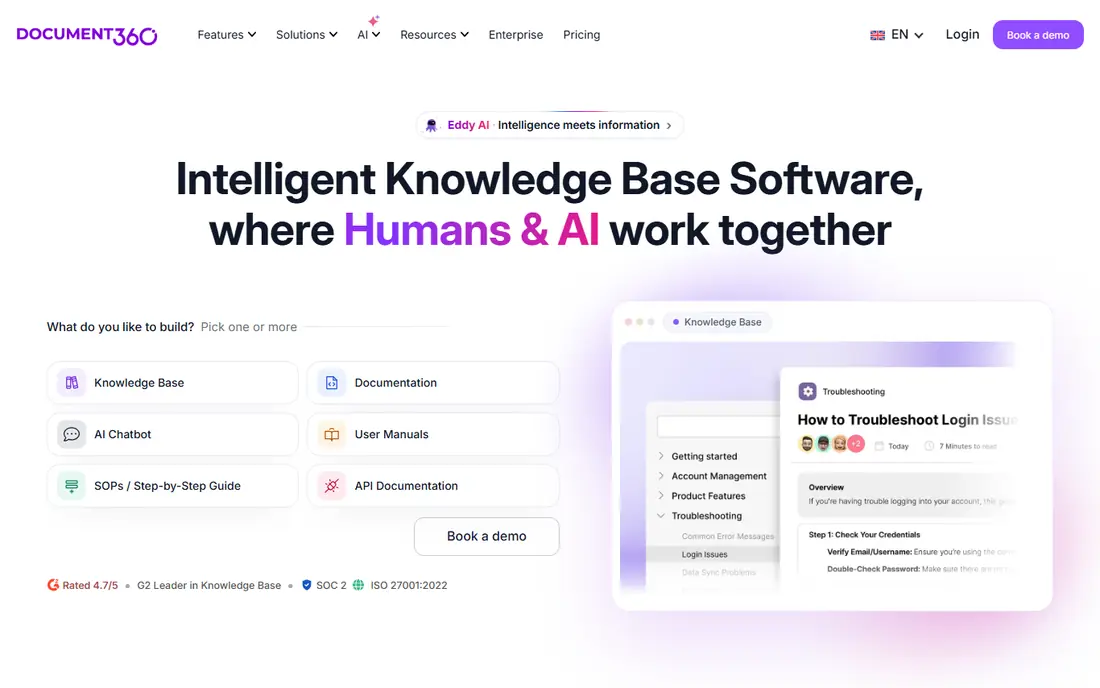
Document360 is the pick for SaaS teams publishing API reference, developer guides or technical documentation alongside customer help articles. Versioning lets a team maintain docs for several product versions, OpenAPI import speeds up API reference creation, and AI search helps developers find the right endpoint or guide quickly. Multiple projects can live in one account, which suits companies with several products.
The trade off is complexity and project pricing. A simple non technical help center may find Document360 more than it needs, and the free tier, with one project and up to 50 articles, is a trial in practice rather than a long term home for a large center. Professional pricing starts at $149 per month in recent published comparisons, so confirm the current plan on the vendor site.
- Versioning, OpenAPI import and code highlighting for developer docs
- AI search and article suggestions
- Project based structure for multiple products
- Pricing is project based, so costs rise with more projects
- Learning curve is steeper than a simple help center tool
Intercom Articles fits a team that already uses Intercom for chat and support. Articles can be shown in the messenger, suggested by AI during a conversation, and linked to tickets, so customers get help without leaving the chat flow. That tight link between articles and conversations is hard to match with a standalone docs tool.
The limit is ecosystem. If you do not use Intercom for support, buying it just for Articles is costly, and a standalone platform such as Helpjuice or Document360 may be better value. For existing Intercom teams, Articles is the obvious shortlist entry.
- Articles work inside Intercom chat, messenger and help center
- AI answers can draw on article content
- Shared data with support conversations
- Best value only for teams already using Intercom
- Standalone help center pricing is tied to Intercom plans
Freshdesk suits a small support team that wants ticketing and a knowledge base in one low cost system. The free plan covers basic ticketing and knowledge base use for small teams, and paid plans add automation, reporting and more agents. Authoring is simple, with categories, folders and article version history on higher tiers.
The weakness is depth. Design options, AI search and deflection analytics are less advanced than at Zendesk Guide or Helpjuice, so a team with a large public help center may need a dedicated tool later. For a team starting self-service, Freshdesk offers a low risk way to publish articles and learn what customers actually search for.
- Knowledge base included with Freshdesk ticketing plans
- Free plan available for small teams
- Simple authoring and categories
- Help center design and AI features are less advanced than dedicated platforms
- Larger centers may outgrow it
Notion is a strong internal knowledge base, and many teams already use it for wikis, onboarding docs and process guides. Pages, databases and templates make it easy to organise SOPs, FAQs and team handbooks, and non technical staff can edit without training. The free plan is enough to test an internal wiki with a small team.
The catch is customer facing use. Publishing a polished, searchable public help center from Notion takes extra setup, and permissions, analytics and ticket deflection reporting are not as strong as in a dedicated platform. Use Notion for internal knowledge, and choose Zendesk Guide, Helpjuice or Document360 for a public help center.
- Very flexible pages, databases and templates
- Free plan for personal and small team use
- Easy for non technical authors
- Customer facing help center needs extra setup and publishing work
- Search and permissions are weaker than dedicated help center tools at scale
Confluence fits larger teams, especially those already using Jira and other Atlassian tools. Documentation can be organised in spaces and page trees, with templates, permissions and version history that suit engineering, product and operations teams. The free plan for up to 10 users makes it easy to start an internal wiki.
The weakness is customer facing polish. Confluence is built for internal teams first, so a public help center needs configuration and possibly extra apps to match the search and branding of a dedicated platform. For internal knowledge at scale, though, it remains a reliable choice.
- Strong for team documentation, especially with Jira
- Page trees, templates and permissions for large organisations
- Free plan for up to 10 users
- Interface feels heavy for simple help centers
- Customer facing publishing requires extra configuration
HelpScout Docs closes the list for small support teams that want a simple help center without a complex platform. Articles integrate with HelpScout mailboxes, so agents can insert article links into replies, and customers get a clean, searchable docs site. Authoring is straightforward, which helps a small team keep docs updated.
The limit is scale and advanced features. AI answers, deep analytics and multilingual workflows are less extensive than at Zendesk or Helpjuice, so a fast growing company may outgrow Docs. For a small team with a focused product, that simplicity is a strength, not a flaw.
- Simple, clean docs tied to HelpScout mailboxes
- Easy authoring and search
- Good for small teams that want a low fuss help center
- Fewer advanced AI and analytics features than larger platforms
- Less suited to very large or multilingual centers
How we picked these
We compared official product and pricing pages for platforms operating in October 2026, and we favoured tools with a searchable help center, article authoring, feedback or analytics, and a clear pricing or trial route. We did not claim hands-on testing. We checked Helpjuice published pricing, Document360 published tier signals, and whether each tool was built for customer facing, internal or both audiences, because that distinction decides fit.
We included dedicated help center platforms alongside general tools such as Notion and Confluence, because many teams start internal knowledge in a general tool and only later need a public help center. Match the tool to audience first, then to features.
How to build a knowledge base customers actually use
Start with real customer questions, not a product manual outline. Pull the top 50 support tickets, chat transcripts and search queries, and write articles that answer those questions in plain language, with steps, screenshots where helpful, and a clear title that matches how customers phrase the problem.
Search, structure and maintenance
Organise articles by task and audience, not by internal team structure, and test search with the exact phrases customers use. Add article feedback buttons, review failed searches each month, and assign an owner to every article with a review date. Outdated articles damage trust faster than missing articles, so a maintenance routine matters more than a launch day design.
Measure deflection honestly
Track article views, search success, feedback ratings and ticket volume for topics with new articles, but do not claim every view as a deflected ticket. Some customers read an article and still contact support, and that is useful data, not failure. Use the data to rewrite weak articles, add missing steps, and create new articles for repeated questions.
FAQ
What is a self-service knowledge base platform?
It is software for creating, organising and publishing help articles that customers or employees can search without contacting support. Good platforms include authoring tools, search, analytics and branding, so a team can maintain a help center that actually reduces tickets.
Which knowledge base platform is best for a small business?
Freshdesk and HelpScout Docs suit small teams with simple needs and lower budgets, while Helpjuice suits a small team that wants a polished branded center and strong analytics. Choose based on whether you already use a support platform, and test search with real customer questions first.
Can Notion be used as a customer knowledge base?
Yes, but it works best as an internal wiki, and a public help center needs extra setup for branding, search and analytics. Dedicated platforms such as Zendesk Guide, Helpjuice and Document360 give a stronger customer facing experience out of the box.
How do knowledge bases reduce support tickets?
They let customers find answers at any hour for common questions, such as password resets, billing changes and setup steps. Ticket reduction depends on article quality and search, so teams should track failed searches and update weak articles regularly.
Should a knowledge base use AI answers?
AI answers can help when they draw on trusted, current articles and link to sources, but they can also mislead if they invent steps. Start with a strong article library, test AI answers on real questions, and keep human support easy to reach when an answer is unclear.
How often should knowledge base articles be updated?
Review high traffic articles at least quarterly, and update articles immediately when a product, price or process changes. Assign an owner and a review date to each article, and use feedback and failed search data to prioritise updates.