Choosing Hosting Online for WordPress in 2026: 6 Options Compared
Best hosting online for WordPress: 6 tools compared on price, free plans and fit. Each listing flags where it falls short. Last reviewed November 2026.
- Editor's choice
 Hostinger
Getting a first WordPress site online
Starts at$1.99 a monthVisit hostinger.comFull review - Great alternative
 Cloudways
Managed cloud hosting adaptability
Starts at$20 a monthVisit cloudways.comFull review - Also consider
 SiteGround
Everyday WordPress sites with support
Starts atSee websiteVisit siteground.comFull review
Direct answer
If you need getting a first WordPress site online, Hostinger is the first tool to look at here. Listed starting prices: Hostinger from $1.99 a month, Cloudways from $20 a month and WP Engine from $28.00 per month. If your case is different, Cloudways suits managed cloud hosting adaptability and SiteGround suits Everyday WordPress sites with support. Details, prices and limits for the rest of the 6 tools are below.
TL;DR:
- The list opens with Hostinger, aimed at getting a first WordPress site online.
- DreamHost has the lowest monthly starting price in this list: $1.49 per mailbox per month.
- Kinsta fits performance-focused managed WordPress.
- A permanent free plan is missing from all 6 tools, Hostinger and Kinsta included; plan for a trial or a premium start.
Last checked November 2026. Prices and plan details were read from the vendors' own pages in November 2026; vendors change plans often, so confirm the current price on the vendor site before you buy.
Quick comparison
| Tool | Best for | Starts at | Free plan? | |
|---|---|---|---|---|
| Hostinger | Getting a first WordPress site online | $1.99 a month | Not stated | Visit |
| Cloudways | Managed cloud hosting adaptability | $20 a month | Free trial | Visit |
| SiteGround | Everyday WordPress sites with support | See website | Not stated | Visit |
 WP Engine | Managed WordPress with built-in support | $28.00 per month | Not stated | Visit |
 DreamHost | WordPress plus domains and email | $1.49 per mailbox a month | Not stated | Visit |
 Kinsta | Performance-focused managed WordPress | $17.50 a month | Free trial | Visit |
Tool-by-tool breakdown
LinkVetted compared 6 tools for hosting online for WordPress. The goal is a practical shortlist: published prices, free plan facts, best-fit use cases and honest limits for every entry.
Hostinger was built for getting a first WordPress site online. Hostinger provides shared hosting, domains, VPS and cloud plans, framing itself as everything needed to bring an idea online.
Downsides: Shared hosting has resource limits.
Main advantages: Straightforward path from idea to site.
As for the details, on shared hosting, resource limits can become a constraint as a WordPress site grows or traffic spikes. In practice, the breadth of choices means users can start straightforward and move to more capable infrastructure as needs change. Hostinger starts at: $1.99 per month. Trial and free access: Not stated.
- Shared hosting
- Range of hosting types
- Less WordPress-specific than managed hosts
Cloudways was built for managed cloud hosting adaptability. Cloudways provides a managed cloud hosting product built to ease cloud server management for websites and applications.
The main drawbacks: Cloud model needs some technical comfort.
The product appeals to teams that expect to scale and prefer cloud adaptability over a fixed shared hosting setup. From a buyer's view, Cloudways is a general managed cloud product instead of a WordPress-only host, so some WordPress-specific conveniences may be absent. On cost, Cloudways starts like this: $20 per month. Free access: Free trial.
- Managed cloud hosting system
- Fits growing firms
- Not a WordPress-only product
SiteGround targets Everyday WordPress sites with support. It fits small firms, bloggers and organizations that want a mainstream host with WordPress support and a familiar hosting model.
Points against: Less specialized than managed WordPress hosts.
Sites with heavy traffic demands or complex custom requirements should weigh more specialized or higher-resource choices before committing. Pricing for SiteGround is not stated here, so ask the vendor for current figures. Trial and free access: Not stated.
- Emphasis on speed and security
- Round-the-clock expert support
- Shared environments can limit resources
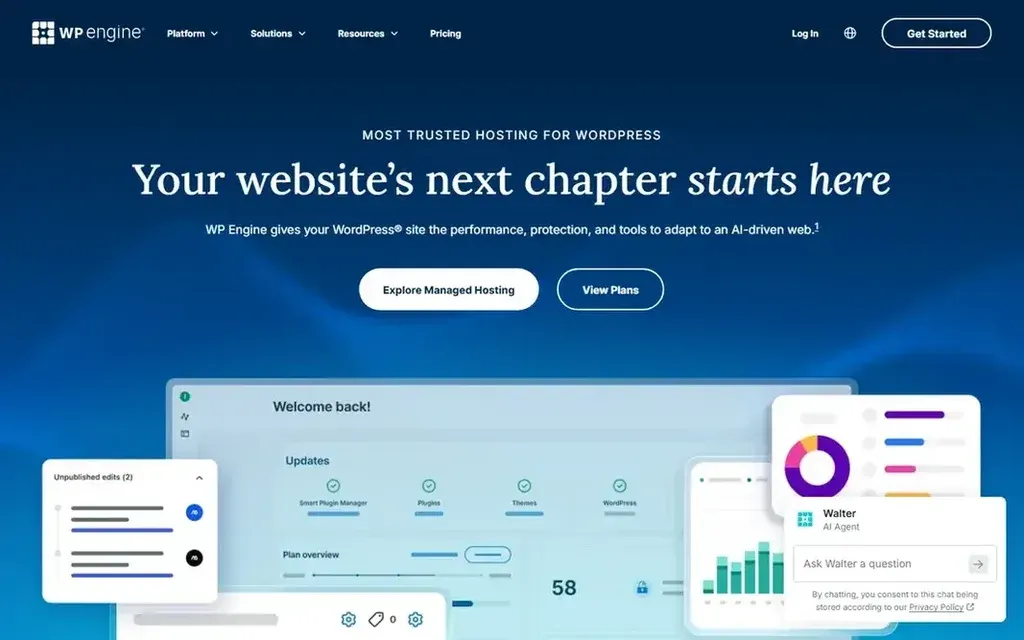
WP Engine is a good fit for managed WordPress with built-in support. WP Engine is a website hosting platform built around WordPress, positioning itself on managed support and security instead of raw infrastructure.
Points against: Less control over server stack.
In daily use, the system's emphasis on support and security makes it a reasonable starting point for sites where reliability matters more than deep server customization. Since WP Engine concentrates on WordPress, it is not the right fit for projects that require other application stacks or wide hosting adaptability. WP Engine pricing: $28.00 per month. Free access: Not stated.
- Support and security included
- WordPress-focused hosting system
- Restricted to WordPress workloads
DreamHost works best for WordPress plus domains and email. DreamHost supplies domain names, web hosting, managed WordPress hosting and business email, presenting itself as hosting made for growth. The mix makes it a practical choice for small companies consolidating their web presence.
The main drawbacks: Feature depth varies by plan type.
From a buyer's view, DreamHost is a general hosting provider, so its WordPress tooling may be less specialized than dedicated managed systems. Sites with demanding performance requirements or complicated WordPress workflows should compare against WordPress-only hosts before deciding. DreamHost starts at: $1.49 per mailbox per month. Free options: Not stated.
- Uptime guarantee stated
- Managed WordPress hosting available
- General host instead of WordPress-only

Pick Kinsta if this describes you: performance-focused managed WordPress. Kinsta presents itself as hosting made for WordPress, with messaging centered on enterprise-grade speed, security and support.
Drawbacks to consider: Managed model limits server tinkering.
It fits site owners and agencies that want a managed WordPress environment and care about performance without administering servers themselves. Kinsta starts at: $17.50 per month. Free access: Free trial.
- Support included
- WordPress-specific hosting
- Not designed for non-WordPress apps
How the list was put together
LinkVetted used vendor pricing pages and product documentation as the base, then compared plans, free access and documented limits for 6 tools. Figures are shown as the vendors publish them. Billing terms, seat minimums and add-ons can change the real cost. Order on the page follows fit for the typical buyer first, then price transparency and free access. Your own requirements should decide the final pick.
Things to verify first
- Ask SiteGround for a written quote, since no starting price is shown.
- Run a trial of Cloudways and Kinsta with real work before paying for a year; your own workflow is the best test.
- Read the limits listed for Hostinger first: shared hosting has resource limits.
- Verify that exporting from WP Engine is possible on your plan and covers all your records.
- Look at the help docs and support options for DreamHost before you commit.
FAQ
Does any tool for hosting online for WordPress here have a free plan?
A permanent free plan is not offered by Hostinger, Kinsta or the other tools here. Cloudways, Kinsta offer a trial. Plan a short evaluation period instead.
Can I try these tools before paying?
Often, yes. Cloudways and Kinsta offer a free trial. Use your own data and a real task during the test, and check what the free tier or trial limits before you rely on it. For the full picture, the cards above cover all 6 entries of this hosting online for WordPress list, including price, free plan and limits.
Is Hostinger the right pick for everyone comparing hosting online for WordPress?
No single tool suits every team. Hostinger comes first because it fits getting a first WordPress site online, while Cloudways suits managed cloud hosting flexibility and SiteGround suits Everyday WordPress sites with support. Match the tool to your own size, budget and workflow before deciding.
What should I check before picking a WordPress host?
Also confirm migration help if you already have a WordPress site. Comparing these details across providers helps you match the host to your site's needs.
How are the tools for hosting online for WordPress ordered?
The order follows typical fit for hosting online for WordPress, with Hostinger first and Kinsta last, then price clarity and free access. It is editorial judgement, not a score, so another team could rank the tools differently.
Should I choose shared hosting or managed WordPress hosting?
Managed WordPress hosting adds WordPress-specific tooling and support but typically costs more. Consider your traffic expectations and how much server administration you want to manage.
Sources
- https://www.hostinger.com
- https://www.cloudways.com
- https://www.siteground.com
- https://wpengine.com
- https://www.dreamhost.com
- https://kinsta.com