Choosing Hosting for Education Websites in 2026: 6 Options Compared
Best hosting for education websites, compared. 6 tools with published prices, free plans and limits. Every entry states what it lacks. Reviewed this month.

- Editor's choice
 Kinsta
High-traffic WordPress education portals
Starts at$17.50 per monthVisit kinsta.comFull review - Great alternative
 Cloudways
Scalable managed cloud hosting
Starts at$20 a monthVisit cloudways.comFull review - Also consider
 Hostinger
Budget-friendly entry-level hosting
Starts at$1.99 per monthVisit hostinger.comFull review
Direct answer
This list puts Kinsta first for high-traffic WordPress education portals. Listed starting prices: Kinsta from $17.50 per month, Cloudways from $20 a month and Hostinger from $1.99 per month. Alternatives: Cloudways for scalable managed cloud hosting, and Hostinger for budget-friendly entry-level hosting. All 6 tools are compared below on price, free plan and limits.
TL;DR:
- Kinsta sits first on this list: high-traffic WordPress education portals.
- The main caution on Cloudways: cloud hosting needs some learning.
- The lowest published monthly entry price here is $1.99 per month, from Hostinger.
- Liquid Web is the one to check for compliant infrastructure and dedicated servers.
- A permanent free plan is missing from all 6 tools, Kinsta and Liquid Web included; plan for a trial or a premium start.
Last checked November 2026. Prices and plan details were read from the vendors' own pages in November 2026; vendors change plans often, so confirm the current price on the vendor site before you buy.
Quick comparison
| Tool | Best for | Starts at | Free plan? | |
|---|---|---|---|---|
| Kinsta | High-traffic WordPress education portals | $17.50 per month | Free trial | Visit |
| Cloudways | Scalable managed cloud hosting | $20 a month | Free trial | Visit |
| Hostinger | Budget-friendly entry-level hosting | $1.99 per month | Not stated | Visit |
 WP Engine | Managed WordPress for school sites | $28.00 a month | Not stated | Visit |
 SiteGround | Budget-friendly hosting with solid support | See website | Not stated | Visit |
 Liquid Web | Compliant infrastructure and dedicated servers | See website | Not stated | Visit |
The full hosting for education websites list
This LinkVetted guide covers 6 hosting for education websites. Each profile lists a starting price, free plan details, strengths and drawbacks, so you can drop poor fits quickly.

Kinsta makes the most sense for high-traffic WordPress education portals. Kinsta does not host email, so schools will need a separate email option.
It is also restricted to WordPress, which may not fit institutions with mixed or custom web applications. In practice, the system is made for WordPress and bundles performance and security measures targeted at enterprise needs. Kinsta cost at the entry level: $17.50 per month. On free options: Free trial.
Downsides: WordPress only.
- Security features included
- Enterprise-grade speed focus
- No email hosting
Where Cloudways fits: scalable managed cloud hosting. Cloudways supplies a managed cloud hosting system that eases deploying and scaling websites on cloud infrastructure. Beyond that, since it is cloud-based, Cloudways may involve a steeper ramp-up time than shared hosting, and users have to understand cloud concepts.
Choose a more straightforward host if you want a completely hands-off experience. In daily use, the system manages server management so users can focus on their site. Entry price for Cloudways: $20 per month. As for free access: Free trial.
Points against: Not a traditional shared host.
- Scalable infrastructure
- Managed cloud system
- Cloud hosting needs some learning
Hostinger works best for affordable entry-level hosting. Support quality can vary by plan, and some features may need upgrades. In practice, for institutions with strict compliance or high-traffic needs, a more specialized host might be better.
As for the details, consider Hostinger for smaller, less complicated education projects. Worth adding: Hostinger provides shared hosting, domains, VPS, and cloud plans, making it a choice for education websites that require a straightforward start. For everyday use, the product aims to make launching a website straightforward. Starting cost for Hostinger: $1.99 per month. Trial and free access: Not stated.
Where it falls short: Support quality can vary.
Strengths: Range of hosting types.
- Simple setup for beginners
- Budget-friendly options
- Some features cost additional
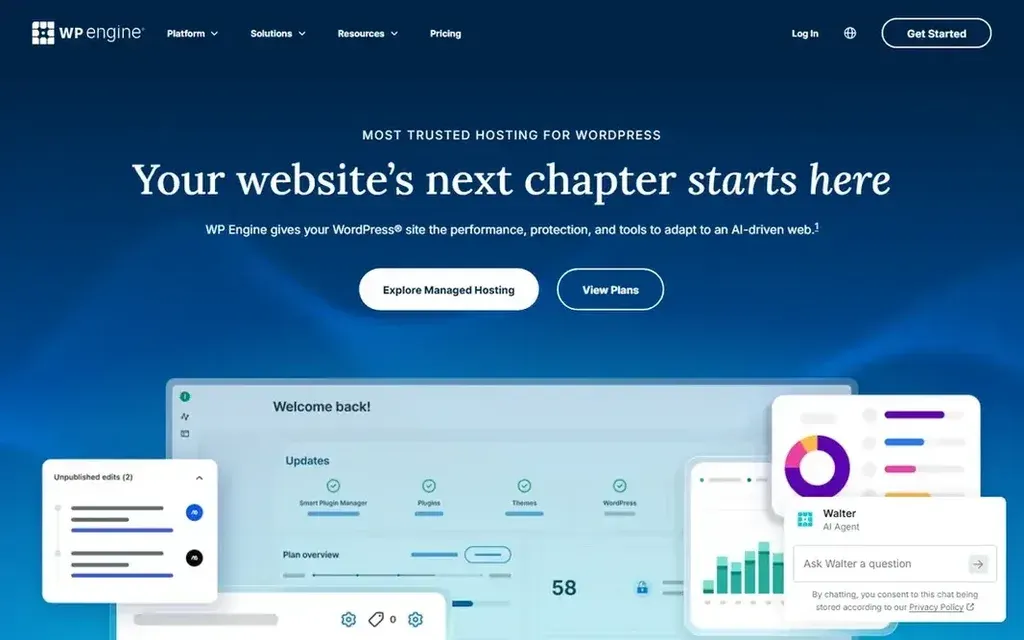
WP Engine targets managed WordPress for school sites. Consider alternatives if you need non-WordPress hosting or unmanaged choices.
From a buyer's view, the product comes with tools for performance and security, and support is available at all hours. WP Engine starts at: $28.00 per month. Trial and free access: Not stated.
What to check first: WordPress only.
- Round-the-clock support
- Managed WordPress system
- Less suited to custom stacks
Choose SiteGround for budget-friendly hosting with solid support. SiteGround is a web hosting company that focuses on speed, security, and support.
The provider gives you shared and other hosting types. Consider a more scalable choice if you expect rapid growth or heavy resource use. SiteGround shows no starting price here, so confirm the cost on the vendor site. Free access: Not stated.
Where it is weaker: Renewal terms may change.
- A good match for smaller sites
- Expert support available
- Resource limits on lower levels

Liquid Web is aimed squarely at compliant infrastructure and dedicated servers. For straightforward brochure sites, a more straightforward managed system might be simpler.
On top of that, consider Liquid Web when compliance or dedicated infrastructure is a priority. Pricing for Liquid Web is not stated here, so ask the vendor for current figures. Free plan details: Not stated.
Limits to weigh: Higher complexity for small sites.
- Dedicated server choices
- Focus on uptime and security
- May need more technical skill
Selection criteria
For each of the 6 tools we noted price, free plan or trial, fit for hosting for education websites and the main limit, using vendor pages and documentation. Treat prices as a snapshot: vendors change plans often, so check the vendor site for the figure that applies today. Tools are placed by general fit for hosting for education websites, with price clarity and free access as tie-breakers. A different team can reasonably rank them differently.
A buyer's checklist
- Ask SiteGround and Liquid Web for a written quote, since no starting price is shown.
- Use real work to test the free trial from Kinsta and Cloudways, rather than a demo project.
- Before choosing Kinsta, weigh its main limit: WordPress only.
- Pick one real project and run it in Liquid Web first; a small pilot shows fit faster than a checklist.
- Read the plan comparison for Hostinger carefully; key features often start on a higher tier.
FAQ
How do I choose between shared and dedicated hosting for a school?
Shared hosting is frequently sufficient for small school sites with modest traffic, whereas dedicated or cloud hosting fits bigger institutions with custom needs. Consider your technical resources and expected traffic. From a buyer's view, providers like SiteGround and Hostinger offer shared choices, whereas Liquid Web offers dedicated servers.
Does any tool for hosting for education websites here have a free plan?
No tool in this list, Kinsta and Liquid Web included, has a permanent free plan. Kinsta, Cloudways offer a trial. Trials and quotes are the usual route, so plan a short evaluation period.
Is Kinsta the right pick for everyone comparing hosting for education websites?
No single tool suits every team. Kinsta comes first because it fits high-traffic WordPress education portals, while Cloudways suits scalable managed cloud hosting and Hostinger suits affordable entry-level hosting. Match the tool to your own size, budget and workflow before deciding.
Can I host a learning management system with these providers?
Some providers, for example Cloudways and Liquid Web, offer scalable infrastructure that can support learning management systems. Managed WordPress hosts are less suited to non-WordPress LMS products.
What should schools look for in education website hosting?
Schools should prioritize reliability, security, and support that non-technical staff can use. In daily use, managed WordPress hosts like WP Engine or Kinsta can cut maintenance burden.
How are the tools for hosting for education websites ordered?
Kinsta sits first and Liquid Web last because the order follows typical fit for hosting for education websites, then price clarity and free access. It is a judgement call, so read each profile for fit and limits.
Sources
- https://kinsta.com
- https://www.cloudways.com
- https://www.hostinger.com
- https://wpengine.com
- https://www.siteground.com
- https://www.liquidweb.com