6 File Sharing Software for Photographers Worth Shortlisting in 2026
Best file sharing software for photographers: 6 contenders ranked by fit, with entry costs and free tiers. Every tool lists pros and cons. Decide faster.
- Editor's choiceAdobe Creative Cloud
Creative software with cloud services
Starts atSee websiteVisit adobe.comFull review - Great alternative
 Pixieset
Client galleries and photography business tools
Starts at$8 per monthVisit pixieset.comFull review - Also consider
 Microsoft OneDrive
Personal file sharing within Microsoft ecosystem
Starts atSee websiteVisit microsoft.comFull review
Direct answer
If you need Creative software with cloud services, Adobe Creative Cloud is the first tool to look at here. Listed starting prices: Pixieset from $8 per month and Dropbox from $9.99 a month. Pixieset fits client galleries and photography business tools; Microsoft OneDrive fits personal file sharing within Microsoft ecosystem. The other 3 tools in the list cover narrower or pricier cases.
TL;DR:
- Adobe Creative Cloud sits first on this list: Creative software with cloud services.
- Dropbox comes with a trade-off: storage limits on basic levels.
- Just one of the 6 tools, Pixieset, has a free plan.
- WeTransfer is the one to check for sending large files without an account.
Last checked November 2026. Prices and plan details were read from the vendors' own pages in November 2026; vendors change plans often, so confirm the current price on the vendor site before you buy.
Quick comparison
| Tool | Best for | Starts at | Free plan? | |
|---|---|---|---|---|
| Adobe Creative Cloud | Creative software with cloud services | See website | Not stated | Visit |
| Pixieset | Client galleries and photography business tools | $8 per month | Yes | Visit |
| Microsoft OneDrive | Personal file sharing within Microsoft ecosystem | See website | Not stated | Visit |
 Dropbox | Steady syncing and wide device support | $9.99 a month | Free trial | Visit |
 ShootProof | Client galleries with commission-free sales | See website | Not stated | Visit |
 WeTransfer | Sending large files without an account | See website | Not stated | Visit |
The full file sharing software for photographers list
LinkVetted put together this guide to file sharing software for photographers for readers who want a clear shortlist without reading every vendor page. It compares 6 tools on starting price, free plans, who each one suits and where each one falls short.
Adobe Creative Cloud
Best for: Creative software with cloud services
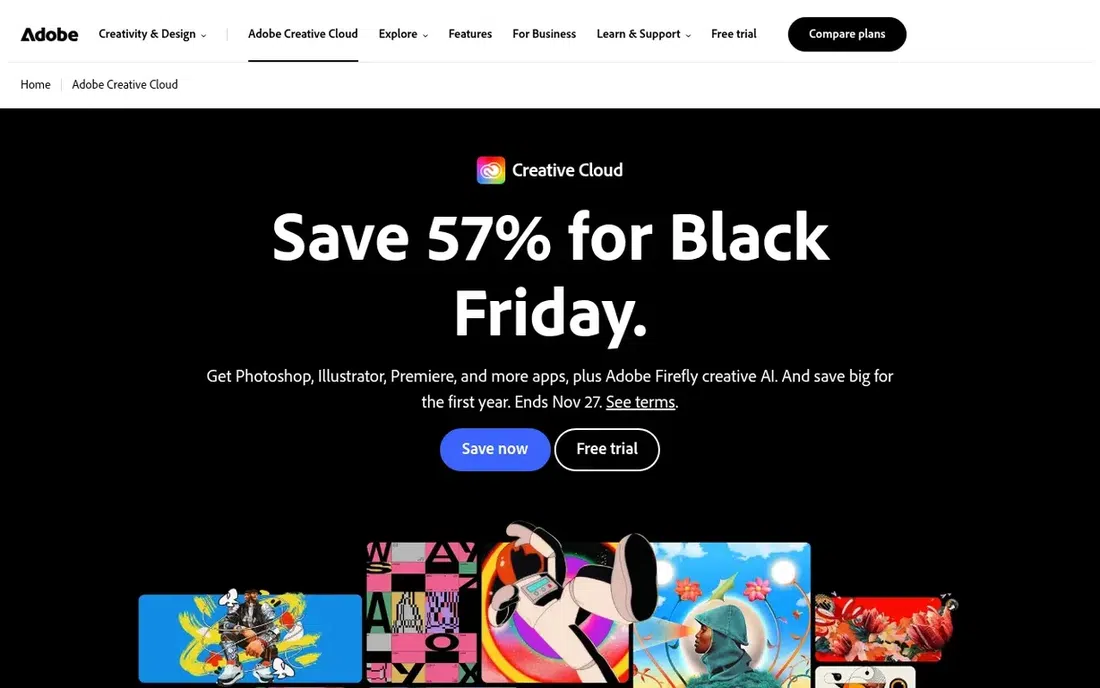
Adobe Creative Cloud is designed for Creative software with cloud services. Creative Cloud is primarily a software suite, not a dedicated file sharing or client delivery product.
What to check first: Needs subscription for full access.
What users get: web access.
As for the details, photographers who require straightforward large-file transfers or client galleries without editing tools should look at standalone sharing or gallery services. More specifically, Adobe Creative Cloud is a collection of professional creative software including Photoshop, Illustrator, and Premiere, available on desktop, mobile, and web. No starting price is listed for Adobe Creative Cloud here; confirm pricing on the vendor site. As for free access: Not stated.
- Desktop, mobile
- Cloud storage for assets
- Not a standalone file sharing service
Pixieset works best for client galleries and photography business tools. For general document sharing, a cloud storage service may be more straightforward.
Pixieset is tailored to photography companies, so it may be more than a photographer needs if the goal is only entry-level file storage or fast transfers. Starting cost for Pixieset: $8 per month. Pixieset offers a free plan.
Drawbacks to consider: May be more than needed for straightforward sharing.
- Website and CRM features
- Payment acceptance
- Centred on photography business
Microsoft OneDrive makes the most sense for personal file sharing within Microsoft ecosystem. It is a practical choice for photographers who already use Microsoft services and want a secure place to store and share files with family, friends, or clients.
No starting price is listed for Microsoft OneDrive here; confirm pricing on the vendor site. As for free access: Not stated.
The main drawbacks: Storage limits on entry-level levels.
- Access across devices
- Links up with Microsoft services
- Less tailored to photography

Choose Dropbox for reliable syncing and wide device support. It is well suited to photographers who require dependable syncing between a computer and mobile devices, and who want to send large photo sets through shared links or folders.
Watch-outs: Advanced controls cost more.
More specifically, the service centres on storage and sharing instead of photography-specific client galleries or sales tools. What you pay to start with Dropbox: $9.99 per month. As for free access: Free trial.
- Secure sharing links
- Syncs files across devices
- Storage limits on entry-level levels
Choose ShootProof for client galleries with commission-free sales. ShootProof provides online photo galleries for photographers along with client management tools and commission-free sales.
Drawbacks to consider: Ramp-up time for full feature set.
Check the vendor site for ShootProof pricing; none is listed in this comparison. As for free access: Not stated.
- Online client photo galleries
- Commission-free sales
- Photography-specific focus
WeTransfer is designed for sending large files without an account. It is a solid fit for photographers who require to send large photo or video files to clients or collaborators in a hurry, without setting up a full storage system.
Points against: Restricted storage management.
WeTransfer is made for transfers instead of continuing storage or client gallery management. WeTransfer does not show a starting price in this comparison, so check the vendor site for current pricing. Free options: Not stated.
- Deals with large files
- No account needed to send
- Links may expire
How we compared the tools
We compared the tools on published pricing, free plan or trial availability, feature coverage for file sharing software for photographers, and the limits each vendor documents. Prices and plan limits come from vendor pages and can change, so confirm them on the vendor site before you buy. Order on the page follows fit for the typical buyer first, then price transparency and free access. Your own requirements should decide the final pick.
What to confirm before you sign up
- Confirm the entry price on the vendor page. For Adobe Creative Cloud, Microsoft OneDrive, ShootProof and WeTransfer that means a quote rather than a fixed price.
- Look at the free plan from Pixieset closely: its caps decide whether it is usable for real work.
- Use real work to test the free trial from Dropbox, rather than a demo project.
- Before choosing Adobe Creative Cloud, weigh its main limit: not a standalone file sharing service.
- See whether WeTransfer offers onboarding or training, and whether it is included in the price.
- Involve the people who will use ShootProof daily; a short pilot beats a long feature checklist.
FAQ
What is the cheapest option for file sharing software for photographers in this list?
On published monthly entry prices, Pixieset is the lowest here at $8 per month. Entry price is only part of the cost, because seats, add-ons and billing terms can change the total. Each of the 6 options in this file sharing software for photographers guide has its own card above with the price, free plan and limits.
Do these tools publish their prices?
Not all of them. Adobe Creative Cloud, Microsoft OneDrive, ShootProof and WeTransfer publish no starting price, so expect a quote request for those. The rest, Pixieset included, show a starting price, though seats and billing terms still change the final cost.
How are the tools for file sharing software for photographers ordered?
Adobe Creative Cloud sits first and WeTransfer last because the order follows typical fit for file sharing software for photographers, then price clarity and free access. It is a judgement call, so read each profile for fit and limits.
Can I use Adobe Creative Cloud for file sharing?
It is a good match for photographers who already edit in Adobe apps and want sharing tied to their creative workflow. But it is not a standalone file transfer service.
Is Adobe Creative Cloud the right pick for everyone comparing file sharing software for photographers?
No single tool suits every team. Adobe Creative Cloud comes first because it fits Creative software with cloud services, while Pixieset suits client galleries and photography business tools and Microsoft OneDrive suits personal file sharing within Microsoft ecosystem. Match the tool to your own size, budget and workflow before deciding.
Sources
- https://www.adobe.com/creativecloud.html
- https://pixieset.com
- https://www.microsoft.com/en-us/microsoft-365/onedrive/online-cloud-storage
- https://www.dropbox.com
- https://www.shootproof.com
- https://wetransfer.com