Choosing File Sharing Software for Nonprofits in 2026: 6 Options Compared
6 products for the best file sharing software for nonprofits, ranked by fit, with starting costs and free tiers. Read the caveats before you buy. Facts only.
- Editor's choice
 M-Files
Document management with automatic workflows
Starts at€65 per seat a monthVisit m-files.comFull review - Great alternative
 ShareFile
Secure document workflows and sharing
Starts at$16.50 per user per monthVisit sharefile.comFull review - Also consider
 Egnyte
Governing sensitive content at scale
Starts at$22 per user per monthVisit egnyte.comFull review
Direct answer
If you need document management with automatic workflows, M-Files is the first tool to look at here. Listed starting prices: M-Files from €65 per seat a month, ShareFile from $16.50 per user per month and Egnyte from $22 per user per month. For a different need, ShareFile covers secure document workflows and sharing and Egnyte covers governing sensitive content at scale. The remaining 3 options are covered below with prices and limits.
TL;DR:
- M-Files is the opening pick, best for document management with automatic workflows.
- ShareFile has the lowest monthly starting price in this list: $16.50 per user per month.
- A permanent free plan is missing from all 6 tools, M-Files and Box included; plan for a trial or a premium start.
- For content management with workflow automation, Box is worth a look.
- Check the limits for M-Files before you commit: document-centric rather than general storage.
Last checked November 2026. Prices and plan details were read from the vendors' own pages in November 2026; vendors change plans often, so confirm the current price on the vendor site before you buy.
Quick comparison
| Tool | Best for | Starts at | Free plan? | |
|---|---|---|---|---|
| M-Files | Document management with automatic workflows | €65 per seat a month | Not stated | Visit |
| ShareFile | Secure document workflows and sharing | $16.50 per user per month | Free trial | Visit |
| Egnyte | Governing sensitive content at scale | $22 per user per month | Free trial | Visit |
 Microsoft OneDrive | Personal cloud storage and straightforward sharing | See website | Not stated | Visit |
 Google Workspace | Sharing inside everyday productivity tools | See website | Not stated | Visit |
 Box | Content management with workflow automation | See website | Not stated | Visit |
The full file sharing software for nonprofits list
If you are comparing file sharing software for nonprofits, this page covers 6 tools in one place: what each is best for, what it costs to start, whether it has a free plan, and the main limit to know about.
Choose M-Files for document management with automatic workflows. M-Files is an AI-powered document management system that helps organizations organize documents in context, automate workflows and cut risk.
In daily use, teams that primarily need fast links and shared folders should pick a lighter storage system and revisit document management later. M-Files is document-centric, so it is not the simplest choice for casual file sharing with volunteers or partners. M-Files starts at: €65 per seat per month. As for free access: Not stated.
Points against: Document-centric instead of general storage.
- Automates workflows around records
- Organizes documents in context
- Configuration effort is significant
ShareFile serves secure document workflows and sharing. ShareFile is secure document workflow and file sharing software built so teams can share and collaborate without sacrificing security.
Its scope is narrower than a full productivity suite, so everyday document creation and communication may happen in other tools. On cost, ShareFile starts like this: $16.50 per user per month. On free options: Free trial.
Watch-outs: Narrower productivity ecosystem.
- Security-focused sharing and collaboration
- Built around document workflows
- Workflow setup needs planning
Egnyte was built for governing sensitive content at scale. Egnyte positions itself as a content cloud and AI context layer for enterprises, with a secure product for collaborating on massive files and governing sensitive content.
It suits bigger or expanding organizations that require structure around who can access and share what. What you pay to start with Egnyte: $22 per user per month. As for free access: Free trial.
Trade-offs to know: Needs administrative attention.
- Governs sensitive content on a secure product
- Deals with collaboration on very large files
- Enterprise orientation may overwhelm small teams
Microsoft OneDrive is built with personal cloud storage and straightforward sharing in mind. Microsoft OneDrive offers secure and convenient file and document sharing along with personal cloud storage.
On top of that, for nonprofit staff who already work in Microsoft tools, it gives you a straightforward way to store and share files with colleagues and external contacts. In practice, nonprofits with complicated compliance or records requirements should look at dedicated document management systems. Pricing for Microsoft OneDrive is not stated here, so ask the vendor for current figures. Free access: Not stated.
Where it is weaker: Homepage emphasizes personal rather than organizational use.
- Secure file and document sharing
- Convenient personal cloud storage
- Governance features are restricted on their own
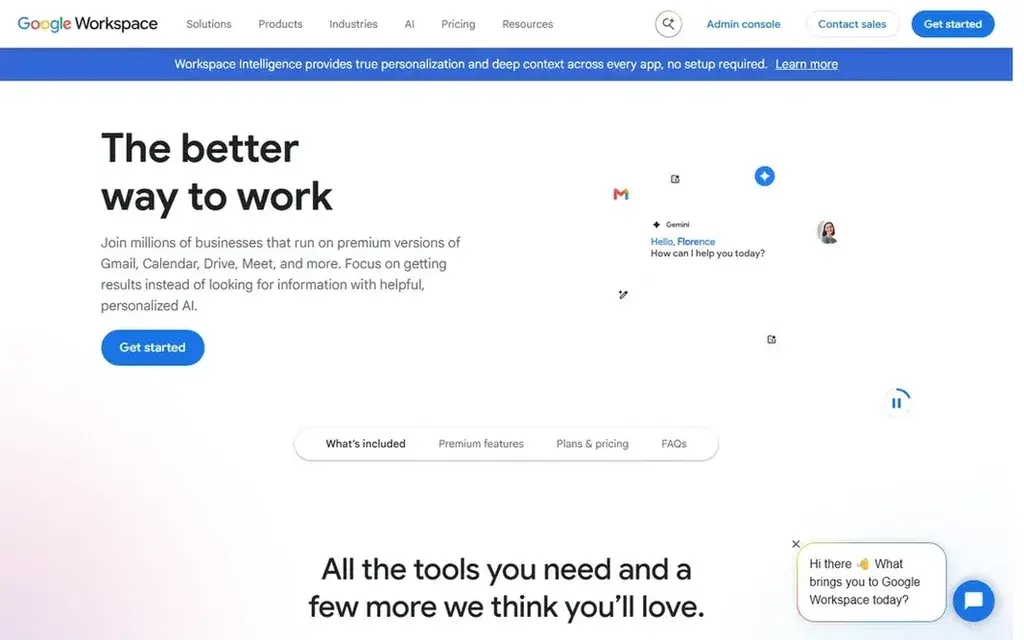
Think of Google Workspace for sharing inside everyday productivity tools. Files are shared straight within documents, spreadsheets and communication tools, which keeps collaboration fluid for staff and volunteers working across locations.
Since sharing is spread across numerous tools, permissions and retention need deliberate administration, and specialized governance features are lighter than in dedicated document management systems. Google Workspace does not show a starting price in this comparison, so check the vendor site for current pricing. Free plan details: Not stated.
What to check first: Less specialized document governance.
- Works for teams of all sizes
- Sharing built into documents and communication
- Storage and sharing settings need careful review
Pick Box if this describes you: content management with workflow automation. It suits organizations that want file sharing tied to structured workflows instead of straightforward folder links.
Pricing for Box is not stated here, so ask the vendor for current figures. Free plan details: Not stated.
Drawbacks to consider: May be more than small teams need.
- Supports internal and external collaboration
- Automates workflows around shared content
- Wide feature set can take time to learn
How we chose
The comparison looks at four things: starting price, free access, how well the feature set matches file sharing software for nonprofits, and the main limit of each tool. Where a price is missing, the vendor does not list one publicly or ties it to a quote. Always confirm before budgeting. Order on the page follows fit for the typical buyer first, then price transparency and free access. Your own requirements should decide the final pick.
Pre-purchase checklist
- Confirm the entry price on the vendor page. For Microsoft OneDrive, Google Workspace and Box that means a quote rather than a fixed price.
- Run a trial of ShareFile and Egnyte with real work before paying for a year; your own workflow is the best test.
- Before choosing M-Files, weigh its main limit: document-centric instead of general storage.
- Make sure Google Workspace lets you export your data in a format another tool can read.
- Look at which plan of Microsoft OneDrive unlocks the features you need; entry tiers are often cut down.
FAQ
Can I try these tools before paying?
Often, yes. ShareFile and Egnyte offer a free trial. Use your own data and a real task during the test, and check what the free tier or trial limits before you rely on it.
Do these tools publish their prices?
Not all of them. Microsoft OneDrive, Google Workspace and Box publish no starting price, so expect a quote request for those. The rest, M-Files included, show a starting price, though seats and billing terms still change the final cost.
Does any tool for file sharing software for nonprofits here have a free plan?
A permanent free plan is not offered by M-Files, Box or the other tools here. ShareFile, Egnyte offer a trial. Plan a short evaluation period instead.
What is the cheapest option for file sharing software for nonprofits in this list?
On published monthly entry prices, ShareFile is the lowest here at $16.50 per user per month. Entry price is only part of the cost, because seats, add-ons and billing terms can change the total. For the full picture, the cards above cover all 6 entries of this file sharing software for nonprofits list, including price, free plan and limits.
Can these tools handle very large files?
Multiple systems address large-file collaboration straight, and Egnyte especially flags work with massive files. For media-heavy nonprofits, confirm file size handling and sharing limits on the vendor site before committing.
Sources
- https://www.m-files.com
- https://www.sharefile.com
- https://www.egnyte.com
- https://www.microsoft.com/en-us/microsoft-365/onedrive/online-cloud-storage
- https://workspace.google.com
- https://www.box.com