Best Project Management Software for Nonprofits in 2026: 8 Tools Compared
Compare the best project management software for nonprofits, with nonprofit discounts, grant tracking, volunteer tools and current prices for 2026 today.
- Editor's choice
 Asana
Grants, programs and cross team work
Starts at$10.99 per monthVisit asana.comFull review - Great alternative
 monday.com
Visual boards and donor pipelines
Starts at$9 per monthVisit monday.comFull review - Also consider
 Trello
Simple volunteer boards
Starts at$5 per monthVisit trello.comFull review
TL;DR:
- Asana, monday.com and Trello offer the clearest nonprofit discounts, so ask for the discount before you pay the list price.
- ClickUp gives the most features per dollar for a small nonprofit, while Asana gives the most polished grant and program structure.
- Volunteer coordination needs simple boards, clear tasks and a mobile app, not enterprise portfolio tools that volunteers will ignore.
- Free plans can carry a small nonprofit a long way, but check user limits and storage before you build your whole system on one.
Quick comparison
| Tool | Best for | Starts at | Free plan? | |
|---|---|---|---|---|
| Asana | Grants, programs and cross team work | $10.99 per month | Yes | Visit |
| monday.com | Visual boards and donor pipelines | $9 per month | Yes | Visit |
| Trello | Simple volunteer boards | $5 per month | Yes | Visit |
 ClickUp | Low cost all in one work | $7 per month | Yes | Visit |
 Notion | Docs, wikis and light projects | $10 per month | Yes | Visit |
 Wrike | Portfolio and resource planning | $10 per month | Yes | Visit |
 Smartsheet | Spreadsheet style program tracking | $9 per month | Free trial | Visit |
 Teamwork | Client and partner project work | $9.99 per month | Yes | Visit |
The best project management software for nonprofits
Nonprofits juggle grants with deadlines, fundraising campaigns, volunteers with limited time, and boards that want clear reports. We compared tools on price, nonprofit discounts, ease of use for non technical staff, and features for grants, events and volunteers, using vendor pricing pages and 2026 nonprofit comparisons. Prices below are list prices before any nonprofit discount, unless stated.

Asana is our pick for most nonprofits because it balances structure with ease of use. Teams can track a grant from application to report, run a fundraising campaign as a project, and see program work in lists, boards or timelines. Portfolios and goals on higher plans help leaders see many programs at once without asking each manager for a separate update.
Pricing starts at 10.99 dollars per user a month billed annually for Starter, with a free Personal plan for small teams. Published nonprofit comparisons list a 50 percent discount for eligible organisations, which changes the maths a lot. Apply for that discount early, and test the tool with one real grant cycle before rolling it out to the whole organisation.
- Nonprofit discount of 50 percent in published comparisons
- Portfolios and goals
- Templates for programs
- Advanced features sit on higher plans
- Free plan is limited for larger teams
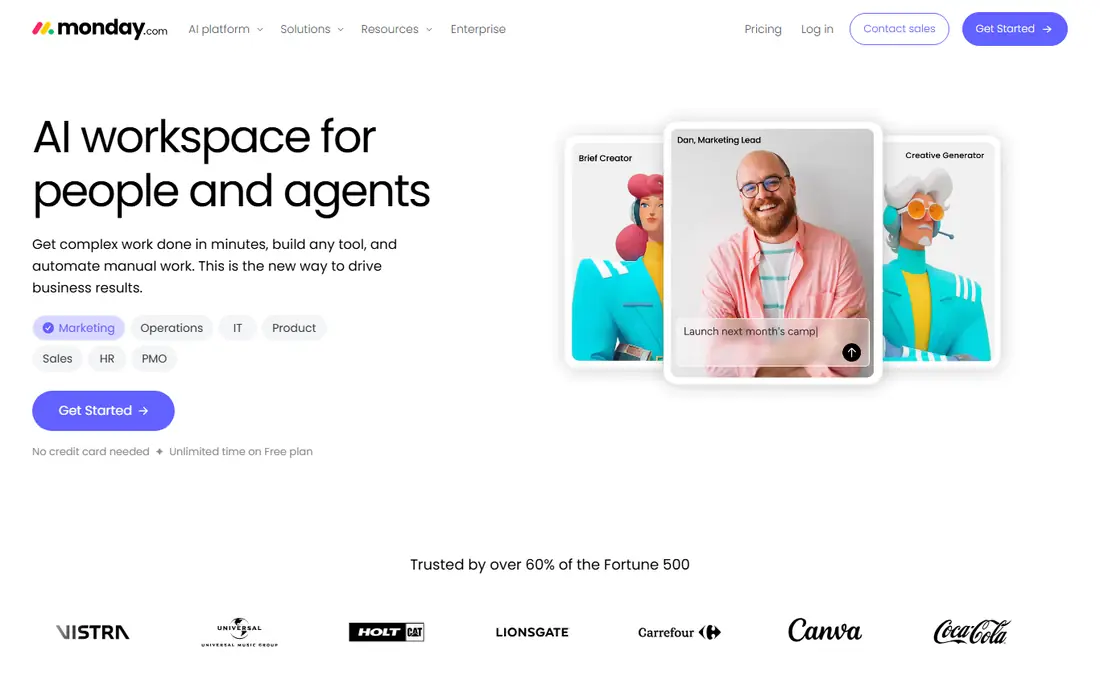
monday.com suits nonprofits that think in boards and pipelines, such as donor outreach, event planning and volunteer onboarding. Colour coded boards make status obvious at a glance, which helps when staff and volunteers dip in and out. Dashboards can pull several boards into one view for a board meeting, without building a separate report.
Basic starts at 9 dollars per seat a month billed annually, with a three seat minimum on paid plans, and published comparisons list a large nonprofit discount. The free plan covers up to two seats, so a tiny team can start free. Watch the seat count as you add volunteers, and keep boards simple, because a board with too many columns will confuse the very people it is meant to help.
- Highly visual boards and dashboards
- Nonprofit discount in published comparisons
- Many templates
- Seat minimums on paid plans
- Costs rise as dashboards and automations grow
Trello is the best choice when volunteers are the main users. A board with lists for to do, doing and done needs almost no training, and the mobile app works well for people checking tasks between other commitments. Standard starts at 5 dollars per user a month billed annually, and published comparisons list a 75 percent nonprofit discount, which makes paid Trello very cheap for eligible organisations.
The limit is depth. Trello does not offer the portfolio reporting, workload views or grant tracking structure of Asana or Wrike without add ons and careful setup. For a single event, a volunteer rota or a small campaign, that simplicity is a strength. For a multi year, multi funder program, pair Trello with a stronger reporting tool, or choose a more structured platform from the start.
- Easiest board to learn
- Large nonprofit discount in published comparisons
- Strong mobile app
- Limited for complex reporting
- Large programs need Power Ups and careful setup
ClickUp gives a nonprofit the most features for the money. The free plan covers unlimited members with limits, and the paid Unlimited plan starts at 7 dollars per user a month billed annually. Tasks, documents, goals, dashboards and time tracking live in one workspace, so a small team does not need five separate tools. Published comparisons note a custom nonprofit discount, so ask ClickUp directly.
The risk is complexity. ClickUp can do so much that a team can build a system nobody else understands, with too many statuses, fields and views. Start with one space, one project template and a small set of statuses, and add features only when a real problem appears. Used with restraint, it is excellent value for a budget conscious nonprofit.
- Generous free plan
- Tasks, docs, goals and time tracking in one place
- Custom nonprofit discount
- Can feel busy if over customised
- Setup takes discipline to keep simple
Notion suits nonprofits that live in documents: handbooks, grant files, meeting notes, program guides and a shared wiki. Databases can track grants, donors or volunteers, and pages can combine narrative, tables and tasks in one place. Plus starts at 10 dollars per member a month billed annually, with a free plan for individuals and small teams, and published comparisons list a 50 percent nonprofit discount on Plus.
Notion is weaker as a pure project tracker. Timelines, workload views and advanced reporting need setup or higher plans, and a team that needs strict deadlines and dependencies may prefer Asana. Use Notion where knowledge matters most, and use a dedicated project tool alongside it where delivery dates drive the work.
- Docs, wikis and databases in one place
- 50 percent nonprofit discount on Plus in published comparisons
- Flexible templates
- Project tracking needs setup
- No built in Gantt on lower plans
Wrike fits larger nonprofits that run many programs at once and need to see resource use across them. Portfolios, workload views and dashboards help managers spot an overloaded team member or a program falling behind before a funder does. Team starts at 10 dollars per user a month billed annually for small teams, with a free plan for basic work.
The drawback for nonprofits is price discipline. Published comparisons list no nonprofit discount for Wrike, so the list price is closer to the real price. Smaller organisations may get similar value from Asana or ClickUp at a lower cost after discounts. Choose Wrike when portfolio reporting and resource planning are daily needs, not occasional nice to haves.
- Portfolio and workload views
- Strong for multi program organisations
- Free plan for small teams
- No nonprofit discount in published comparisons
- Can feel heavy for small teams
Smartsheet is for teams that already think in spreadsheets. Program budgets, grant timelines, event checklists and volunteer schedules all fit naturally in its grid, with Gantt views, reports and dashboards on top. Pro starts at 9 dollars per member a month billed annually, with a 30 day trial and no permanent free plan.
Volunteers may find Smartsheet less inviting than Trello or Asana, and the learning curve is higher for casual users. It shines for program managers, finance staff and event leads who need structured tracking and clear reports for funders. If your team lives in Excel today, Smartsheet is the least disruptive upgrade on this list.
- Familiar spreadsheet grid
- Strong for budgets, timelines and event plans
- Good reporting
- No free plan, only a 30 day trial
- Less friendly for casual volunteers
Teamwork suits nonprofits that deliver projects with outside partners, such as a service contract, a community project or a funded delivery program. Each project can have its own tasks, files, messages and time records, which keeps partner work separate from internal work. Pricing starts at 9.99 dollars per user a month billed annually on the Basics plan, with a free plan for up to five users and five projects.
Teamwork has less nonprofit specific material than Asana or monday.com, and published comparisons list no nonprofit discount. That does not make it a bad tool, but it means the price comparison should use list prices. Choose it when partner delivery, time tracking and clear project boundaries matter more than grant templates.
- Clear client and partner project spaces
- Time tracking and billing support
- Free plan for small teams
- No nonprofit discount in published comparisons
- Less known in the nonprofit sector
How we picked these
We compared vendor pricing pages and nonprofit focused comparisons from 2026, and we kept only tools that are actively sold, offer a free plan or trial, and can track programs, events or volunteers in practice. We weighted nonprofit discounts, ease of use for volunteers, and reporting for funders, and we left out tools that were built only for software teams or that had no usable nonprofit pricing path.
What to check before you buy
Start with eligibility for a discount. Asana, monday.com, Trello, ClickUp and Notion all have nonprofit programs or discounts in published comparisons, but terms and proof of status vary. Apply before you budget, because the discount can change which tool is cheapest by a wide margin.
Design for volunteers
Volunteers need a tool they can open once a week and understand in a minute. Choose simple boards, clear task names, and one place for files. If a volunteer needs training to find a task, the system will fail, no matter how good the reporting looks to managers.
Track grants as projects
Give each grant its own project, with milestones for application, award, reporting and closeout. Add a single owner for each report deadline, and a shared calendar view for the team. That structure turns a project tool into a grant tool without buying separate grant software.
Keep reporting simple for the board
Boards and funders want outcomes, deadlines and risks, not a tour of every task. Build one dashboard per program, with status, next milestone and budget notes, and update it on a fixed rhythm. A dashboard that is updated monthly beats a complex report that nobody maintains.
FAQ
What is the best project management software for nonprofits?
Asana is the best all round pick for most nonprofits, thanks to its grant and program structure and its published 50 percent nonprofit discount. Small teams on a tight budget should also try ClickUp or Trello, which offer generous free plans and low paid prices.
Do nonprofits get discounts on project management software?
Yes, many vendors offer them, including Asana, monday.com, Trello, ClickUp and Notion in published 2026 comparisons. Terms vary, and you usually need to prove nonprofit status, so apply through the vendor nonprofit program before you buy.
Can free plans work for a nonprofit?
Yes, for a small team. Asana, Trello, ClickUp, Notion and Teamwork all offer free plans, though user, project or storage limits apply. A free plan is a good way to test a tool with one real project, but a growing nonprofit will usually need a paid plan for reporting and admin controls.
How do we track grants in project management software?
Create one project per grant, with tasks for the application, budget, deliverables and reports, and milestones for each funder deadline. Assign an owner to each report, use a timeline or calendar view to see deadlines, and keep grant documents linked to the project.
What about volunteers who are not tech savvy?
Choose the simplest tool your work allows, usually Trello or Asana, and keep boards and task names plain. Offer a short onboarding note, a mobile app link and one contact for help, and avoid asking volunteers to learn reporting or admin features they will never use.
Should we use one tool for everything?
One tool is simpler, but many nonprofits pair a project tool with a document tool such as Notion or Google Workspace. That works if the split is clear, for example projects in Asana and handbooks in Notion. Avoid three overlapping tools, because work will get lost between them.