5 Field Service Management Software for Photographers Worth Shortlisting in 2026
Best field service management software for photographers: 5 tools compared on price, free plans and fit. Honest caveats for every entry. Reviewed this month.
- Editor's choice
 ServiceM8
Solo shooters wanting straightforward job tracking
Starts at$29 a monthVisit servicem8.comFull review - Great alternative
 FieldPulse
Scheduling, invoicing and team management
Starts atSee websiteVisit fieldpulse.comFull review - Also consider
 Jobber
All-in-one quoting, scheduling and invoicing
Starts atSee websiteVisit getjobber.comFull review
Direct answer
For solo shooters wanting straightforward job tracking, ServiceM8 is where this list starts. Listed starting prices: ServiceM8 from $29 a month, Kickserv from $60 per month and Housecall Pro from $59 a month. For a different need, FieldPulse covers scheduling, invoicing and team management and Jobber covers all-in-one quoting, scheduling and invoicing. Details, prices and limits for the rest of the 5 tools are below.
TL;DR:
- ServiceM8 takes the first slot, best suited to solo shooters wanting straightforward job tracking.
- The lowest published monthly entry price here is $29 per month, from ServiceM8.
- A fair warning about Jobber: aimed at home and commercial service trades.
- For service firms wanting scheduling and payments, Housecall Pro is worth a look.
- Just one of the 5 tools, ServiceM8, has a free plan.
Last checked November 2026. Prices and plan details were read from the vendors' own pages in November 2026; vendors change plans often, so confirm the current price on the vendor site before you buy.
Quick comparison
| Tool | Best for | Starts at | Free plan? | |
|---|---|---|---|---|
| ServiceM8 | Solo shooters wanting straightforward job tracking | $29 a month | Yes | Visit |
| FieldPulse | Scheduling, invoicing and team management | See website | Not stated | Visit |
| Jobber | All-in-one quoting, scheduling and invoicing | See website | Not stated | Visit |
 Kickserv | Managing jobs, customers and payments | $60 per month | Free trial | Visit |
 Housecall Pro | Service firms wanting scheduling and payments | $59 a month | Free trial | Visit |
The best field service management software for photographers
Short on time? The summary and table above give the quick view of 5 field service management software for photographers, and the profiles that follow give the detail behind each entry.
In short, ServiceM8 is for solo shooters wanting straightforward job tracking. ServiceM8 presents itself as smart job management software with job tracking and CRM for trade contractors and home service companies, emphasizing less paperwork and more completed jobs. From a buyer's view, photographers with complicated studio operations may outgrow it.
Beyond that, the tool is framed around trades, so photography-specific capabilities like proofing or gallery sharing are outside its scope. More specifically, choose ServiceM8 when simplicity and job tracking are the priority and you are comfortable with a trade-oriented interface. What you pay to start with ServiceM8: $29 per month. You can start on ServiceM8 without paying.
Watch-outs: Trade-focused feature set.
- Job tracking and CRM in one tool
- Pitched at reducing paperwork
- Not designed for creative workflows
FieldPulse targets scheduling, invoicing and team management. Scheduling and invoicing are the everyday tasks most photographers recognize, making the system simple to evaluate against a shoot calendar. Also, the software is general field service tooling, so it does not contain photography-specific features and will need adaptation.
Also, for a photography studio with assistants or second shooters, the team management angle is worth noting, since it supports coordinating people alongside jobs. Consider FieldPulse when you coordinate a team and want scheduling, invoicing and communication under one roof. Pricing for FieldPulse is not stated here, so ask the vendor for current figures. Free access: Not stated.
Honest limits: Photography use needs adaptation.
- Scheduling and invoicing together
- Team management in one place
- General field service focus
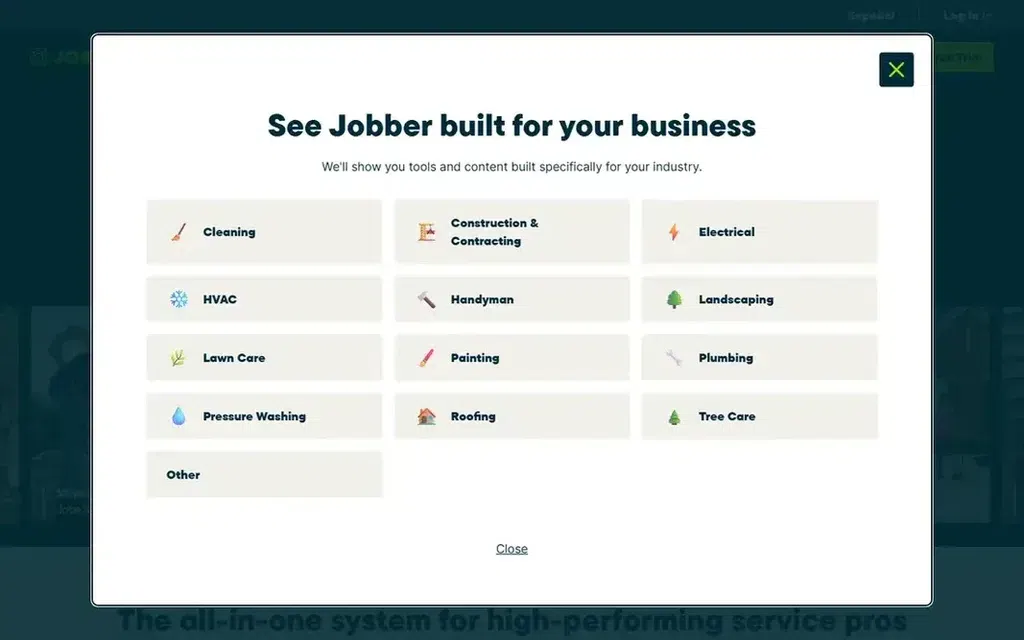
Choose Jobber for all-in-one quoting, scheduling and invoicing. It includes quoting, scheduling, invoicing and getting premium within a single app, and the vendor positions it around sales, operations and customer service.
Drawbacks to consider: Photography-specific features are restricted.
The system is framed around trades and home service work, so photography-specific needs for example galleries or proofing are not its focus. Pricing for Jobber is not stated here, so ask the vendor for current figures. On free options: Not stated.
- Built around getting premium faster
- Schedule and invoice in one place
- Pitched at home and commercial service trades
Pick Kickserv if this describes you: managing jobs, customers and payments. Kickserv field service management software gives you management of jobs, customers, communication and payments for home service companies. That combination spans the administrative loop a photographer runs around each shoot: logging the job, keeping client details, messaging the client and collecting payment.
Points against: Restricted creative-specific features.
On top of that, studios that want a single place for these basics may find the structure familiar and simple to map onto their bookings. Its home service orientation means image handling and creative delivery are not part of the offering. Beyond that, Kickserv suits when job, customer and payment management are the tasks you want consolidated. Entry price for Kickserv: $60 per month. As for free access: Free trial.
- Bundles communication tools
- Handles jobs and customers
- Home service focus, not photography

Trade-offs to know: Trades-oriented instead of photo-oriented.
In daily use, solo shooters with straightforward needs may find it more than required. In practice, consider it when you want a wide field service toolkit and are comfortable adapting trade-oriented workflows to photography jobs. Housecall Pro cost at the entry level: $59 per month. On free options: Free trial.
- Positioned for home service companies
- Wide field service feature set
- May feel heavy for solo photographers Housecall Pro if this describes you: service companies wanting scheduling and payments. A photographer who treats each shoot like a service visit can use that structure for booking, dispatching themselves and collecting payment, particularly if the studio also takes care of on-location work. Its design centers on home service workflows, so features targeted at photographers, like image delivery, are not part of the pitch.
How we chose
Pre-purchase checklist
- Ask FieldPulse and Jobber for a written quote, since no starting price is shown.
- Look at the free plan from ServiceM8 closely: its caps decide whether it is usable for real work.
- Run a trial of Kickserv and Housecall Pro with real work before paying for a year; your own workflow is the best test.
- Before choosing ServiceM8, weigh its main limit: trade-focused feature set.
- Ask the daily users to test Housecall Pro on a live task before you roll it out to everyone.
- Price ServiceM8 for your actual team size; headline prices rarely include add-ons or overage.
FAQ
Can photographers use field service software for their business?
Field service tools manage quoting, scheduling, invoicing and customer records, which map onto booking shoots and collecting payment. They lack photography-specific features like gallery delivery, so plenty of photographers pair them with a dedicated image product.
How are the tools for field service management software for photographers ordered?
The order follows typical fit for field service management software for photographers, with ServiceM8 first and Housecall Pro last, then price clarity and free access. It is editorial judgement, not a score, so another team could rank the tools differently.
What should I check before choosing one?
Confirm that quoting, invoicing and scheduling match your client workflow, and that customer records hold the details you need. Also review communication tools and verify current features on the vendor site, since documentation can change.
Which tool is a good match for a solo photographer?
ServiceM8 comes first here and is built for solo shooters wanting straightforward job tracking. Buyers with other needs may prefer FieldPulse (for scheduling, invoicing and team management) or Jobber (for all-in-one quoting, scheduling and invoicing). Compare costs and limits first.
Do these tools publish their prices?
Not all of them. FieldPulse and Jobber publish no starting price, so expect a quote request for those. The rest, ServiceM8 included, show a starting price, though seats and billing terms still change the final cost.
Which options for field service management software for photographers have a free plan?
ServiceM8 is the only tool in this list with a free plan. Free plans usually cap users, projects or features, so check the limits on the vendor page. Several others offer a trial instead. Each of the 5 options in this field service management software for photographers guide has its own card above with the price, free plan and limits.
Sources
- https://www.servicem8.com
- https://www.fieldpulse.com
- https://www.getjobber.com
- https://www.kickserv.com
- https://www.housecallpro.com
Related guides
- Best Field Service Management Software in 2026: 9 Tools Compared
- Best Field Service Management Software for Small Business in 2026: 8 Tools Compared
- Top 6 Blueprint Markup Software for Field Superintendents for 2026 (Prices and Free Plans)
- 5 Compliance Software for Field Service Teams Worth Shortlisting in 2026