Best Enterprise Search Software in 2026: 8 Platforms Compared
Compare the best enterprise search software in 2026, from workplace search platforms to customer search tools, with pricing notes and honest limits today.
- Editor's choice
 Glean
Workplace knowledge search
Starts atSee websiteVisit glean.comFull review - Great alternative
 Coveo
Customer and support search
Starts atSee websiteVisit coveo.comFull review - Also consider
 Elastic
Build-your-own enterprise search
Starts atSee websiteVisit elastic.coFull review
TL;DR:
- Glean suits workplace knowledge, while Coveo and Algolia suit customer-facing search.
- Elastic suits teams that want to build and control search themselves.
- Permission handling is the deciding factor for internal search, not only result speed.
- Most enterprise pricing is quote-based, so a scoped pilot matters more than a list price.
Quick comparison
| Tool | Best for | Starts at | Free plan? | |
|---|---|---|---|---|
| Glean | Workplace knowledge search | See website | No | Visit |
| Coveo | Customer and support search | See website | No | Visit |
| Elastic | Build-your-own enterprise search | See website | Yes | Visit |
 Algolia | Fast site and product search | Free | Yes | Visit |
 Lucidworks | Complex search programs | See website | No | Visit |
 Sinequa | Governed document search | See website | No | Visit |
 Guru | Verified internal knowledge | See website | No | Visit |
 Dashworks | Affordable workplace search | See website | Yes | Visit |
The best enterprise search software
We compared official product pages, pricing pages, and documentation for enterprise search platforms still offered in October 2026, and we excluded tools that had moved into maintenance mode for new customers.
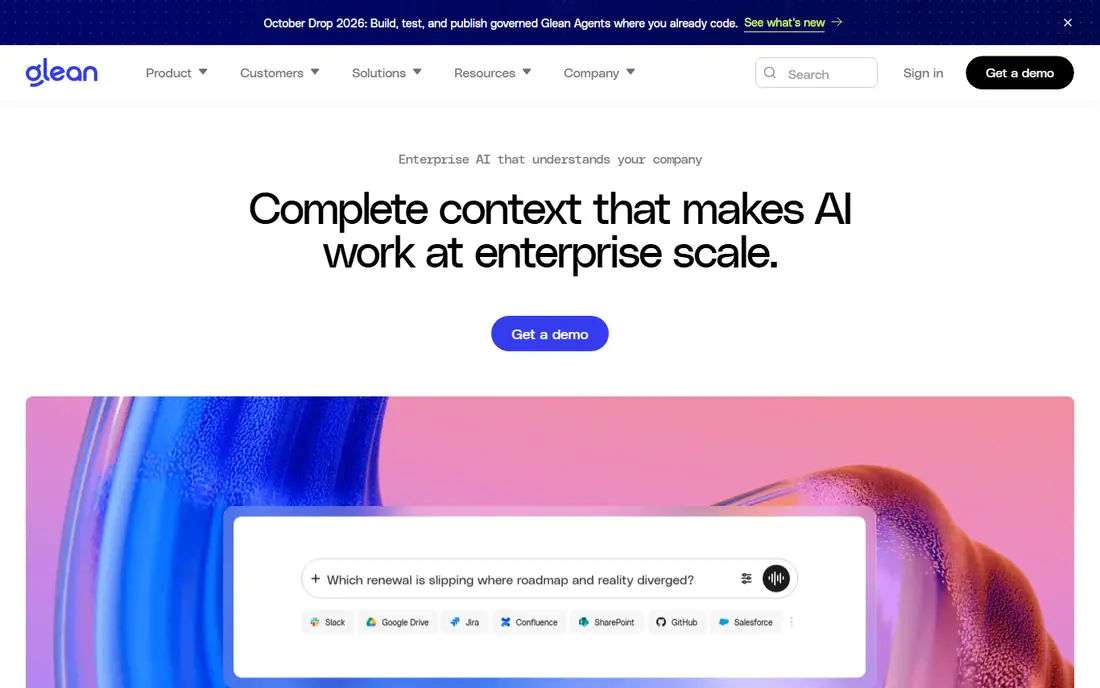
Glean fits readers who want workplace knowledge search. It helps staff find answers across docs, tickets, and chat without opening each app, while respecting the permissions already set in those systems. In our comparison of official feature pages, pricing pages, and app store listings, it stood out for keeping the core job simple: open the app, see the number or result, and move on with the day. That focus matters more than a long feature list, because a tool you check daily has to stay easy after the first week.
The honest catch is that quote-based enterprise pricing puts it out of reach for very small teams, so get a scoped quote early. It suits mid-size and large companies with scattered knowledge. Check the current plan details on the official site before you pay, since prices and limits change, and start with the free option when one is offered so you can judge the fit on your own phone or computer.
- Broad connectors across workplace apps
- Permission-aware results
- Assistant-style answers with citations
- Enterprise pricing is quote-based
- Smaller teams may find it costly
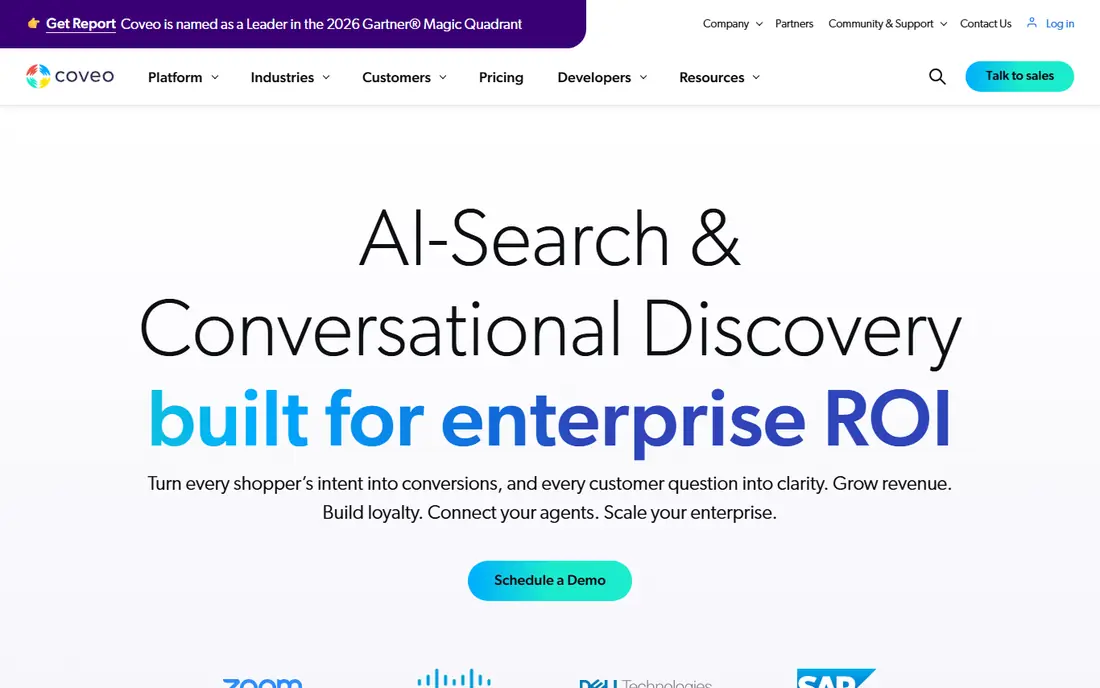
Coveo fits readers who want customer and support search. It shines where search affects revenue or support load, such as help centers and online stores, because relevance can be tuned and measured. In our comparison of official feature pages, pricing pages, and app store listings, it stood out for keeping the core job simple: open the app, see the number or result, and move on with the day. That focus matters more than a long feature list, because a tool you check daily has to stay easy after the first week.
The honest catch is that getting the most from it needs a team that will tune relevance and review analytics, not a set-and-forget install. It suits support and commerce teams with search as a core job. Check the current plan details on the official site before you pay, since prices and limits change, and start with the free option when one is offered so you can judge the fit on your own phone or computer.
- Strong relevance tuning for support and commerce
- Personalization
- Analytics for search teams
- Setup and tuning need skilled staff
- Pricing is usage-based and custom

Elastic fits readers who want build-your-own enterprise search. It gives engineering teams control over indexing, ranking, and deployment, which suits custom search apps that off-the-shelf tools cannot match. In our comparison of official feature pages, pricing pages, and app store listings, it stood out for keeping the core job simple: open the app, see the number or result, and move on with the day. That focus matters more than a long feature list, because a tool you check daily has to stay easy after the first week.
The honest catch is that control comes with work: hosting, tuning, and monitoring fall to your team. It suits engineering-led teams building custom search. Check the current plan details on the official site before you pay, since prices and limits change, and start with the free option when one is offered so you can judge the fit on your own phone or computer.
- Flexible search platform with keyword and vector search
- Self-host option
- Large developer community
- Needs engineering time
- Total cost depends on hosting and scale
Algolia fits readers who want fast site and product search. It is built for search inside a product or website, where instant results and typo tolerance matter to users. In our comparison of official feature pages, pricing pages, and app store listings, it stood out for keeping the core job simple: open the app, see the number or result, and move on with the day. That focus matters more than a long feature list, because a tool you check daily has to stay easy after the first week.
The honest catch is that it is less suited as a whole-company knowledge search tool, so match it to customer-facing use. It suits product and web teams that need fast embedded search. Check the current plan details on the official site before you pay, since prices and limits change, and start with the free option when one is offered so you can judge the fit on your own phone or computer.
- Very fast search-as-you-type
- Strong API and docs
- Free tier for starting projects
- Usage pricing can rise with traffic
- Workplace knowledge is not its main job
Lucidworks fits readers who want complex search programs. It fits organizations with complex data, strict relevance needs, and staff who can tune search over time. In our comparison of official feature pages, pricing pages, and app store listings, it stood out for keeping the core job simple: open the app, see the number or result, and move on with the day. That focus matters more than a long feature list, because a tool you check daily has to stay easy after the first week.
The honest catch is that smaller teams may find the setup heavy, since value depends on tuning and governance. It suits large, complex search programs. Check the current plan details on the official site before you pay, since prices and limits change, and start with the free option when one is offered so you can judge the fit on your own phone or computer.
- Deep customization for large search programs
- Relevance controls
- Enterprise connectors
- Needs specialist skills
- Pricing and setup suit larger programs
Sinequa fits readers who want governed document search. It suits regulated and document-heavy firms that need careful access control across old and new systems. In our comparison of official feature pages, pricing pages, and app store listings, it stood out for keeping the core job simple: open the app, see the number or result, and move on with the day. That focus matters more than a long feature list, because a tool you check daily has to stay easy after the first week.
The honest catch is that the enterprise sales and setup path is slower than a self-serve tool, so plan a longer pilot. It suits large firms with strict governance needs. Check the current plan details on the official site before you pay, since prices and limits change, and start with the free option when one is offered so you can judge the fit on your own phone or computer.
- Deep connectors for legacy and regulated document estates
- Strong access control
- AI-assisted answers
- Enterprise sales process
- Less suited to small, fast pilots
Guru fits readers who want verified internal knowledge. It helps teams trust what they find, since knowledge owners verify cards and stale content gets flagged. In our comparison of official feature pages, pricing pages, and app store listings, it stood out for keeping the core job simple: open the app, see the number or result, and move on with the day. That focus matters more than a long feature list, because a tool you check daily has to stay easy after the first week.
The honest catch is that it works best when owners maintain content, so a team that never updates cards will see value fade. It suits support and operations teams with shared knowledge. Check the current plan details on the official site before you pay, since prices and limits change, and start with the free option when one is offered so you can judge the fit on your own phone or computer.
- Verified knowledge cards inside Slack and helpdesk tools
- Freshness checks
- Search where staff work
- Best value shows when content owners keep cards verified
- Enterprise pricing varies
Dashworks fits readers who want affordable workplace search. It appeals to teams that want Glean-style workplace search without an enterprise sales cycle, with setup measured in days in vendor material. In our comparison of official feature pages, pricing pages, and app store listings, it stood out for keeping the core job simple: open the app, see the number or result, and move on with the day. That focus matters more than a long feature list, because a tool you check daily has to stay easy after the first week.
The honest catch is that its connector range is narrower than the biggest platforms, so check your core apps first. It suits growing teams on a tighter budget. Check the current plan details on the official site before you pay, since prices and limits change, and start with the free option when one is offered so you can judge the fit on your own phone or computer.
- Faster setup than many enterprise tools
- Workplace search with cited answers
- Clearer published pricing in past listings
- Smaller connector set than the largest platforms
- Enterprise features vary by plan
How we picked these
We compared official feature pages, connector lists, pricing pages, and documentation, and we favored platforms with clear permission handling, cited answers, and a realistic setup path. We did not claim hands-on testing. We separated workplace search from customer-facing search, since the same tool rarely leads both jobs.
How to run a fair enterprise search pilot
Start with ten real questions staff ask every week, and test each tool on those exact questions, not on a vendor demo set. Check permissions by searching as a junior staff member and as a manager, and confirm that private docs do not surface to the wrong person. Measure answer quality, source citations, and time saved, not only search speed. Finally, ask about connectors for your core systems, data residency, audit logs, and what happens to your index if you leave. A short, evidence-based pilot beats a long feature comparison.
FAQ
What is the best enterprise search platform for workplace knowledge?
Glean is a strong workplace pick for broad connectors and permission-aware answers. Dashworks suits smaller budgets with a faster setup. Test both on your own docs and apps before you commit.
What are the best enterprise search tools for customer search?
Coveo suits support and commerce search with tuning and analytics, while Algolia suits fast embedded product search. Pick Coveo when relevance tuning matters most, and Algolia when speed and developer control matter most.
What is the best enterprise search software for developers?
Elastic suits engineering teams that want to build custom search with keyword and vector retrieval. It needs hosting and tuning effort, so it fits teams with search skills. Teams without that skill should favor a managed platform.
How much does enterprise search software cost?
Most platforms are quote-based and priced by seats, usage, or both, so costs vary widely. Algolia offers a free tier for starting projects, and Elastic can be self-hosted. Ask for a quote tied to your user count and search volume.
Why do permissions matter in enterprise search?
Internal search must respect the access rules of each source system, or staff could see docs they should not see. Test permission handling with real accounts during a pilot. A fast tool that leaks private content is not a usable tool.