Employee Time Clock Software: 8 Tools Worth Comparing in 2026
8 tools for the best employee time clock software, compared on pricing, free plans and best-fit use. Each pick lists its main limit. Budget notes included.
- Editor's choice
 QuickBooks Time
Firms already running QuickBooks for payroll or accounting
Starts atFrom $20 a month base plus $10 per user per monthVisit quickbooks.intuit.comFull review - Great alternative
 Hubstaff
Remote and field teams needing time plus productivity insight
Starts atFrom $7 per user per monthVisit hubstaff.comFull review - Also consider
 7shifts
Restaurants that require scheduling, time clock and tip workflows
Starts atFree (Comp plan, 1 location); premium from $39.99 per location a monthVisit 7shifts.comFull review
TL;DR:
- The list opens with QuickBooks Time, aimed at businesses already running QuickBooks for payroll or accounting.
- The main caution on QuickBooks Time: no free plan, pricing climbs with headcount, less useful outside QuickBooks.
- The lowest published monthly entry price here is $2.50 per user per month, from When I Work.
- Free plans exist at 5 of 8 tools (7shifts, Connecteam, Homebase, Clockify, Sling).
Direct answer
Our first pick is QuickBooks Time, best for companies already running QuickBooks for payroll or accounting. If your case is different, Hubstaff suits remote and field teams needing time plus productivity insight and 7shifts suits restaurants that require scheduling, time clock and tip workflows. The other 5 tools in the list cover narrower or pricier cases.
Quick comparison
| Tool | Best for | Starts at | Free plan? | |
|---|---|---|---|---|
| QuickBooks Time | Firms already running QuickBooks for payroll or accounting | From $20 a month base plus $10 per user per month | No | Visit |
| Hubstaff | Remote and field teams needing time plus productivity insight | From $7 per user per month | No | Visit |
| 7shifts | Restaurants that require scheduling, time clock and tip workflows | Free (Comp plan, 1 location); premium from $39.99 per location a month | Yes | Visit |
 When I Work | Shift-heavy firms that prioritize straightforward scheduling | From $2.50 per user per month | No | Visit |
 Connecteam | Mobile and deskless teams that require more than a time clock | Free (up to 10 users); premium from $29 a month for 30 users | Yes | Visit |
 Homebase | Small companies with hourly teams that want scheduling and time tracking together | Free (Basic, 1 location, up to 10 employees); premium from $30 per location per month | Yes | Visit |
 Clockify | Teams that want free time tracking with a kiosk choice | Free (up to 5 users); premium from $4.99 per user per month | Yes | Visit |
 Sling | Budget-conscious teams that want free scheduling with optional time tracking | Free (up to 30 users); premium from $1.70 per user a month (annual) | Yes | Visit |
8 options for employee time clock software in detail
If you are comparing employee time clock software, this page covers 8 tools in one place: what each is best for, what it costs to start, whether it has a free plan, and the main limit to know about.
QuickBooks Time
Best for: Firms already running QuickBooks for payroll or accounting
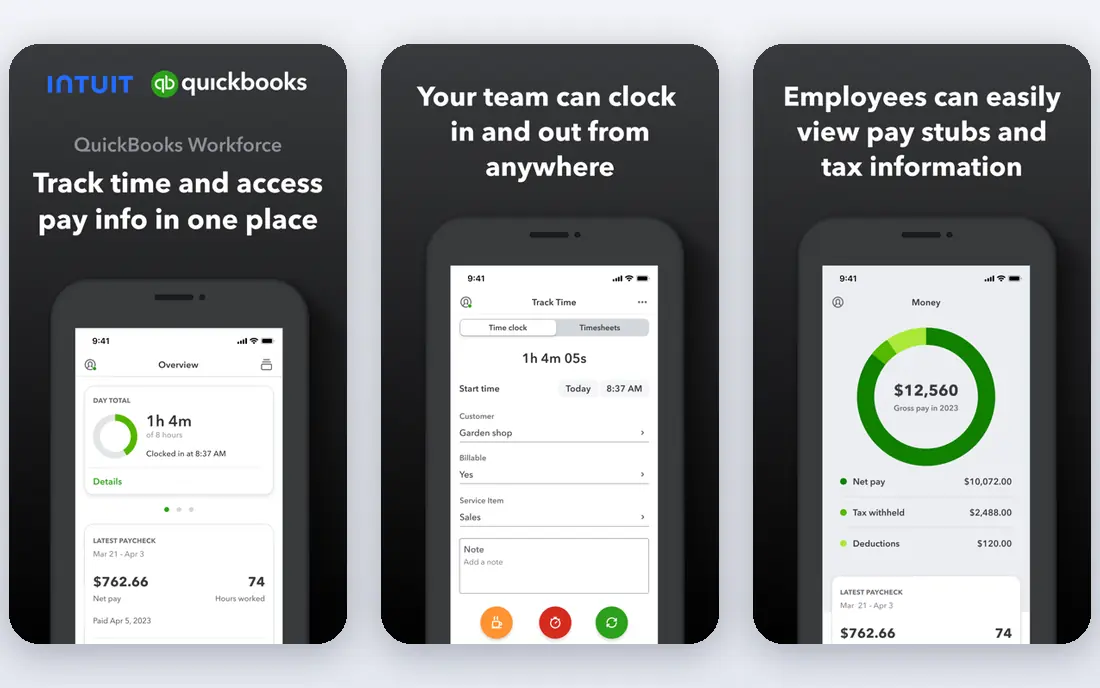
Think of QuickBooks Time for companies already running QuickBooks for payroll or accounting. A ten-person team pays $120 monthly before QuickBooks itself. More specifically, the 30-day free trial is ample.
Drawbacks to consider: No free plan.
If you are not a QuickBooks shop, that premium buys you little; if you are, the native sync is worth it. Hours flow straight into payroll without exports or re-entry. The GPS tracking, geofencing and job costing features are genuinely strong for construction and field service. On cost, QuickBooks Time starts like this: From $20 per month base plus $10 per user per month. There is no free plan with QuickBooks Time.
- 30-day free trial
- Native QuickBooks sync
- Less handy outside QuickBooks
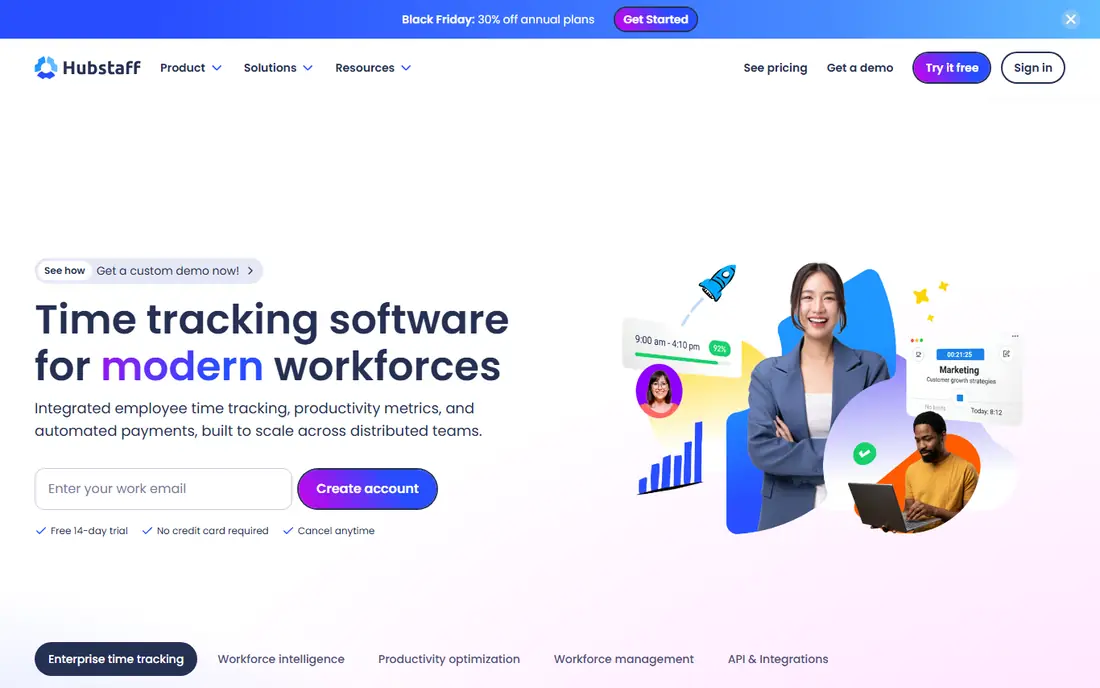
Choose Hubstaff for remote and field teams needing time plus productivity insight. Hubstaff merges time tracking with optional productivity telemetry: screenshots, activity levels and app usage. There is no free plan, and pricing starts around $7 per user a month.
For remote teams and field crews where managers cannot see the work happening, that visibility has real value. On top of that, the monitoring features deserve a thought before you enable them. Used transparently they build trust, used secretly they destroy it. What you pay to start with Hubstaff: From $7 per user per month. Hubstaff does not include a free plan.
Where it falls short: monitoring features can feel intrusive to employees.
- Optional activity monitoring
- GPS tracking and geofencing
- No free plan
7shifts
Best for: Restaurants that require scheduling, time clock and tip workflows
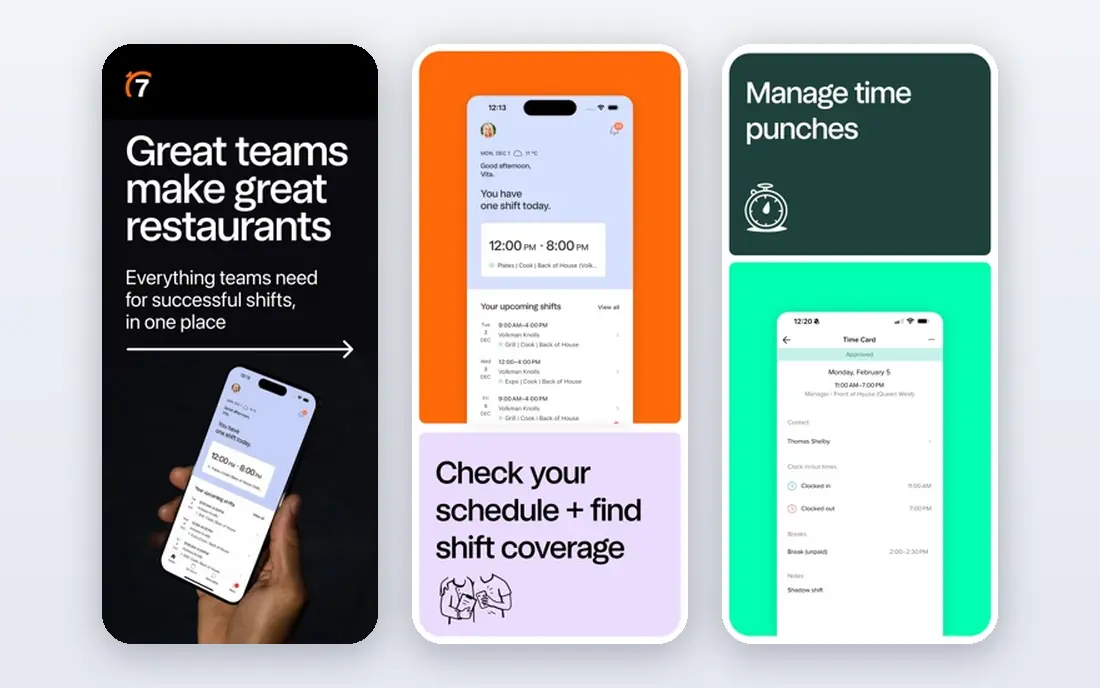
Pick 7shifts if this describes you: restaurants that require scheduling, time clock and tip workflows. Non-restaurants should look elsewhere; the whole product assumes food service workflows. But for a restaurant owner choosing between a generic time clock and one that understands tip credits and station-based scheduling, 7shifts is the purpose-built answer.
Trade-offs to know: premium levels priced per location.
More specifically, 7shifts is the restaurant specialist. The free Comp plan handles one location, and premium plans start at $39.99 per location a month on annual billing. On cost, 7shifts starts like this: Free. A free plan is available with 7shifts.
- Free plan for one location
- POS integrations and tip tracking
- Less handy outside food service
When I Work
Best for: Shift-heavy firms that prioritize straightforward scheduling
In short, When I Work is for shift-heavy firms that prioritize straightforward scheduling. There is no free plan, though a 14-day trial needs no credit card.
As for the details, for small shift-based teams that live and die by the schedule, the price and simplicity are the selling points. On cost, When I Work starts like this: From $2.50 per user per month. When I Work has no free tier.
Where it falls short: No free plan.
- Very low entry price
- 14-day free trial
- Time tracking is an add-on to scheduling
Connecteam
Best for: Mobile and deskless teams that require more than a time clock
Connecteam targets mobile and deskless teams that require more than a time clock. If you only need a time clock, the additional modules are noise.
Trade-offs to know: time clock is one module among plenty of.
For construction, cleaning, security and home services, Connecteam typically earns its place. Starting cost for Connecteam: Free. Connecteam includes a free tier.
- Capable mobile experience
- Free for up to 10 users
- Hub-based pricing can confuse
Homebase
Best for: Small companies with hourly teams that want scheduling and time tracking together
Homebase targets small companies with hourly teams that want scheduling and time tracking together. The free Basic plan spans one location and up to ten employees with scheduling, time tracking and team messaging.
Trade-offs to know: advanced features need higher levels.
In practice, the vendor's own blog confirms Essentials at $30 per location a month, or $24 billed yearly, with Plus and All-in-One levels above. Payroll is an add-on at $49 a month plus $6 per employee premium. What you pay to start with Homebase: Free. You can start on Homebase without paying.
- POS time clock choices
- Ample free plan
- Payroll is a premium add-on
Clockify is aimed squarely at teams that want free time tracking with a kiosk option. Clockify approaches time tracking from the project side instead of the shift side. The free plan includes up to five users with unlimited tracking, timers, timesheets and a kiosk mode that turns a tablet into a shared clock-in station.
Points against: No shift scheduling on free plans.
If your work is organized around projects and clients instead of shifts, Clockify is the natural starting point. For everyday use, for freelancers, agencies and small project teams, that free level is hard to beat. From a buyer's view, premium plans start at $4.99 per user a month and add time off, approvals, scheduling and GPS. Clockify pricing: Free. Clockify offers a free plan.
- Straightforward interface
- Free plan with no time limit
- GPS and advanced features need premium levels
Sling
Best for: Budget-conscious teams that want free scheduling with optional time tracking
Sling was built for budget-conscious teams that want free scheduling with optional time tracking. Even so, a twenty-person team pays around $34 monthly, less than most competitors charge for five. In daily use, teams that require compliance engines or deep integrations will outgrow it.
Honest limits: fewer advanced features than rivals.
But for a small service business that wants to stop managing shifts in a group chat, Sling's free level is the lowest-risk starting point available. On top of that, the feature set is deliberately lean: scheduling, messaging, task lists and time clock basics. Entry price for Sling: Free. A free plan is available with Sling.
- Straightforward interface
- Very cheap premium plans
- Time tracking only on premium plans
Our selection method
We compared the tools on published pricing, free plan or trial availability, feature coverage for employee time clock software, and the limits each vendor documents. Plan names, prices and limits change often. Treat the figures here as a starting point and verify them with the vendor. The sequence is a judgement call: typical use case first, then pricing transparency, then free access. Use the profiles to check fit.
Things to verify first
- Confirm the entry price on the vendor page: When I Work starts at $2.50 per user per month, but seat counts and billing terms change the total.
- Read the fine print on the free plans from 7shifts, Connecteam, Homebase and others; seat, project and feature caps differ.
- Read the limits listed for QuickBooks Time first: no free plan, pricing climbs with headcount, less handy outside QuickBooks.
- Map your must-have features to a specific Connecteam plan before you compare prices.
- Find out what support 7shifts includes on your plan, and whether onboarding help costs extra.
FAQ
Can I try these options before paying?
Often, yes. 7shifts, Connecteam, Homebase and others have a free plan. Use your own data and a real task during the test, and check what the free tier or trial limits before you rely on it.
Do these tools publish their prices?
Yes. Every tool from QuickBooks Time to Sling shows a starting price, though seats, add-ons and billing terms still change the final cost.
How are the tools for employee time clock software ordered?
The order follows typical fit for employee time clock software, with QuickBooks Time first and Sling last, then price clarity and free access. It is editorial judgement, not a score, so another team could rank the tools differently.
Is QuickBooks Time the right pick for everyone comparing employee time clock software?
No single tool suits every team. QuickBooks Time comes first because it fits businesses already running QuickBooks for payroll or accounting, while Hubstaff suits remote and field teams needing time plus productivity insight and 7shifts suits restaurants that need scheduling, time clock and tip workflows. Match the tool to your own size, budget and workflow before deciding.
How much does time clock software cost?
Free plans include plenty of small teams. Premium plans range from about $1.70 per user a month for Sling to $20 a month plus $10 per user for QuickBooks Time, with per-location choices like Homebase at $30 per location a month. More specifically, payroll extras and verification features usually cost additional.