Best Payroll Time Clock Software in 2026: 8 Tools Compared
Best payroll time clock software compared: we review 8 tools for clock-ins, scheduling, overtime, and payroll for hourly teams in 2026 for hourly staff.
- Editor's choice
 Homebase
Small hourly teams
Starts atFreeVisit joinhomebase.comFull review - Great alternative
 Deputy
Compliance-heavy shifts
Starts at$5 per user per monthVisit deputy.comFull review - Also consider
 QuickBooks Time
QuickBooks payroll users
Starts at$20 per month plus $10 per userVisit quickbooks.intuit.comFull review
TL;DR:
- Homebase is our pick for most small hourly teams because it combines a free tier, scheduling, a time clock, and a payroll add-on.
- QuickBooks Time is the natural pick for firms already using QuickBooks, since timesheets feed directly into payroll and accounting.
- Gusto and Rippling suit teams that want time tracking and payroll in one system, with no export step between them.
- Deputy and When I Work suit shift-heavy teams that need strong scheduling, compliance controls, and overtime alerts.
- Check GPS, geofencing, and facial recognition needs before you pay, because those controls vary widely by plan.
Quick comparison
| Tool | Best for | Starts at | Free plan? | |
|---|---|---|---|---|
| Homebase | Small hourly teams | Free | Yes | Visit |
| Deputy | Compliance-heavy shifts | $5 per user per month | Free trial | Visit |
| QuickBooks Time | QuickBooks payroll users | $20 per month plus $10 per user | Free trial | Visit |
 Gusto | Payroll plus time tracking | $49 per month plus $6 per person | No | Visit |
 When I Work | Shift scheduling on a budget | $2.50 per user per month | Free trial | Visit |
 Buddy Punch | Preventing buddy punching | $19 per month plus $4.99 per user | Free trial | Visit |
 Connecteam | Mobile-first frontline teams | Free | Yes | Visit |
 OnTheClock | Simple GPS-verified punches | $5 per month plus $4 per employee | Free trial | Visit |
The best payroll time clock software
We compared clock-in methods, scheduling, overtime and break rules, payroll integration, mobile apps, reporting, and price. All eight tools track time for hourly staff, but they differ on whether payroll runs inside the same system or through an integration.

Homebase is a strong starting point for restaurants, cafes, and retail shops with hourly staff. The free Basic plan covers one location and up to ten employees, with scheduling and a time clock included. Paid plans add more locations, unlimited staff on some tiers, hiring tools, and team messaging, while payroll can be added for a base fee plus a per-employee charge.
The catch is scale. A business with several locations will pay per location, so costs rise faster than with a per-user tool. Payroll is also separate from the core plan, so compare the combined total before you judge value. For a single-location team that wants scheduling, clock-ins, and payroll in one place, Homebase is still our first pick.
- Free tier for one location
- Scheduling and time clock together
- Payroll add-on
- POS links
- Per-location costs add up
- Payroll is an add-on
- Advanced features need paid tiers
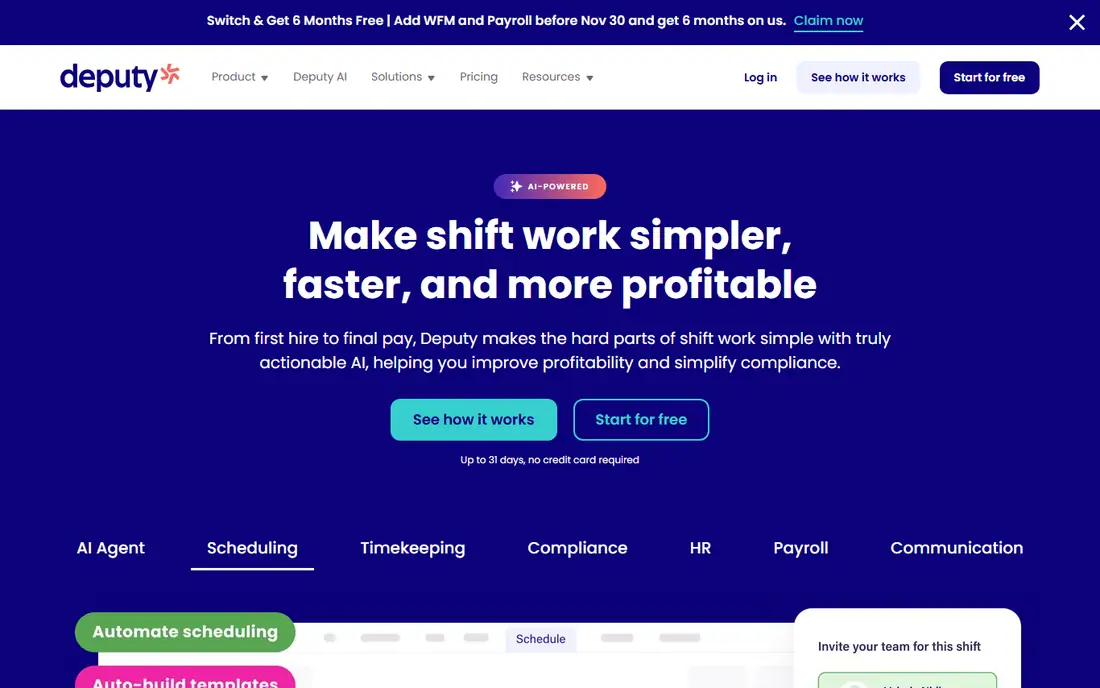
Deputy suits hospitality, healthcare, retail, and other sectors where shift rules, breaks, and overtime need careful handling. Managers can build schedules, set compliance rules, approve timesheets, and spot overtime risk before payroll runs. Integrations with QuickBooks, Xero, ADP, and Gusto help move approved hours into payroll without retyping them.
There is no free plan, though a trial lets you test scheduling and clock-ins. Payroll itself runs through a partner rather than inside Deputy, so firms that want one system for both may prefer Gusto or Rippling. For multi-location teams with complex rosters, Deputy offers control that simpler clock apps do not.
- Strong scheduling
- Compliance and award controls
- Overtime alerts
- Many integrations
- No free plan
- Payroll needs an integration
- Setup takes care for complex rules

QuickBooks Time, formerly TSheets, is the obvious choice if your business already runs QuickBooks for payroll and accounting. Staff clock in on a phone or kiosk, managers approve timesheets, and hours flow into QuickBooks Payroll with job and customer tags intact. GPS tracking and geofencing help verify field clock-ins, and overtime rules can be set by location or job.
The pricing model needs attention. A monthly base fee plus a per-user fee means a larger team pays noticeably more than the headline figure suggests. Firms that do not use QuickBooks will get less value, since the main advantage is the direct link. For QuickBooks users, though, the time saved on payroll entry often justifies the cost.
- Direct QuickBooks link
- GPS tracking
- Job costing
- Strong timesheet approvals
- Base fee plus per-user fee adds up
- Needs a QuickBooks subscription for full value
Gusto combines payroll, benefits, onboarding, and time tracking in one system, which removes the export step that causes errors in many small firms. Employees clock in, managers approve hours, and payroll runs from the same data, with taxes and filings handled by Gusto. That single flow is a real advantage for firms that currently juggle a clock app and a separate payroll provider.
Full time tracking features sit on higher tiers, so check plan details before you assume the base price covers everything. Per-person fees also rise with headcount. For a small business that wants payroll done properly and time tracking included, Gusto offers a clean, well-supported package.
- Payroll and time tracking in one system
- Easy onboarding
- Benefits options
- Clean reports
- Time tracking needs a higher tier for full features
- No free plan
- Per-person fees add up
When I Work is built around shift scheduling, with an easy roster, shift swaps, availability, and team messaging. Hourly teams in retail, food service, and healthcare can fill gaps fast, since staff can claim open shifts from a phone. The per-user price is low, which helps a larger hourly team keep subscription costs down.
Time tracking is an add-on rather than a core included feature, and payroll runs through integrations with providers such as Gusto, Paychex, and QuickBooks. That means the total cost and workflow depend on your payroll choice. If scheduling is your main pain point and payroll already works elsewhere, When I Work is a budget-friendly fit.
- Low per-user price
- Strong shift swaps
- Team messaging
- Easy scheduling
- Time tracking is an add-on
- Payroll needs an integration
- Reporting is basic
Buddy Punch focuses on verified clock-ins. Facial recognition, GPS location, and geofencing make it harder for one employee to clock in for another, which matters for field crews, warehouses, and multi-site teams. Managers can also handle PTO requests, scheduling, and overtime alerts in the same system, with exports to common payroll providers.
The interface is functional rather than polished, and payroll itself is handled through integrations rather than inside Buddy Punch. Firms that need strong anti-fraud controls will value the verification features more than the look of the app. For a team where clock-in accuracy directly affects payroll cost, Buddy Punch is worth a trial.
- Facial recognition
- Geofencing
- GPS tracking
- PTO and scheduling tools
- Base fee plus per-user fee
- Payroll needs an integration
- Interface is plain
Connecteam is designed for frontline staff who work on phones rather than desks. The app combines a time clock, scheduling, forms, training, and team communication, which suits field services, retail, logistics, and care teams. A free tier for up to ten users lets a small team start without a subscription, and paid plans expand user bands and features.
Payroll runs through integrations with QuickBooks, Xero, and ADP rather than inside Connecteam, so firms that want payroll in the same login should look at Gusto or Homebase. The mobile-first approach is still a strength for distributed teams. If your staff rarely sit at a computer, Connecteam feels more natural than a desktop-first clock system.
- Free tier for small teams
- Mobile-first design
- Forms and training
- Time clock included
- Payroll needs an integration
- Paid pricing scales by user band
- Some features need higher tiers
OnTheClock keeps time tracking simple and affordable. Staff clock in on a phone, web browser, or kiosk, with GPS and geofencing on suitable plans, and managers approve timesheets before export to QuickBooks, Gusto, ADP, or Paychex. A low base fee plus a per-employee charge makes the monthly total easy to predict, and setup is quick for a small team.
The interface is dated compared with Homebase or Connecteam, and there is no facial recognition for firms that need it. OnTheClock also offers an optional full-service payroll add-on at extra cost, which some small firms may prefer to an integration. For a team that wants verified punches and clean payroll exports without extra HR features, it is a solid value pick.
- Low predictable cost
- GPS and geofencing
- Payroll integrations
- Simple setup
- Interface feels dated
- No facial recognition
- Not a full HR system
How we picked these
We compared official feature pages, pricing pages, and public reviews for payroll time clock tools available in the United States in October 2026. We required a real time clock, timesheet approval, overtime or break handling, and a payroll route, either inside the system or through a stated integration. We weighed free tiers, per-user versus per-location pricing, GPS controls, and mobile app quality.
We did not claim hands-on payroll testing. Our comparison rests on vendor documentation, published pricing, and reviewer reports about clock accuracy, scheduling, and payroll exports. Tools that only tracked project time, without shift or payroll features, were left out.
How to choose payroll time clock software
Start by deciding whether payroll should run inside the same system. If you want one login for clock-ins and pay runs, shortlist Homebase with its payroll add-on, Gusto, and Rippling-style all-in-one platforms. If your payroll provider already works well, a clock and scheduling tool such as Deputy, When I Work, Buddy Punch, or OnTheClock may be cheaper and easier to adopt.
Next, check the controls your team actually needs. Field crews benefit from GPS and geofencing, while a single-site shop may not need them at all. Firms with buddy punching problems should prioritise facial recognition, while firms with complex overtime rules should test break and overtime settings with real shift patterns. Ask how missed punches, edits, and approvals are logged, since a clear audit trail protects both managers and staff.
Finally, test with a real pay period. Run parallel timesheets for two weeks, compare the totals with your current method, and check the payroll export or pay run before you switch fully. Confirm tax filing, direct deposit, and reporting responsibilities, since those differ between a clock tool with an integration and a full payroll provider. A clean trial pay run is the best proof that a system fits.
FAQ
What is the best time clock app with payroll?
Homebase with its payroll add-on and Gusto are the strongest combined options for small teams in this guide. Homebase suits single-location hourly teams, while Gusto suits firms that want payroll, benefits, and onboarding in one system. QuickBooks Time is best if you already use QuickBooks Payroll.
Is there a free payroll time clock software?
Homebase and Connecteam offer free tiers for small teams, with scheduling and a time clock included. Free tiers usually limit locations, users, or features, and payroll may be an add-on or an integration. For a very small team, a free tier can be enough, but growing teams should budget for a paid plan.
How does a time clock app prevent buddy punching?
Buddy Punch uses facial recognition, GPS, and geofencing to verify who is clocking in and where. Other tools use PINs, photos, device restrictions, or location checks. No system is perfect, so pair the technology with clear policies, manager approval of edits, and a regular review of timesheet changes.
Can time clock software handle overtime automatically?
Yes, most tools in this guide let managers set overtime, double-time, and break rules by location, role, or shift pattern. Deputy, Homebase, and QuickBooks Time all include overtime alerts and approvals. Test your exact rules with sample shifts, since state rules and company policies vary and the settings must match them.
Do I need GPS tracking for a time clock?
Only for field or multi-site teams where location matters for payroll. GPS and geofencing help verify field clock-ins, but they add cost and can affect staff trust if used without clear communication. Desk-based and single-site teams usually gain nothing from GPS and should choose a simpler plan.
What is the difference between a time clock and payroll software?
A time clock records hours, breaks, and attendance, while payroll software calculates pay, taxes, and filings. Some tools combine both, while others integrate a clock with a separate payroll provider. If you buy them separately, check that approved hours transfer cleanly, so you do not retype timesheets each pay period.