Best Embedded GUI Design Software (2026): 5 Picks Checked on Vendor Pages
5 tools for the best embedded GUI design software, compared on pricing, free plans and best-fit use. Weak spots flagged for every entry. Choose faster.
- Editor's choiceLVGL
Open-source
Starts atSee websiteVisit lvgl.ioFull review - Great alternativeSquareLine Studio
Fast UI design for embedded devices
Starts atSee websiteVisit squareline.ioFull review - Also consider
 Qt
Full-lifecycle embedded GUI development
Starts atSee websiteVisit qt.ioFull review
Direct answer
Start with LVGL if you need open-source. Listed starting prices: Embedded Wizard from €79 per month per seat and Slint from $1.00 per device. SquareLine Studio fits fast UI design for embedded devices; Qt fits full-lifecycle embedded GUI development. Prices, free plans and limits for all 5 tools follow.
TL;DR:
- LVGL sits first on this list: open-source.
- Check the limits for Qt before you commit: can be complicated for straightforward projects.
- No starting price is published for LVGL, SquareLine Studio and Qt; expect a quote.
- For Declarative GUI across languages, Slint is worth a look.
- Only Slint offers a free plan among these 5 tools.
Last checked November 2026. Prices and plan details were read from the vendors' own pages in November 2026; vendors change plans often, so confirm the current price on the vendor site before you buy.
Quick comparison
| Tool | Best for | Starts at | Free plan? | |
|---|---|---|---|---|
| LVGL | Open-source | See website | Not stated | Visit |
| SquareLine Studio | Fast UI design for embedded devices | See website | Not stated | Visit |
| Qt | Full-lifecycle embedded GUI development | See website | Not stated | Visit |
| Embedded Wizard | Resource-constrained embedded systems | €79 per month per seat | No | Visit |
| Slint | Declarative GUI across languages | $1.00 per device | Yes | Visit |
Every option for embedded GUI design software explained
Short on time? The summary and table above give the quick view of 5 tools for embedded GUI design software, and the profiles that follow give the detail behind each entry.
LVGL
Best for: Open-source
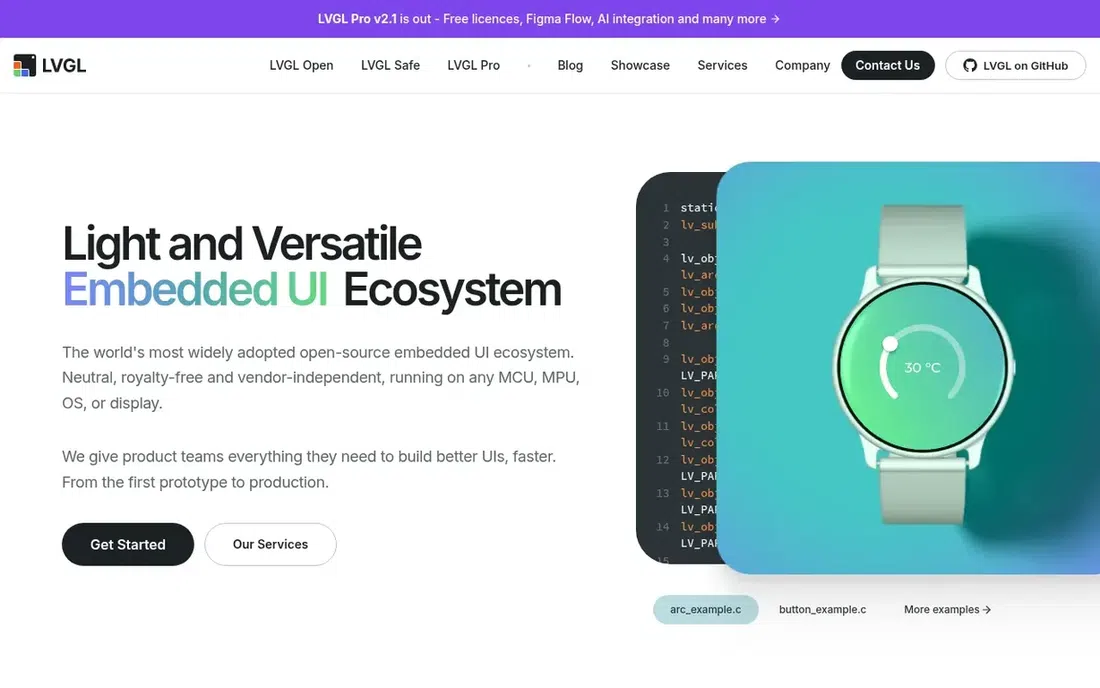
LVGL works best for open-source. It runs on any MCU, MPU, OS, or display, making it an adaptable choice for product teams building UIs across diverse hardware. In practice, if you need a drag-and-drop designer with vendor support, other choices may be preferable.
LVGL is code-centric and may not offer the visual design conveniences of commercial tools. More specifically, the project gives you a thorough set of widgets and tools for embedded interfaces. LVGL shows no starting price here, so confirm the cost on the vendor site. As for free access: Not stated.
Where it falls short: May lack advanced design tools.
- Runs on any MCU, MPU, OS
- Widely adopted open-source ecosystem
- Needs programming knowledge
SquareLine Studio
Best for: Fast UI design for embedded devices
SquareLine Studio serves quick UI design for embedded devices. It offers a visual editor that creates code for embedded targets.
Pricing for SquareLine Studio is not stated here, so ask the vendor for current figures. Free options: Not stated.
Where it is weaker: May need additional tools for complicated logic.
- Also provides UI design services
- Creates code for embedded devices
- Restricted to certain embedded frameworks

Pick Qt if this describes you: full-lifecycle embedded GUI development. If you need a light option for a straightforward microcontroller UI, a more focused tool may be a better fit. Worth adding: the ecosystem contains design, development, and testing utilities that connect with each other.
Its framework needs dedicated learning time. More specifically, Qt supplies a full set of tools for each stage of the software development lifecycle, from planning and design to testing and deployment. It is well suited to teams building complicated embedded interfaces that need a consistent workflow across several products. This comparison lists no price for Qt; ask the vendor. Free options: Not stated.
Points against: Needs learning its specific framework.
- Mature toolchain with wide system support
- Capable documentation and community resources
- Can be complicated for straightforward projects
Embedded Wizard
Best for: Resource-constrained embedded systems
Embedded Wizard targets resource-constrained embedded systems. It permits you to design, simulate, and produce C code for microcontrollers. As for the details, Embedded Wizard concentrates on C code generation, which may not suit projects using other languages.
Watch-outs: May need platform-specific adjustments.
Beyond that, the tool is tailored to resource-constrained environments, so teams with more feature-rich hardware might find it restrictive. For everyday use, consider alternatives if you need multi-language support. On cost, Embedded Wizard starts like this: €79 per month per seat. No free plan comes with Embedded Wizard.
- Design, simulate
- Integrated simulation environment
- Restricted to C code generation
Slint
Best for: Declarative GUI across languages
Slint targets Declarative GUI across languages. It makes it possible for you to build native UIs for embedded, desktop, and web from a single codebase.
Downsides: May have fewer ready-made widgets.
The declarative paradigm might need a learning curve for teams used to imperative UI code. Entry price for Slint: $1.00 per device. Free access exists with Slint.
- Supports Rust, C++, JavaScript, Python
- Declarative syntax for UI design
- Relatively newer ecosystem
How we built this list
The comparison looks at four things: starting price, free access, how well the feature set matches embedded GUI design software, and the main limit of each tool. Figures are shown as the vendors publish them. Billing terms, seat minimums and add-ons can change the real cost. Position on the page reflects fit for a typical buyer first, with price clarity and free access breaking ties. Treat it as a guide, not a ruling.
Before you commit
- Ask LVGL, SquareLine Studio and Qt for a written quote, since no starting price is shown.
- Test the free plan from Slint against your real workload before relying on it.
- Read the limits listed for LVGL first: requires programming knowledge.
- Look at the renewal terms for LVGL: auto-renewal, notice periods and price changes can matter more than the first-year price.
- Map your must-have features to a specific SquareLine Studio plan before you compare prices.
FAQ
What factors affect performance of embedded GUIs?
Performance relies on the tool's efficiency, the target hardware's capabilities, and how well the UI is optimized. Tools that produce C code, like Embedded Wizard, are frequently chosen for resource-constrained devices.
How are the tools for embedded GUI design software ordered?
LVGL sits first and Slint last because the order follows typical fit for embedded GUI design software, then price clarity and free access. It is a judgement call, so read each profile for fit and limits.
Can I try these options before paying?
Often, yes. Slint has a free plan. Use your own data and a real task during the test, and check what the free tier or trial limits before you rely on it.
Do these tools publish their prices?
Not all of them. LVGL, SquareLine Studio and Qt publish no starting price, so expect a quote request for those. The rest, Embedded Wizard included, show a starting price, though seats and billing terms still change the final cost.
How do I choose between open-source and commercial tools?
Open-source tools like LVGL offer adaptability and no licensing costs, but may need more integration effort. As for the details, commercial tools frequently provide dedicated support and refined workflows.
Which options for embedded GUI design software have a free plan?
Slint is the only tool in this list with a free plan. Free plans usually cap users, projects or features, so check the limits on the vendor page.
Sources
- https://lvgl.io
- https://squareline.io
- https://www.qt.io
- https://www.embedded-wizard.de
- https://slint.dev