Best Email Signature Management Software in 2026: 8 Tools Compared
Compare the best email signature management software for consistent branding, legal disclaimers and campaigns across Microsoft 365 and Google Workspace.

- Editor's choice
 Exclaimer
Large Microsoft and Google teams
Starts atSee websiteVisit exclaimer.comFull review - Great alternative
 CodeTwo Email Signatures 365
Microsoft 365 specialists
Starts atSee websiteVisit codetwo.comFull review - Also consider
 WiseStamp
Small to mid-size teams
Starts atSee websiteVisit wisestamp.comFull review
TL;DR:
- Exclaimer and CodeTwo lead for large Microsoft 365 and Google Workspace teams that need centrally enforced signatures.
- WiseStamp and Newoldstamp suit smaller teams that want templates and central control without enterprise complexity.
- Xink, BrandMail and Dynasend offer strong options for specific needs such as campaigns, tamper-proof signatures and EU data handling.
- Letsignit suits teams that want signature campaigns and analytics alongside brand control.
- Test signatures on mobile, desktop and webmail before rollout, since rendering varies by client.
Quick comparison
| Tool | Best for | Starts at | Free plan? | |
|---|---|---|---|---|
| Exclaimer | Large Microsoft and Google teams | See website | Free trial | Visit |
| CodeTwo Email Signatures 365 | Microsoft 365 specialists | See website | Free trial | Visit |
| WiseStamp | Small to mid-size teams | See website | Free trial | Visit |
 Newoldstamp | Central template control | See website | Free trial | Visit |
 Xink | Campaign-ready signatures | See website | Free trial | Visit |
 BrandMail | Tamper-proof Outlook and Google signatures | See website | Free trial | Visit |
 Dynasend | Enterprise standardisation | See website | Free trial | Visit |
 Letsignit | Signature campaigns and analytics | See website | Free trial | Visit |
The best email signature management software
Email signature management software keeps every employee signature on brand, adds legal disclaimers where needed, and stops staff editing signatures by hand. The tools below differ mainly in platform fit, control and campaign features.
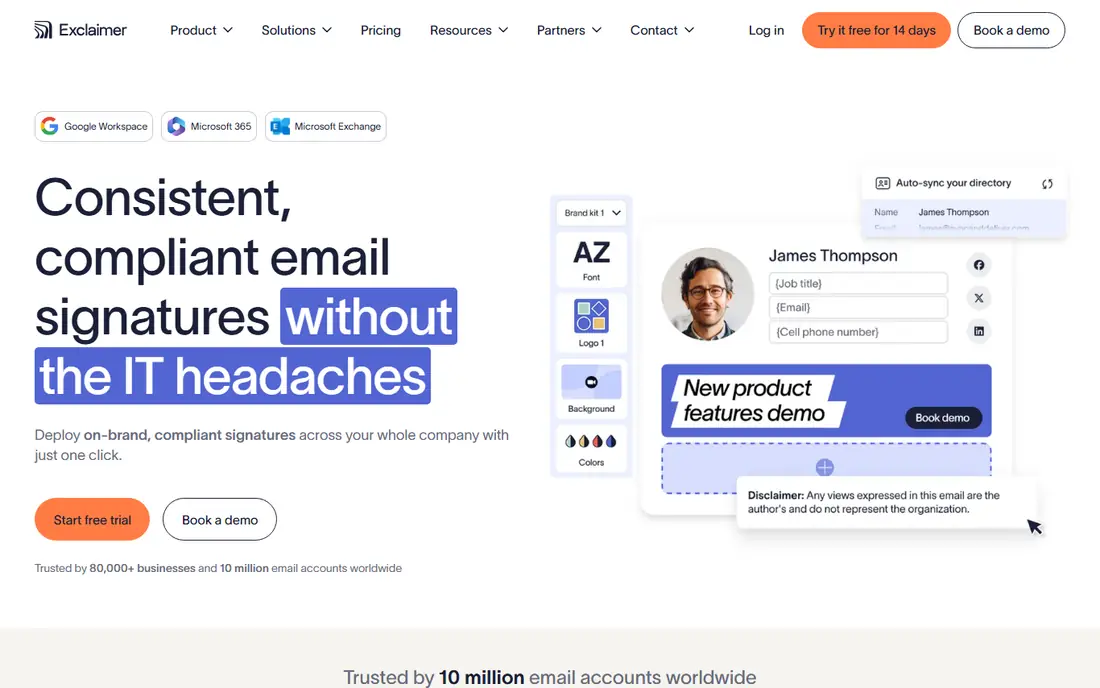
Exclaimer is the safe enterprise pick for organisations that send from Microsoft 365, Google Workspace or both. IT teams can design templates once, pull names, titles and contact details from the directory, and apply signatures at the server level so they appear on every device, including phones. Campaign banners let marketing promote events or content in the signature block without asking staff to change anything.
The catch is buying complexity. Pricing varies by user count and plan, and mail flow setup needs care. For large teams that need consistency and compliance, that effort pays off. Smaller teams may find a simpler tool faster to run.
- Central control for Microsoft 365 and Google Workspace
- Campaign banners
- Compliance disclaimers
- Pricing is quote-based for many plans
- Setup needs IT time for mail flow rules
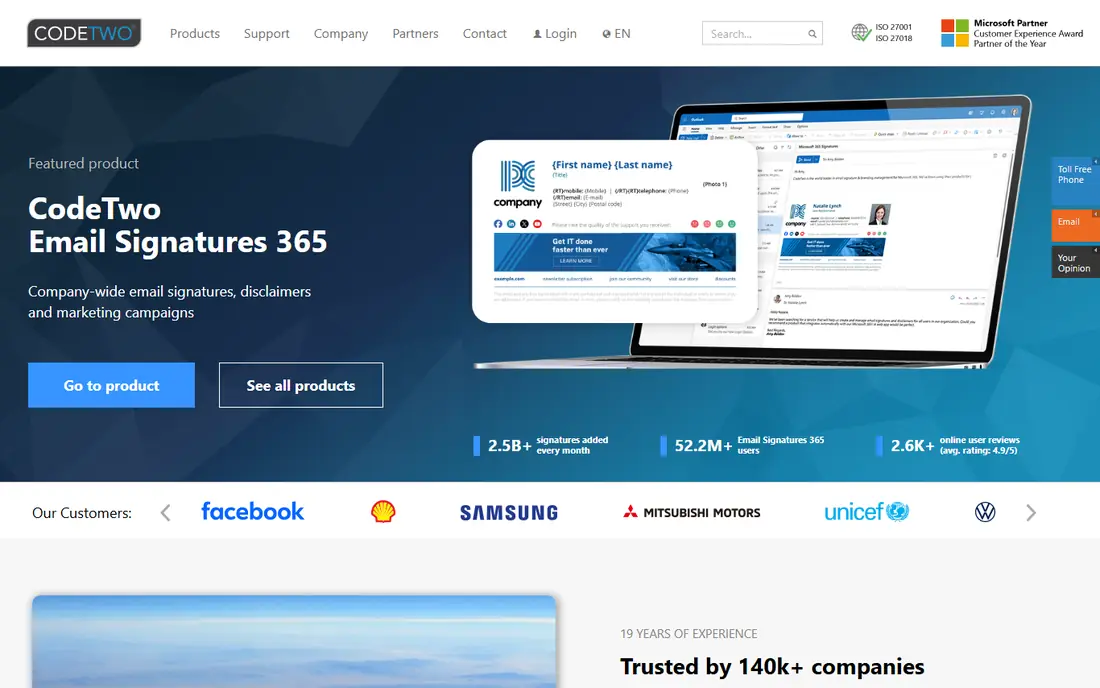
CodeTwo Email Signatures 365 is built for Microsoft 365 organisations. It applies signatures in the cloud, so staff get the same signature in Outlook, on the web and on mobile without installing add-ins on every device. Rules can target departments, locations or senders, and templates can pull data from Microsoft Entra ID.
Google-only teams should look elsewhere, since this tool is Microsoft-centred by design. For Microsoft shops, though, the depth of integration and the control over signature placement make it a strong rival to Exclaimer.
- Deep Microsoft 365 integration
- Signatures on all devices
- Template and rule control
- Microsoft focus limits Google-only teams
- Advanced rules need planning

WiseStamp suits teams that want professional signatures without an enterprise rollout. Its template builder is approachable, managers can deploy signatures centrally, and staff do not need design skills to stay on brand. It works across common email platforms, which helps mixed teams.
Larger organisations with strict compliance rules may want deeper mail flow control and audit features. For small and mid-size businesses, WiseStamp balances ease of use with enough central control to end inconsistent signatures.
- Easy template builder
- Central deployment
- Works across email platforms
- Enterprise governance is lighter than Exclaimer or CodeTwo
- Pricing varies by plan
Newoldstamp focuses on the core job: one set of templates, populated from directory details, applied consistently across the team. Marketing teams can add banners and links, while IT keeps control of the master design. That clarity appeals to companies tired of staff creating their own signatures in different fonts and formats.
Buyers should confirm mail platform support and deployment method for their setup, since options vary by plan. When the fit is right, Newoldstamp is a straightforward way to fix signature chaos.
- Central templates with directory data
- Consistent branding
- Campaign options
- Smaller vendor than Exclaimer
- Check platform fit for your mail system
Xink combines signature control with marketing use. Teams can manage templates centrally, schedule campaigns for specific dates or groups, and track banner performance. That makes the signature a useful channel for product launches, events and content, rather than just a contact block.
The trade-off is that Xink is less well known than Exclaimer or CodeTwo, so buyers should test support and deployment carefully. Teams that value campaign measurement will find its analytics a real plus.
- Central signature management
- Campaign scheduling
- Analytics for banner clicks
- Pricing is quote-based
- Smaller community than larger rivals
BrandMail pitches security alongside branding. Signatures are locked so staff cannot alter fonts, titles or links, which helps prevent spoofing and keeps legal disclaimers intact. It integrates with Microsoft Outlook and Google Workspace, covering the two most common business mail platforms.
Design flexibility should be tested against your brand guidelines, since tamper-proof control can limit local tweaks. For firms worried about signature tampering or phishing-style edits, that control is the point.
- Tamper-proof signatures
- Outlook and Google Workspace support
- Phishing protection angle
- Niche positioning
- Check template flexibility for complex designs
Dynasend is built to standardise signatures across a large enterprise. Its portal lets managers control templates, use conditional logic for different groups, and handle custom data fields. That granularity helps global firms with many departments, languages or legal entities.
Smaller teams may find the setup more detailed than they need. Enterprises with complex signature rules, however, will value the control over who sees which disclaimer, banner or contact block.
- Enterprise standardisation
- Conditional logic
- Custom fields and substitutions
- Interface can feel technical
- Pricing is not published on all plans
Letsignit gives marketing and IT a shared tool for signatures. Central templates keep branding consistent, while campaign banners let teams promote offers and measure clicks. That reporting helps marketing justify signature space as a channel, not just an admin task.
Buyers should confirm how signatures are applied for their mail platform and devices, since deployment methods differ. For teams that want both control and campaign insight, Letsignit is worth a trial.
- Central management
- Campaign banners
- Click analytics
- Platform fit varies
- Enterprise mail flow features need checking
How we picked these
We compared official product pages, platform support and pricing information, plus current 2026 comparisons of signature management tools. We favoured tools that are still sold in October 2026, that apply signatures centrally rather than relying on staff to paste templates, and that support Microsoft 365, Google Workspace or both. Where pricing is not published, we say so. We did not claim hands-on testing.
What to check before you buy
Start by listing your mail platforms and devices. A tool that works well in Outlook on Windows may render differently in Gmail on a phone, so test real signatures across the clients your staff actually use. Check whether signatures apply at the server level, which covers mobile replies, or only through an add-in.
Templates, data and compliance
Confirm that templates pull names, titles, phone numbers and office details from your directory automatically, so staff changes do not require manual edits. Ask how disclaimers are handled for different regions or business units, and whether staff can edit any part of the signature. For regulated firms, locked templates and audit trails matter more than design flair.
Campaigns, rollout and support
Decide whether you need campaign banners and click tracking, or just consistent branding. Plan the rollout in groups, starting with one department, and check support hours and onboarding help. A tool that is easy to buy but hard to deploy will leave old signatures in place for months.
Also check reply and forward behaviour during your trial. Some tools apply signatures cleanly to new emails but handle replies differently, adding a signature below quoted text or repeating it in long threads. Ask whether you can set different signatures for new mail, replies and forwards, and whether internal mail needs a signature at all. Many teams use a short internal signature and a full external signature with disclaimers and banners. That detail sounds small, but it affects every email your team sends, and fixing it after rollout is harder than testing it in week one. Keep a small group of test users on different devices and clients, and review their sent mail before you roll out to everyone.
One more check is image and link handling. Large logos and banner images can trigger spam filters or display as broken images in some clients, so keep signature images small, host them reliably, and always include plain text contact details as a fallback. Test links in banners, since a broken campaign link wastes the attention of every recipient. A short, text-first signature with one clear banner usually performs better than a long signature with several images and links.
FAQ
What is email signature management software?
It is software that creates, manages and applies email signatures centrally for a whole organisation. Staff get the correct signature automatically, and IT or marketing controls branding, disclaimers and campaign banners.
Does it work with Microsoft 365 and Google Workspace?
Most leading tools support one or both, but deployment methods differ. Exclaimer covers both, CodeTwo focuses on Microsoft 365, and other tools vary, so confirm your platform before buying.
Will signatures appear on mobile devices?
Server-side tools apply signatures in the cloud, so they appear on mobile, web and desktop mail. Add-in tools may only work in specific clients, so test mobile replies during a trial.
Can I run marketing campaigns in signatures?
Yes, several tools on this list support banner campaigns with scheduling and click tracking, including Exclaimer, Xink and Letsignit. That turns every email into a small marketing channel.
How much does email signature management cost?
Most enterprise tools use quote-based or per-user pricing that varies by user count and features. Smaller team tools publish plans, but always check whether campaign analytics and mail flow deployment are included.