E-Signature Software for Large Enterprises in 2026: The 5 Best Options Side by Side
Best E-Signature software for large enterprises: 5 contenders ranked by fit, with entry costs and free tiers. Plain-spoken summaries throughout. Facts only.
- Editor's choice
 Dropbox Sign
Straightforward everyday signing
Starts at$15 USD / moVisit sign.dropbox.comFull review - Great alternative
 Nintex
Workflow automation with signing steps
Starts atSee websiteVisit nintex.comFull review - Also consider
 Laserfiche
Document management with e-forms
Starts at$42 per user a monthVisit laserfiche.comFull review
Direct answer
Dropbox Sign comes first here, mainly for straightforward everyday signing. Listed starting prices: Dropbox Sign from $15 USD / mo, Laserfiche from $42 per user a month and DocuSign from $45 per user per month. For a different need, Nintex covers workflow automation with signing steps and Laserfiche covers document management with e-forms. All 5 tools are compared below on price, free plan and limits.
TL;DR:
- The list opens with Dropbox Sign, aimed at straightforward everyday signing.
- What to know about Laserfiche first: signing tied to content system.
- Starting prices begin at $42 per user per month with Laserfiche.
- Conga Sign is the one to check for signing inside CRM and workflows.
Last checked November 2026. Prices and plan details were read from the vendors' own pages in November 2026; vendors change plans often, so confirm the current price on the vendor site before you buy.
Quick comparison
| Tool | Best for | Starts at | Free plan? | |
|---|---|---|---|---|
| Dropbox Sign | Straightforward everyday signing | $15 USD / mo | Free trial | Visit |
| Nintex | Workflow automation with signing steps | See website | Free trial | Visit |
| Laserfiche | Document management with e-forms | $42 per user a month | Not stated | Visit |
 DocuSign | Wide agreement management at scale | $45 per user per month | Not stated | Visit |
| Conga Sign | Signing inside CRM and workflows | See website | Not stated | Visit |
5 E-Signature software for large enterprises in detail
Short on time? The summary and table above give the quick view of 5 E-Signature software for large enterprises, and the profiles that follow give the detail behind each entry.
Choose Dropbox Sign for straightforward everyday signing. Dropbox Sign, formerly HelloSign, concentrates on sending, receiving and managing legally binding electronic signatures with an emphasis on simplicity. Pick Dropbox Sign when usability and quick adoption matter most.
The main drawbacks: Lighter on deep enterprise governance.
The system is oriented toward straightforward signing instead of deep agreement lifecycle management, so complicated, multi-system enterprise programs may need more. As for the details, large enterprises can use it for departments or teams that require fast, clear signing without heavy configuration. Price to start with Dropbox Sign: $15 USD / mo. Free options: Free trial.
- Familiar Dropbox context
- Legally binding signatures
- Less suited to complicated agreement lifecycles
Nintex is designed for workflow automation with signing steps. Nintex is a process management and workflow automation product that helps teams design, run and boost end-to-end processes, including custom app development for integrated workflows.
It fits organizations that want signing embedded in governed workflows. Check the vendor site for Nintex pricing; none is listed in this comparison. As for free access: Free trial.
Where it falls short: Signing is part of a broader product.
- Custom app development support
- Integrated workflow focus
- Needs process design effort
In short, Laserfiche is for document management with e-forms. Deployment and process design need planning across departments.
Limits to weigh: Signing tied to content product.
Choose Laserfiche when document management and workflow automation are the core requirements around signing. From a buyer's view, Laserfiche supplies AI-powered document management and process automation, with workflows, electronic forms, document management and analytics. Laserfiche starts at: $42 per user per month. On free options: Not stated.
- Electronic forms and workflows
- Analytics for process insight
- Broader rollout needs planning
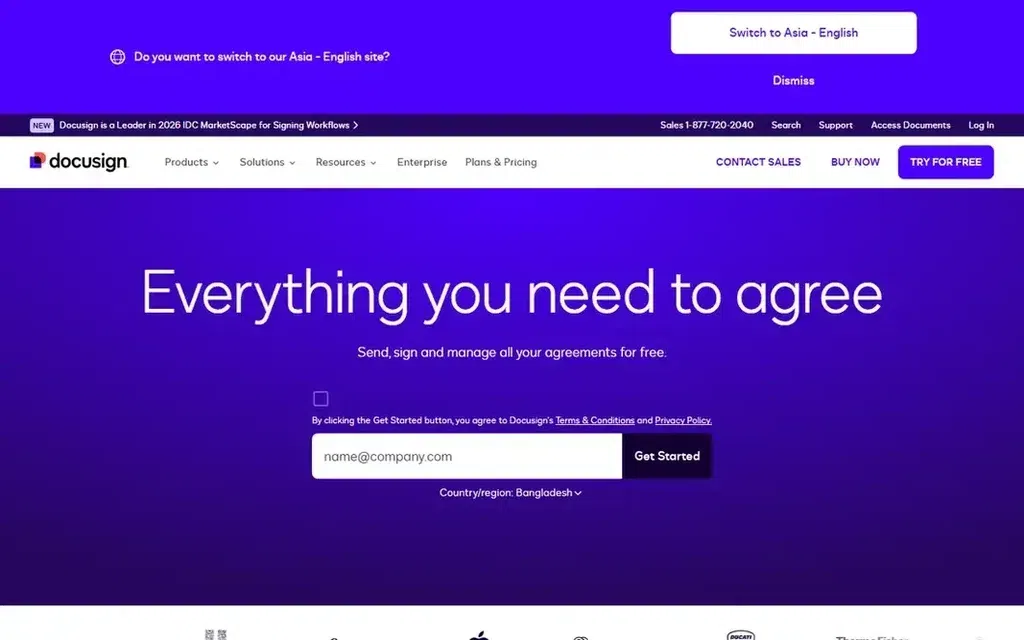
DocuSign makes the most sense for wide agreement management at scale. For large enterprises, that combination matters since signing is seldom the only step; contracts move through review, approval and storage. If your priority is just collecting signatures inside an existing document or CRM workflow, a narrower tool may be simpler to adopt.
Downsides: Configuration needs planning.
DocuSign presents itself as an electronic signature and intelligent agreement management system, letting organizations build, commit to and run agreements in one place. For everyday use, the breadth of the system means setup and governance take effort, and smaller teams may find the scope unnecessary. Choose DocuSign when agreement management, not just signing, is the goal. What you pay to start with DocuSign: $45 per user per month. On free options: Not stated.
- Commit and run steps
- Manages produce
- Wide scope may be more than needed
Conga Sign
Best for: Signing inside CRM and workflows
Pick Conga Sign if this describes you: signing inside CRM and workflows. Conga Sign is a compliant, white-label e-signature option meant to send and sign documents inside any CRM or workflow.
What to check first: Less suited to standalone signing.
On top of that, the tool is most solid when paired with an existing CRM or workflow system, so standalone users may see less benefit. Conga Sign shows no starting price here, so confirm the cost on the vendor site. Free access: Not stated.
- Compliance-oriented design
- White-label signing choice
- Value relies on existing systems
Our selection method
LinkVetted looked at what each vendor publishes: pricing, plan limits, feature coverage for E-Signature software for large enterprises and stated drawbacks. No hands-on testing is claimed. Where a price is missing, the vendor does not list one publicly or ties it to a quote. Always confirm before budgeting. Order on the page follows fit for the typical buyer first, then price transparency and free access. Your own requirements should decide the final pick.
A buyer's checklist
- Get a written quote from Nintex and Conga Sign; the list shows no starting price for them.
- Run a trial of Dropbox Sign and Nintex with real work before paying for a year; your own workflow is the best test.
- Read the limits listed for Dropbox Sign first: lighter on deep enterprise governance.
- Ask the daily users to test Dropbox Sign on a live task before you roll it out to everyone.
- Confirm minimum seats and billing terms with DocuSign before you commit to an annual plan.
FAQ
What is the cheapest option for E-Signature software for large enterprises in this list?
On published monthly entry prices, Laserfiche is the lowest here at $42 per user per month. Entry price is only part of the cost, because seats, add-ons and billing terms can change the total. All 5 picks in this E-Signature software for large enterprises comparison list a starting price, free plan details and the main limits on their cards above.
Do these tools publish their prices?
Not all of them. Nintex and Conga Sign publish no starting price, so expect a quote request for those. The rest, Dropbox Sign included, show a starting price, though seats and billing terms still change the final cost.
How are the tools for E-Signature software for large enterprises ordered?
The order follows typical fit for E-Signature software for large enterprises, with Dropbox Sign first and Conga Sign last, then price clarity and free access. It is editorial judgement, not a score, so another team could rank the tools differently.
Which e-signature tool is best for a large enterprise overall?
Dropbox Sign is the pick this page puts first, mainly for straightforward everyday signing. If your situation differs, Nintex suits workflow automation with signing steps, and Laserfiche suits document management with e-forms. Compare price and limits before you decide.
Can I try these tools before paying?
Often, yes. Dropbox Sign and Nintex offer a free trial. Use your own data and a real task during the test, and check what the free tier or trial limits before you rely on it.
Sources
- https://sign.dropbox.com
- https://www.nintex.com
- https://www.laserfiche.com
- https://www.docusign.com
- https://conga.com/products/conga-sign