6 Drag-And-Drop Page Builder for Marketers Worth Shortlisting in 2026
Weighing the best drag-and-drop page builder for marketers? We lined up 6 products by cost, free access and fit. With pricing notes and limits. Details below.

- Editor's choice
 Squarespace
Simple websites with templates and AI
Starts at$12 a monthVisit squarespace.comFull review - Great alternative
 Leadpages
AI-assisted landing pages and fast launches
Starts at$25 a monthVisit leadpages.comFull review - Also consider
 Webflow
Designers who want control and CMS
Starts at$15 per monthVisit webflow.comFull review
Direct answer
Squarespace comes first here, mainly for simple websites with templates and AI. Listed starting prices: Squarespace from $12 a month, Leadpages from $25 a month and Webflow from $15 per month. For a different need, Leadpages covers AI-assisted landing pages and fast launches and Webflow covers designers who want control and CMS. The remaining 3 options are covered below with prices and limits.
TL;DR:
- Squarespace sits first on this list: simple websites with templates and AI.
- The cheapest monthly starting price in the list is $12 per month, offered by Squarespace.
- For agencies and enterprises needing smart design, Wix Studio is worth a look.
- What to know about Leadpages first: less design adaptability than some rivals.
- Webflow is the only tool of the 6 with a free plan.
Last checked November 2026. Prices and plan details were read from the vendors' own pages in November 2026; vendors change plans often, so confirm the current price on the vendor site before you buy.
Quick comparison
| Tool | Best for | Starts at | Free plan? | |
|---|---|---|---|---|
| Squarespace | Simple websites with templates and AI | $12 a month | Free trial | Visit |
| Leadpages | AI-assisted landing pages and fast launches | $25 a month | Free trial | Visit |
| Webflow | Designers who want control and CMS | $15 per month | Yes | Visit |
 Instapage | High-converting landing pages with testing | $79 a month | Free trial | Visit |
 Duda | Pros building client websites that convert | $19 a month | Free trial | Visit |
| Wix Studio | Agencies and enterprises needing smart design | See website | Not stated | Visit |
Our 6 drag-and-drop page builder for marketers
Short on time? The summary and table above give the quick view of 6 drag-and-drop page builder for marketers, and the profiles that follow give the detail behind each entry.
Where Squarespace fits: simple websites with templates and AI. Squarespace provides less fine-grained control than design-focused systems and its landing page testing capabilities are not as deep as dedicated conversion tools.
Worth adding: Marketers who require advanced A/B testing might pair it with another tool or choose a specialized builder. What you pay to start with Squarespace: $12 per month. As for free access: Free trial.
Drawbacks to consider: Landing page testing tools are restricted.
- Domain and business growth features
- Configurable templates
- Less granular control than some builders

Pick Leadpages if this describes you: AI-assisted landing pages and fast launches. Leadpages is an AI landing page builder that helps marketers produce high-converting pages with templates, testing, and analytics. It bundles built-in marketing integrations, so you can link campaigns and launch quicker without deep technical work.
What Leadpages does well: Templates, testing, analytics.
Points against: Less design adaptability than some rivals.
If you need broad customization or a complete site product, consider a more comprehensive builder, but for fast campaign pages Leadpages is a solid choice. For everyday use, the tool is centred on landing pages and may lack the design depth some brands want for full website builds. Entry price for Leadpages: $25 per month. Free access: Free trial.
- AI landing page builder
- Built-in marketing integrations
- Primarily for landing pages, not full sites
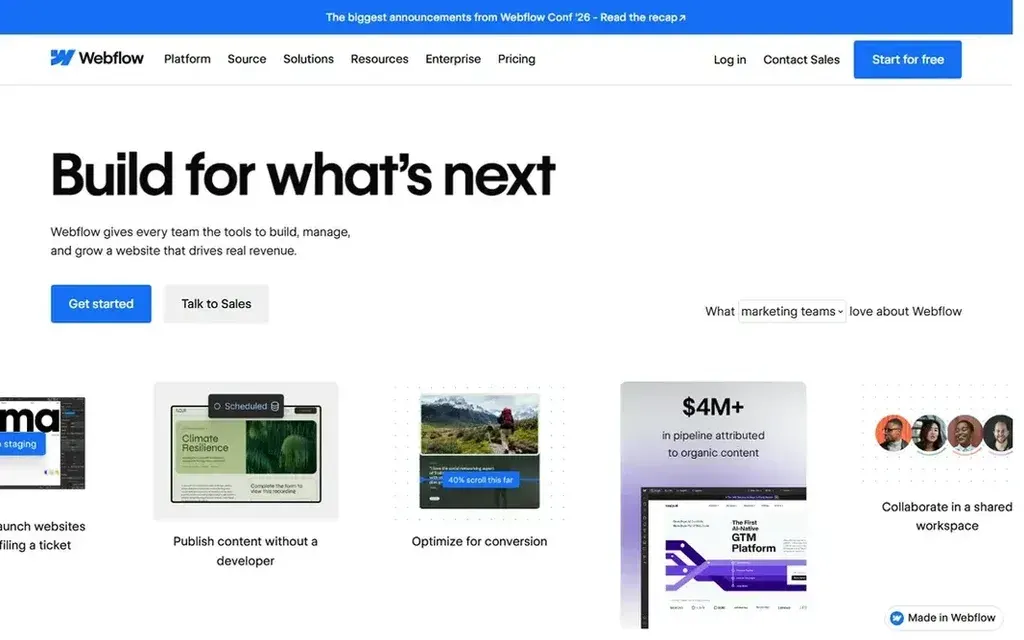
Webflow is built with designers who want control and CMS in mind. Webflow is a visual web product that lets marketers design, build, and optimize sites with a drag-and-drop interface and built-in CMS.
Downsides: Steeper ramp-up time for non-designers.
If you only need fast landing pages with minimal setup, a dedicated landing page builder may be a better fit. The product can be complicated for marketers without design experience, and its feature depth may exceed what straightforward campaign pages need. Starting cost for Webflow: $15 per month. Webflow has a free plan.
- Optimize and rank in AI search
- Visual designer with CMS and hosting
- May be overkill for straightforward landing pages
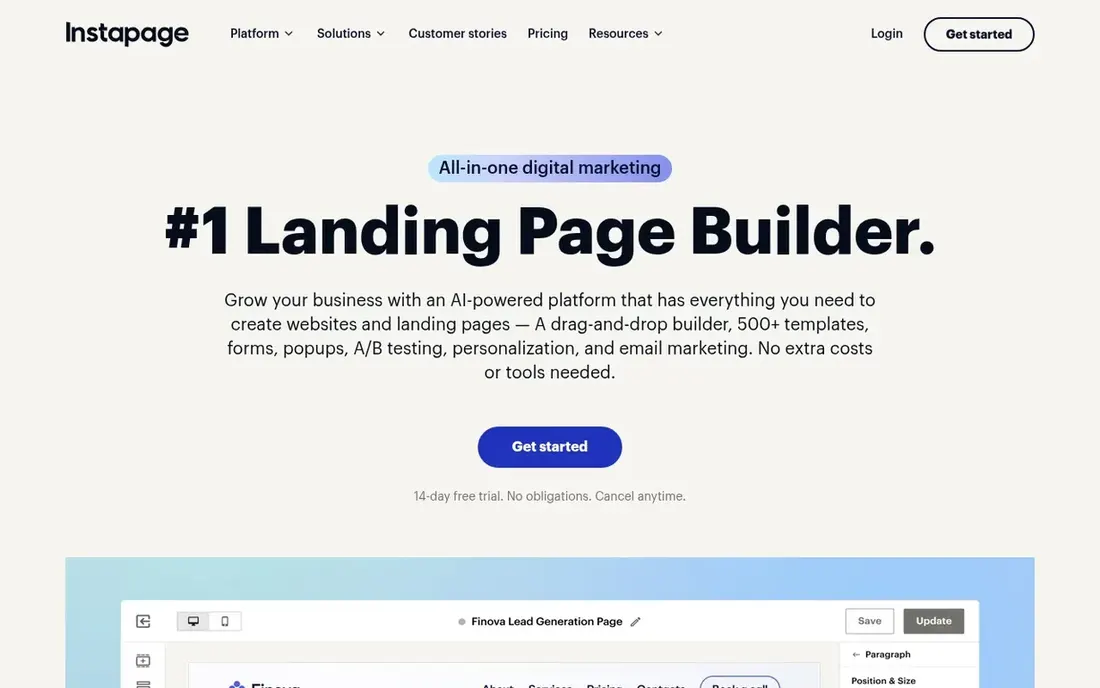
Instapage targets high-converting landing pages with testing. Instapage is a landing page product aimed at marketers who require to launch and optimize campaigns quickly. It gives you a drag-and-drop builder, a large template library, AI content help, and tools for A/B testing and personalization, making it a capable choice for conversion-focused teams.
The main drawbacks: Advanced features may need a learning period.
On top of that, Instapage is specialized for landing pages instead of full site building. So it may not replace a complete website system. From a buyer's view, Marketers who require an all-in-one site and blog might look at broader tools, whereas those concentrated on campaign pages will find it well suited. Instapage starts at: $79 per month. Free access: Free trial.
- Drag-and-drop builder with templates
- AI content assistance
- Concentrated on landing pages, not full websites
Think of Duda for pros building client websites that convert. Since it is made for pros, Duda may be more than a solo marketer needs for a single site. Those seeking a straightforward personal website might prefer a more straightforward builder, whereas agencies will find the client-focused features valuable.
More specifically, Duda is an AI web presence product built for professionals who build and run client websites. It concentrates on helping agencies and freelancers produce high-ranking, conversion-oriented sites with drag-and-drop tools and AI assistance. Duda pricing: $19 per month. Free options: Free trial.
Drawbacks to consider: Targeted at professionals, not DIY beginners.
- AI-powered product for pros
- Purpose-built for client websites
- May need onboarding for full use
Wix Studio
Best for: Agencies and enterprises needing smart design
Wix Studio is built with agencies and enterprises needing smart design in mind. Wix Studio is a web system designed for agencies and enterprises, offering smart design, development, and management capabilities.
As for the details, for more straightforward projects, a lighter builder could be simpler to adopt, but agencies will appreciate the management tools. Worth adding: the product is geared toward professional teams, so solo marketers or small companies might find it more than they need. Pricing for Wix Studio is not stated here, so ask the vendor for current figures. On free options: Not stated.
Drawbacks to consider: Enterprise focus might overwhelm small teams.
- Made for agencies and enterprises
- Smart design and dev capabilities
- May be complicated for solo marketers
Our selection method
LinkVetted looked at what each vendor publishes: pricing, plan limits, feature coverage for drag-and-drop page builder for marketers and stated drawbacks. No hands-on testing is claimed. Where a vendor does not publish a price, the entry says quote. Where a price depends on seats or billing term, the entry says so. The sequence is a judgement call: typical use case first, then pricing transparency, then free access. Use the profiles to check fit.
What to check before you buy
- Confirm the entry price on the vendor page. For Wix Studio that means a quote rather than a fixed price.
- Look at the free plan from Webflow closely: its caps decide whether it is usable for real work.
- Take the trial from Squarespace, Leadpages, Instapage and Duda and push a live task through it before you pay.
- Read the limits listed for Squarespace first: less granular control than some builders.
- Ask whether Wix Studio integrates with your current software, and whether that comes standard or as an add-on.
- Price Squarespace for your actual team size; headline prices rarely include add-ons or overage.
FAQ
Is Squarespace the right pick for everyone comparing drag-and-drop page builder for marketers?
No single tool suits every team. Squarespace comes first because it fits easy websites with templates and AI, while Leadpages suits AI-assisted landing pages and quick launches and Webflow suits designers who want control and CMS. Match the tool to your own size, budget and workflow before deciding.
What is the cheapest option for drag-and-drop page builder for marketers in this list?
On published monthly entry prices, Squarespace is the lowest here at $12 per month. Entry price is only part of the cost, because seats, add-ons and billing terms can change the total.
Do these page builders bundle AI features?
Multiple tools now contain AI assistance. Leadpages markets an AI landing page builder, Duda is an AI web presence system, and Squarespace provides AI website builder tools. Instapage also mentions AI content.
Which builder is a good match for agencies managing several client sites?
For most readers this guide would start with Squarespace, built for simple websites with templates and AI. Leadpages is the alternative for AI-assisted landing pages and fast launches, and Webflow for designers who want control and CMS. The right answer depends on budget and workflow.
Can I try these tools before paying?
Often, yes. Webflow has a free plan and Squarespace, Leadpages, Instapage and Duda offer a free trial. Use your own data and a real task during the test, and check what the free tier or trial limits before you rely on it.
Do these tools publish their prices?
Not all of them. Wix Studio publishes no starting price, so expect a quote request for it. The rest, Squarespace included, show a starting price, though seats and billing terms still change the final cost.
Sources
- https://www.squarespace.com
- https://leadpages.com
- https://webflow.com
- https://instapage.com
- https://www.duda.co
- https://www.wix.com/studio