Best AI App Builder with the Best IDE (2026): 6 Picks Checked on Vendor Pages
Compare 6 picks for AI app builder with the best ide, with prices, free plans and who each fits. Each listing flags where it falls short. Decide faster.

- Editor's choice
 Replit
Browser-based building from a description
Starts at$18 a month, billed annuallyVisit replit.comFull review - Great alternative
 Claude Code
Agentic coding from terminal and IDE
Starts at$17 per monthVisit anthropic.comFull review - Also consider
 GitHub Copilot
Teams working across editor, terminal and GitHub
Starts atSee websiteVisit github.comFull review
Direct answer
If you need browser-based building from a description, Replit is the first tool to look at here. Listed starting prices: Replit from $18 a month, billed annually, Claude Code from $17 per month and Cursor from $8 a month. Claude Code is better for agentic coding from terminal and IDE, and GitHub Copilot is better for teams working across editor, terminal and GitHub. The other 3 tools in the list cover narrower or pricier cases.
TL;DR:
- Replit sits first on this list: browser-based building from a description.
- v0 fits designing and scaling full-stack web apps.
- Free plans exist at 4 of 6 tools (Claude Code, Cursor, Zed, v0).
- The cheapest monthly starting price in the list is $8 per month, offered by Cursor.
- Cursor comes with a trade-off: needs comfort with an editor-centric workflow.
Last checked November 2026. Prices and plan details were read from the vendors' own pages in November 2026; vendors change plans often, so confirm the current price on the vendor site before you buy.
Quick comparison
| Tool | Best for | Starts at | Free plan? | |
|---|---|---|---|---|
| Replit | Browser-based building from a description | $18 a month, billed annually | Not stated | Visit |
| Claude Code | Agentic coding from terminal and IDE | $17 per month | Yes | Visit |
| GitHub Copilot | Teams working across editor, terminal and GitHub | See website | Not stated | Visit |
 Cursor | Agent-driven coding inside a full editor | $8 a month | Yes | Visit |
 Zed | High-performance, multiplayer code editing | $10 per month | Yes | Visit |
 v0 | Designing and scaling full-stack web apps | $30 per user a month | Yes | Visit |
Our 6 picks for AI app builder with the best ide
LinkVetted compared 6 tools for AI app builder with the best ide. The goal is a practical shortlist: published prices, free plan facts, best-fit use cases and honest limits for every entry.

In short, Replit is for browser-based building from a description. Teams with established repositories may prefer an editor or terminal agent that works inside their existing code.
Beyond that, Replit is most solid for fast, self-contained builds. Starting cost for Replit: $18 per month, billed annually. Trial and free access: Not stated.
The main drawbacks: Less control for complicated codebases.
- Working app in minutes
- Describe what you want and it builds
- Browser-first workflow may not suit all teams
In short, Claude Code is for agentic coding from terminal and IDE. Since it can edit files and run commands, Claude Code benefits from careful review and clear scoping. Developers who prefer a visual, browser-based builder may find the terminal orientation less inviting.
Downsides: Terminal-first habits help.
Claude Code is Anthropic's agentic coding tool for the terminal and IDE. It understands your codebase, edits files, runs commands and helps you ship quicker. The starting price for Claude Code: $17 per month. Claude Code includes a free tier.
- Works in terminal and IDE
- Understands the codebase
- Needs oversight of agent actions
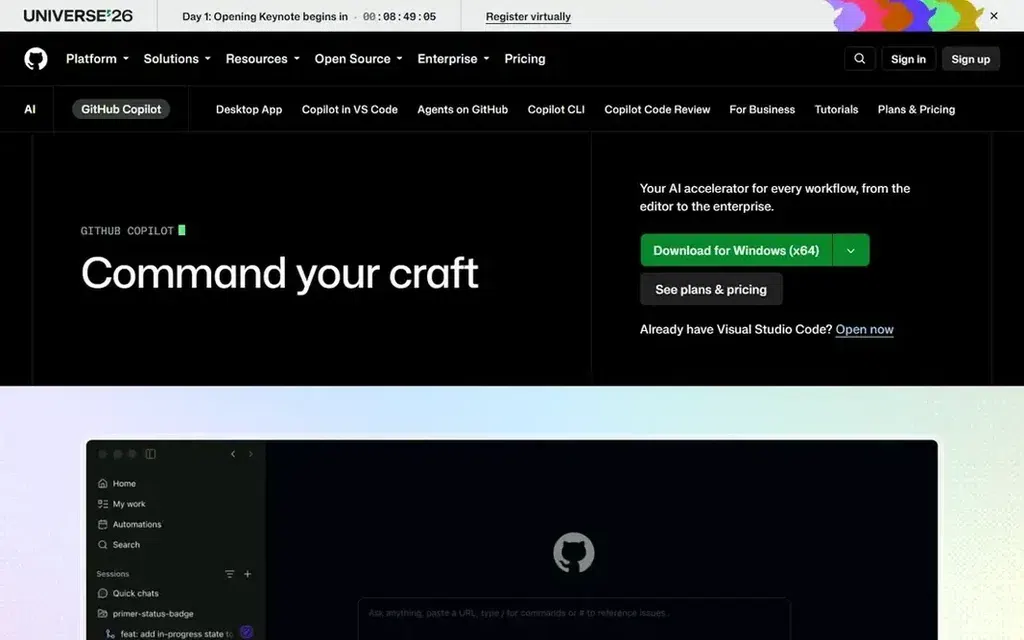
Choose GitHub Copilot for teams working across editor, terminal and GitHub. GitHub Copilot is described as an AI coding agent that works every step of the way, from an open issue to reviewing and merging a pull request, across your editor, terminal, desktop and GitHub.
If your team does not use GitHub, much of Copilot's workflow value is harder to realize. It is also oriented toward assisting existing codebases instead of generating an entire app from a description. Check the vendor site for GitHub Copilot pricing; none is listed in this comparison. As for free access: Not stated.
Downsides: Less handy outside that ecosystem.
- Suits existing GitHub workflows
- Handles issue to pull request
- Value relies on GitHub usage
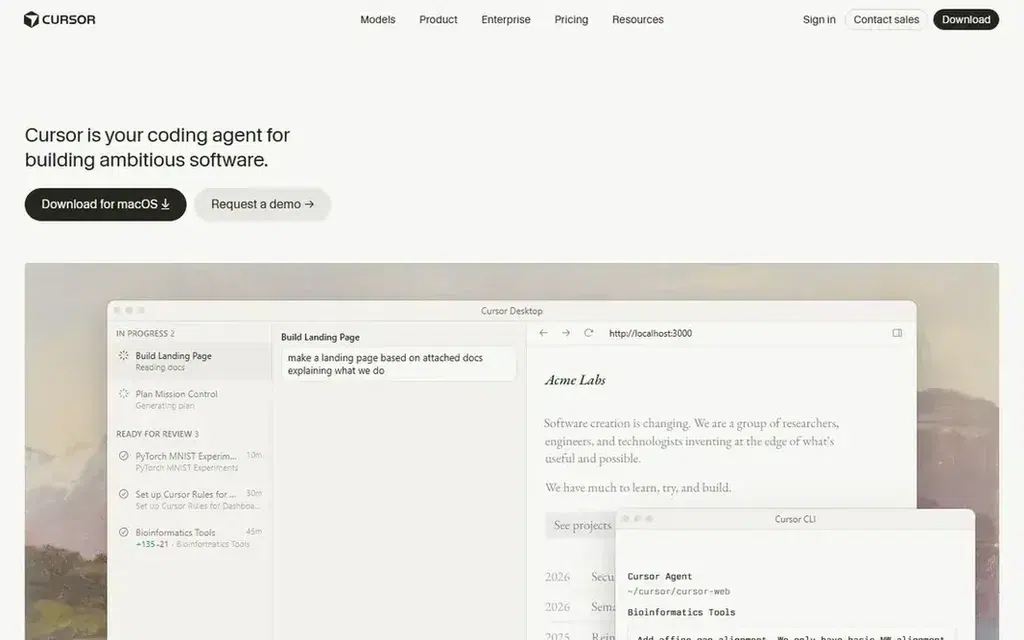
Choose Cursor for agent-driven coding inside a full editor. Cursor presents itself as an AI coding agent for building ambitious software, with agents that turn ideas into code and let you hand off tasks. From a buyer's view, consider a browser-first tool instead if you want to describe an app and skip local setup.
More specifically, since Cursor is editor-centric, people who prefer a purely browser-based builder may find it heavier to adopt. Its agent features assume some familiarity with code review. On cost, Cursor starts like this: $8 per month. Free access exists with Cursor.
Downsides: Agent output still needs review.
- Aimed at high developer productivity
- AI agents turn ideas into code
- Needs comfort with an editor-centric workflow
Zed serves high-performance, multiplayer code editing. Zed is a high-performance, multiplayer code editor from the creators of Atom and Tree-sitter.
Where it is weaker: Most useful for editor-first users.
Confirm current AI capabilities on the vendor site. For everyday use, teams needing prompt-to-app output should weigh a builder-first tool. On cost, Zed starts like this: $10 per month. You can start on Zed without paying.
- From creators of Atom and Tree-sitter
- Multiplayer collaboration
- AI assistance is not the headline
In short, v0 is for designing and scaling full-stack web apps. As with any prompt-driven assistant, results rely on how plainly you describe intent.
On top of that, consider an editor-centric agent if you need wide, language-agnostic work. Entry price for v0: $30 per user per month. You can start on v0 without paying.
Trade-offs to know: Centred on web applications.
- Design and iterate in one flow
- Targets full-stack web apps
- Iteration quality depends on clear prompts
Selection criteria
For each of the 6 tools we noted price, free plan or trial, fit for AI app builder with the best ide and the main limit, using vendor pages and documentation. Where a vendor does not publish a price, the entry says quote. Where a price depends on seats or billing term, the entry says so. The ranking is editorial: typical fit first, then clear pricing, then free access. If your needs are unusual, read the profiles rather than relying on position.
Pre-purchase checklist
- Get a written quote from GitHub Copilot; the list shows no starting price for them.
- Read the fine print on the free plans from Claude Code, Cursor, Zed and v0; seat, project and feature caps differ.
- Before choosing Replit, weigh its main limit: less control for complicated codebases.
- Look at the renewal terms for Claude Code: auto-renewal, notice periods and price changes can matter more than the first-year price.
- Verify that exporting from GitHub Copilot is possible on your plan and covers all your records.
FAQ
Is Replit the right pick for everyone comparing AI app builder with the best ide?
No single tool suits every team. Replit comes first because it fits browser-based building from a description, while Claude Code suits agentic coding from terminal and IDE and GitHub Copilot suits teams working across editor, terminal and GitHub. Match the tool to your own size, budget and workflow before deciding.
Do these tools publish their prices?
Not all of them. GitHub Copilot publishes no starting price, so expect a quote request for it. The rest, Replit included, show a starting price, though seats and billing terms still change the final cost. Prices, free plan details and limits for all 6 tools in this AI app builder with the best Ide roundup sit on the individual cards above.
What is the cheapest option for AI app builder with the best ide in this list?
On published monthly entry prices, Cursor is the lowest here at $8 per month. Entry price is only part of the cost, because seats, add-ons and billing terms can change the total. Each of the 6 options in this AI app builder with the best Ide guide has its own card above with the price, free plan and limits.
How are the tools for AI app builder with the best ide ordered?
Replit sits first and v0 last because the order follows typical fit for AI app builder with the best ide, then price clarity and free access. It is a judgement call, so read each profile for fit and limits.
Can I build an app without coding experience?
Replit is the most description-first choice here, letting you describe what you want and get a working app or website. v0 also targets web app creation through a collaborative assistant.
How do terminal-based agents differ from editor-based ones?
Editor-based tools like Cursor and Zed keep the editing experience central. Your choice relies on whether you prefer agent actions in a shell or a visual editor.
Sources
- https://replit.com
- https://www.anthropic.com/claude-code
- https://github.com/features/copilot
- https://cursor.com
- https://zed.dev
- https://v0.dev