7 Documentation Software for Tech Teams Ranked for 2026
Shortlisting the best documentation software for tech teams? 7 products compared on cost, free access and ideal buyer. Real limits included. Facts only.
- Editor's choice
 Confluence
Internal team knowledge in Atlassian environments
Starts at$5.42 per user/monthVisit atlassian.comFull review - Great alternative
 Archbee
Customer-facing knowledge portals with branding control
Starts at$80/monthVisit archbee.comFull review - Also consider
 Mintlify
Startups that want beautiful API docs quick
Starts at$0/month (Starter)Visit mintlify.comFull review
Direct answer
Our first pick is Confluence, best for internal team knowledge in Atlassian environments. For a different need, Archbee covers customer-facing knowledge portals with branding control and Mintlify covers startups that want beautiful API docs quick. Details, prices and limits for the rest of the 7 tools are below.
TL;DR:
- Confluence is the opening pick, best for internal team knowledge in Atlassian environments.
- Before buying Archbee, weigh this: begins at $80/month with no free plan.
- The cheapest monthly starting price in the list is $0/month, offered by Mintlify.
- Only 4 of the 7 tools have a free plan (Confluence, Mintlify, GitBook, Notion), so check the caps.
Quick comparison
| Tool | Best for | Starts at | Free plan? | |
|---|---|---|---|---|
| Confluence | Internal team knowledge in Atlassian environments | $5.42 per user/month | Yes | Visit |
| Archbee | Customer-facing knowledge portals with branding control | $80/month | Free trial | Visit |
| Mintlify | Startups that want beautiful API docs quick | $0/month (Starter) | Yes | Visit |
 Redocly | Engineering teams running docs-as-code on OpenAPI | $10 per seat/month (billed per month) | Free trial | Visit |
 GitBook | Product and developer docs with built-in AI | $65 per site/month (billed yearly) | Yes | Visit |
 Document360 | Support-heavy teams running large knowledge bases | See website | Free trial | Visit |
 Notion | Early-stage teams documenting everything in one workspace | See website | Yes | Visit |
7 documentation software for tech teams in detail
Short on time? The summary and table above give the quick view of 7 documentation software for tech teams, and the profiles that follow give the detail behind each entry.

Confluence was built for internal team knowledge in Atlassian environments. The Standard plan at $5.42 per user a month is one of the cheapest ways to provide an entire team a shared knowledge base, and the free level handles teams up to 10 users.
In practice, keep it for internal knowledge, buy a real docs system for your developers and customers. Public API docs, versioned developer portals, and docs-as-code workflows are outside its design. What you pay to start with Confluence: $5.42 per user/month. Free access exists with Confluence.
Drawbacks to consider: API reference support is weak.
- Deep Jira integration
- Free for up to 10 users
- Not designed for public developer docs
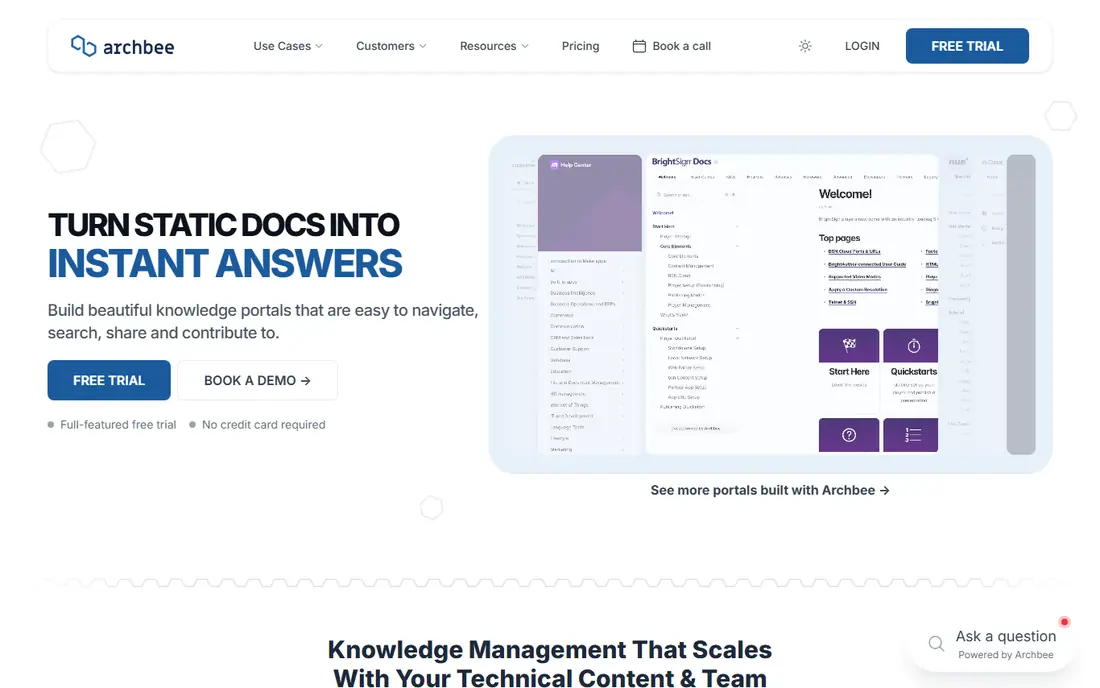
Where Archbee fits: customer-facing knowledge portals with branding control. For firms whose docs are a brand surface, Archbee's design quality is a genuine differentiator. A 14-day trial with no credit card makes evaluation simple.
Also, Archbee calls itself a knowledge portal product, and the output looks it: refined, branded documentation sites for customers, partners, and internal teams. Also, the step to Scaling at $350 a month is steep, and that is where review workflows, localization, and reusable content live. Worth adding: the Growing plan at $80 a month comes with unlimited readers, public and private portals, a custom domain, and GitHub integration, which is a clean flat price in a category full of meters and quotes. Archbee cost at the entry level: $80/month. Free options: Free trial.
Where it falls short: Opens at $80/month with no free plan.
- Flat pricing with unlimited readers
- Beautiful portals with full branding control
- Review and localization need the $350 Scaling level

Mintlify is aimed squarely at startups that want beautiful API docs quick. The Starter plan is free and comes with a custom domain, authentication, and up to five editor seats.
In practice, for a startup that wants investor-grade docs in an afternoon, Mintlify is the fastest path. Price to start with Mintlify: $0/month. Free access exists with Mintlify.
Downsides: premium Pro pricing is not published.
- Pro trial needs no credit card
- Agent-ready output by default
- AI features are credit-metered
For engineering teams running docs-as-code on OpenAPI, Redocly is a natural candidate. API governance, scorecards, and portfolio management are Redocly's real strengths.
So it suits product teams standardizing plenty of APIs instead of a startup publishing its first docs. Redocly starts at: $10 per seat/month. Free options: Free trial.
Limits to weigh: Developer-centric; Readers-facing polish needs configuration.
- Redoc is the most widely used open-source API docs renderer
- Solid linting and governance for API portfolios
- Support quality tracks the plan level
For product and developer docs with built-in AI, GitBook is a natural candidate. A mid-sized SaaS company we looked at runs its public developer docs, internal runbooks, and AI chatbot answers from one GitBook setup. That is the product's pitch in one sentence: docs as the knowledge layer for both humans and agents.
In practice, the main limit is that the headline price is not the entire bill. Each collaborator brings $12 per user a month, and AI features run on credits that cost a penny each past the included bundle. Git sync, branching, and merge-style reviews fit teams that already think in pull requests. More specifically, authenticated, customer-only content needs Ultimate at $249 per site a month. The starting price for GitBook: $65 per site/month. GitBook includes a free tier.
Where it is weaker: Authenticated access needs the $249 Ultimate plan.
- AI assistant and agent features built in
- Per-site pricing with unlimited readers and page views
- AI credits add a second meter
Pick Document360 if this describes you: support-heavy teams running large knowledge bases. Pricing is entirely quote-based, calibrated to team accounts, workspaces, languages, and AI usage. That is awkward for fast comparisons but can work out fairly for teams that fit the model.
The migration service from Confluence, SharePoint, and other sources is included in most quotes, which removes the usual import pain. Also, Document360 is a knowledge base product first and a developer docs tool second. It manages thousands of articles with versioning, approval workflows, translation, and article-level analytics, and it targets support and customer education teams instead of API developers. No starting price is listed for Document360 here; confirm pricing on the vendor site. Free access: Free trial.
The main drawbacks: AI features bundled into custom quotes; weaker for API docs.
- Made for large knowledge bases with capable analytics
- SOC 2 Type II and ISO 27001 compliance
- Quote-only pricing with no public numbers
Notion is built with early-stage teams documenting everything in one workspace in mind. Early-stage startups document architecture notes, onboarding checklists, and even public help articles in Notion since the friction is zero and everyone knows the interface.
Drawbacks to consider: No real API docs workflow.
Databases, embedded content, and AI features include most internal documentation needs without a second product. For everyday use, use Notion for internal team knowledge whereas you are small. Check the vendor site for Notion pricing; none is listed in this comparison. A free plan is available with Notion.
- Project tracking together
- Ample free level for individuals
- Versioning and publishing are entry-level
Selection criteria
Each tool was reviewed on what its vendor publishes: price, plan limits, core features and stated drawbacks. We did not run hands-on tests. Where a price is missing, the vendor does not list one publicly or ties it to a quote. Always confirm before budgeting. The ranking is editorial: typical fit first, then clear pricing, then free access. If your needs are unusual, read the profiles rather than relying on position.
What to confirm before you sign up
- Get a written quote from Document360 and Notion; the list shows no starting price for them.
- Look at free plan limits closely: Confluence, Mintlify, GitBook and Notion have one, and the caps decide whether it is usable for real work.
- Run a trial of Archbee, Redocly and Document360 with real work before paying for a year; your own workflow is the best test.
- Read the limits listed for Confluence first: not aimed at public developer docs.
- A short pilot of Notion with your real workflow tells you more than a feature table.
- The entry price of GitBook is only the starting point; model the full cost with seats and extras.
FAQ
How are the tools for documentation software for tech teams ordered?
The order follows typical fit for documentation software for tech teams, with Confluence first and Notion last, then price clarity and free access. It is editorial judgement, not a score, so another team could rank the tools differently.
Can I try these tools before paying?
Often, yes. Confluence, Mintlify, GitBook and Notion have a free plan and Archbee, Redocly and Document360 offer a free trial. Use your own data and a real task during the test, and check what the free tier or trial limits before you rely on it.
How do we keep docs from going stale?
Pick a tool with Git integration or review reminders so docs update with code changes. Assign owners to each section, review analytics for pages with high exits, and treat docs updates as part of the definition of done for features.
What is the cheapest option for documentation software for tech teams in this list?
On published monthly entry prices, Mintlify is the lowest here at $0/month. Entry price is only part of the cost, because seats, add-ons and billing terms can change the total.
Do these tools publish their prices?
Not all of them. Document360 and Notion publish no starting price, so expect a quote request for those. The rest, Confluence included, show a starting price, though seats and billing terms still change the final cost.