Best Document Processing Automation Software in 2026: 8 Tools Compared
Compare the best document processing automation software for invoices, forms and contracts, with current pricing, free plans and honest trade-offs in 2026.

- Editor's choice
 Rossum
High volume invoice workflows
Starts atSee websiteVisit rossum.aiFull review - Great alternative
 Nanonets
Custom extraction for smaller teams
Starts at$100 per monthVisit nanonets.comFull review - Also consider
 ABBYY Vantage
Regulated enterprise documents
Starts atSee websiteVisit abbyy.comFull review
TL;DR:
- Rossum and ABBYY Vantage suit high volume and regulated work, while Nanonets and Parseur give smaller teams a faster start.
- Pricing splits into two camps: published per page or per month plans, and quote based enterprise contracts that need a sales call.
- A review screen matters more than raw extraction speed, because someone still has to check exceptions and approve the result.
- The best fit depends on document type, volume and where the data has to land, not on which tool claims the widest coverage.
Quick comparison
| Tool | Best for | Starts at | Free plan? | |
|---|---|---|---|---|
| Rossum | High volume invoice workflows | See website | Free trial | Visit |
| Nanonets | Custom extraction for smaller teams | $100 per month | Yes | Visit |
| ABBYY Vantage | Regulated enterprise documents | See website | No | Visit |
 UiPath Document Understanding | Teams already using automation | See website | Free trial | Visit |
 Docsumo | Finance documents with a review workflow | See website | Free trial | Visit |
 Klippa DocHorizon | European teams and fraud checks | See website | Free trial | Visit |
 Hyperscience | High accuracy back office work | See website | No | Visit |
 Parseur | Simple email and document extraction | $39 per month | Yes | Visit |
The best document processing automation software
We compared official feature pages, pricing pages and public documentation for tools that read, classify and extract data from real business documents. The eight below cover invoices, receipts, purchase orders, forms and contracts, and each one takes a different approach to setup, review and cost.

Rossum is built around invoices and similar transactional documents, and it reads new supplier layouts without a template for each vendor. That design suits finance teams that receive documents from dozens or hundreds of suppliers, where template maintenance would eat up the time saved by automation. The validation screen is the practical heart of the product, since reviewers can correct fields, see confidence signals and push clean data onward.
The trade-off is cost and scope. Published third party summaries put the Starter plan from about 18,000 dollars a year, which puts Rossum out of reach for a team processing a handful of invoices a week. It also works best when the downstream system is clear, such as an accounting platform or an enterprise resource planning system, because extraction alone does not close the books. For a mid market or larger accounts payable team, though, the combination of extraction, review and workflow is hard to beat.
- Template free invoice extraction
- Clear validation screen for reviewers
- Workflow and approval tools built in
- Entry pricing is high for small firms
- Implementation can take time at scale
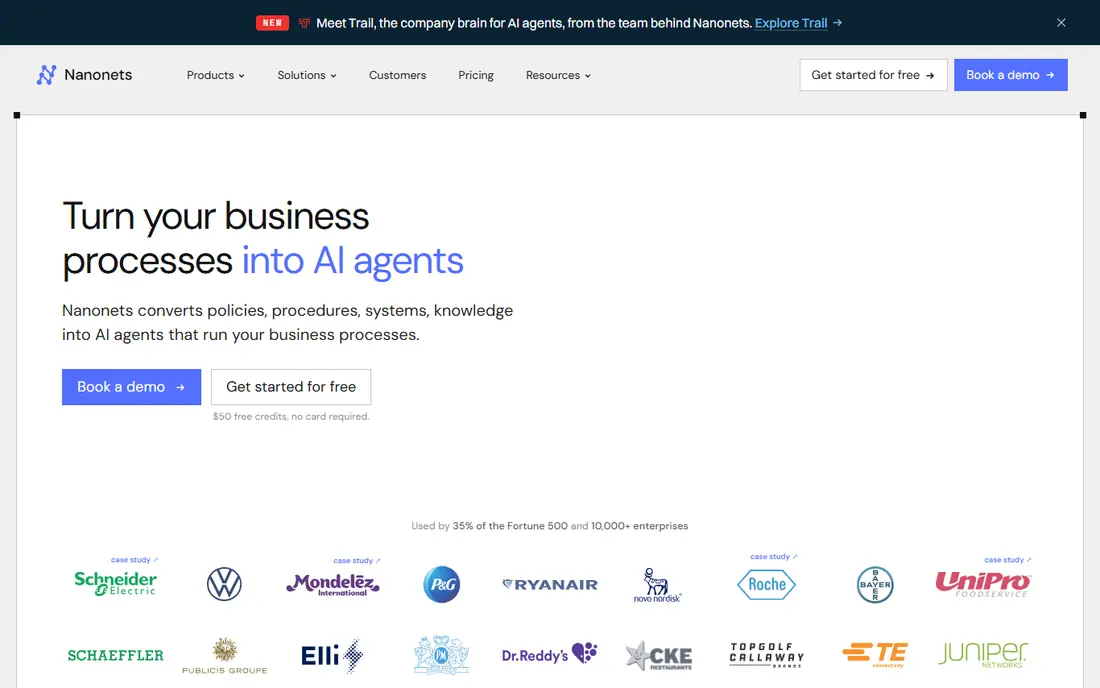
Nanonets appeals to teams that have documents other tools do not handle well, such as unusual forms, delivery notes or industry specific paperwork. You can train a model on your own samples, test it, and connect the output to other tools through an API or built in workflows. That flexibility makes it a good middle ground between a fixed invoice tool and a raw cloud API that leaves you to build the whole application.
Pricing starts at 100 dollars a month in published summaries, with a free start based on credits, so a small team can try real documents before committing. The catch is that usage based pricing rewards careful monitoring. A sudden spike in pages, or a model that sends too many documents to review, can change the monthly bill and the workload at the same time. Start with one document type, measure the review rate, and expand only when the numbers hold up.
- Fast model training on custom documents
- Usage based options
- API and workflow tools
- Per page costs need close tracking
- Complex workflows still need setup care
ABBYY Vantage is the enterprise option for organisations that process many document types under audit and compliance pressure. Its low code designer lets automation teams build document skills, which are reusable extraction and classification units, and connect them to wider workflows. Prebuilt skills for invoices, receipts, purchase orders and identity documents shorten the start, while governance controls and analytics help managers see where documents stall.
The downside is that ABBYY does not publish a simple entry price, and a full rollout usually involves an implementation team and a longer timeline. Smaller firms will find the sales led process slow compared with signing up for a monthly plan. For a regulated business that needs deployment control, audit trails and consistent handling across departments, that extra structure is the point rather than a drawback.
- Low code design for document skills
- Strong governance and analytics
- Prebuilt skills for common documents
- Quote based pricing
- Heavier setup than simpler tools
UiPath Document Understanding is not a standalone invoice app. It is the document layer inside UiPath automation, so extracted data can feed robots, approvals and business systems in one flow. Prebuilt models cover invoices, receipts, purchase orders and identity documents, and teams can build custom models for their own forms. If your organisation already runs UiPath, adding document understanding is a natural step.
If you do not already use UiPath, the picture changes. You are buying into a platform, not just a document tool, and you will need people who can design and maintain automations. Pricing is tied to UiPath consumption and licensing, so get a written quote for your page volume before assuming it is cheap. For automation heavy teams, however, the ability to move from a scanned form to an approved transaction without manual handoffs is a real strength.
- Prebuilt models for common documents
- Fits inside wider robotic automation
- Cloud or on premises options
- Best value only inside a UiPath licence
- Needs automation skills to get full value
Docsumo focuses on finance and lending documents, with prebuilt models for invoices, bank statements and similar paperwork. The built in review workflow means your team only touches exceptions rather than every page, which is the difference between a tool that saves time and one that just moves work to a new screen. Developers can also use the API to send documents in and receive structured data back.
The main frustration is pricing transparency. Docsumo does not clearly advertise a starting monthly price, and published comparisons note setup fees that vary with document complexity. A 14 day trial with a page allowance gives you a chance to test your own documents, and you should use it with your messiest files, not your cleanest. If the trial review rate is low and the quote fits your volume, Docsumo is a solid mid market choice.
- Prebuilt models for finance documents
- Built in review workflow
- API access for developers
- Pricing is not clearly published
- Setup fees may apply in some cases
Klippa DocHorizon, now part of Doxis as Doxis AI.dp, is a European document extraction platform with a useful extra: fraud detection built into the pipeline. That matters for expense claims, identity checks and financial documents where a forged or altered file is a real risk. The platform also stresses GDPR compliant handling, including masking of personal data, which helps teams that process documents under European privacy rules.
Pricing is quote based, with service levels billed separately in some summaries, so budget planning needs a direct conversation. Teams outside Europe can still use it, but local support and partner coverage are strongest in its home market. If fraud checks and European hosting matter to you, Klippa deserves a shortlist spot that a generic extraction API would not earn.
- Built in document fraud detection
- GDPR focused data handling
- Identity document support
- Pricing requires a sales conversation
- Support strength is strongest in Europe
Hyperscience is aimed at back office operations where accuracy matters more than a low entry price, such as insurance claims, government forms and large finance operations. Its human in the loop design keeps people in the flow for uncertain cases, while the system learns from corrections over time. Deployment options include software as a service, private cloud and on premises, which matters for organisations with strict data rules.
That enterprise focus is also the limitation. There is no free plan and no published starter price, so a small team will face a sales process and an implementation project. Volume, document variety and accuracy targets all feed into the quote. For a large operation processing thousands of pages a day, the supervision model and accuracy controls can justify the cost. For a ten person firm, a simpler monthly tool will usually be the better buy.
- Human in the loop supervision at scale
- Strong handling of complex documents
- Enterprise deployment options
- Quote based pricing
- Overkill for low volume teams
Parseur is the simplest tool on this list, and that is its appeal. It extracts data from emails, PDFs and other documents with AI parsing, without the training and setup that heavier platforms require. The free plan covers 20 pages a month, and paid plans start at 39 dollars a month, with lower per page costs at higher volumes. There are no setup fees, so a small team can start in an afternoon.
The limit is scope. Parseur is excellent for turning incoming documents into structured data for a spreadsheet, a CRM or an accounting tool, but it does not offer the approval chains, audit controls and enterprise governance of Rossum or ABBYY. If your need is straightforward extraction at modest volume, that simplicity saves money and time. If you need multi step approvals and strict controls, look higher up this list.
- Free plan with 20 pages a month
- No setup fees
- Works without training on many documents
- Less suited to complex enterprise workflows
- Per page costs rise with volume
How we picked these
We compared official feature and pricing pages, public documentation and independent comparisons published in 2026, and we kept only tools that exist, are actively sold, and handle real business documents today. We favoured tools with a review step, clear data destinations and a pricing model we could describe honestly, and we marked quote based tools as such instead of guessing a price. Tools that were only a raw OCR library, or that had no usable product page, were left out.
What to check before you buy
Start with your worst documents, not your best ones. Scan a faded invoice, a multi page statement and a form with handwriting, and run all three through a trial. The tool that handles those files with the fewest corrections is the tool that will save time in real work, even if another tool looks faster on clean PDFs.
Match the tool to the volume
A free or low cost plan makes sense under a few hundred pages a month. Above that, compare the total monthly cost at your real volume, including review time. A cheap per page price can still be expensive if a quarter of documents need manual fixes.
Check the destination, not just the extraction
Extraction is only useful if the data lands in your accounting, CRM or workflow tool without retyping. Confirm the native integrations, the API and the export formats before you sign, and test one full journey from inbox to posted record.
Ask about accuracy and controls
Ask how the vendor measures accuracy on your document types, how corrections feed back into the model, and what audit trail you get. For finance and regulated work, version history, user permissions and an approval log matter as much as the extraction itself.
FAQ
What is document processing automation software?
It is software that reads documents such as invoices, receipts, forms and contracts, classifies them, extracts the key fields, and sends the structured data to another system. Unlike basic OCR, which only turns images into text, it understands fields such as totals, dates and line items, and it usually includes a review step for uncertain cases.
Do I need templates for each supplier?
Not always. Modern tools such as Rossum and Parseur read new layouts without a template for each vendor, while other tools still benefit from training on your samples. Template free tools suit teams with many suppliers, while trained models can suit a small set of repeated forms.
How much does document processing automation cost?
Costs range from free plans for low volumes and monthly plans from 39 dollars, to quote based enterprise contracts that run into tens of thousands of dollars a year. Compare the total cost at your volume, including review time and any setup fees, rather than the headline per page price alone.
Can it handle handwritten documents?
Some tools handle handwriting better than others, and accuracy depends on legibility and document quality. Test handwritten samples during a trial, and keep a human review step for any document where an error would cause a payment or compliance problem.
Is my document data safe with these tools?
Reputable vendors publish security and privacy information, offer encryption and access controls, and in some cases offer European hosting or on premises deployment. Check the vendor privacy policy and data processing terms, and avoid sending sensitive documents to a tool that does not explain where data is stored.
Which tool is best for a small business?
For a small team, Nanonets or Parseur usually make sense, because they offer published pricing, a free start and a fast setup. Larger teams with high volumes or strict controls should shortlist Rossum, ABBYY Vantage or Hyperscience, and get quotes based on real page counts.