Best Document Organizer Software in 2026: 8 Tools Compared
Compare 8 picks for the best document organizer software, with prices, free plans and who each fits. Each entry gets a plain verdict. Budget notes included.

- Editor's choice
 Zoho WorkDrive
Teams on Zoho or a budget
Starts at$3/user/monthVisit zoho.comFull review - Great alternative
 Folderit
Straightforward cloud organization
Starts at$52/monthVisit folderit.comFull review - Also consider
 Box
Cloud content management
Starts at$15/user/monthVisit box.comFull review
Direct answer
For teams on Zoho or a budget, Zoho WorkDrive is where this list starts. Folderit is better for straightforward cloud organization, and Box is better for cloud content management. The full list of 8 tools follows, with prices and free plan facts.
TL;DR:
- Number one here is Zoho WorkDrive, a fit for teams on Zoho or a budget.
- 3 of 8 tools offer a free plan: Zoho WorkDrive, Folderit, Box.
- Revver is the one to check for AI-assisted organization.
- Zoho WorkDrive has the lowest monthly starting price in this list: $3/user/month.
Quick comparison
| Tool | Best for | Starts at | Free plan? | |
|---|---|---|---|---|
| Zoho WorkDrive | Teams on Zoho or a budget | $3/user/month | Yes | Visit |
| Folderit | Straightforward cloud organization | $52/month | Yes | Visit |
| Box | Cloud content management | $15/user/month | Yes | Visit |
 DocuWare | Document workflow automation | See website | Free trial | Visit |
 M-Files | Metadata-driven organization | See website | Free trial | Visit |
 FileCenter | Small offices going paperless | $97/user one-time | No | Visit |
 Egnyte | Secure file sharing with governance | $22/user/month | Free trial | Visit |
 Revver | AI-assisted organization | $25/user/month | Free trial | Visit |
The full document organizer software list
This LinkVetted guide covers 8 options for document organizer software. Each profile lists a starting price, free plan details, strengths and drawbacks, so you can drop poor fits quickly.
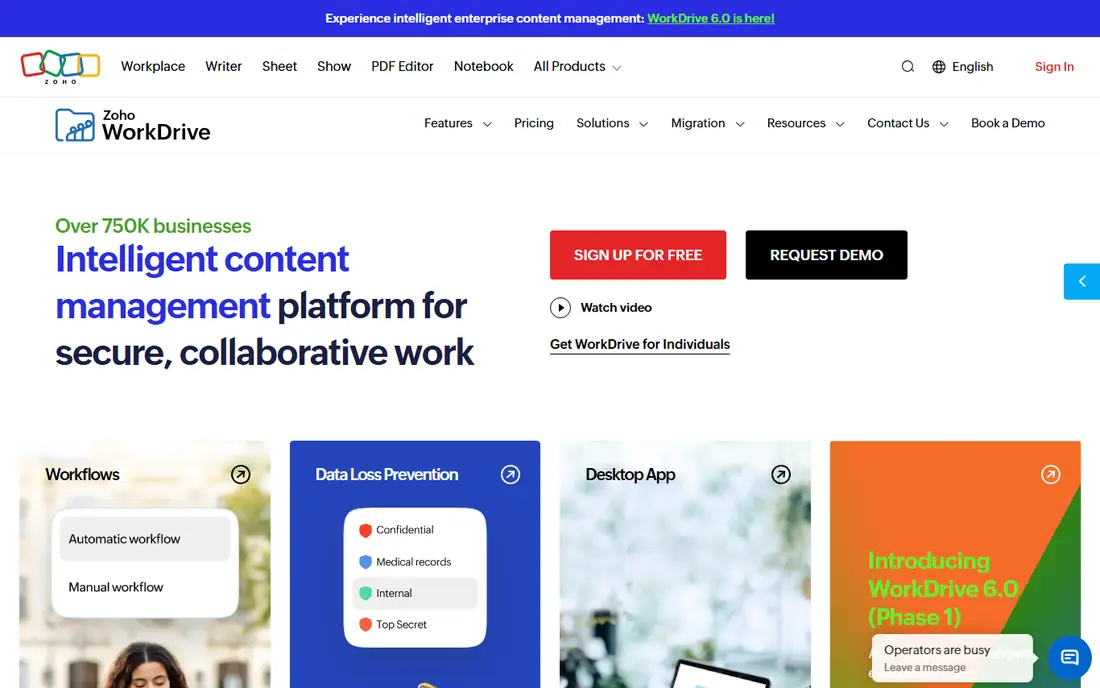
In short, Zoho WorkDrive is for teams on Zoho or a budget. Zoho WorkDrive brings team file management to the Zoho ecosystem at a fraction of competitors' prices.
Honest limits: Smaller ecosystem than Box or Google.
At around $3 per user a month, it is the cheapest serious choice here. The ecosystem is smaller than Box or Google Drive, which matters if you live outside Zoho's apps. Starting cost for Zoho WorkDrive: $3/user/month. Zoho WorkDrive offers a free plan.
- Real-time collaboration
- Connects with the Zoho suite
- Advanced admin needs higher levels

Folderit works best for straightforward cloud organization. Folderit supplies cloud document management without the enterprise complexity. In daily use, for a small team that needs better organization than a shared drive but cannot justify M-Files or DocuWare, Folderit hits the sweet spot of straightforward and low-cost.
Main advantages: A decent match for small teams.
Plans from $52 a month are straightforward, and a free plan lets small teams start without paying. Advanced workflow automation and deep integrations are not its game. From a buyer's view, upload files, organize them in a clear structure, control permissions and share securely. The starting price for Folderit: $52/month. A free plan is available with Folderit. Where it is weaker: Smaller vendor.
- Simple to set up and use
- Low-cost flat pricing
- Fewer advanced workflow features

Choose Box for cloud content management. Business levels bundle unlimited storage, which eases planning, and the integration library links to Microsoft 365, Google Workspace, Salesforce and hundreds more. From a buyer's view, plans start at $15 per user a month with a 14-day trial; advanced governance sits on higher enterprise levels.
For organizations standardizing on cloud content with compliance requirements, Box is the established choice. On top of that, Box is the enterprise cloud content system: file storage, sharing and collaboration with security certifications that satisfy IT departments. Entry price for Box: $15/user/month. Box offers a free plan.
The main drawbacks: Per-user costs add up. Best features of Box: Unlimited storage on business levels.
- Huge integration library
- Solid security and compliance
- Advanced governance needs enterprise plans
Where DocuWare fits: document workflow automation. DocuWare concentrates on turning paper and PDF chaos into automatic workflows.
Where it falls short: Quote-only pricing.
Pricing needs a consultation; there is no public price list. More specifically, AI indexing reads invoices and forms, extracts the data and routes documents for approval. DocuWare shows no starting price here, so confirm the cost on the vendor site. Free plan details: Free trial.
- Approval routing
- Capable invoice processing
- Consultation required for pricing
M-Files is aimed squarely at metadata-driven organization. M-Files throws out the folder tree. Pricing is quote-based with a free trial.
The main drawbacks: Ramp-up time for folder-trained teams.
Documents get tagged with metadata (client, project, date, type) and you find them by what they are instead of where someone filed them. For organizations with tens of thousands of documents across departments, that difference is transformative. No starting price is listed for M-Files here; confirm pricing on the vendor site. As for free access: Free trial.
- Not folder location
- Workflow automation
- Integrations can need technical help
FileCenter is aimed squarely at small offices going paperless. FileCenter is the pragmatic pick for a small office that wants to scan, organize and find documents without a subscription. For accounting, legal or medical offices concentrated on going paperless instead of collaborating on documents, FileCenter includes the core needs affordably.
Trade-offs to know: Restricted workflow and collaboration features.
Where FileCenter stands out: no subscription.
More specifically, at $97 per user one-time, long-term costs are predictable. The cabinet-style layout mirrors Windows Explorer, so staff learn it in minutes. The limitations are clear: no Mac support, mostly desktop-based, and thin workflow and version control. FileCenter cost at the entry level: $97/user one-time. FileCenter has no free tier.
- Familiar cabinet layout
- Built-in OCR and PDF tools
- Windows only
Egnyte is designed for secure file sharing with governance. Egnyte blends cloud file sharing with serious governance.
Plans start at $22 per user a month, but the base level caps storage at 100 GB, so expanding teams pay more. Worth adding: the 15-day free trial is short; use it well. Price to start with Egnyte: $22/user/month. Free options: Free trial.
Limits to weigh: Base plan storage capped at 100 GB.
- Strong governance tools
- Hybrid cloud and on-premise
- Governance features need higher levels
Where Revver fits: AI-assisted organization. Revver (formerly eFileCabinet) is a dedicated document management system with AI built in. Beyond that, for small to mid-sized firms that want a real DMS with modern AI help, Revver is well priced.
Strengths: Unlimited storage on all levels.
Integration with large ECM ecosystems is lighter than OpenText or Hyland. The AI suite classifies documents, extracts data and recommends organization automatically. Unlimited storage on every level removes the capacity anxiety that plagues per-gigabyte plans. At $25 per user a month, it undercuts enterprise competitors whereas offering more DMS depth than general file-sharing tools. The starting price for Revver: $25/user/month. On free options: Free trial.
- AI suite for classification
- Dedicated DMS focus
- Lighter ECM integrations than giants like OpenText
What went into this list
LinkVetted used vendor pricing pages and product documentation as the base, then compared plans, free access and documented limits for 8 tools. Treat prices as a snapshot: vendors change plans often, so check the vendor site for the figure that applies today. Order on the page follows fit for the typical buyer first, then price transparency and free access. Your own requirements should decide the final pick.
Things to verify first
- Ask DocuWare and M-Files for a written quote, since no starting price is shown.
- Read the fine print on the free plans from Zoho WorkDrive, Folderit and Box; seat, project and feature caps differ.
- Use real work to test the free trial from DocuWare, M-Files, Egnyte and Revver, rather than a demo project.
- Before choosing Zoho WorkDrive, weigh its main limit: smaller ecosystem than Box or Google.
- Check whether Zoho WorkDrive bills monthly or annually, and what cancelling early costs.
- Look at the help docs and support options for Folderit before you commit.
FAQ
What is metadata-driven document management?
Rather than filing documents in folders, you tag them with attributes like client, project and document type, then find them by searching those attributes. It scales better than folders but needs users to tag consistently.
How are the tools for document organizer software ordered?
The order follows typical fit for document organizer software, with Zoho WorkDrive first and Revver last, then price clarity and free access. It is editorial judgement, not a score, so another team could rank the tools differently.
Do these tools publish their prices?
Not all of them. DocuWare and M-Files publish no starting price, so expect a quote request for those. The rest, Zoho WorkDrive included, show a starting price, though seats and billing terms still change the final cost.
Is Zoho WorkDrive the right pick for everyone comparing document organizer software?
No single tool suits every team. Zoho WorkDrive comes first because it fits teams on Zoho or a budget, while Folderit suits simple cloud organization and Box suits cloud content management. Match the tool to your own size, budget and workflow before deciding.
Can I try these options before paying?
Often, yes. Zoho WorkDrive, Folderit and Box have a free plan and DocuWare, M-Files, Egnyte and Revver offer a free trial. Use your own data and a real task during the test, and check what the free tier or trial limits before you rely on it.