Choosing Digital Workplace Software in 2026: 6 Options Compared
Searching for the best digital workplace software? Here are 6 options with prices and free plans. Each pick lists its main limit. Reviewed this month.
- Editor's choice
 Zoom Workplace
Video-first collaboration and events
Starts atSee websiteVisit zoom.comFull review - Great alternativeAtlassian Confluence
Structured team knowledge and documentation
Starts atSee websiteVisit atlassian.comFull review - Also consider
 Cisco Webex
Enterprise meetings with devices and AI
Starts atSee websiteVisit webex.comFull review
Direct answer
Start with Zoom Workplace if you need video-first collaboration and events. Listed starting prices: Slack from $4.38 per user a month and Notion from $10 per member per month. Look at Atlassian Confluence for structured team knowledge and documentation, and at Cisco Webex for enterprise meetings with devices and AI. The other 3 tools in the list cover narrower or pricier cases.
TL;DR:
- Top of the list is Zoom Workplace, which targets video-first collaboration and events.
- Starting prices begin at $4.38 per user per month with Slack.
- Check the limits for Slack before you commit: not a full document or meeting suite.
- Microsoft Teams suits unified meetings, chat and file storage.
Last checked November 2026. Prices and plan details were read from the vendors' own pages in November 2026; vendors change plans often, so confirm the current price on the vendor site before you buy.
Quick comparison
| Tool | Best for | Starts at | Free plan? | |
|---|---|---|---|---|
| Zoom Workplace | Video-first collaboration and events | See website | Not stated | Visit |
| Atlassian Confluence | Structured team knowledge and documentation | See website | Not stated | Visit |
| Cisco Webex | Enterprise meetings with devices and AI | See website | Yes | Visit |
 Slack | Messaging-first teams and workflow automation | $4.38 per user a month | Yes | Visit |
 Notion | Adaptable AI workspace and custom pages | $10 per member per month | Yes | Visit |
 Microsoft Teams | Unified meetings, chat and file storage | See website | Not stated | Visit |
The full digital workplace software list
LinkVetted put together this guide to digital workplace software for readers who want a clear shortlist without reading every vendor page. It compares 6 tools on starting price, free plans, who each one suits and where each one falls short.

Zoom Workplace was built for video-first collaboration and events. Zoom Workplace is a system to link, built around video meetings and extended with chat, VoIP phone, webinars, whiteboard, contact center and events. Organizations running frequent client calls, webinars or hybrid meetings will find the breadth handy.
Beyond that, Zoom is not a document workspace or a deep knowledge base. So teams that require structured wikis or shared project documentation will still need another tool. Worth adding: the range of modules can also make rollout feel complicated. This comparison lists no price for Zoom Workplace; ask the vendor. On free options: Not stated.
Watch-outs: Knowledge management is restricted.
- Supports events and contact center needs
- Whiteboard and webinars together
- Plenty of modules can complicate adoption
Atlassian Confluence
Best for: Structured team knowledge and documentation
For structured team knowledge and documentation, Atlassian Confluence is a natural candidate. Organizations already using Atlassian project tools will find it complements their workflow well.
In practice, if you want a highly adaptable, page-based workspace for both notes and light project tracking, a general workspace tool may be a better match. This comparison lists no price for Atlassian Confluence; ask the vendor. Free options: Not stated.
Where it falls short: Page structure needs governance.
Upsides: summarize and find answers.
- Team workspace for shared knowledge
- AI helps draft
- Not a meeting or chat product
Where Cisco Webex fits: enterprise meetings with devices and AI. Webex carries an enterprise orientation, which can make setup and navigation heavier for small teams with straightforward needs.
Where it is weaker: Interface may take time to learn.
In daily use, if you primarily need fast chat and shared docs instead of meeting infrastructure and devices, a more straightforward system is worth considering. No starting price is listed for Cisco Webex here; confirm pricing on the vendor site. A free plan is available with Cisco Webex.
- AI-powered collaboration features
- Device and product options included
- Enterprise focus can feel complex
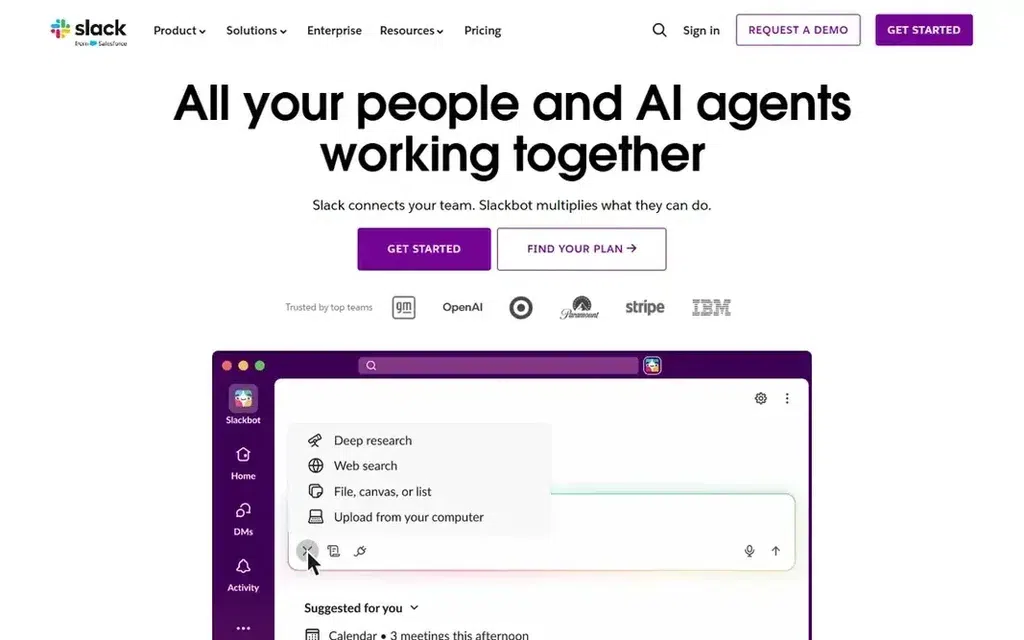
Where Slack fits: messaging-first teams and workflow automation. Slack presents itself as an AI work system for managing projects, automating workflows and connecting teams securely.
Honest limits: Not a full document or meeting suite.
What you pay to start with Slack: $4.38 per user per month. You can start on Slack without paying.
- Capable focus on channels and team messaging
- Secure team connection across projects
- Can become noisy without channel discipline
Notion works best for adaptable AI workspace and custom pages. Notion describes itself as the AI workspace that works for you, with custom agents, search across apps and automation of busywork.
Also, Teams comfortable building their own pages will get the most from it. Price to start with Notion: $10 per member per month. Notion has a free plan.
Drawbacks to consider: Not a dedicated meeting system.
- Adaptable pages for docs and wikis
- Search across connected apps
- Adaptability needs setup effort

Pick Microsoft Teams if this describes you: unified meetings, chat and file storage. Microsoft Teams is a collaboration hub that brings meetings, calling, chat and shared files together.
Upsides: Chat.
Watch-outs: Feature depth may overwhelm casual users.
The breadth of features can make Teams feel busy for small teams that only need chat or occasional calls. Setup and administration may need more planning than lighter messaging tools. Check the vendor site for Microsoft Teams pricing; none is listed in this comparison. Free plan details: Not stated.
- Suits organizations already using Microsoft tools
- Designed to keep tools and documents available together
- Can feel heavy for small, straightforward teams
How we compared the tools
For each of the 6 tools we noted price, free plan or trial, fit for digital workplace software and the main limit, using vendor pages and documentation. Where a price is missing, the vendor does not list one publicly or ties it to a quote. Always confirm before budgeting. The order reflects how well each tool fits the most common buying scenario for digital workplace software, then price clarity, then free plan access. It is a starting point, not a verdict.
What to confirm before you sign up
- Ask Zoom Workplace, Atlassian Confluence, Cisco Webex and Microsoft Teams for a written quote, since no starting price is shown.
- Read the fine print on the free plans from Cisco Webex, Slack and Notion; seat, project and feature caps differ.
- Read the limits listed for Zoom Workplace first: knowledge management is restricted.
- Price Atlassian Confluence for your actual team size; headline prices rarely include add-ons or overage.
- Read the plan comparison for Zoom Workplace carefully; key features often start on a higher tier.
FAQ
Can I try these options before paying?
Often, yes. Cisco Webex, Slack and Notion have a free plan. Use your own data and a real task during the test, and check what the free tier or trial limits before you rely on it.
Which options for digital workplace software have a free plan?
On this list, Cisco Webex, Slack and Notion include a free plan. Caps on seats, usage or features are common, so test the free plan against your real workload.
What is the cheapest option for digital workplace software in this list?
On published monthly entry prices, Slack is the lowest here at $4.38 per user per month. Entry price is only part of the cost, because seats, add-ons and billing terms can change the total. All 6 picks in this digital workplace software comparison list a starting price, free plan details and the main limits on their cards above.
Do these tools publish their prices?
Not all of them. Zoom Workplace, Atlassian Confluence, Cisco Webex and Microsoft Teams publish no starting price, so expect a quote request for those. The rest, Slack included, show a starting price, though seats and billing terms still change the final cost.
Sources
- https://www.zoom.com
- https://www.atlassian.com/software/confluence
- https://www.webex.com
- https://slack.com
- https://www.notion.com
- https://www.microsoft.com/microsoft-teams