Choosing Developer Experience Platforms in 2026: 5 Options Compared
Shortlisting the best developer experience platforms? 5 products compared on cost, free access and ideal buyer. Short verdicts, no fluff. Numbers first.

- Editor's choice
 Postman
API engineering and testing
Starts at$9 per monthVisit postman.comFull review - Great alternative
 Sentry
Error tracking and performance monitoring
Starts at$26 a monthVisit sentry.ioFull review - Also consider
 GitLab
Governed lifecycle orchestration
Starts at$15 per user per monthVisit gitlab.comFull review
Direct answer
For API engineering and testing, Postman is where this list starts. Listed starting prices: Postman from $9 per month, Sentry from $26 a month and GitLab from $15 per user per month. For a different need, Sentry covers error tracking and performance monitoring and GitLab covers governed lifecycle orchestration. Details, prices and limits for the rest of the 5 tools are below.
TL;DR:
- Postman takes the first slot, best suited to API engineering and testing.
- GitHub is the one to check for Code hosting and team collaboration.
- Before buying GitLab, weigh this: the breadth can feel heavy for small projects.
- GitHub is the lowest-priced starter here at $4 per user per month.
- Free plans exist at 4 of 5 tools (Postman, Sentry, GitLab, GitHub).
Last checked November 2026. Prices and plan details were read from the vendors' own pages in November 2026; vendors change plans often, so confirm the current price on the vendor site before you buy.
Quick comparison
| Tool | Best for | Starts at | Free plan? | |
|---|---|---|---|---|
| Postman | API engineering and testing | $9 per month | Yes | Visit |
| Sentry | Error tracking and performance monitoring | $26 a month | Yes | Visit |
| GitLab | Governed lifecycle orchestration | $15 per user per month | Yes | Visit |
| JetBrains IntelliJ IDEA | Java and Kotlin development | See website | Not stated | Visit |
 GitHub | Code hosting and team collaboration | $4 per user a month | Yes | Visit |
The best developer experience platforms
LinkVetted compared 5 developer experience platforms. The goal is a practical shortlist: published prices, free plan facts, best-fit use cases and honest limits for every entry.
For API engineering and testing, Postman is a natural candidate. Postman describes itself as API engineering for your agents, helping teams move quicker from development to production with higher accuracy and fewer tokens.
It is not a general-purpose coding environment, so it complements rather than replaces an IDE. Postman pricing: $9 per month. A free plan is available with Postman.
Watch-outs: Centred on APIs instead of general coding.
- Handy for agent-driven API workflows
- Supports API work from development to production
- Large API collections need organization
Sentry was built for error tracking and performance monitoring. Value relies on instrumenting applications properly, and poorly tuned alerts can overwhelm teams. It is a monitoring tool instead of a build or editing environment, so pair it with a code system and IDE for full coverage.
Downsides: Alert noise needs tuning.
In daily use, Sentry offers application performance monitoring and error tracking software for developers and software teams, helping them see errors more plainly and solve issues quicker. It works well as a complement to code hosting and editor tools once applications are deployed and need ongoing observation. Price to start with Sentry: $26 per month. Sentry has a free plan.
- Performance monitoring in the same place
- Surfaces errors plainly for developers
- Needs instrumentation to deliver value

In short, GitLab is for governed lifecycle orchestration. The all-in-one scope means setup and configuration take thought, and very small teams may prefer lighter tools.
GitLab presents itself as an intelligent orchestration product with context and governance for the whole software lifecycle, pitched at helping teams and agents ship trusted software quicker. Pick something else if you chiefly need a code hub with a broad external marketplace instead of an integrated lifecycle system. What you pay to start with GitLab: $15 per user per month. GitLab has a free plan.
Watch-outs: The breadth can feel heavy for small projects.
- Includes the software lifecycle in one product
- Supports agentic software engineering workflows
- Configuration takes planning to match your process
JetBrains IntelliJ IDEA
Best for: Java and Kotlin development

JetBrains IntelliJ IDEA is designed for Java and Kotlin development. IntelliJ IDEA is the JetBrains IDE for Java and Kotlin, offering deep code intelligence and built-in tools, and it now supports running AI agents and verifying their work inside the editor.
Its focus on Java and Kotlin means developers working chiefly in other languages may prefer a different editor. On top of that, the environment is also heavier than minimal editors, so fast script edits or very low-resource machines may call for something lighter. JetBrains IntelliJ IDEA shows no starting price here, so confirm the cost on the vendor site. Trial and free access: Not stated.
Downsides: Heavier than light editors for fast edits.
- Deep code intelligence for Java and Kotlin
- Built-in developer tools in the IDE
- Concentrated on JVM languages instead of everything
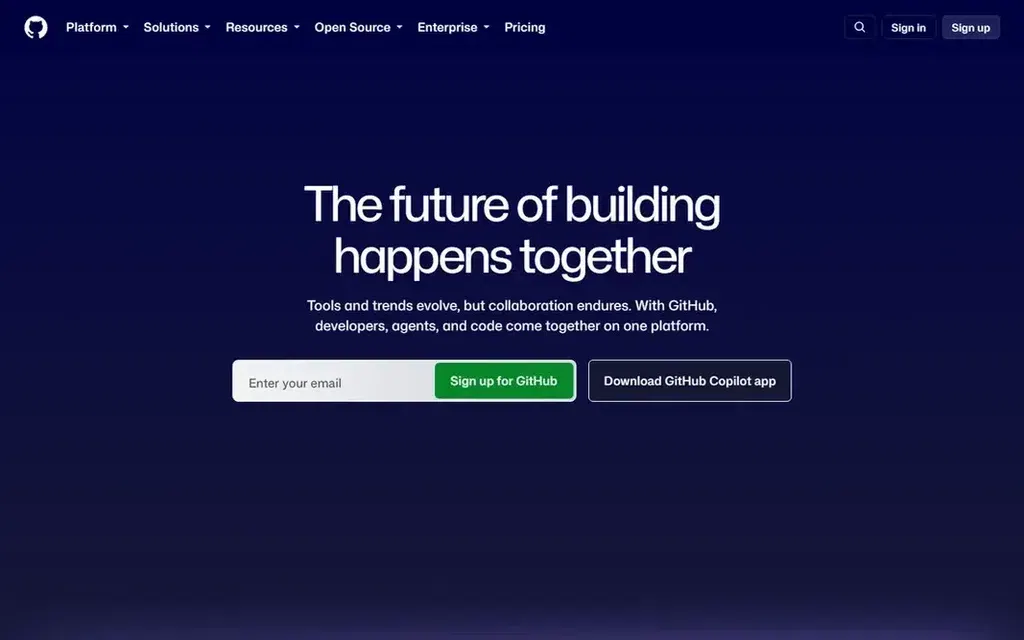
GitHub is aimed squarely at Code hosting and team collaboration. Since the system is wide, smaller teams may find parts of it more than they need, and deep governance requirements can push work into extra tooling.
Beyond that, consider alternatives if your priority is lifecycle governance in a single product instead of a hub around repositories. Worth adding: GitHub is a widely used, AI-powered developer system for hosting code, collaborating on projects, and building software alongside a large open source community. GitHub pricing: $4 per user per month. GitHub has a free plan.
Honest limits: Advanced governance needs may need extras.
- AI-assisted features built into the system
- Strong support for open source workflows
- Some workflows rely on external integrations
What went into this list
The comparison looks at four things: starting price, free access, how well the feature set matches developer experience platforms, and the main limit of each tool. Plan names, prices and limits change often. Treat the figures here as a starting point and verify them with the vendor. Order on the page follows fit for the typical buyer first, then price transparency and free access. Your own requirements should decide the final pick.
What to confirm before you sign up
- Confirm the entry price on the vendor page. For JetBrains IntelliJ IDEA that means a quote rather than a fixed price.
- Check what the free option really includes: Postman, Sentry, GitLab and GitHub offer a free plan, and usage caps differ.
- Read the limits listed for Postman first: concentrated on APIs rather than general coding.
- List the apps you already depend on and check that Sentry supports each one on the plan you would buy.
- Look at which plan of Postman unlocks the features you need; entry tiers are often cut down.
FAQ
Which options for developer experience platforms have a free plan?
Postman, Sentry, GitLab and GitHub offer a free plan in this list. Free plans usually cap users, projects or features, so check the limits on the vendor page.
How are the tools for developer experience platforms ordered?
Postman sits first and GitHub last because the order follows typical fit for developer experience platforms, then price clarity and free access. It is a judgement call, so read each profile for fit and limits.
What counts as a developer experience system?
It is any tool that shapes how developers write, ship, and observe software day to day. That bundles code hosting, editors and IDEs, API tooling, container environments, and monitoring.
Is Postman the right pick for everyone comparing developer experience platforms?
No single tool suits every team. Postman comes first because it fits API engineering and testing, while Sentry suits error tracking and performance monitoring and GitLab suits governed lifecycle orchestration. Match the tool to your own size, budget and workflow before deciding.
Do these tools publish their prices?
Not all of them. JetBrains IntelliJ IDEA publishes no starting price, so expect a quote request for it. The rest, Postman included, show a starting price, though seats and billing terms still change the final cost.
Sources
- https://www.postman.com
- https://sentry.io
- https://gitlab.com
- https://www.jetbrains.com/idea
- https://github.com