Best Daycare Apps for Parents in 2026: 8 Apps Compared
The best daycare apps for parents keep you close to your child day, with photos, messages, billing, and check in tools. We compared 8 options for 2026.
- Editor's choice
 Brightwheel
Polished all in one parent experience
Starts atSee websiteVisit mybrightwheel.comFull review - Great alternative
 Lillio
Learning and development updates
Starts atSee websiteVisit lillio.comFull review - Also consider
 Procare
Large centers with complex billing
Starts atSee websiteVisit procaresoftware.comFull review
TL;DR:
- Brightwheel has the most polished parent experience, with photos, messaging, and billing in one place.
- Lillio, formerly HiMama, is the strongest pick if you want learning updates and developmental tracking, not just daily logs.
- Most centers choose the app, not parents, so the practical question is what your center already uses and how well it works for you.
- Parent apps are usually free to download, while the center pays a subscription, so price matters most to the program, not the family.
- Check how your center handles photos, permissions, and data privacy before you share anything sensitive in an app.
Quick comparison
| Tool | Best for | Starts at | Free plan? | |
|---|---|---|---|---|
| Brightwheel | Polished all in one parent experience | See website | Yes | Visit |
| Lillio | Learning and development updates | See website | Free trial | Visit |
| Procare | Large centers with complex billing | See website | No | Visit |
 Kangarootime | Responsive support for small centers | See website | Free trial | Visit |
 Playground | Multi site programs | See website | No | Visit |
 MyKidReports | Clear published pricing | $0.99 per child per month | Yes | Visit |
 illumine | Centers wanting AI help with messages | See website | No | Visit |
 Famly | International and multilingual families | See website | No | Visit |
The best daycare apps for parents
Daycare apps do two jobs at once. They tell you how your child is doing during the day, and they handle the business side, such as billing, enrollment, and check in. Parents rarely pick the app alone, since the center chooses it, but knowing what each one does well helps you ask better questions and get more from the one your center uses. We compared official feature pages, pricing pages, and public reviews for the apps below.
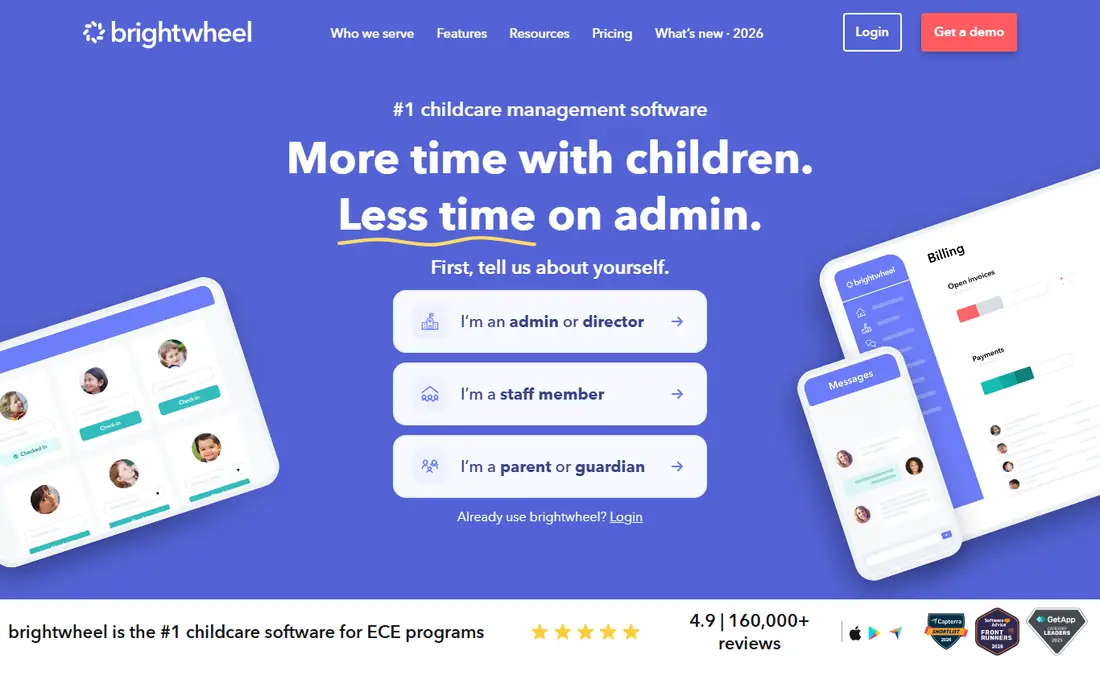
Brightwheel is the app most US parents are likely to meet first, and its parent experience explains why. The daily feed shows photos, meal logs, naps, and activities in a format that is easy to scan during a work break. Messaging, check in, and tuition payments sit in the same app, so you are not juggling a separate billing portal.
The free basic plan covers check in, messaging, daily logs, and photo sharing for small programs, which is why many home based programs start here. The catch is transparency. Brightwheel does not publish paid prices, so a center has to talk to sales to learn its number, and some premium features are gated by tier. For parents, though, the app itself is free to use and remains the easiest one to pick up.
- Clean daily feed with photos, meals, and naps
- Messaging and tuition billing in one app
- Widely used, so many parents already know it
- Paid pricing is not published and needs a sales conversation
- Advanced features sit in higher tiers
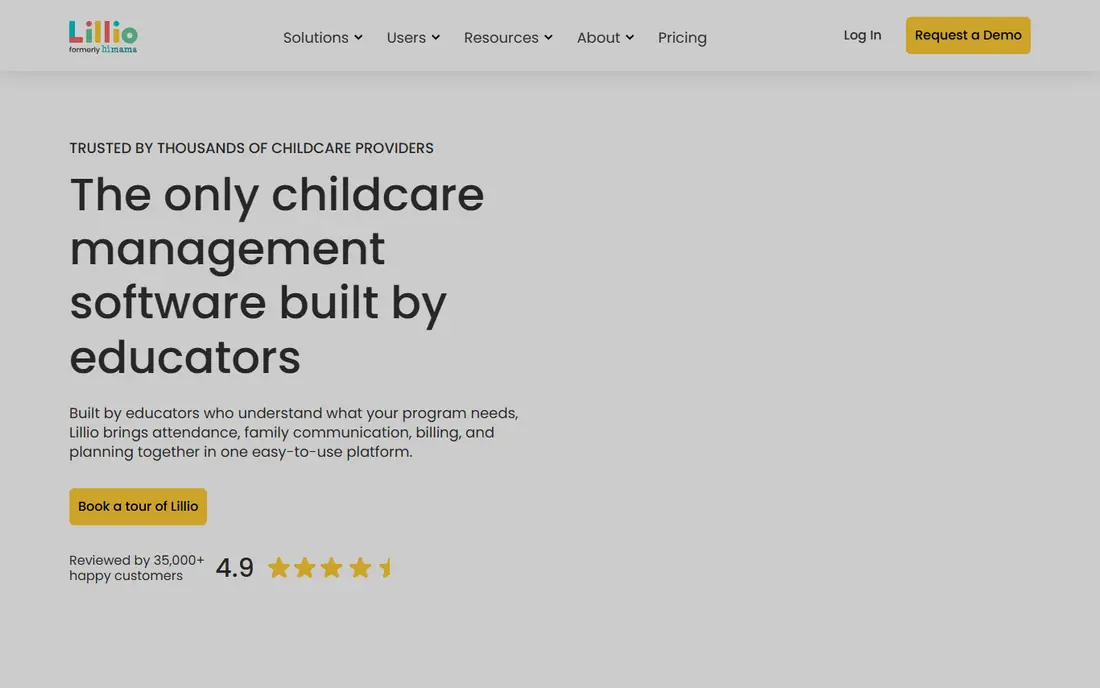
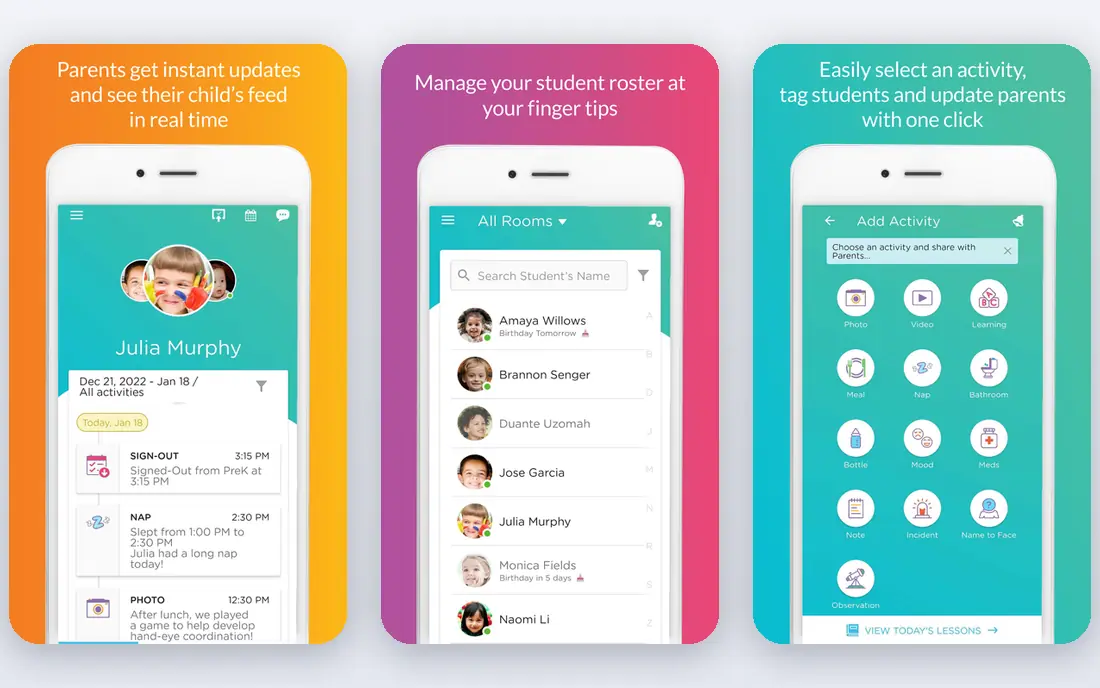
Lillio, formerly known as HiMama, is the pick for parents who want more than a daily routine log. Teachers can record learning observations tied to developmental goals, so you see how your child is progressing, not just what they ate. Real time media sharing keeps the feed lively, and the app is easy for both teachers and parents to use.
The trade off is on the business side. Billing automation is thinner than Brightwheel or Procare, which matters more to the center than to you, but it can affect how smoothly payments and invoices work. Pricing is also quote based. If your priority is understanding your child learning, Lillio is the strongest app here.
- Strong learning observations and developmental tracking
- Real time photo and video updates
- Lesson planning tied to US frameworks
- Billing tools are less developed than rivals
- Pricing is quote based
Procare is the workhorse for larger childcare operations. It handles billing, accounting, payroll, enrollment, and multi site management in more depth than any other app on this list. For a parent at a large center, that depth shows up as reliable billing, clear statements, and consistent records across classrooms.
The downside is complexity. Procare takes training to use well, and smaller centers may find it heavy for their needs. Its base plan is reported around $109 per month, with costs rising by scope. If your center is large or growing fast, Procare gives it room to grow. If it is a small home program, a simpler app fits better.
- Deepest billing, payroll, and multi site tools
- Integrated tuition processing
- Large user community
- Complex to set up and learn
- Pricing and scope suit larger programs better than small ones
Kangarootime suits small and midsize centers that want one system without a large enterprise feel. It covers parent communication, billing, enrollment, and classroom tools, and reviewers often praise its support team. That matters when a center has no IT staff and needs a real person to answer quickly.
The limits are scale and transparency. Pricing is quote based, and its analytics are less deep than Procare. For parents, the experience is still smooth, with updates, messages, and payments in one place. If your center values support over a long feature list, Kangarootime is a sensible choice.
- All in one communication, billing, and enrollment
- Customer service scores well in reviews
- Free trial to test it
- Pricing is quote based
- Fewer advanced analytics than larger platforms
Playground is built for operators running more than one site, or planning to. Its enrollment automation and dashboards help a group of centers manage leads, billing, and daily operations from one view. Parents still get the usual feed, messages, and payments, but the real strength sits behind the scenes.
That focus is also its limit. A single small center may not need Playground depth, and pricing requires a sales conversation. If your child attends a center that is part of a larger group, though, Playground is a likely reason the experience feels consistent across locations.
- Strong enrollment automation
- Enterprise dashboards for multi site operators
- Billing and communication in one system
- Quote based pricing
- Aimed more at operators than at single small centers
MyKidReports stands out for one simple reason: its price is public. It is free for up to 5 children, then $0.99 per enrolled child per month, with no setup fee, no per staff charge, and no contract. Billing, autopay, check in with live ratios, enrollment, daily reports, staff scheduling, and food logs are included on every plan.
The catch is market presence. It is less widely known than Brightwheel, so a center switching to it is making a less common choice, and its integration list is shorter. For parents, that rarely matters day to day. The feed, messages, and billing all work as expected, and the clear pricing means a center is less likely to pass on surprise costs.
- Published per child pricing with no setup fee
- Billing, check in, enrollment, and food logs on every plan
- Free tier up to 5 children
- Smaller name than Brightwheel or Procare
- Fewer third party integrations
illumine is an all in one platform with a modern angle: AI help for writing detailed updates for each child, which is a real chore for a teacher with a full room. It also covers billing, enrollment, attendance, and communication, and it claims a migration time of about four hours from another system. For a busy center, that combination is attractive.
The downside is familiarity. illumine is newer to many US parents than Brightwheel or Procare, and its pricing is quote based with tiered plans. If your center uses it, expect a clean feed and quick messages, plus translation support in more than 20 languages, which helps multilingual families.
- AI assisted parent messages and enrollment tools
- Billing with no processing fee on some plans
- Fast migration support
- Quote based pricing with annual discounts that vary
- Newer in the US than older rivals
Famly is a Europe based platform that works well for centers serving diverse families. It offers flexible billing, multilingual communication, classroom planning, and customer management tools, with custom forms and permissions that adapt to different center types. For a parent who needs updates in another language, that flexibility is a real benefit.
The trade off is US fit. Famly is less centered on US compliance and frameworks than Brightwheel or Lillio, and pricing is quote based. If your center serves an international community or runs a bilingual program, Famly is worth asking about. Otherwise, a US focused app will feel more familiar.
- Multilingual communication and flexible billing
- Custom reports and forms
- Classroom planning tools
- Less US focused than rivals
- Quote based pricing
How we picked these
We compared official feature and pricing pages, plus public reviews, for apps that are actively maintained in 2026 and widely used by US centers. We favored apps with a parent app on both iOS and Android, daily updates with photos, messaging, and billing, since those are the features parents use most. We left out apps that appear discontinued or unpublished from app stores, since a parent should not depend on an app that may stop working.
What parents should ask their center
Start with photos and privacy. Ask who can see your child photos, whether they can be downloaded, and how long they are kept. Next, ask how messages work, since some apps only let parents reply to teacher messages rather than starting a conversation. Then check billing, including how autopay works, what happens if a payment fails, and where you can see past statements.
Also ask about check in. A contactless check in with a code or QR scan is faster at drop off and gives a clearer attendance record. Finally, ask what happens if the app goes down. A center should have a backup way to reach you, such as phone or email, for urgent messages. The best app is the one your center actually uses well, not the one with the longest feature list.
Getting more from the app you already have
Turn on notifications for messages and billing, but mute the general feed if it distracts you at work. Check the daily report at the same time each day so you notice patterns in sleep, meals, and mood. Use the message thread for routine questions and save urgent issues for a call. If your center offers a learning portfolio, open it monthly rather than daily, since progress shows up over weeks, not hours.
FAQ
Do parents pay for daycare apps?
In most cases, no. The center pays the subscription, and the parent app is free to download and use. Some centers may pass costs on through tuition, but you should not see a separate app charge. If an app asks you to pay directly, check with your center before subscribing.
Can I choose a different app than my center uses?
Usually not, since the center runs its billing, attendance, and records in one system. You can ask whether the center offers an alternative way to get updates, such as email summaries, but switching apps alone is not practical. The best move is to learn the app your center chose and ask for help if a feature is unclear.
Which daycare app is best for photos and daily updates?
Brightwheel and Lillio both do this well, with Brightwheel offering the cleanest daily feed and Lillio adding stronger learning notes. Kangarootime and MyKidReports also cover photos, meals, and naps reliably. The difference often comes down to how consistently your child teachers post, not just the app itself.
Are daycare apps safe for my child data?
Reputable apps state COPPA compliance and use encryption for stored data, and Brightwheel and illumine both publish privacy details. Still, ask your center about photo permissions, who can access records, and how long data is kept after your child leaves. Avoid sharing sensitive medical details in a general message thread when a private channel exists.
What if my center app stops working?
First, check your app store for an update and try logging in again, since most outages are brief. If the problem lasts, contact your center by phone, since it should have a backup contact method. If an app is discontinued, as happened with some older chore apps, your center will need to migrate records to a new system, so ask for copies of billing and attendance history.
Do these apps work for home daycares?
Yes, and Brightwheel and MyKidReports are the most common picks for small and home based programs. Brightwheel offers a free basic plan for small programs, while MyKidReports is free up to 5 children. Larger platforms such as Procare are usually more than a home program needs.
Sources
- https://illumine.app/blog/best-childcare-management-software
- https://mykidreports.com/blog/best-childcare-management-apps
- https://mybrightwheel.com
- https://www.lillio.com
- https://www.procaresoftware.com
- https://kangarootime.com
- https://www.tryplayground.com
- https://mykidreports.com
- https://illumine.app
- https://famly.co