Best Daycare Management Software in 2026: 8 Tools Compared
Compare the best daycare management software for 2026, with billing, attendance, parent messaging, plans, and pricing for childcare centers and preschools.

- Editor's choice
 Brightwheel
Small to mid-size centres that want simplicity
Starts atFreeVisit brightwheel.comFull review - Great alternative
 Procare
Large centres and multi-site groups
Starts atSee websiteVisit procare.comFull review - Also consider
 Lillio
Curriculum focused centres and preschools
Starts atSee websiteVisit lillio.comFull review
TL;DR:
- Brightwheel suits small to mid-size centres that want simple parent communication and billing.
- Procare suits large centres and multi-site groups that need deep billing and payroll tools.
- Lillio and Famly suit curriculum focused centres with strong learning and observation tools.
- Most daycare pricing is quote based, so confirm the per child and per centre cost before rollout.
Quick comparison
| Tool | Best for | Starts at | Free plan? | |
|---|---|---|---|---|
| Brightwheel | Small to mid-size centres that want simplicity | Free | Yes | Visit |
| Procare | Large centres and multi-site groups | See website | No | Visit |
| Lillio | Curriculum focused centres and preschools | See website | No | Visit |
 Famly | Centres that want clean design and invoicing | See website | No | Visit |
 Kangarootime | Small and mid-size centres that want support | See website | No | Visit |
 Playground | Automation heavy multi-site operators | See website | No | Visit |
 Sandbox Software | Centres that want a simple all-in-one system | See website | No | Visit |
 illumine | Centres that want per student pricing | From $0.99 per student | Yes | Visit |
The best daycare management software
Daycare management software handles attendance, parent messaging, billing, lesson plans, and staff scheduling for childcare centres and preschools. The tools below differ on size fit, billing depth, and how much setup they need. We compared parent communication, tuition billing, check-in safety, and pricing transparency, since those four areas decide daily life in a centre.

Brightwheel is the easiest starting point for many small and mid-size centres. Parents get photos, daily updates, and messages in one app, while staff handle check-in, daily logs, and tuition invoicing without paper forms. A free basic plan covers a small program, which makes it a low risk trial. Larger centres that need payroll, multi-site finance, or deep reporting may need a heavier platform, and premium pricing is quote based.
The catch is worth naming plainly, and it sits in the limits below. Test the tool on one real workflow before you move a whole team or budget across, and check the current limits on the vendor page first. A short trial with your own leads, contracts, or files tells you more than any feature list.
- Free basic plan for small programs
- Parent messaging and photos
- Tuition invoicing
- Premium features are quote based
- Payroll and deep admin tools are lighter than Procare

Procare suits large centres and multi-site groups that need deep administration in one system. Billing, accounting, payroll, and enrolment tools sit beside attendance and parent communication, which helps a central office manage many sites. That depth comes with a longer setup and training period. Small single site centres may find the cost and complexity more than they need, so compare the full quote against a simpler tool first.
Before you commit, weigh that weakness against the strength above. If the weakness touches the task you do most often, keep looking down this list. If it touches a task you do rarely, the strength may still win. Either way, start with the free plan or trial and confirm the price for your team size.
- Deep billing and accounting
- Payroll and HR tools
- Centralised multi-site management
- Setup and training take time
- Pricing is quote based and higher for small centres
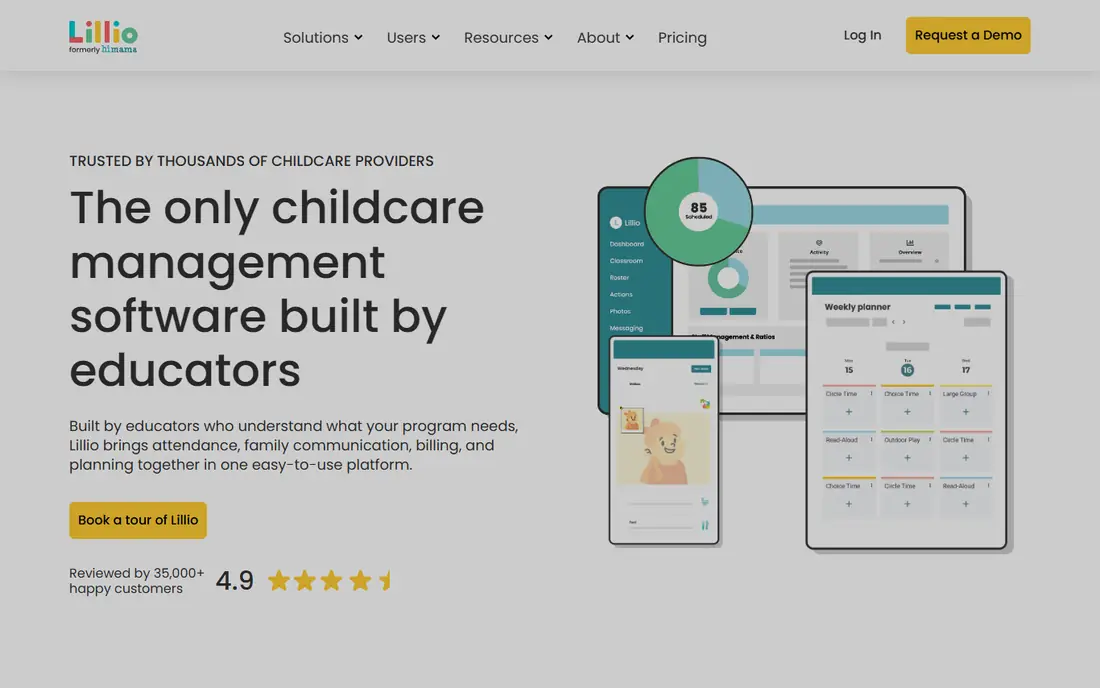
Lillio, formerly HiMama, suits centres that put curriculum and child development at the centre of daily work. Educators can record observations, build portfolios, and share learning updates with parents in a clear format. Lesson planning and assessment tools support preschool and early learning programs well. Billing is present but lighter than Procare, so centres with complex finance needs should check that area closely.
That weakness matters most at scale, so plan for it early. Ask the vendor what happens when volume grows, seats are added, or a second team joins. The answer to that question often decides the choice better than the headline feature set, and it is worth getting in writing.
- Learning observations and portfolios
- Lesson planning
- Parent engagement tools
- Pricing is quote based
- Billing depth is lighter than Procare
Famly suits centres that want a clean, modern system for daily logs, messaging, invoicing, and admissions. The design helps staff adopt it quickly, and multi-language communication helps diverse parent groups. Invoicing and CRM tools cover the core admin needs of many centres. Integration options are narrower than some rivals, so check whether your accounting or payroll tool connects before committing.
The catch is worth naming plainly, and it sits in the limits below. Test the tool on one real workflow before you move a whole team or budget across, and check the current limits on the vendor page first. A short trial with your own leads, contracts, or files tells you more than any feature list.
- Clean parent and staff apps
- Invoicing and admissions CRM
- Multi-language communication
- Third-party integrations are limited
- Support quality varies by region
Kangarootime suits small and mid-size centres that want automation plus responsive support. Billing, enrolment, and parent messaging are handled in one system, and multi-location support helps a growing group. Support quality is a frequent strength in user feedback. Curriculum and assessment tools are lighter than Lillio, so learning focused centres should test that area in a trial.
Before you commit, weigh that weakness against the strength above. If the weakness touches the task you do most often, keep looking down this list. If it touches a task you do rarely, the strength may still win. Either way, start with the free plan or trial and confirm the price for your team size.
- Automated billing and enrolment tools
- Parent messaging
- Multi-location support
- Pricing is quote based
- Advanced curriculum tools are lighter than Lillio
Playground suits multi-site operators that want enrolment automation and enterprise dashboards in one place. Automated follow-ups, billing, and parent communication reduce manual work as sites grow. That automation focus helps larger groups more than a single small centre. Pricing is quote based, and payment processing fees may apply, so confirm the full cost for your enrolment volume before rollout.
That weakness matters most at scale, so plan for it early. Ask the vendor what happens when volume grows, seats are added, or a second team joins. The answer to that question often decides the choice better than the headline feature set, and it is worth getting in writing.
- Enrolment automation
- Enterprise dashboards
- Billing and parent communication
- Pricing is quote based
- Payment processing fees may apply on top
Sandbox Software suits centres that want a straightforward all-in-one system without a long enterprise setup. Attendance, billing, parent communication, and activity tools cover daily operations in one place. That simplicity helps small teams adopt the system quickly. Pricing varies by plan and region, and some advanced features sit on higher tiers, so confirm the plan that includes your must-have tools.
The catch is worth naming plainly, and it sits in the limits below. Test the tool on one real workflow before you move a whole team or budget across, and check the current limits on the vendor page first. A short trial with your own leads, contracts, or files tells you more than any feature list.
- Attendance and billing
- Parent communication
- Lesson and activity tools
- Pricing varies by plan and region
- Some advanced features need higher tiers
illumine suits centres that prefer per student pricing over a flat monthly fee, especially smaller programs watching cost per child. Parent communication, billing, and lesson tools cover the core daily needs, and milestone tracking supports learning records. Regional feature differences exist, so check the exact plan for your country. Larger centres should also confirm migration support and multi-site tools before switching.
Before you commit, weigh that weakness against the strength above. If the weakness touches the task you do most often, keep looking down this list. If it touches a task you do rarely, the strength may still win. Either way, start with the free plan or trial and confirm the price for your team size.
- Per student pricing model
- Parent communication and billing
- Lesson and milestone tools
- Some features vary by region
- Migration support needs checking for larger centres
How we picked these
We compared official product pages, feature coverage, and pricing models for each platform, and we checked whether billing, attendance, parent messaging, and lesson planning are covered in one system. We favoured tools with clear check-in safety, tuition billing, and parent communication, since those affect families every day. Where pricing was quote based, we said so rather than inventing a flat rate, and we noted per student models where they are published.
How to choose daycare management software
Start with daily operations, not the feature list. Attendance, billing, and parent messages happen every day, while a rarely used report does not decide success.
Test check-in and parent messaging first
Run a real check-in, daily log, and parent message in a trial with two classrooms. Check photo sharing, allergy notes, and emergency contacts, since those details matter for safety. If staff find the flow slow, adoption will suffer no matter how strong billing is.
Compare billing on your real fee structure
List your tuition plans, sibling discounts, subsidies, and late fees, then test them in the trial. Some tools handle simple monthly billing well but struggle with subsidies or split payments. Confirm payment processing fees, since they sit on top of the subscription.
Check lesson and observation needs
Preschools and curriculum focused centres need observations, portfolios, and assessments, while a basic daycare may only need daily logs. Do not pay for a curriculum suite you will not use, and do not buy a billing tool that leaves teachers with paper portfolios.
Plan migration outside enrolment season
Moving attendance, billing, and parent records during enrolment season creates risk. Plan migration in a quieter period, import a small group first, and train staff before the full switch. Ask the vendor who owns data cleanup and how long support lasts after go-live.
FAQ
What is the best daycare management software?
Brightwheel suits small to mid-size centres for simplicity, Procare suits large and multi-site centres for deep billing, and Lillio suits curriculum focused preschools. The best tool depends on centre size, billing complexity, and learning priorities.
What is the best preschool management software?
Lillio and Famly suit preschools that need observations, portfolios, and lesson planning beside parent communication. Brightwheel also works for smaller preschools that want simpler daily logs and billing without a heavy curriculum suite.
How much does daycare software cost?
Costs range from a free basic plan on Brightwheel to quote based enterprise plans on Procare and others. Many centres pay between 50 and 400 dollars per month depending on size, while illumine publishes per student pricing from 0.99 dollars per student.
Does daycare software handle tuition billing?
Yes, billing is a core feature across this list, including invoicing, online tuition collection, reminders, and late fees. Procare offers the deepest billing flexibility, while Brightwheel and illumine keep billing simpler for smaller programs.
Is daycare software safe for child data?
Reputable tools use encrypted cloud storage, role based access, and secure parent logins, but you should still check privacy terms, data retention, and who can view photos. Limit photo sharing permissions, train staff on safe messaging, and review access when staff leave.