Best Daycare Software in 2026: 8 Tools Compared
Compare the best daycare software for billing, attendance, parent messages and lesson plans, with current pricing and free options for small centers in 2026.
- Editor's choice
 Brightwheel
Small and mid-size centers
Starts atFreeVisit mybrightwheel.comFull review - Great alternative
 Procare
Large centers and multi-site groups
Starts atSee websiteVisit procaresoftware.comFull review - Also consider
 Lillio
Curriculum and child portfolios
Starts atSee websiteVisit lillio.comFull review
TL;DR:
- Brightwheel is our pick for most small and mid-size centers because its free basic plan covers check-in, messaging and invoicing.
- Procare fits larger centers and multi-site groups that need deeper billing, payroll and enrollment tools.
- Lillio, formerly HiMama, is the strongest choice when curriculum, observations and child portfolios matter most.
- Most vendors quote prices per center or per child, so ask for a written quote based on your enrolled headcount before you sign.
- A short trial with two classrooms tells you more than a sales demo, especially for parent adoption and daily reporting speed.
Quick comparison
| Tool | Best for | Starts at | Free plan? | |
|---|---|---|---|---|
| Brightwheel | Small and mid-size centers | Free | Yes | Visit |
| Procare | Large centers and multi-site groups | See website | No | Visit |
| Lillio | Curriculum and child portfolios | See website | No | Visit |
 Kangarootime | Small centers that want responsive support | See website | Free trial | Visit |
 Playground | Multi-site operators and automation | See website | No | Visit |
 Famly | International and multilingual centers | See website | No | Visit |
 illumine | Enrollment, billing and parent communication in one place | See website | No | Visit |
 ChildPilot | Growing centers that want hands-on onboarding | See website | Free trial | Visit |
The best daycare software
Running a daycare means juggling attendance, parent updates, tuition and lesson plans at the same time. The tools below cover those jobs in different mixes, and the right one depends on your size, your state rules and how much admin time you want to save. We compared official feature pages, pricing pages, app store listings and public help pages to build this list.
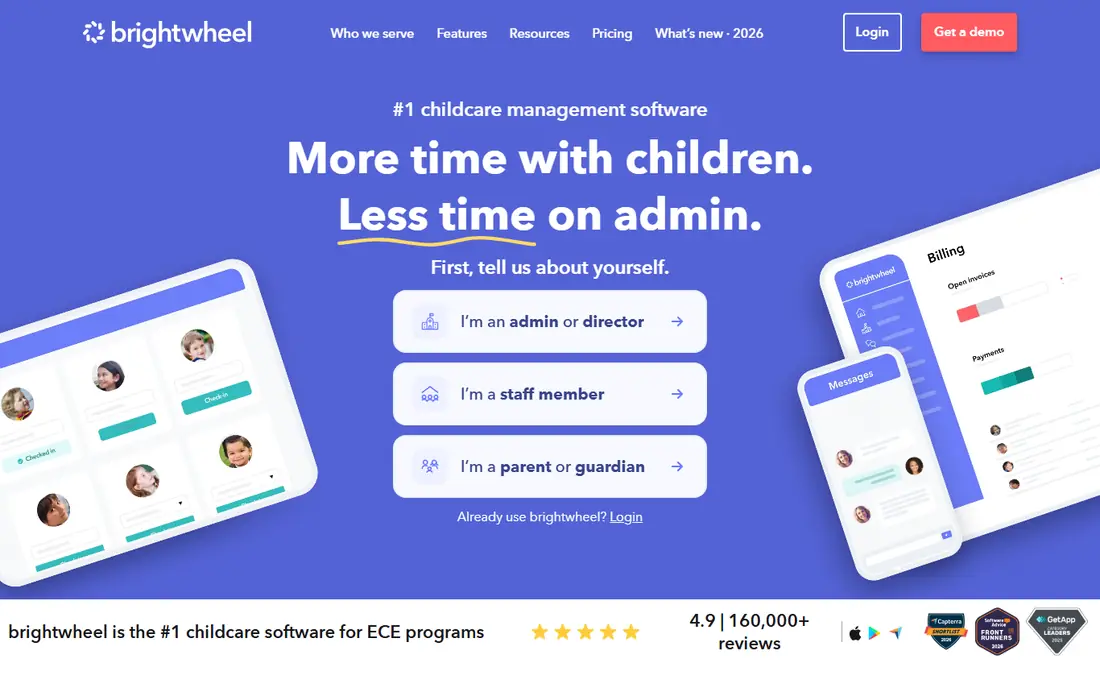
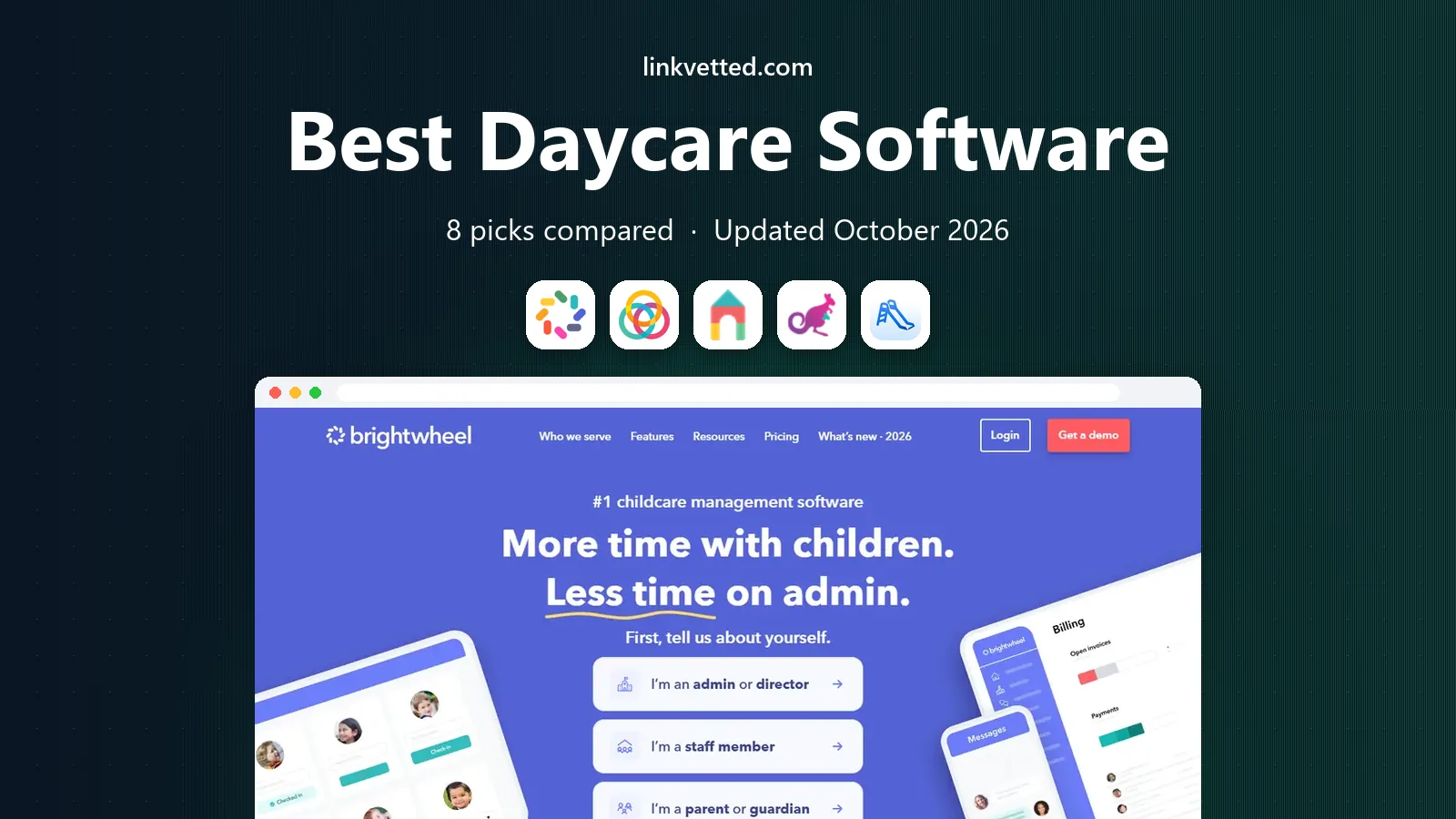
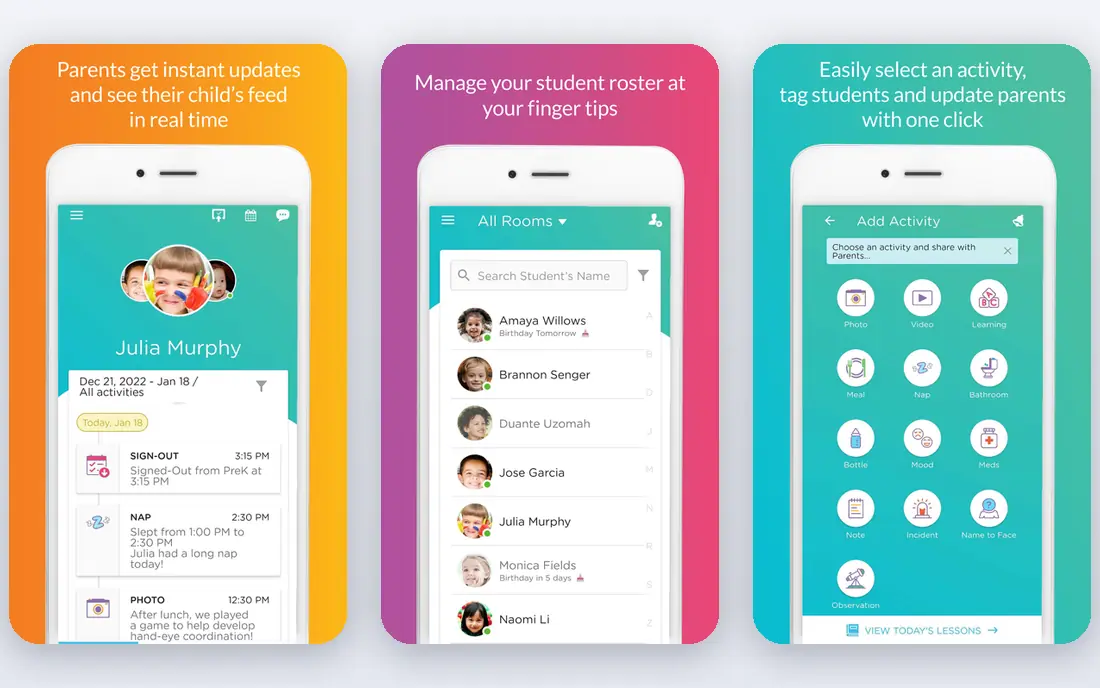
Brightwheel works well for centers that want parents to actually open the app. Daily reports, photos, check-in and messages live in one feed, so teachers spend less time answering the same questions by text. The free basic plan covers one staff member setup for smaller programs, with check-in, messaging, daily logs, photo sharing and invoicing included in the basic tier described on vendor and comparison pages.
The catch is scale. Once you need automated billing rules, detailed lesson planning and richer reporting across several sites, the paid tiers and add-ons start to matter, and pricing becomes quote based. For a single center or a small group, that trade is usually worth it. Start on the free plan, test parent response for two weeks, and only move up when billing work is clearly taking too much staff time.
- Free basic plan is genuinely usable
- Parent messaging and photo sharing are simple
- Tuition invoicing is built in
- Advanced billing and lesson planning sit in paid tiers
- Multi-site reporting is less deep than Procare
Procare is the heavyweight option in this list. It handles tuition, accounting, enrollment, attendance and staff scheduling in a way that smaller tools do not try to match. Centers with several locations can centralize finance and reporting instead of reconciling separate spreadsheets for each site. That depth is why larger US chains keep choosing it, even when the interface feels more administrative than playful.
The honest downside is effort. Procare rewards centers that invest in setup, training and consistent data entry. A home-based program with 15 children will likely find it more than it needs, and the quote based price reflects that larger scope. If you run a growing group and your main pain is finance and compliance records, Procare deserves the first demo slot.
- Deep billing, accounting and enrollment tools
- Long track record with US centers
- Payroll and staff tools available
- Setup and training take longer
- Pricing is quote based and can feel high for small centers
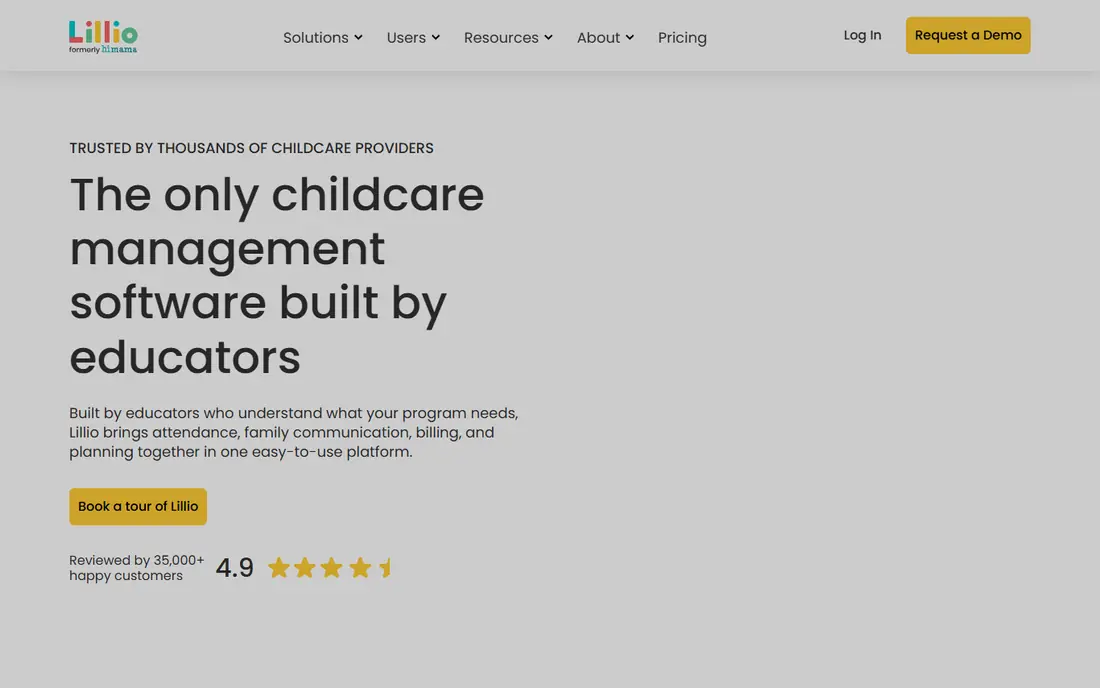
Lillio was formerly known as HiMama, and that history shows in its classroom focus. Teachers can log observations, build portfolios and share developmental progress in a format parents can follow without a training session. For programs that sell their curriculum as a core strength, that clarity matters during tours and parent conferences.
Billing and invoicing are present, but they are not the main reason to pick Lillio. Centers that need advanced payroll, subsidy tracking or multi-entity accounting should compare it closely with Procare before deciding. If your priority is showing learning progress and keeping families engaged day to day, Lillio is a strong, educator-led choice.
- Strong observation and assessment tools
- Good parent engagement features
- Supports developmental tracking
- Pricing is quote based
- Billing is less deep than Procare for complex finance needs
Kangarootime aims at the middle of the market, where a center is big enough to need real billing and enrollment tools but small enough to want a person on the phone when something breaks. It covers attendance, billing, parent communication and classroom updates in one system, which reduces the need to stitch together separate apps.
Support is the repeated theme in public reviews of Kangarootime, and that matters during enrollment season when a billing error can cost trust. The trade is that pricing is not published as a flat rate, so you need a demo and a written quote. Ask what is included at your headcount, what payment processing costs add, and how long onboarding takes.
- All-in-one billing, attendance and messaging
- Well rated for customer support
- Free trial to test fit
- Quote based pricing makes budgeting harder
- Fewer enterprise reporting options than Procare
Playground positions itself for operators who want less manual work as they add sites. Enrollment steps, billing reminders and central dashboards are built to run with less chasing by office staff. That focus makes it attractive if your growth plan includes a second or third location in the next year or two.
For a single classroom, Playground can feel like a larger system than needed, and the price will reflect its group features. The right test is to map your current weekly admin tasks, then ask Playground to show each one in a live demo with your own example data. If automation clearly removes hours, the quote is easier to justify.
- Enrollment automation and dashboards for groups
- Modern parent app
- Billing and reporting in one place
- Quote based pricing
- May be more than a single small center needs
Famly is a good fit for centers outside the US or for US programs with multilingual families. Its daily logs, messaging and invoicing are presented in a clear, parent friendly design, and admissions tools help turn tour inquiries into enrolled children. Teachers can record activities quickly, which helps adoption in busy rooms.
The limit to check is local compliance. Subsidy tracking, state reporting formats and payment methods differ by country and by US state, so confirm those details in writing before switching. If your center serves families in more than one language and values a polished parent experience, Famly is worth a close look.
- Clean design for daily logs and messages
- Invoicing and admissions tools included
- Good for European and international programs
- US-specific subsidy and compliance features vary by region
- Fewer third-party integrations than some rivals
illumine combines a customer relationship view for admissions with classroom communication and billing. Centers that lose enrollments because follow-up slips through the cracks may gain the most here, since leads, tours and waitlists stay visible in one pipeline. Billing integrations with tools such as Stripe, QuickBooks and Xero also help smaller finance teams.
Because illumine serves centers in many countries, US centers should confirm state compliance features and support hours for their time zone. Its per student pricing model, described on comparison pages, can be attractive for small centers and less predictable as enrollment grows. Get a quote tied to your current and expected headcount.
- Lead tracking and enrollment tools
- Billing with common accounting integrations
- Parent communication with media sharing
- Newer in the US market than Brightwheel and Procare
- Pricing varies by tier and headcount
ChildPilot suits a center that is outgrowing spreadsheets and wants help through the switch, not just a login and a help center link. Attendance, billing, parent messages and classroom updates are covered in one system, and onboarding support is a stated strength. That guidance can shorten the awkward first month when staff are learning new routines.
The trade is ecosystem depth. Larger vendors offer more integrations and more public case studies from multi-site groups. If your main need is a clean, supported move to one system, ChildPilot is a sensible shortlist option. Use the trial to test billing and parent messaging with real families, not just demo data.
- All-in-one attendance, billing and messaging
- Hands-on onboarding support
- Suitable for growing programs
- Quote based pricing
- Smaller third-party ecosystem than the largest vendors
How we picked these
We compared official feature pages, pricing pages, app store listings and public help documentation for each tool, and we favored tools that are live and actively sold in October 2026. We weighted billing, attendance, parent communication, lesson planning and support, since those are the daily jobs that decide whether staff keep using a system. We left out tools that had closed, tools with no clear childcare focus, and tools that only covered one narrow job such as photo sharing alone.
What to check before you buy daycare software
Start with your non-negotiable jobs. List attendance and check-in rules, tuition billing and late fees, subsidy tracking if you serve subsidized families, and the daily report format parents expect. Then check how each tool handles child safety records, staff permissions and data privacy, since childcare data is sensitive and access should be limited by role.
Test with real classrooms
Run a trial in one or two rooms, with real parents, before you migrate the whole center. Watch how long a daily report takes, how parents pay tuition, and how quickly office staff can find an attendance record. A tool that looks good in a demo can still fail if teachers find data entry slow during nappy changes, meals and outdoor play.
Ask about total cost
Ask for the full monthly cost at your headcount, including payment processing fees, add-on modules and training. Some vendors charge per child, some per center, and some mix both. Also ask about contract length, data export if you leave, and what happens to parent access during a switch. A clear written quote prevents a low headline price from turning into a larger bill later.
FAQ
What is the best daycare app for a small center?
Brightwheel is our pick for most small centers because its free basic plan covers check-in, messaging, daily logs and invoicing. Kangarootime and ChildPilot are also good shortlist options if you want more onboarding help or a trial with support included.
How much does daycare software cost?
Most centers pay between about 50 dollars and 400 dollars per month depending on size and features, based on published comparison data. Small programs can start free with Brightwheel, while larger groups pay quote based prices for Procare, Playground and similar tools. Always confirm payment processing fees separately.
Does daycare software handle tuition billing?
Yes, billing is a core feature across this list. All eight tools support invoicing and online tuition collection, and most add reminders and late fees. Procare and ChildPilot offer deeper billing flexibility, while Brightwheel and illumine keep billing simpler for smaller teams.
Can parents use these apps on their phones?
Yes, each tool here offers a parent app or mobile friendly parent view for messages, photos, daily reports and payments. Parent adoption is often the deciding factor, so test the parent app with a few families during your trial before you commit.
Is Brightwheel really free?
Brightwheel offers a free basic plan for smaller programs, covering check-in, messaging, daily logs, photo sharing and invoicing within its stated limits. Paid tiers add billing automation, lesson planning and integrations, with pricing quoted per program.
What should I check for data privacy?
Check role based permissions, who can see child photos and records, how long data is kept, and how you can export or delete records if you leave. Ask the vendor about compliance with US childcare privacy expectations and, for international centers, local data rules that apply in your country.