Cyber Risk Quantification Tools for Remote Teams in 2026: The 6 Best Options Side by Side
6 best cyber risk quantification tools for remote teams, compared on pricing, free plans and best-fit use. Plain-spoken summaries throughout. Quick to scan.
- Editor's choicePanorays
Business-context external assessment
Starts atSee websiteVisit panorays.comFull review - Great alternative
 Archer
Enterprise GRC and regulatory compliance
Starts atSee websiteVisit archerirm.comFull review - Also consider
 UpGuard
Unified vendor, surface and workforce risk
Starts at$1,750 a month, billed annuallyVisit upguard.comFull review
Direct answer
Our first pick is Panorays, best for business-context external assessment. Listed starting prices: UpGuard from $1,750 a month, billed annually. Alternatives: Archer for enterprise GRC and regulatory compliance, and UpGuard for unified vendor, surface and workforce risk. Details, prices and limits for the rest of the 6 tools are below.
TL;DR:
- Number one here is Panorays, a fit for business-context external assessment.
- One limit worth knowing about SecurityScorecard: Quantification depth varies by use case.
- None of the 6 tools, from Panorays to Axio, has a free plan, so budget for a subscription or use a trial.
- The lowest published monthly entry price here is $1,750 per month, billed annually, from UpGuard.
- Axio is the one to check for prioritizing security investment decisions.
Last checked November 2026. Prices and plan details were read from the vendors' own pages in November 2026; vendors change plans often, so confirm the current price on the vendor site before you buy.
Quick comparison
| Tool | Best for | Starts at | Free plan? | |
|---|---|---|---|---|
| Panorays | Business-context external assessment | See website | Free trial | Visit |
| Archer | Enterprise GRC and regulatory compliance | See website | Not stated | Visit |
| UpGuard | Unified vendor, surface and workforce risk | $1,750 a month, billed annually | Free trial | Visit |
| SecurityScorecard | Continuous external risk monitoring | See website | Free trial | Visit |
| Safe Security SAFE | Unified exposure and external risk | See website | Not stated | Visit |
| Axio | Prioritizing security investment decisions | See website | Not stated | Visit |
Every option for cyber risk quantification tools for remote teams explained
Short on time? The summary and table above give the quick view of 6 cyber risk quantification tools for remote teams, and the profiles that follow give the detail behind each entry.
Panorays
Best for: Business-context external assessment
Panorays is a good fit for business-context external assessment. Panorays is an external cyber risk management product that helps firms assess, monitor and fix external cyber risk based on business context.
Highlights: Assesses.
Honest limits: Needs vendor cooperation to remediate.
In practice, choose Panorays when business-context vendor assessment is the core requirement and you want a focused product. Remediation also relies on vendor responsiveness. Panorays does not show a starting price in this comparison, so check the vendor site for current pricing. Trial and free access: Free trial.
- External risk management focus
- Watches and fixes vendor risk
- Narrower than full GRC suites
Archer targets enterprise GRC and regulatory compliance. Teams wanting quick vendor monitoring may prefer a focused supply chain tool.
Archer gives you enterprise governance, risk and compliance software, with Archer Evolv centered on regulatory change management, compliance-trained AI and full audit lineage. Also, the system is aimed at enterprise scale, so small teams may find it heavier than needed. Archer shows no starting price here, so confirm the cost on the vendor site. Free access: Not stated.
Where it falls short: Implementation needs planning.
- Full audit lineage
- Enterprise GRC foundation
- Heavier than small teams need
UpGuard works best for unified vendor, surface and workforce risk. UpGuard describes itself as a cyber risk posture management system that brings together cyber risk management across the vendor supply chain, attack surface and human workforce.
Watch-outs: Quantification may be less deep than specialists.
For everyday use, choose UpGuard when unified posture management matters more than specialist depth. Entry price for UpGuard: $1,750 per month, billed annually. Trial and free access: Free trial.
- Brings together vendor supply chain risk
- Spans attack surface
- Wide coverage needs tuning
SecurityScorecard
Best for: Continuous external risk monitoring
SecurityScorecard is a good fit for continuous external risk monitoring. It suits remote teams that depend on numerous external vendors and want continuing visibility rather than periodic questionnaires.
Downsides: Quantification depth varies by use case.
More specifically, pick SecurityScorecard when vendor oversight is the priority. Pricing for SecurityScorecard is not stated here, so ask the vendor for current figures. Free plan details: Free trial.
- Supply chain risk focus
- Continuous vendor monitoring
- Primarily outward-facing vendor view
Safe Security SAFE
Best for: Unified exposure and external risk
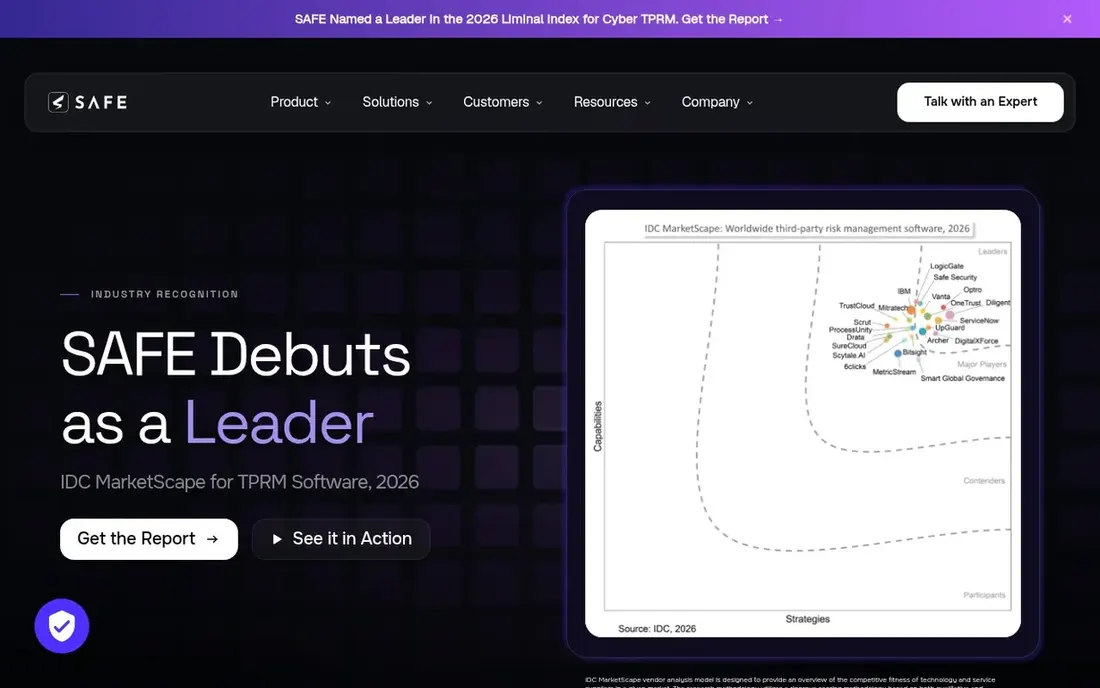
In short, Safe Security SAFE is for unified exposure and external risk. The system spans a broad surface, so teams without defined processes may need time to configure it around their workflows.
Where it falls short: Wide scope may need onboarding time.
For everyday use, choose SAFE when you want exposure and external quantification under one roof. This comparison lists no price for Safe Security SAFE; ask the vendor. Free options: Not stated.
- Merges exposure and external risk
- Autonomous risk management focus
- Best fit for organized security programs
Axio
Best for: Prioritizing security investment decisions
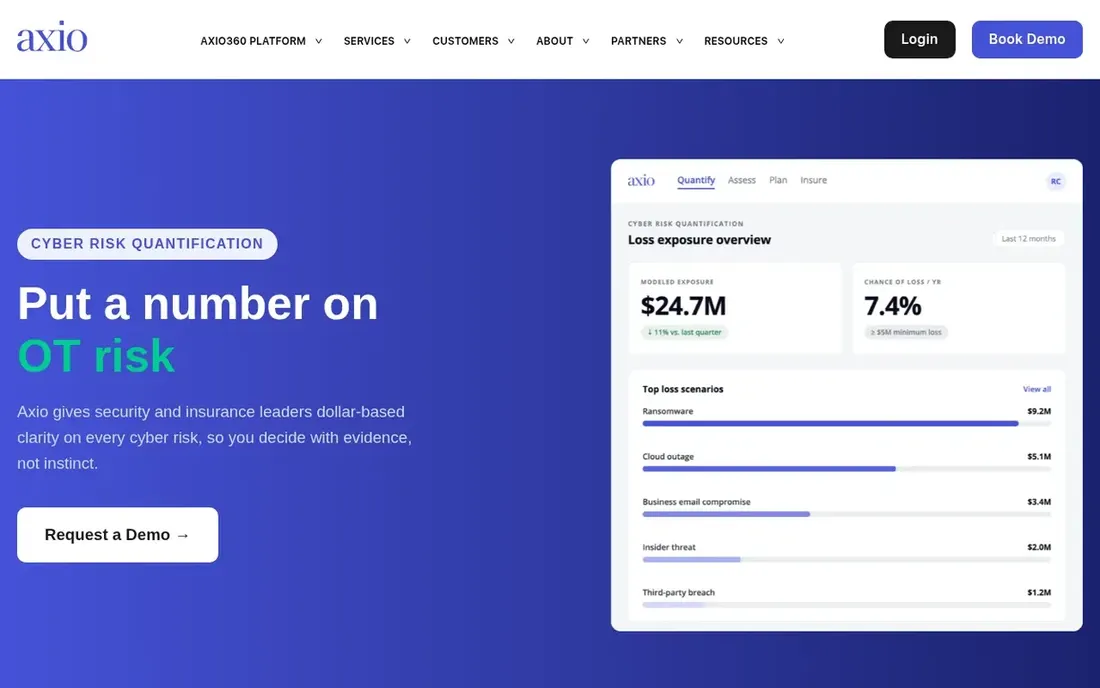
Think of Axio for prioritizing security investment decisions. If your main need is continuous vendor monitoring instead of investment modeling, a supply chain focused tool may be better. In practice, value relies on feeding it sound internal data.
Watch-outs: Broader GRC needs may require another tool.
So teams with thin asset or control records may see restricted output at first. In practice, Axio provides a product for assessing and managing cyber risks, enhancing resilience and optimizing cybersecurity investments. Pick Axio for decision support. Check the vendor site for Axio pricing; none is listed in this comparison. Free options: Not stated.
- Supports resilience planning
- Aims at investment optimization
- Needs internal risk data to be handy
How we compared the tools
Pre-purchase checklist
- Get a written quote from Panorays, Archer, SecurityScorecard and others; the list shows no starting price for them.
- Run a trial of Panorays, UpGuard and SecurityScorecard with real work before paying for a year; your own workflow is the best test.
- Read the limits listed for Panorays first: narrower than full GRC suites.
- Before you load data into SecurityScorecard, check what an export looks like and who can run it.
- Work out what Panorays costs with your real seat count, add-ons and usage, not just the entry price.
FAQ
How do vendor monitoring tools differ from quantification platforms?
Vendor monitoring tools for example SecurityScorecard, Panorays and UpGuard focus on continuous visibility into third parties. Some teams use both, since the strengths are complementary.
Does any tool for cyber risk quantification tools for remote teams here have a free plan?
A permanent free plan is not offered by Panorays, Axio or the other tools here. Panorays, UpGuard, SecurityScorecard offer a trial. Plan a short evaluation period instead.
What is cyber risk quantification?
It is the practice of expressing cyber risk in measurable terms, commonly financial, so leaders can compare threats and justify spending. Remote teams use it to align decisions across locations.
When does an enterprise GRC product make sense?
Archer suits bigger organizations that require cyber risk tied into regulatory change management and audit lineage. Smaller teams may find focused tools quicker to adopt. Consider GRC when compliance reporting spans plenty of teams and systems.
What is the cheapest option for cyber risk quantification tools for remote teams in this list?
On published monthly entry prices, UpGuard is the lowest here at $1,750 per month, billed annually. Entry price is only part of the cost, because seats, add-ons and billing terms can change the total. Each of the 6 options in this cyber risk Quantification tools for remote teams guide has its own card above with the price, free plan and limits.
Is Panorays the right pick for everyone comparing cyber risk quantification tools for remote teams?
No single tool suits every team. Panorays comes first because it fits business-context third-party assessment, while Archer suits enterprise GRC and regulatory compliance and UpGuard suits unified vendor, surface and workforce risk. Match the tool to your own size, budget and workflow before deciding.
Sources
- https://panorays.com
- https://www.archerirm.com
- https://www.upguard.com
- https://securityscorecard.com
- https://safe.security
- https://axio.com