The 5 Best Cross-Platform Video Editing Software in 2026, Ranked
Best Cross-Platform video editing software in 2026: 5 contenders with entry costs and free tiers. Concise write-ups of every option. Current for November 2026.
- Editor's choiceCorel VideoStudio
Consumer-friendly editing with guided tools
Starts atPricing on requestVisit videostudiopro.comFull review - Great alternative
 VEGAS Pro
Windows editing with AI and audio tools
Starts atPricing on requestVisit vegascreativesoftware.comFull review - Also consider
 CapCut
Quick social video with AI tools
Starts atPricing on requestVisit capcut.comFull review
Direct answer
If you need consumer-friendly editing with guided tools, Corel VideoStudio is the first tool to look at here. VEGAS Pro fits Windows editing with AI and audio tools; CapCut fits quick social video with AI tools. Details and limits for the rest of the 5 tools are below. None of these vendors publish plan prices, so pricing is on request for every option.
TL;DR:
- Corel VideoStudio takes the first slot, best suited to consumer-friendly editing with guided tools.
- The main caution on CapCut: less suited to long-form pro work.
- Corel VideoStudio, Filmora and the 3 others all sell by quote; expect sales conversations before you see a price.
- Filmora suits approachable AI-assisted desktop and mobile editing.
- CapCut stands alone as the one tool in this list with a free plan.
Last checked November 2026. Pricing on request: vendors did not publish plan prices when this guide was last checked (November 2026), so ask each vendor for a written quote.
Quick comparison
| Tool | Best for | Starts at | Free plan? | |
|---|---|---|---|---|
| Corel VideoStudio | Consumer-friendly editing with guided tools | Pricing on request | Not stated | Visit |
| VEGAS Pro | Windows editing with AI and audio tools | Pricing on request | Not stated | Visit |
| CapCut | Quick social video with AI tools | Pricing on request | Yes | Visit |
 Adobe Premiere Pro | Professional editing across desktop products | Pricing on request | Not stated | Visit |
 Filmora | Approachable AI-assisted desktop and mobile editing | Pricing on request | Not stated | Visit |
5 options for Cross-Platform video editing software in detail
LinkVetted put together this guide to Cross-Platform video editing software for readers who want a clear shortlist without reading every vendor page. It compares 5 tools on starting price, free plans, who each one suits and where each one falls short.
Corel VideoStudio
Best for: Consumer-friendly editing with guided tools
Corel VideoStudio is aimed squarely at consumer-friendly editing with guided tools. Tutorials and product updates on the site help new users get oriented. Corel VideoStudio is the VideoStudio Pro family of video editing products, with product information, updates, tutorials and videos available on the official site.
Choose VideoStudio when simplicity and guided learning are priorities. Teams needing cross-platform collaboration should confirm operating system support on the vendor site before committing. No starting price is listed for Corel VideoStudio here; confirm pricing on the vendor site. Free access: Not stated.
Downsides: Restricted professional depth.
- Updates and tutorials on site
- Product information
- Windows-focused audience
For Windows editing with AI and audio tools, VEGAS Pro is a natural candidate. The combination of color, effects and audio tools in one package fits solo editors and small studios working on Windows machines.
Pick VEGAS Pro when your team is Windows-based and wants its specific mix of editing and audio tools. The key limitation for this topic is system: VEGAS Pro is Windows software, so it does not serve Mac or Linux editors. No starting price is listed for VEGAS Pro here; confirm pricing on the vendor site. Free plan details: Not stated.
Where it falls short: Windows only.
- Professional editing focus
- AI tools and color grading
- Not a cross-platform choice
CapCut is built with quick social video with AI tools in mind. The template-driven approach trades fine control for speed, so complicated multi-track projects and in-depth color work are better handled elsewhere.
Best features of CapCut: Desktop.
Where it is weaker: Less suited to long-form pro work.
CapCut does not show a starting price in this comparison, so check the vendor site for current pricing. A free plan is available with CapCut.
- Smart templates and creative effects
- Mobile and online editing
- Advanced control is restricted
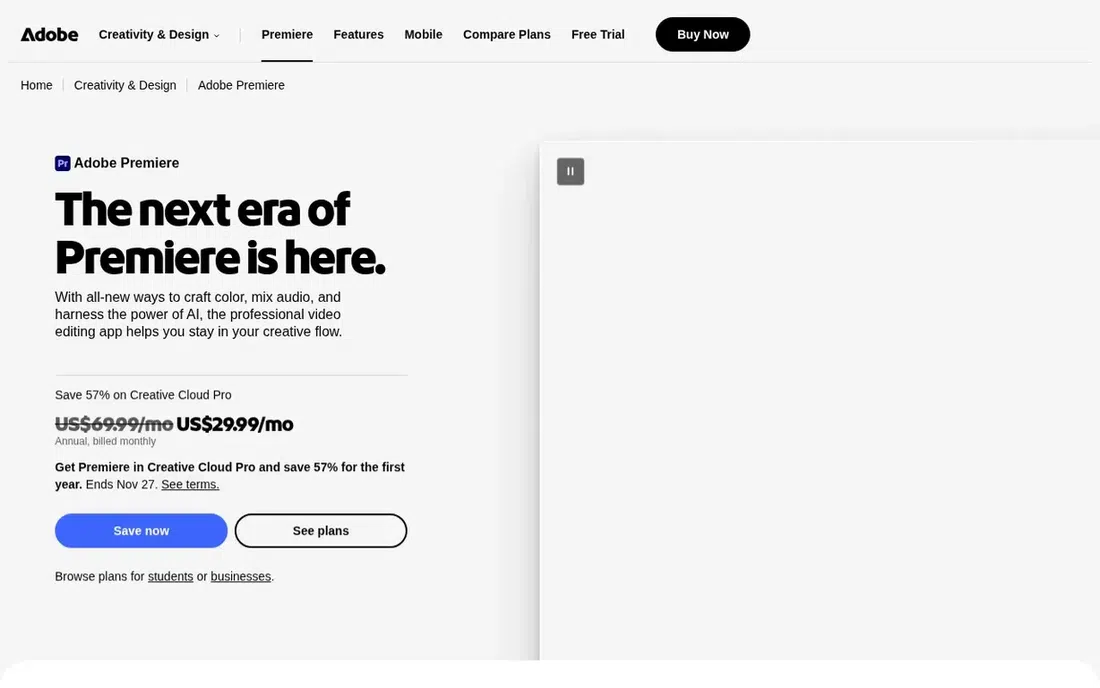
Adobe Premiere Pro makes the most sense for professional editing across desktop products. If you only need fast template-driven edits, a lighter editor like CapCut may be the better fit.
Drawbacks to consider: Demanding on hardware.
On top of that, Adobe Premiere Pro is professional video editing and postproduction software used to edit and trim footage, add effects, mix audio and extend video. In daily use, access is subscription-based, which some buyers prefer to avoid. No starting price is listed for Adobe Premiere Pro here; confirm pricing on the vendor site. Free access: Not stated. Upsides: Professional postproduction focus.
- Effects and audio toolset
- Trim
- Subscription-based access
Filmora was built for approachable AI-assisted desktop and mobile editing. Filmora is AI-powered video editing software for desktop and mobile from Wondershare. It gives you easy-to-learn timeline tools along with AI features, effects, captions and audio tools, which makes it approachable for creators who want guided help without a steep ramp-up time.
Limits to weigh: Fewer deep pro controls.
Reasons to shortlist it: effects and captions.
Also, the simplified approach means fewer of the granular controls that professional finishing work demands, and very complicated projects can feel constrained. Filmora is the better pick when speed and ease matter most. This comparison lists no price for Filmora; ask the vendor. As for free access: Not stated.
- Desktop and mobile versions
- AI features
- Advanced workflows feel constrained
How these tools were picked
Selection started from tools commonly considered for Cross-Platform video editing software, then narrowed to 5 that have clear pricing information or a clear quote process. Plan names, prices and limits change often. Treat the figures here as a starting point and verify them with the vendor. The ranking is editorial: typical fit first, then clear pricing, then free access. If your needs are unusual, read the profiles rather than relying on position.
Pre-purchase checklist
- Request quotes from Corel VideoStudio, Filmora and the others; the list shows no fixed prices.
- Look at the free plan from CapCut closely: its caps decide whether it is usable for real work.
- Before choosing Corel VideoStudio, weigh its main limit: restricted professional depth.
- List the apps you already depend on and check that CapCut supports each one on the plan you would buy.
- Total up the real monthly cost of Filmora, including add-ons, extra users and usage-based fees.
FAQ
Can I move projects between these editors?
Project files are usually specific to each application, so moving between editors normally means exporting finished media or using interchange formats. If collaboration across products matters, confirm supported interchange choices on each vendor site before you commit.
How are the tools for Cross-Platform video editing software ordered?
The order follows typical fit for Cross-Platform video editing software, with Corel VideoStudio first and Filmora last, then price clarity and free access. It is editorial judgement, not a score, so another team could rank the tools differently.
Can I try these options before paying?
Often, yes. CapCut has a free plan. Use your own data and a real task during the test, and check what the free tier or trial limits before you rely on it. For the full picture, the cards above cover all 5 entries of this Cross-Platform video editing software list, including price, free plan and limits.
Which options for Cross-Platform video editing software have a free plan?
CapCut is the only tool in this list with a free plan. Free plans usually cap users, projects or features, so check the limits on the vendor page. Prices, free plan details and limits for all 5 tools in this Cross-Platform video editing software roundup sit on the individual cards above.
Do these tools publish their prices?
No. None of the tools, from Corel VideoStudio to Filmora, shows a fixed starting price here, so budget time for quotes.
Sources
- https://www.videostudiopro.com
- https://www.vegascreativesoftware.com/us/vegas-pro
- https://www.capcut.com
- https://www.adobe.com/products/premiere.html
- https://filmora.wondershare.com